


It was around Christmas 2024 when I first heard of Deepstash, through one of their Instagram video ads. But it wasn’t until last month (more than a year and a half later!) that I rediscovered it (yes… through another entertaining Instagram video ad 😂) and finally decided to give it a go.
So here I documented my experience using Deepstash.
But then I felt it wouldn’t be complete if I only covered Deepstash without comparing it with alternatives. So I also documented my experience using two popular alternatives in the book summary (and microlearning) space: Shortform and Headway.
By the end of this review, you’ll know whether Deepstash is worth it for you in 2026 — and whether it’s actually the best book summary app on the market.

Before the Research
Deepstash has a free plan. But the library of book summaries is limited, there’s no audio version, and you get hit with a 15–30 second non-skippable ad every time you complete an idea inside a book summary.
So, to experience Deepstash at its best, I upgraded to Pro — their only paid tier (they offer a 7-day free trial).
I broke my research down into five days:
Research Day #1: Book Summaries
Research Day #2: Beyond Book Summaries
Research Day #3: User Interface
Research Day #4: Price
Research Day #5: Best Deepstash Alternatives
And at the end, I share my conclusion on whether Deepstash is worth your time and money.
1. Research Day #1: Book Summaries
After reading a few book summaries on Deepstash, it’s clear to me that the content is extremely high quality. I particularly like that they always use stories to illustrate the book’s ideas — it really brings the point home and makes it fun to read.
In a similar spirit, I’ll use the New York Times bestseller (and one of my all-time favorite books) Skin In The Game by Nassim Nicholas Taleb to illustrate my research.
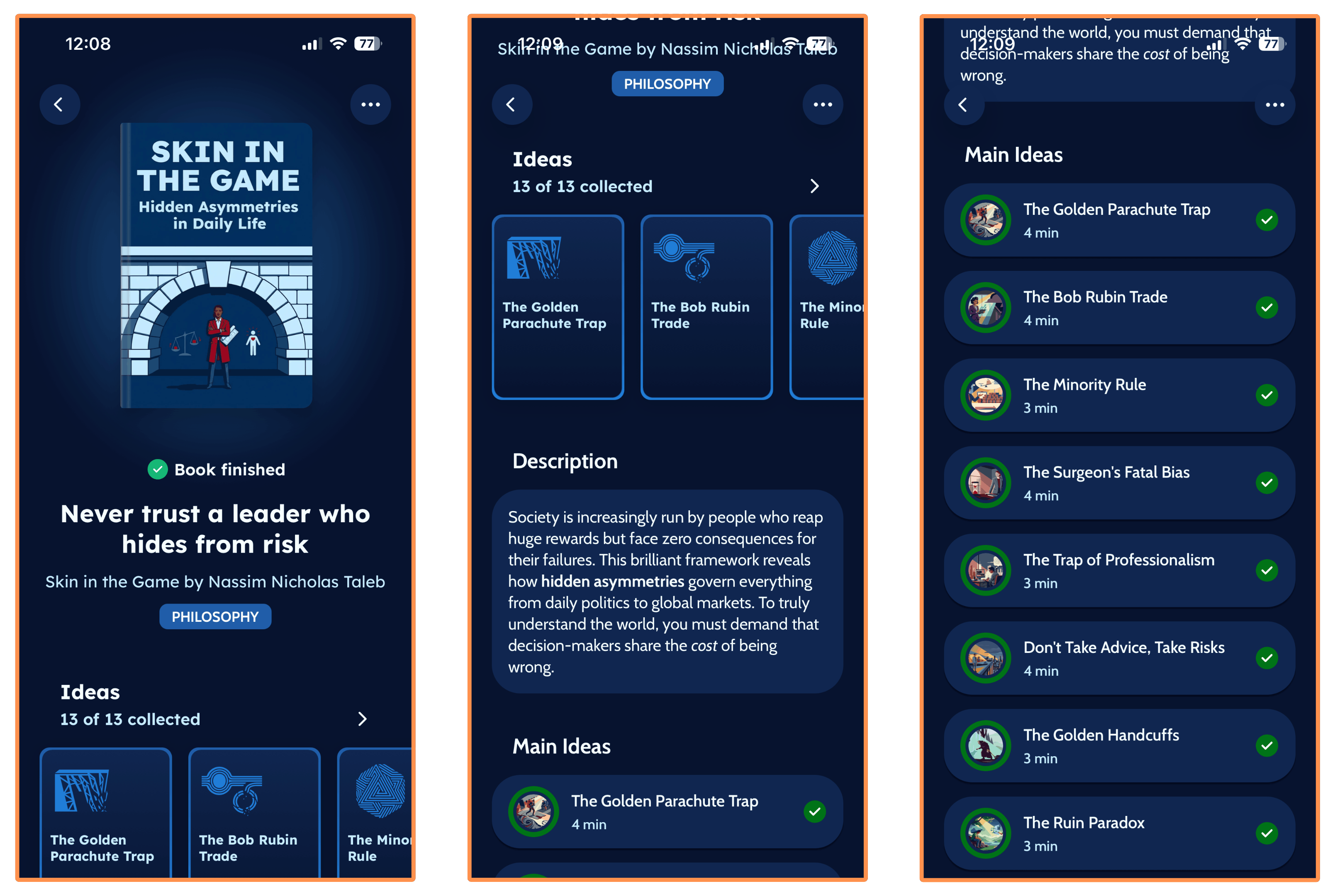
A book summary on Deepstash usually consists of 8–15 ideas, which they call “Main Ideas.”
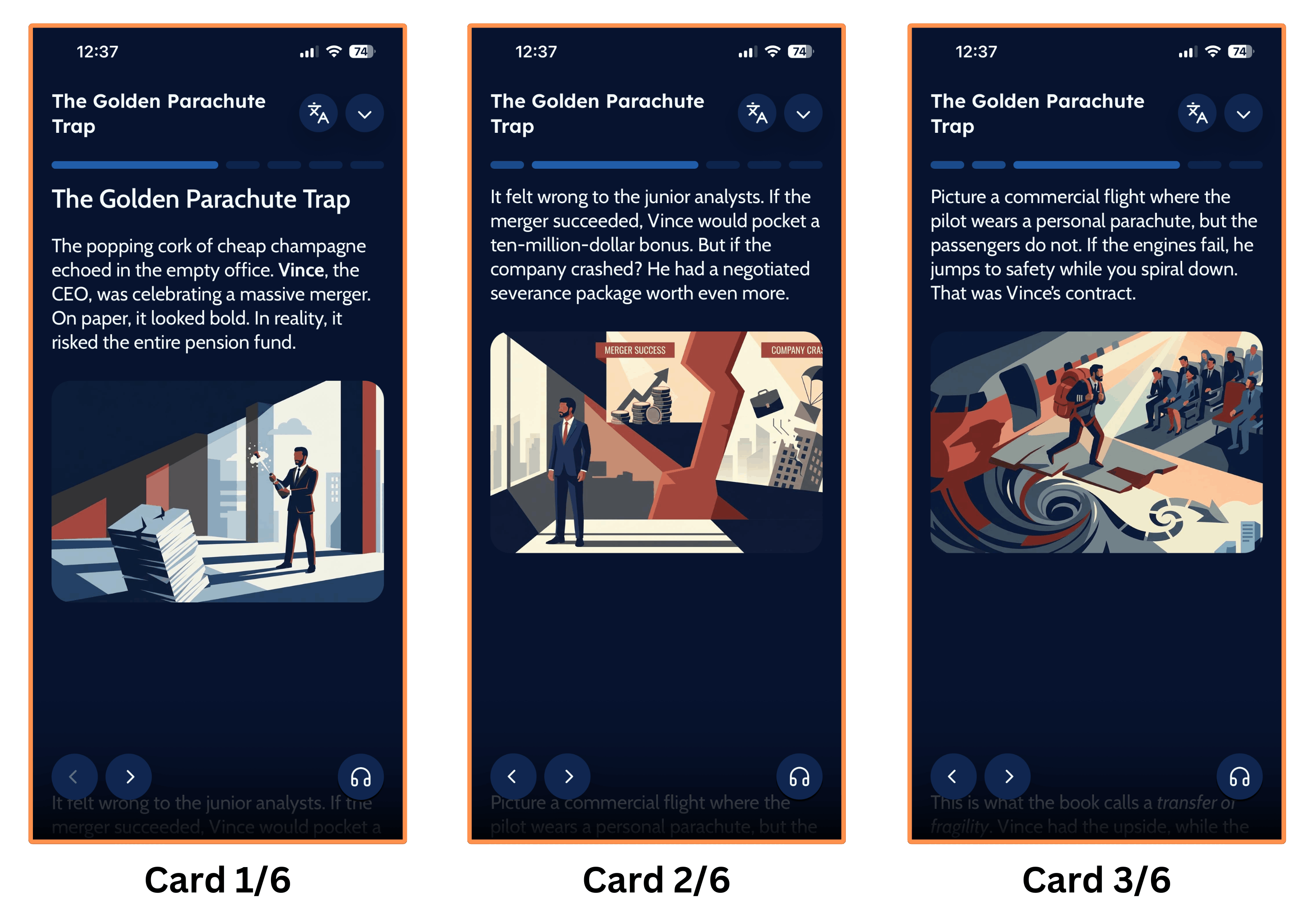
Each Main Idea starts with a collection of 3–6 story cards. These cards tell a story to illustrate the idea…
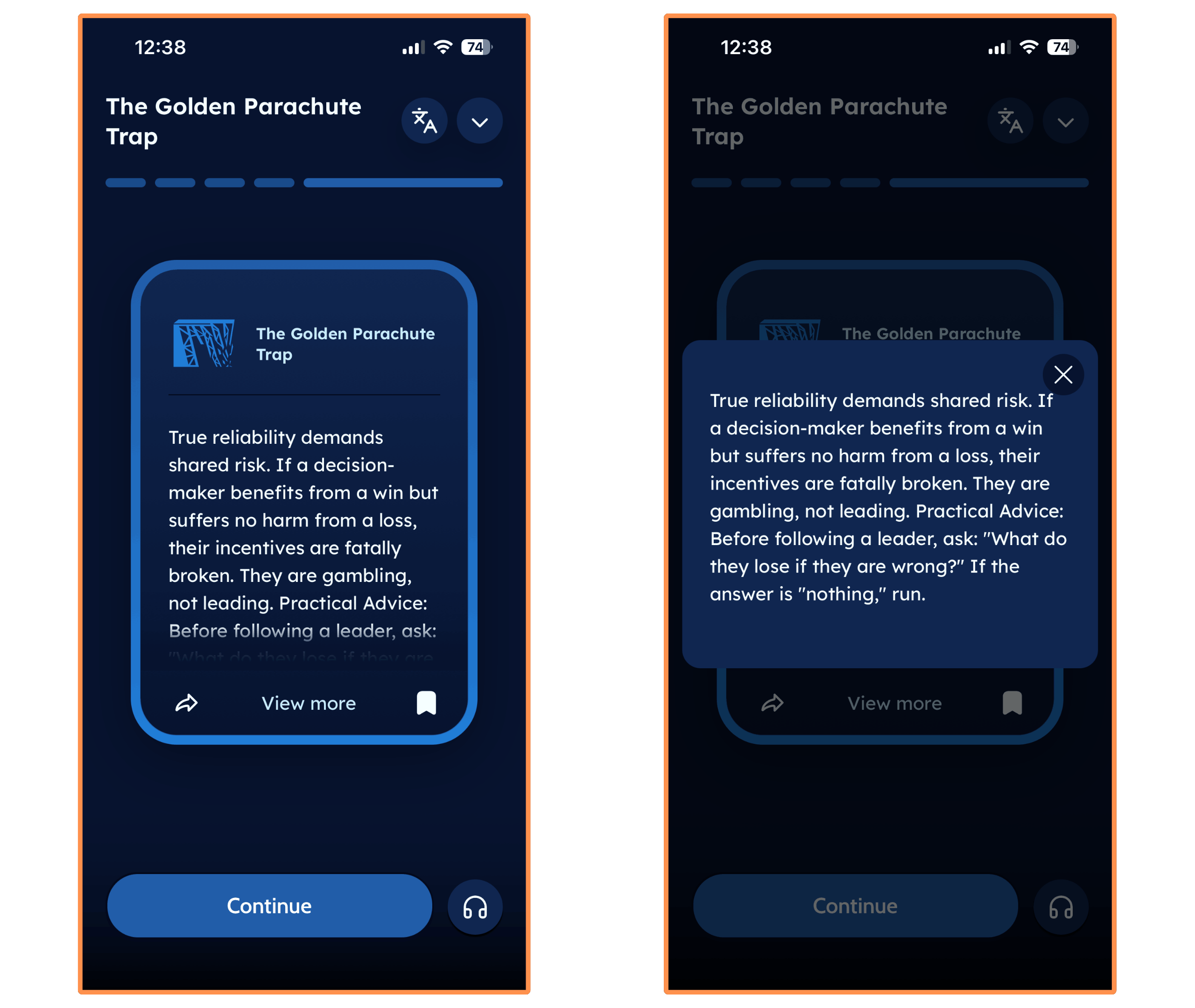
The story then sets the stage for a concise explanation of the idea…
And finally, there’s a short quiz to test your understanding of the idea…
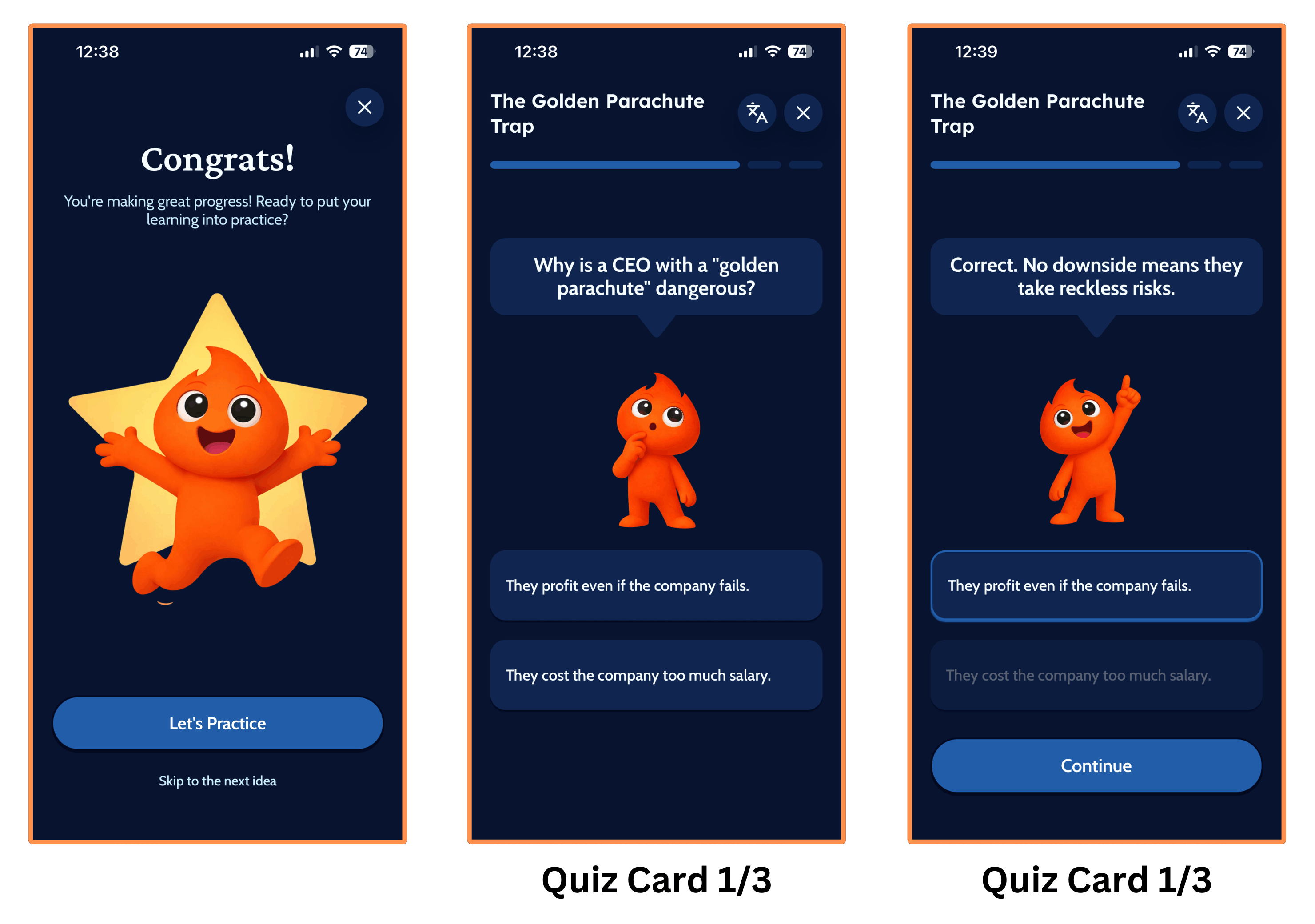
After finishing the quiz (or skipping it), you move to the next idea. In the case of Skin In The Game, that would be Idea 2: The Bob Rubin Trade.
What I love about these summaries is the user interface — you can just scroll your way through the whole summary, which is a muscle I’ve trained well (maybe too well) on Instagram. And the pictures are a nice touch, making the ideas easier to understand and visualize.
Now, let’s look at three key features of these summaries:
Other Languages
Bookmarks
Audio Version
And we’ll end with one important caveat.
Other Languages
On any book summary, you can switch the language to French…
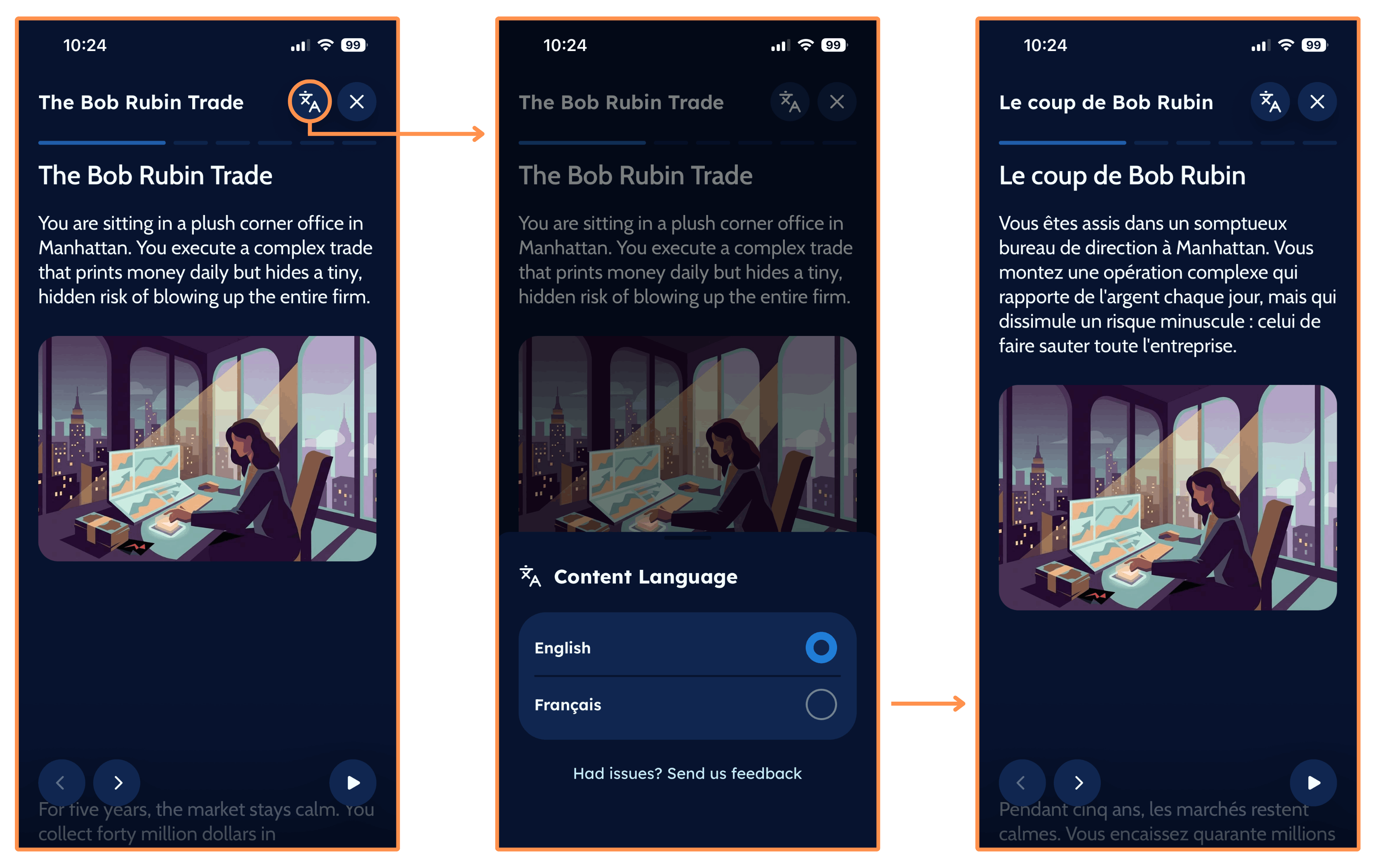
So if you’re learning French (or just prefer reading in French) this is a useful feature.
Bookmarks
Whenever you reach the explanation of the idea (which appears after the story cards), you can save it to revisit later by tapping the bookmark icon. It then goes into the “Read Later” library.
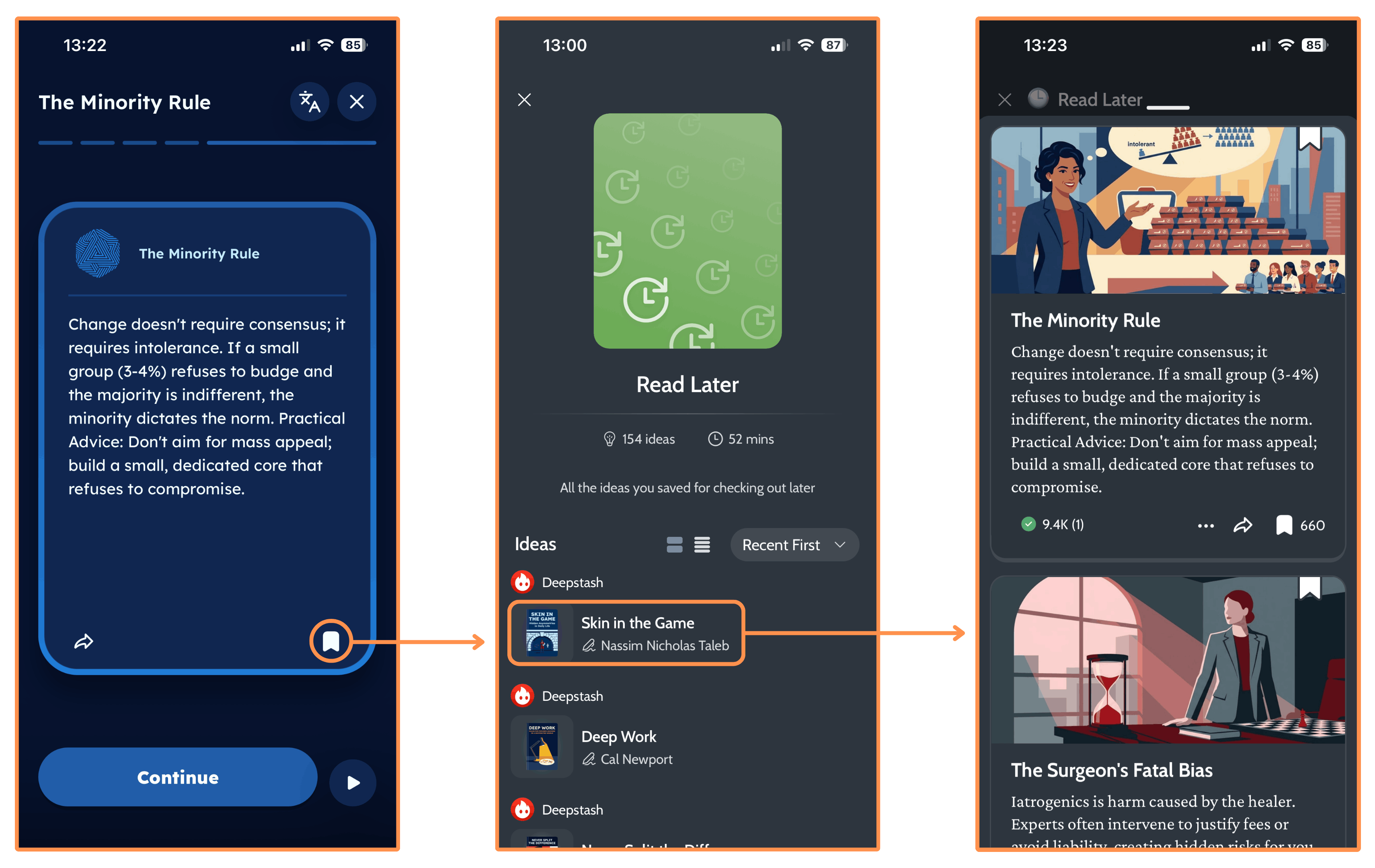
I found that the app can be quite slow when navigating the “Read Later” library. It freezes frequently, and sometimes the app even crashes. So if this is an important feature for you, I’d recommend checking out alternatives such as Shortform and Headway — both let you highlight and save any text, and Shortform also includes note-taking. (I cover both apps — Headway and Shortform — in Research Day #5: Best Deepstash Alternatives.)
Audio Version
All Deepstash summaries come with an audio version, and I really like how it sounds!
Here’s a sample from their summary of Skin In The Game, so you can hear it for yourself too…
(By the way, you can listen to Deepstash’s summaries even when the screen is off!)
Summaries labeled “From the community”
Before moving on to the next section, I should say that not all summaries on Deepstash have the same structure and style we just saw.
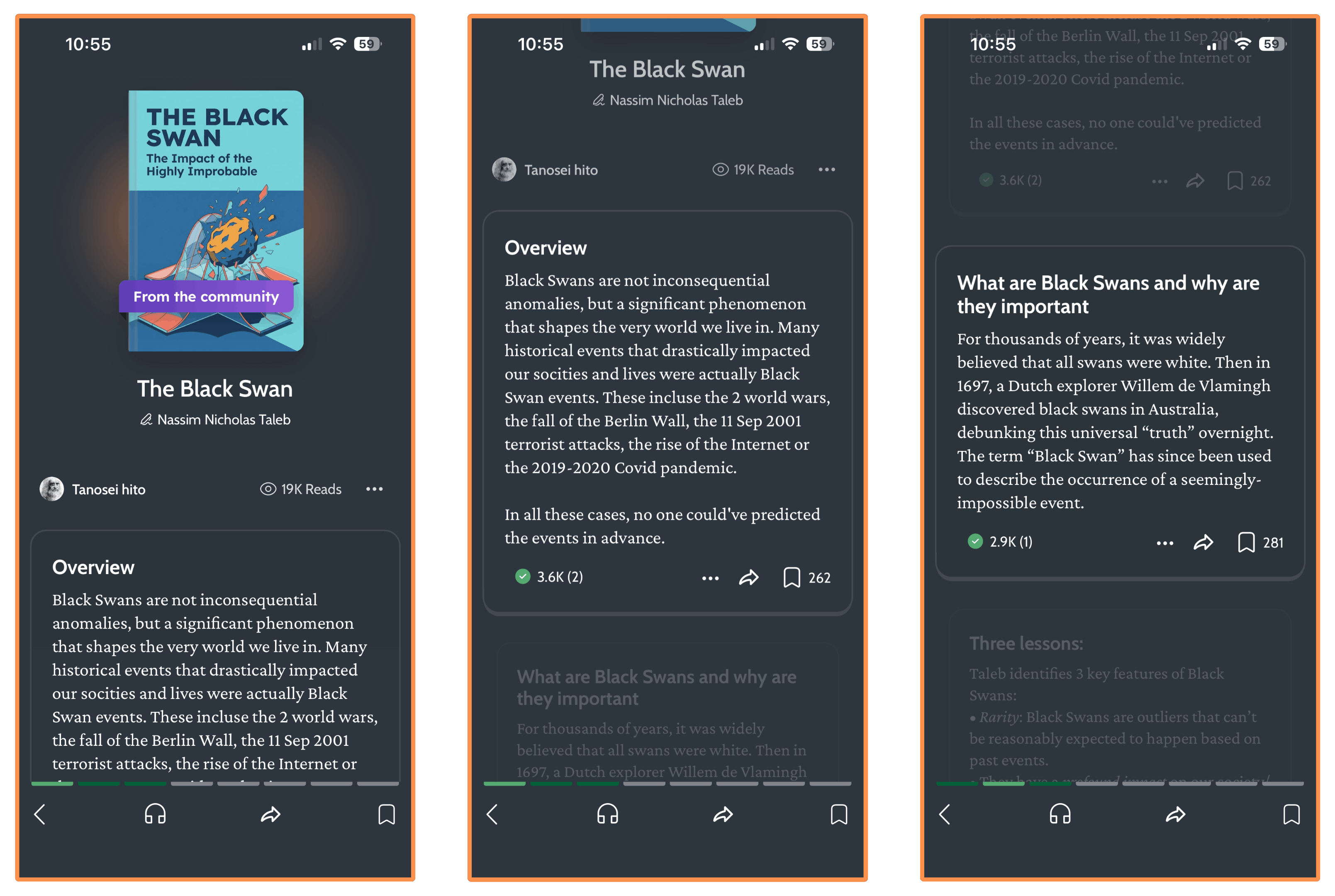
For instance, I searched for other books by Nassim Nicholas Taleb, such as The Black Swan (another New York Times bestseller) and Fooled by Randomness, but I could only find summaries labeled “From the community.” These summaries are essentially collections of information cards that aim to explain the book, but they don’t have the same cohesive structure as the format we just saw…
And here’s how it sounds…
I definitely prefer the previous format — I think it’s much better in terms of quality and engagement, and the audio version sounds way better. So I hope Deepstash releases more titles in that cool story-driven format!
(P.S. If you were wondering, these community summaries don’t offer translations into other languages.)
What about Downloads?
Another important caveat is that you can’t download any content.
This is a real bummer for me since I frequently lose connection when commuting — and that’s exactly when I’d wanna use an app like Deepstash 🤦♂️
Shortform and Headway (the two alternatives I cover on Day 5) let you download book summaries to read offline, and Shortform even lets you export them as PDFs to keep permanently.
2. Research Day #2: Beyond Book Summaries
Beyond book summaries, Deepstash lets you explore content through Topics, Ideas, and Journeys.
Topics
In the “Explore” tab, you can discover new content by Topic…
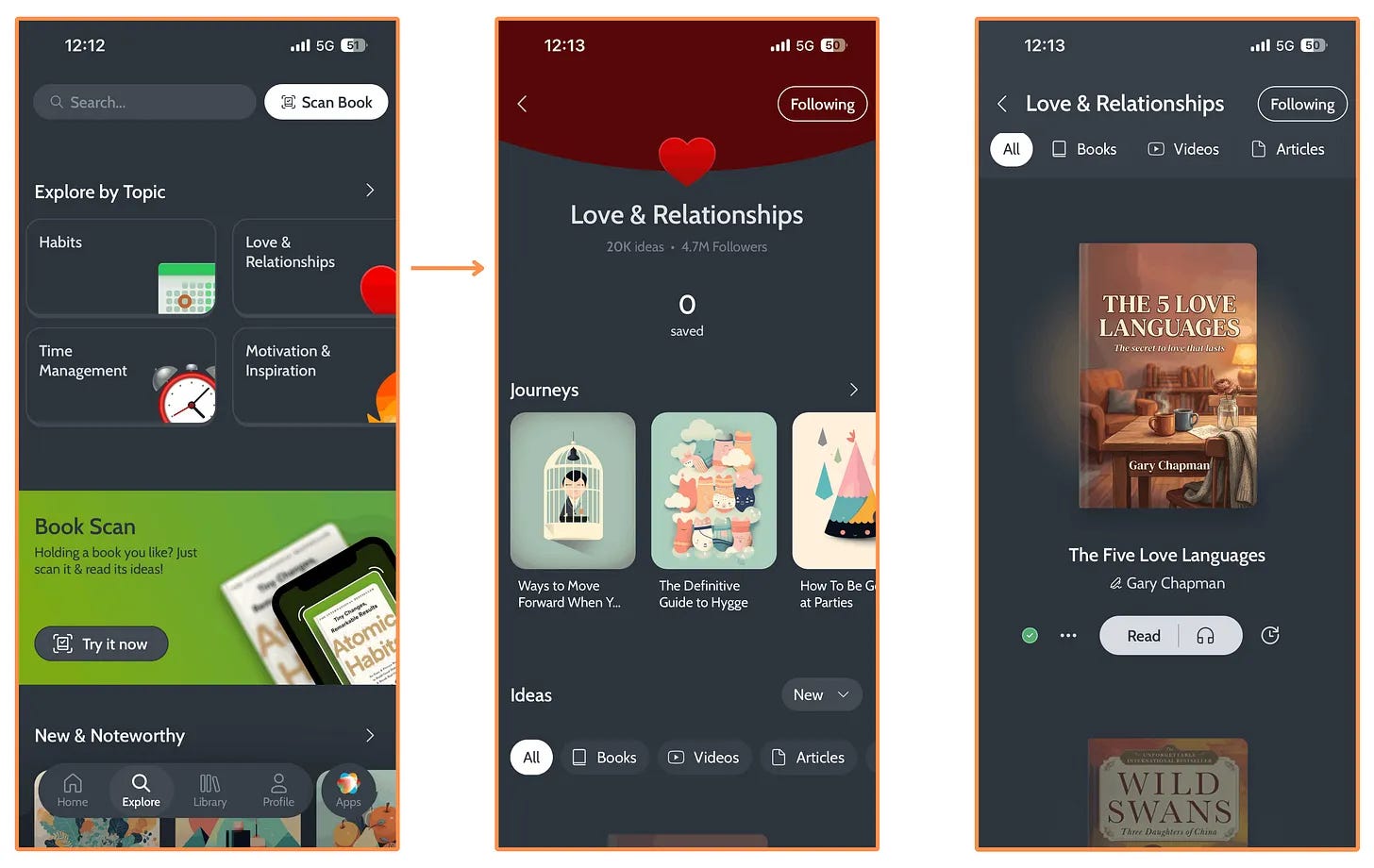
Inside a specific Topic, you’ll find two types of content: Ideas and Journeys.
Ideas
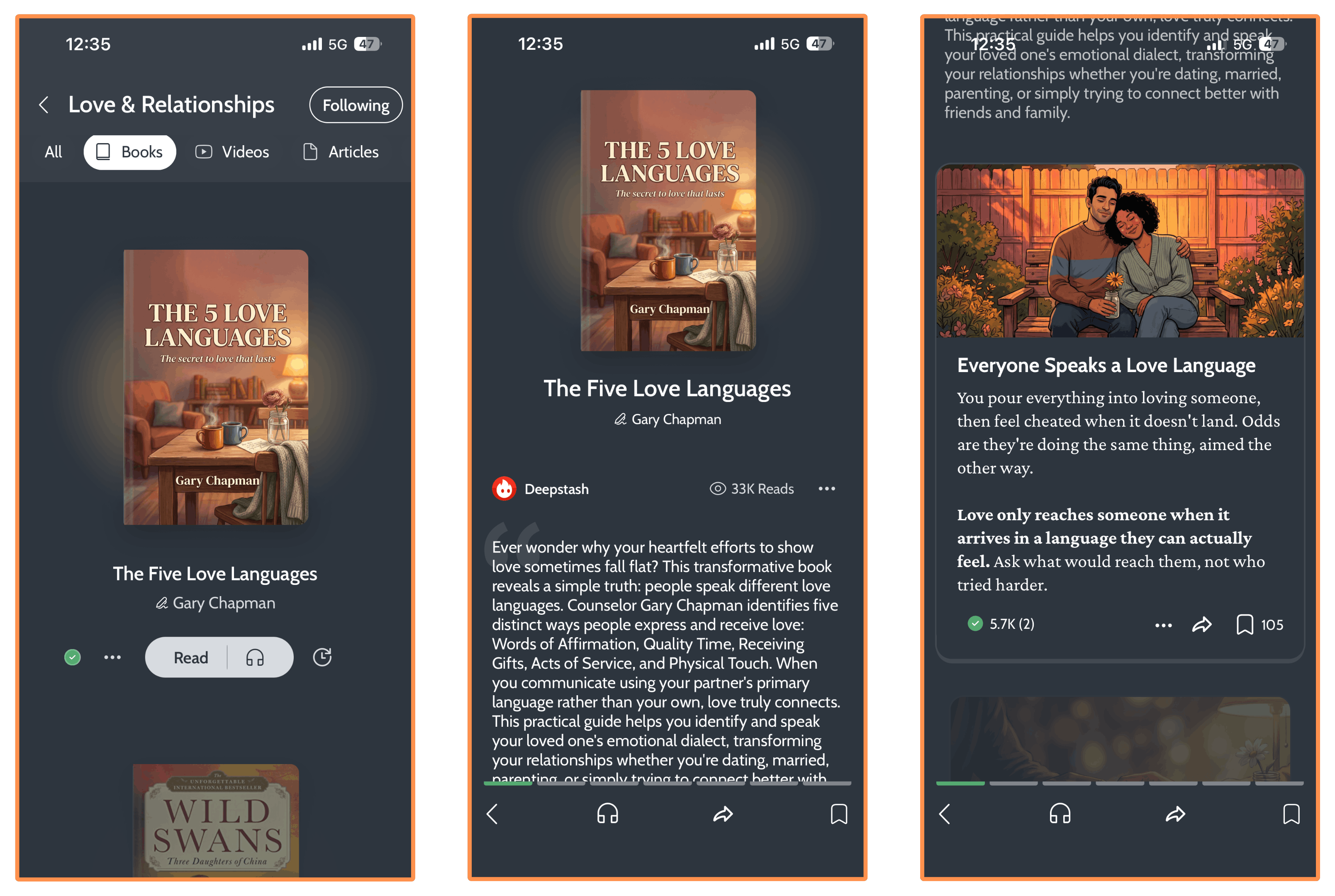
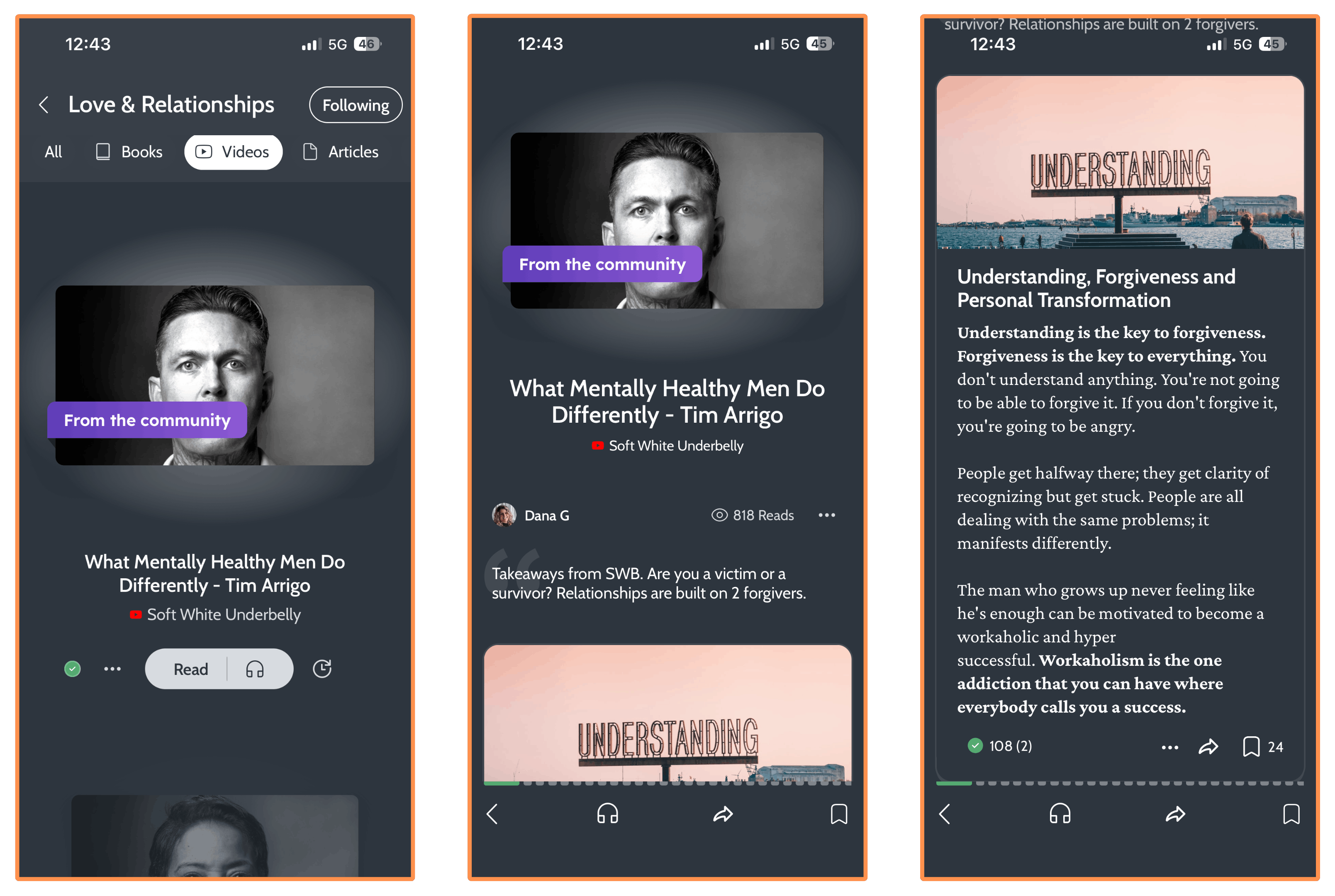
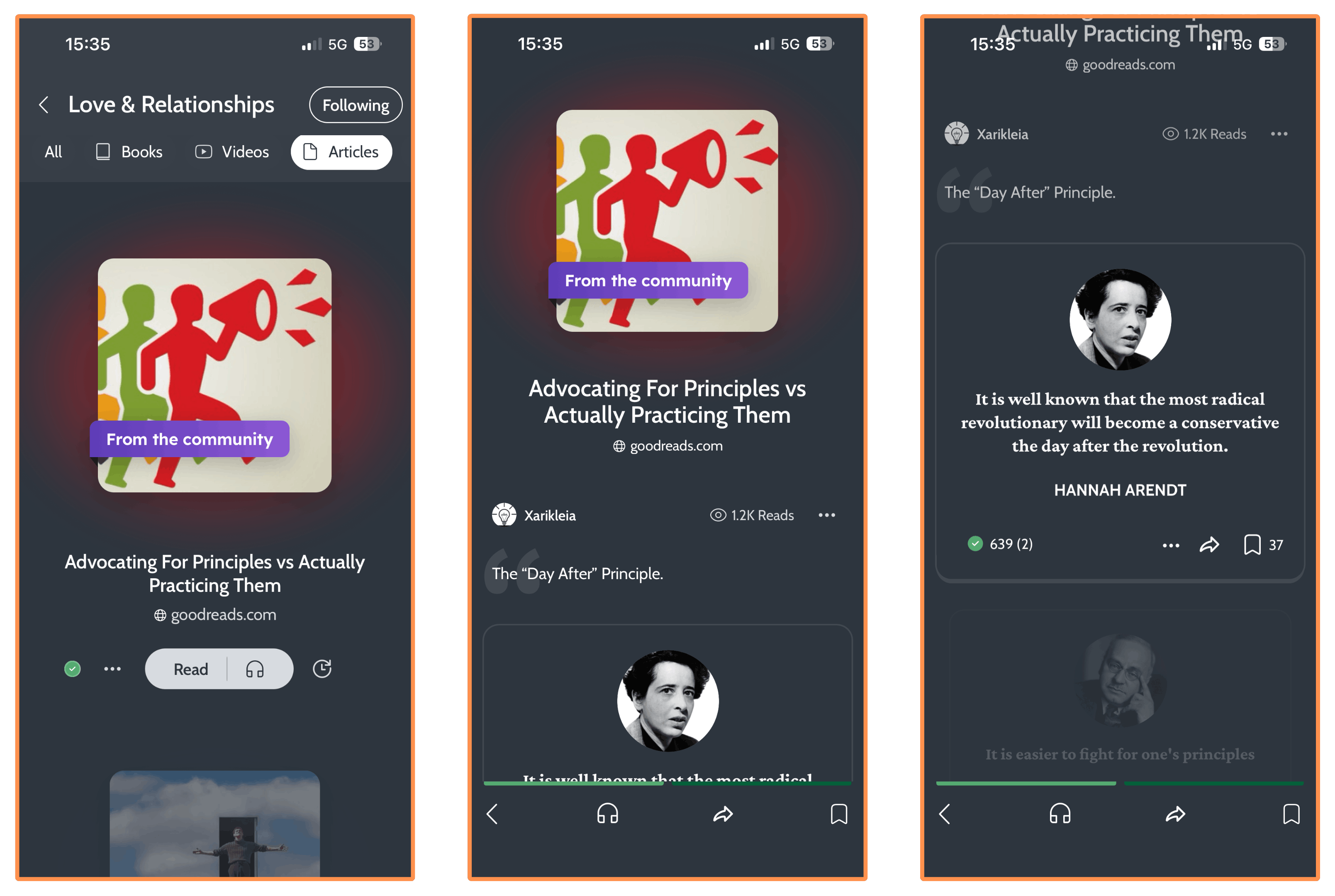
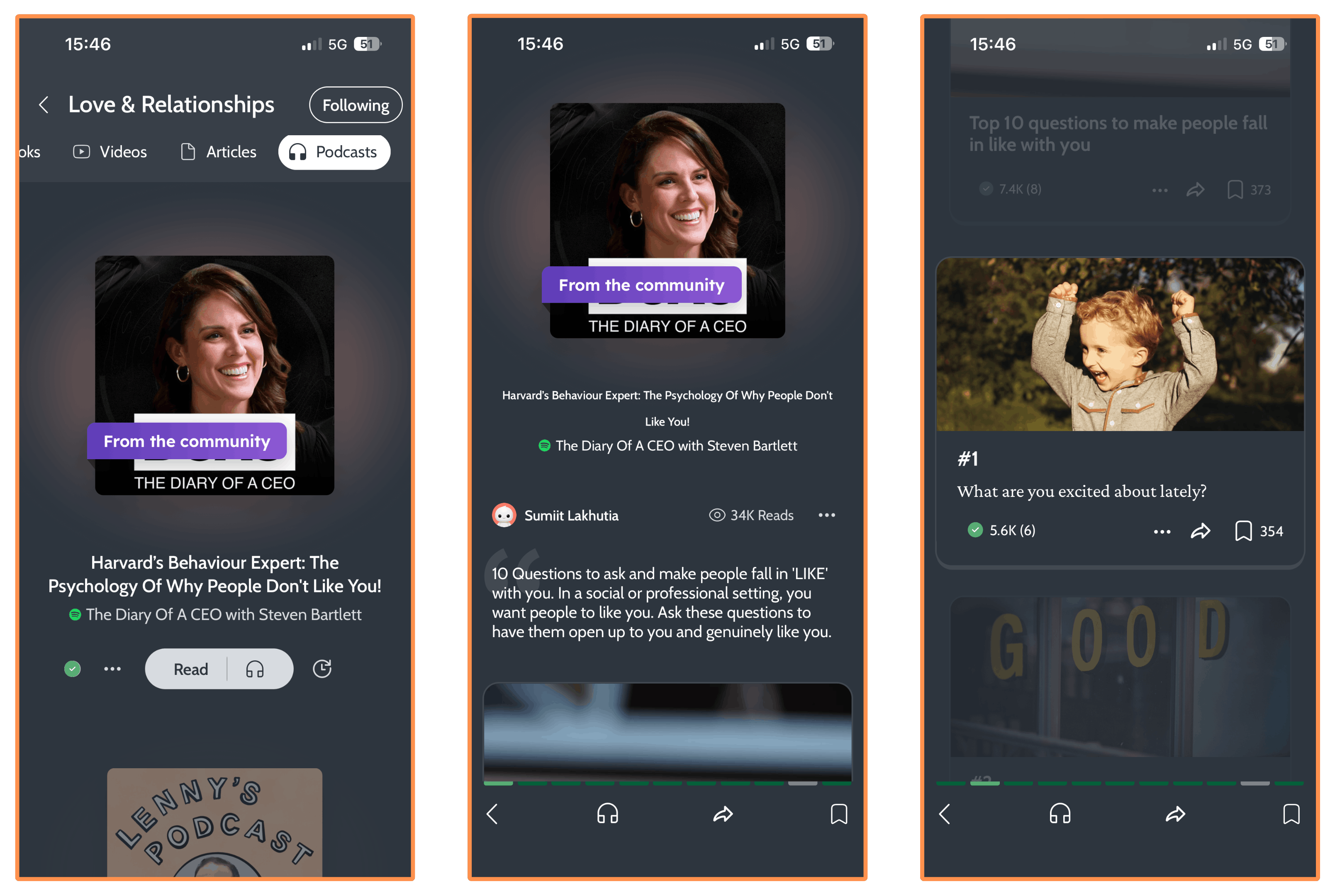
Here you’ll find ideas from books (as we saw in Day #1: Book Summaries), as well as ideas from videos, articles, and podcasts.
Ideas from Books…
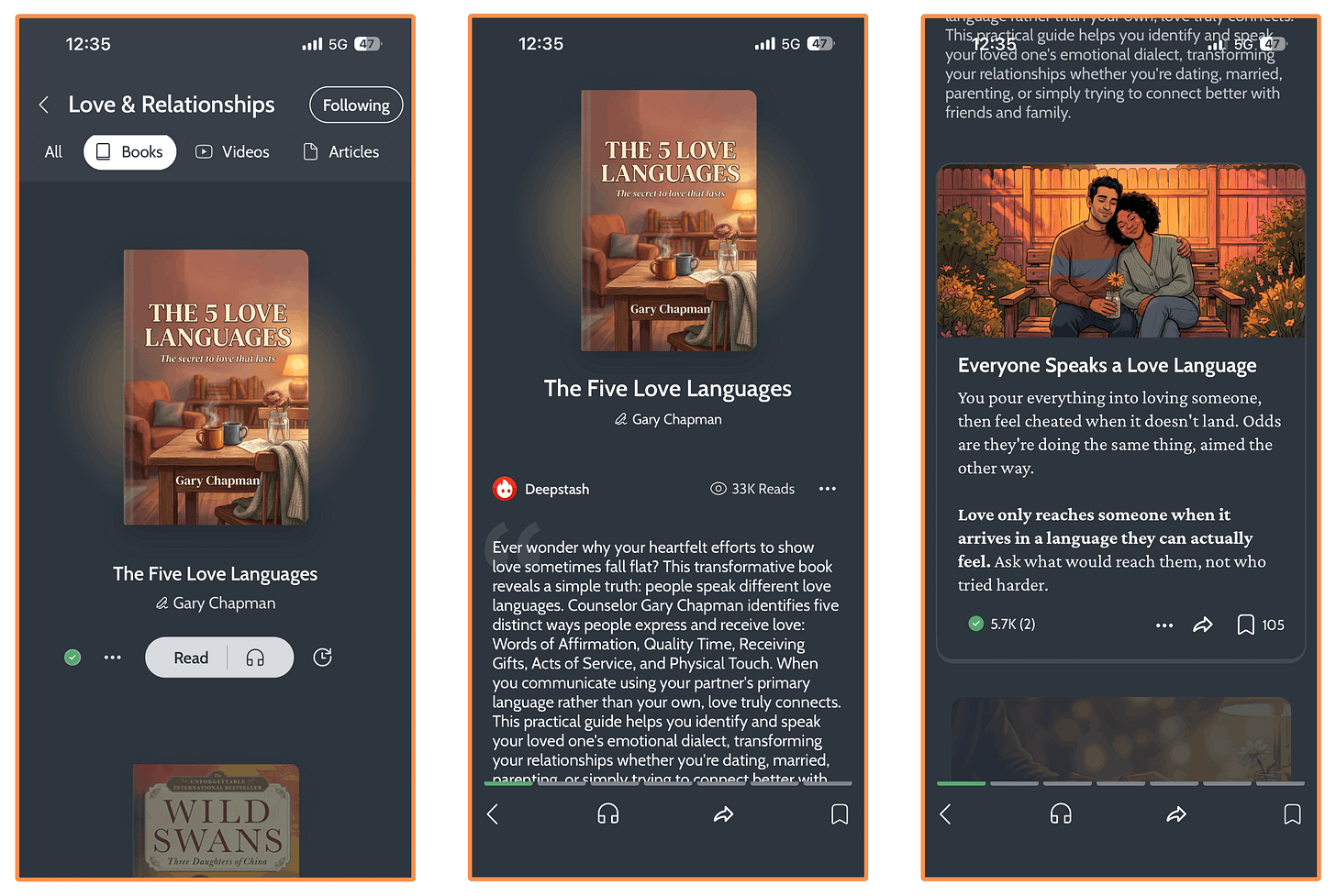
Love & Relationships - Ideas - Books - The 5 Love Languages Ideas from Videos…
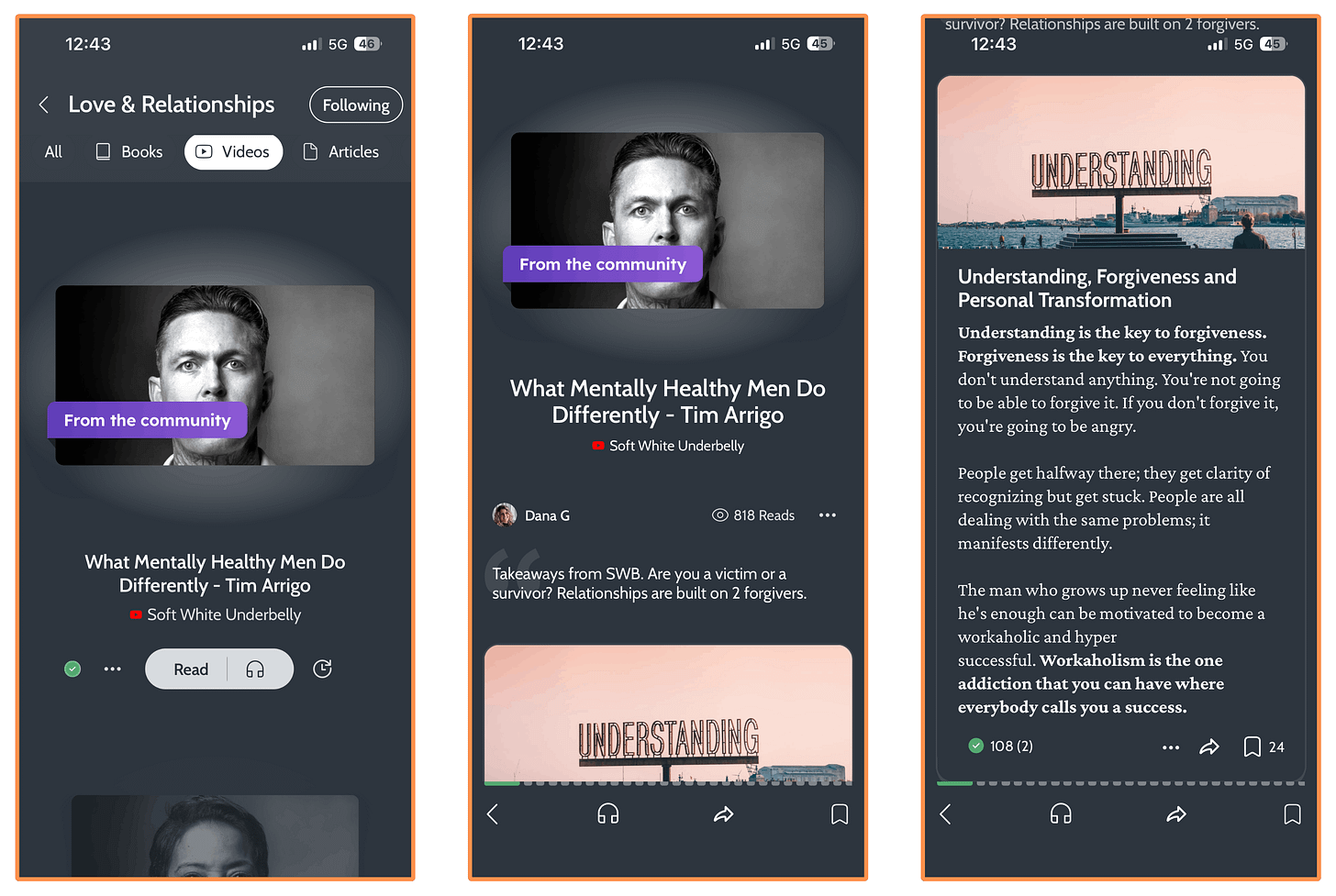
Love & Relationships - Ideas - Videos - “What Mentally Healthy Men Do Differently” Ideas from Articles…
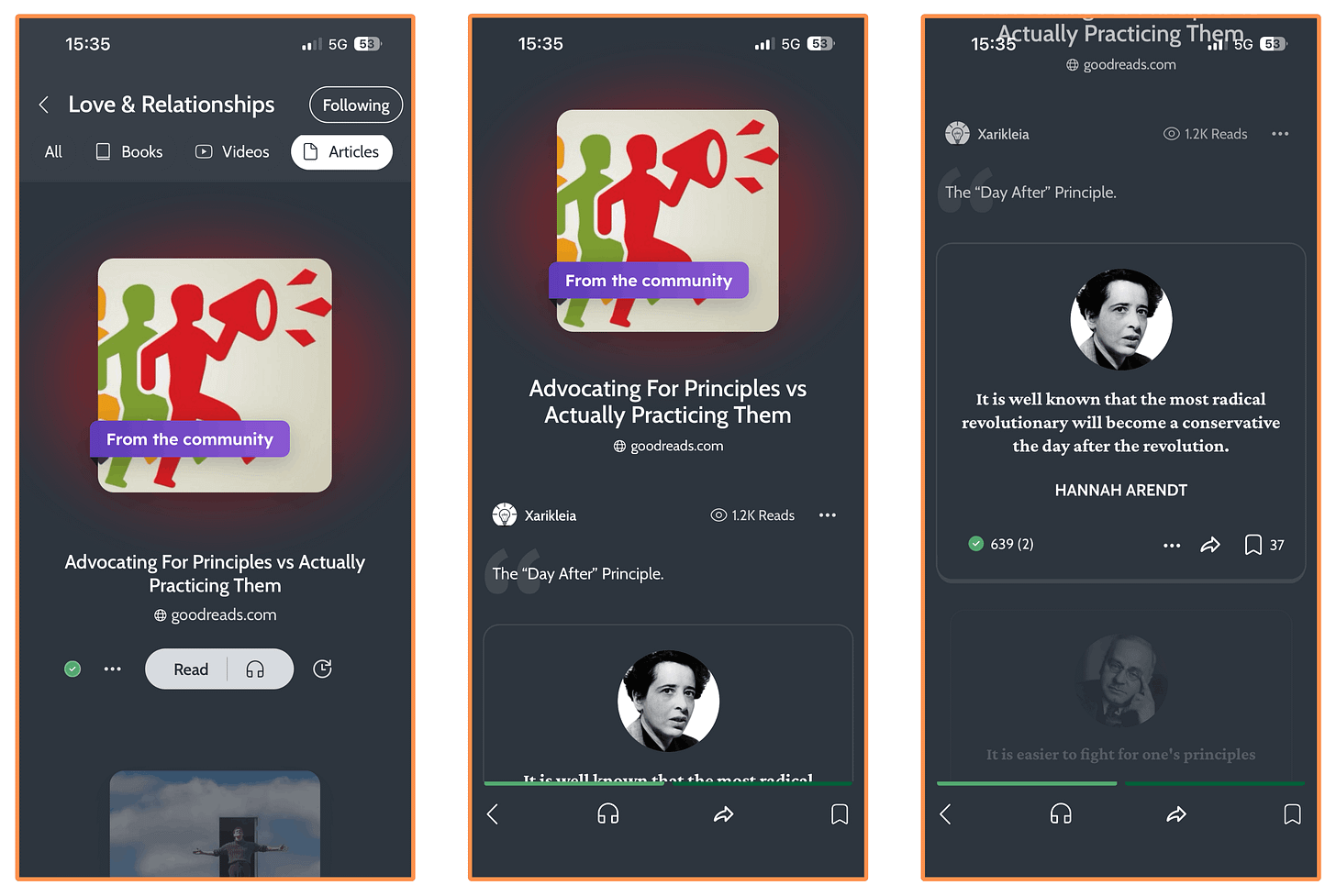
Love & Relationships - Ideas - Articles - “Advocating For Principles vs Actually Practicing Them” Ideas from Podcasts…
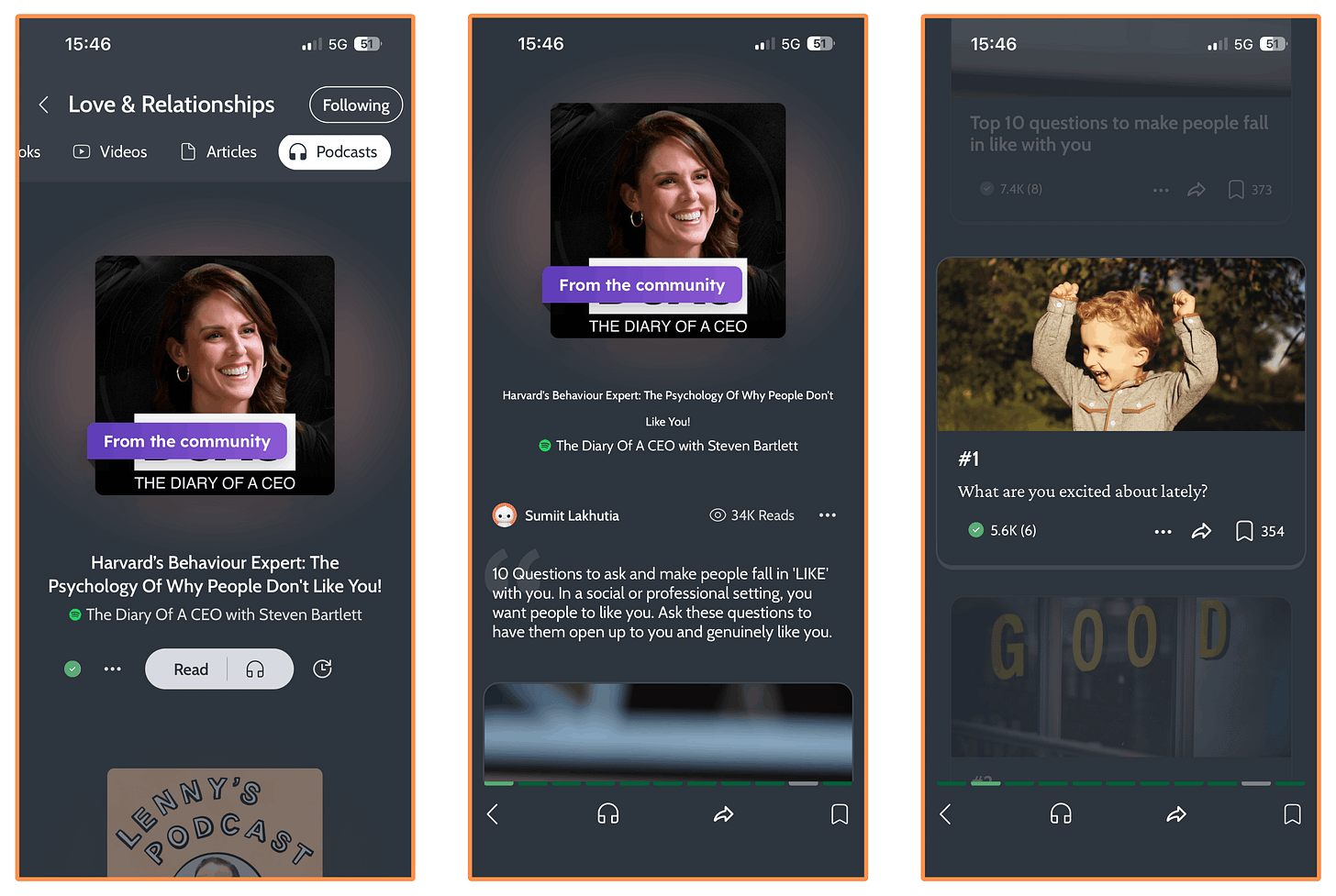
Love & Relationships - Ideas - Podcasts - “The Psychology of Why People Don’t Like You”
Journeys
Journeys are collections of Ideas (like the ones we just saw) built around a specific goal, such as “How To Be Good at Parties.”
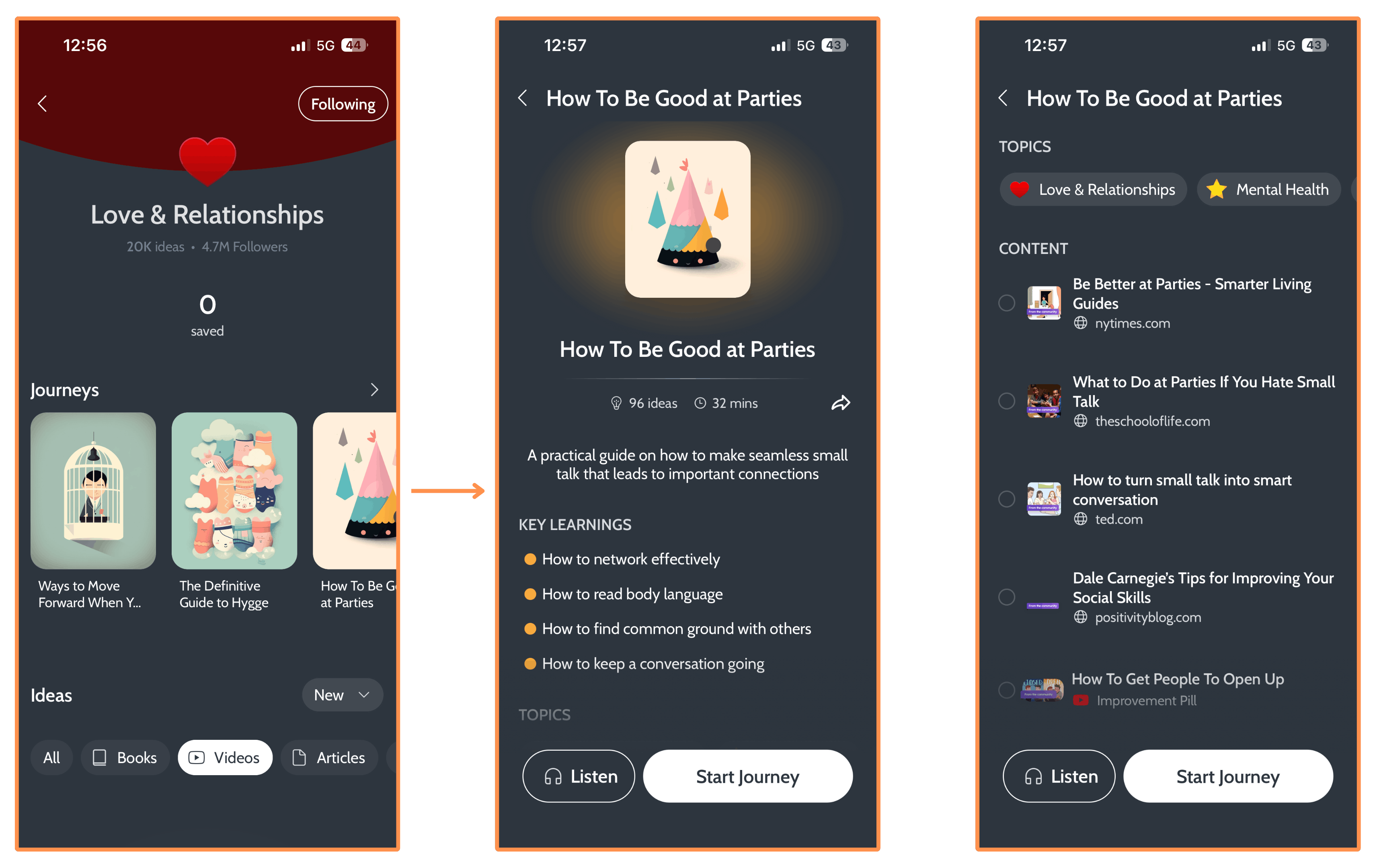
A Journey can belong to one or more Topics. For example, “How To Be Good at Parties” belongs to four: Love & Relationships, Mental Health, Communication, and Personal Development.
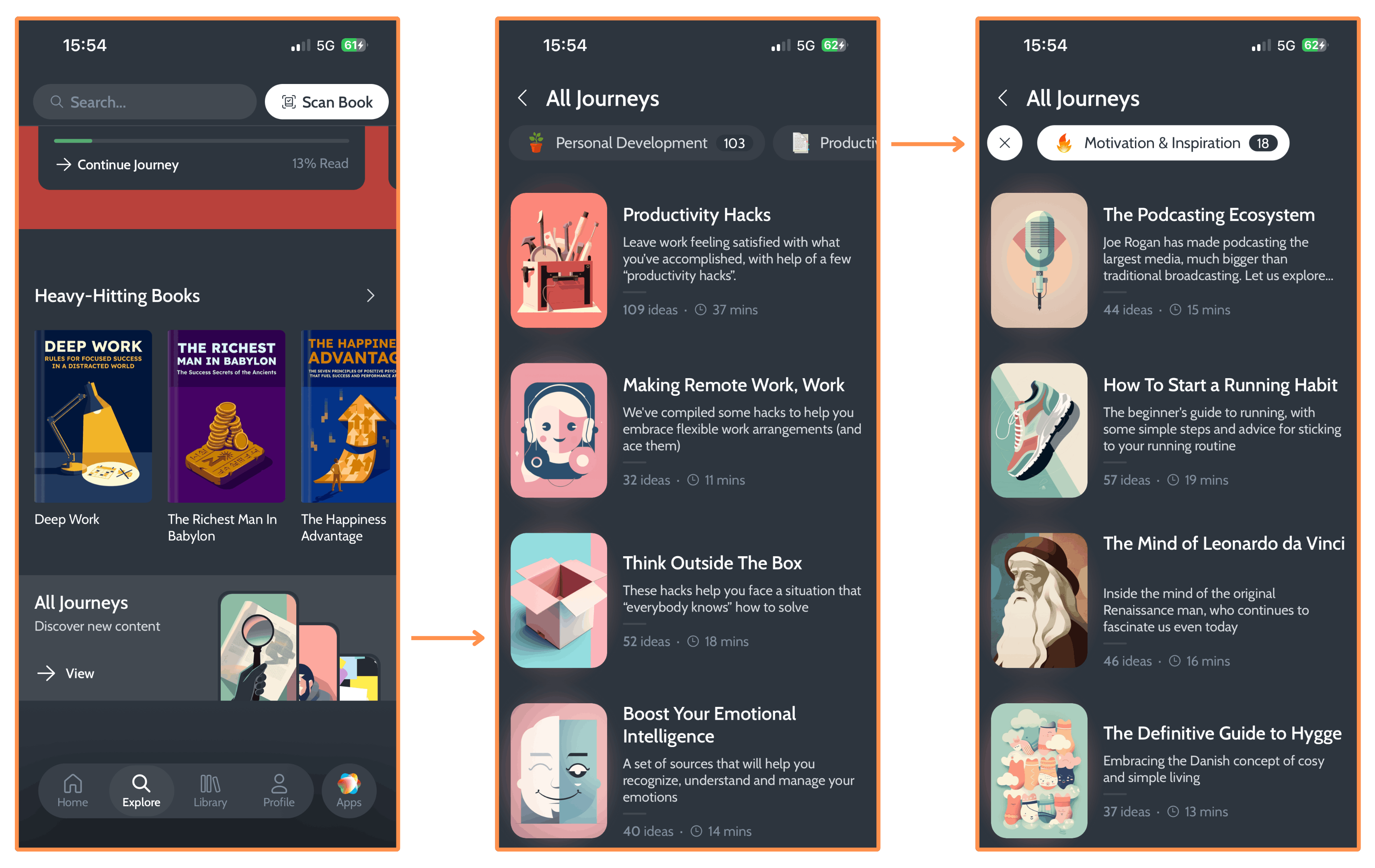
You can also access all Journeys directly from the Explore tab and filter them by Topic…
3. Research Day #3: User Interface
I really like the design of the Deepstash app. Especially the Home tab, where I can just start scrolling through books until I find one that catches my interest, then open it and scroll through its ideas. I think it’s cool that they’ve built everything around this habit of scrolling — something we’re all so used to from social media.
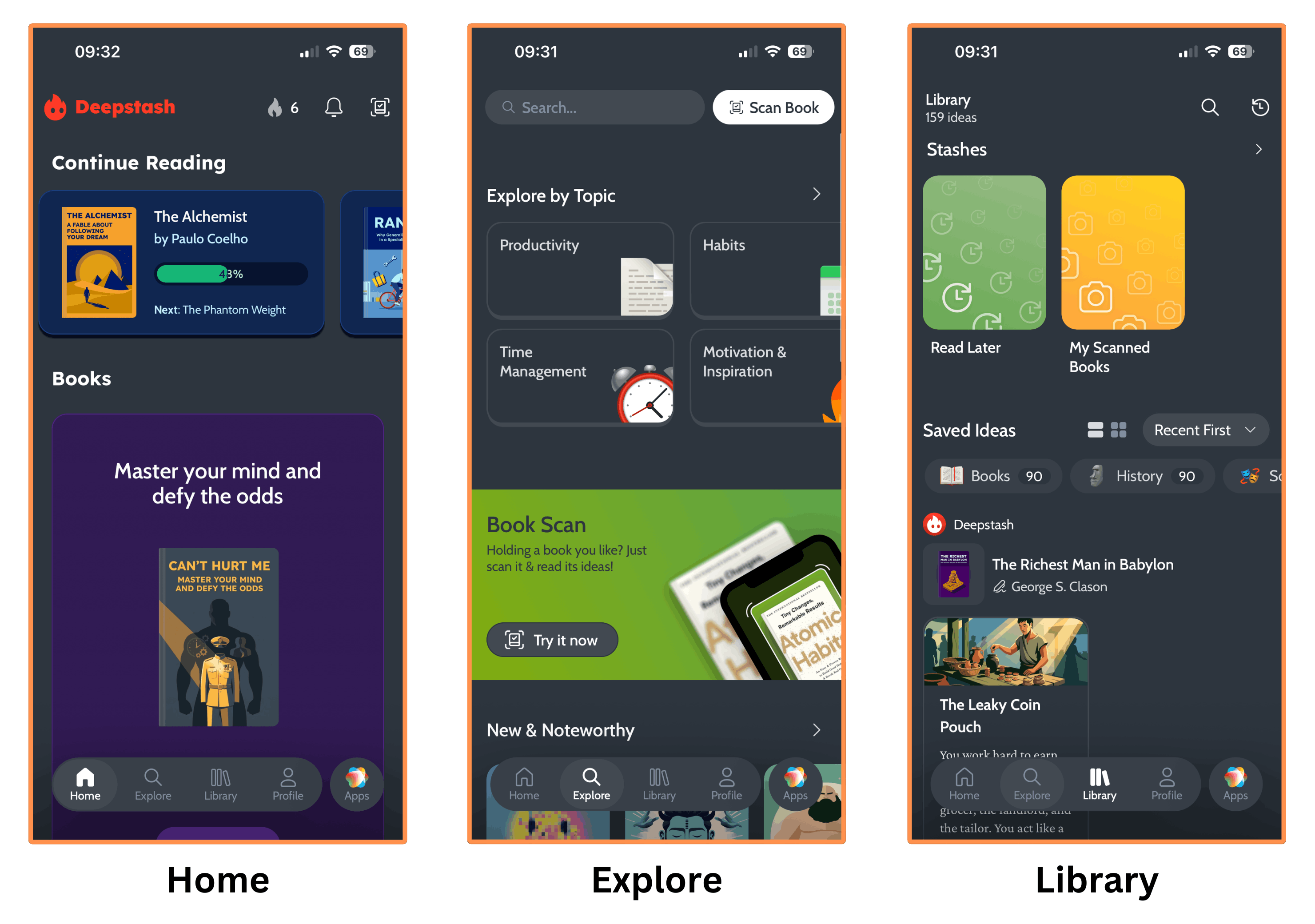
I’ll say though that the Library tab (and everything within it) is annoyingly slow. And the app even crashes sometimes when navigating through this tab.
Deepstash is only available as a mobile app — it doesn’t have a desktop version.
P.S. In the Home tab you’ll only find book summaries (or Ideas from books), whereas in the Explore tab you’ll also find Ideas from videos, articles, and podcasts.
4. Research Day #4: Price
You might be wondering: Is Deepstash free?
And the answer is yes! They do have a Free Plan (although it comes with ads and limitations that we’ll see later).
It can be tricky to find the Free Plan (they push the paid Pro Plan hard), so let me show you how I accessed it.
I downloaded the app, went through the onboarding, and then they offered me a 7-day free trial of their Pro subscription…
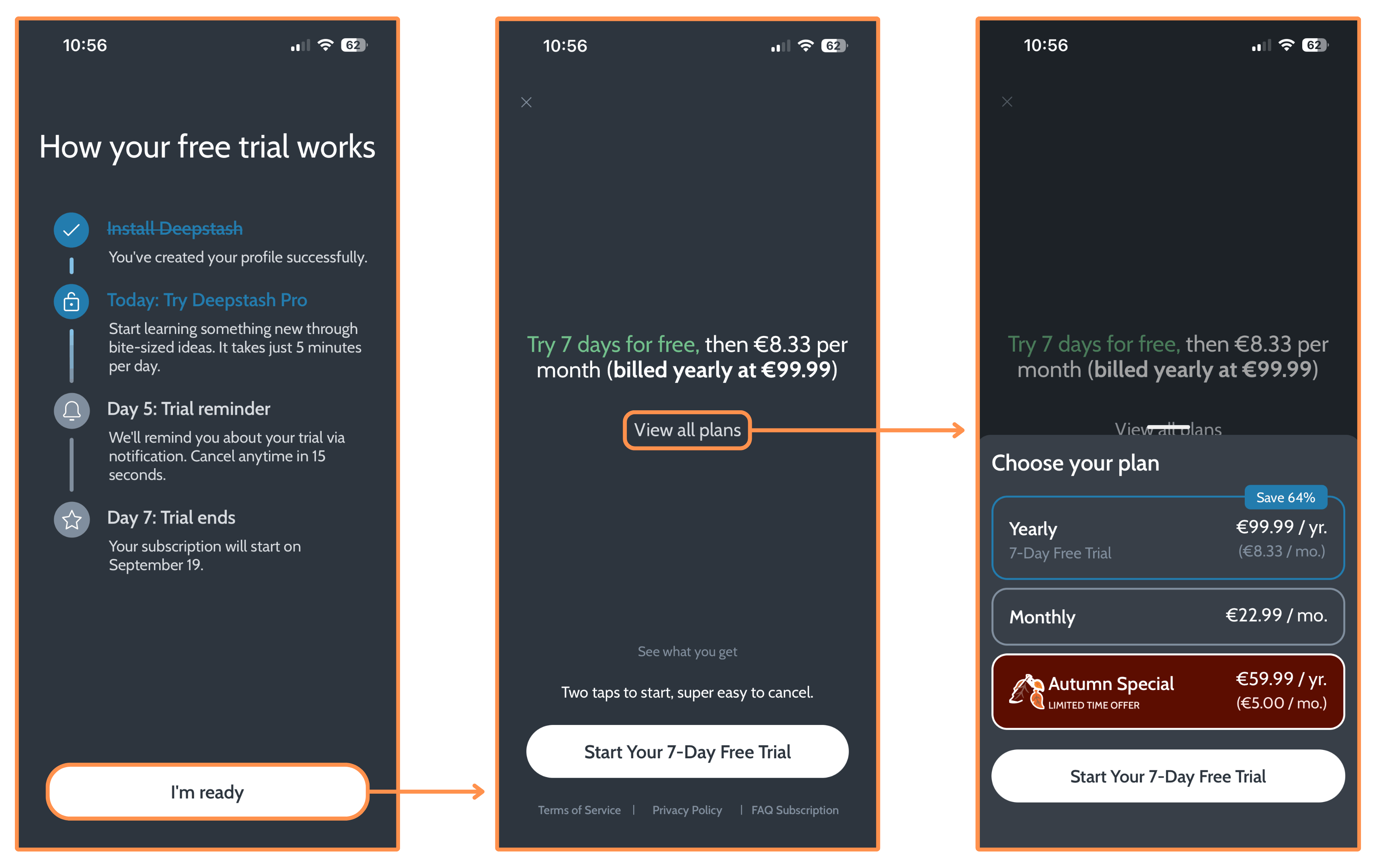
(Deepstash Pro costs €99.99 per year — equivalent to $116. And there’s also a monthly option that goes for €22.99 per month — equivalent to $26.67.)
They never tell you that there’s a Free plan. But if you hit the cancel icon, you’ll see a Free vs. Pro comparison, and from there you can just continue with the Free plan…
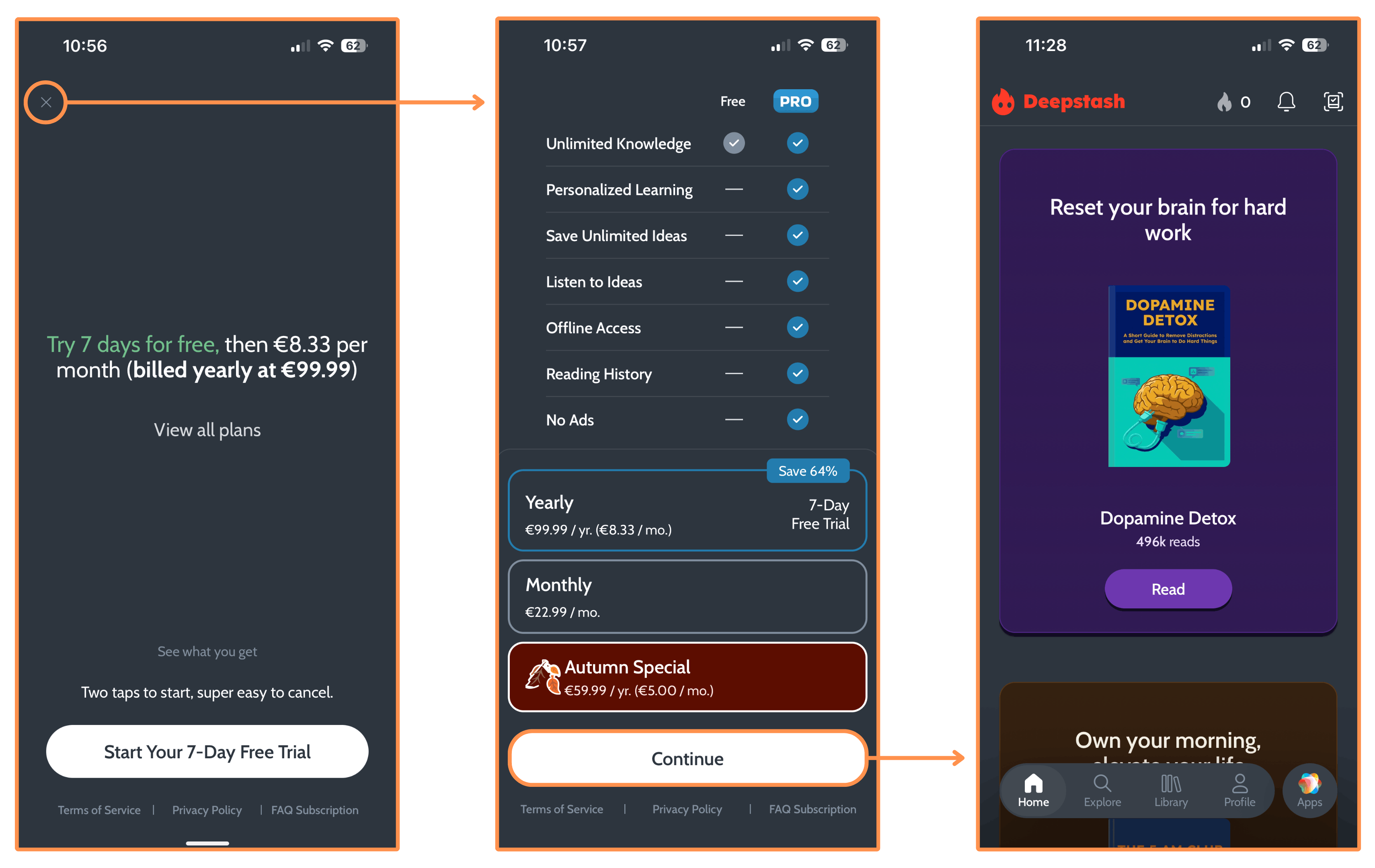
Once inside the Free plan, there was one thing that really annoyed me: the Free vs. Pro comparison changed…
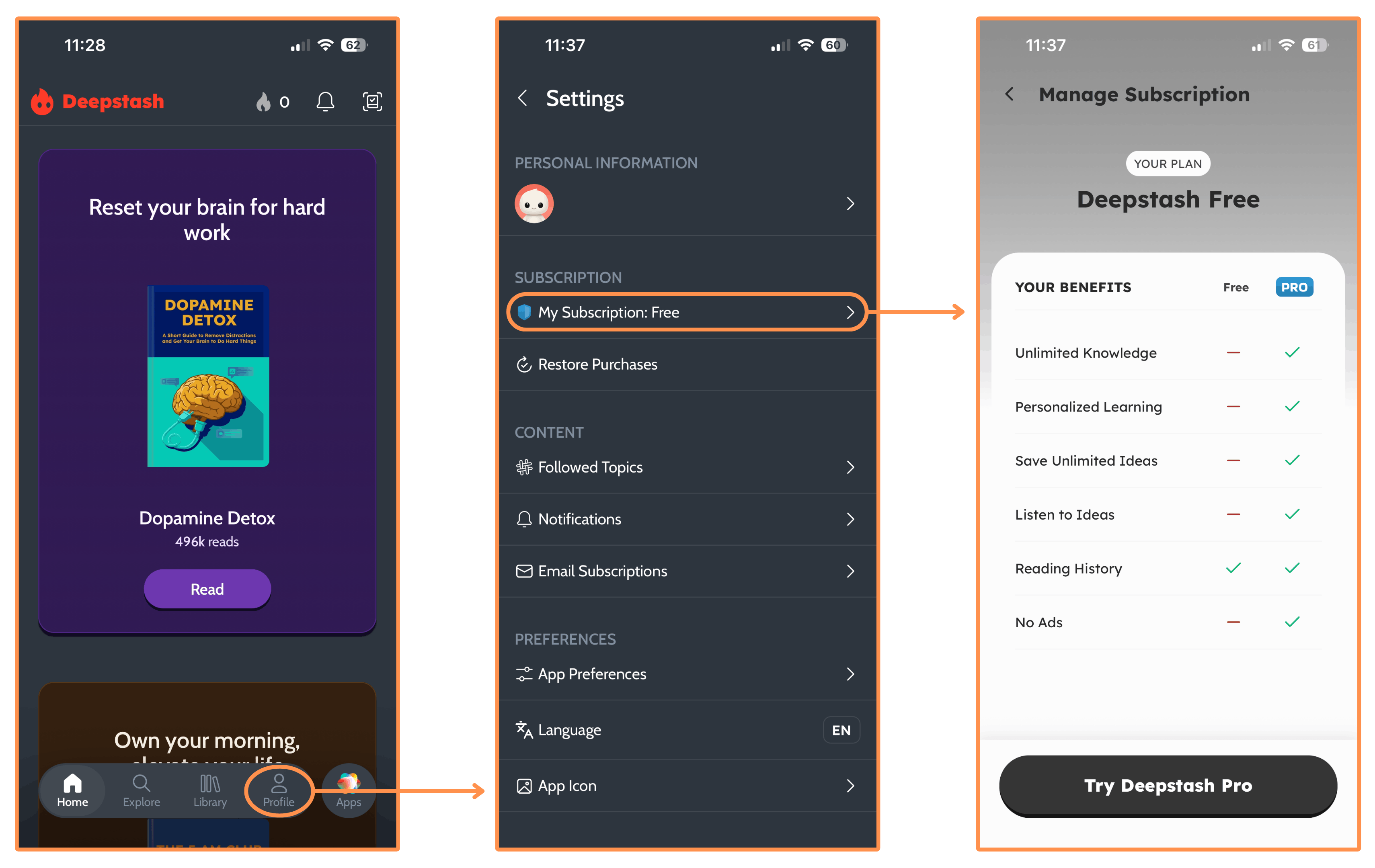
In this new list of benefits it says that the Free Plan doesn’t have “Unlimited Knowledge” (whatever that means 😂 since they don’t explain it), whereas in the previous list — the one shown during onboarding — it said that it did have it. Same with “Reading History” — there’s an inconsistency.
In the case of “Offline Access”, it only appears in the previous list — and it’s also misleading because it tells you that Pro gives you offline access, but I tried Deepstash Pro and I did not have offline access! Maybe that’s why they don’t show it in the later comparison table.
5. Research Day #5: Best Deepstash Alternatives
As I mentioned in the beginning, I think a Deepstash review wouldn’t be complete if I just talked about Deepstash. Because to figure out if Deepstash is worth it or not, we need to also look at the other top alternatives in the book summary space: Shortform and Headway.
5.1 Shortform

I first heard about Shortform in 2022. I was watching a YouTube video by Mark Manson (author of the bestseller The Subtle Art of Not Giving a F*ck) when he mentioned the app, so I got curious and decided to check it out.
I loved the app — mainly because their summaries are (by far) the most in-depth I’ve seen — and I’ve been a subscriber ever since.
5.1.1 Shortform — Book Summaries
To illustrate my research, we’re jumping back to the book Skin In The Game.
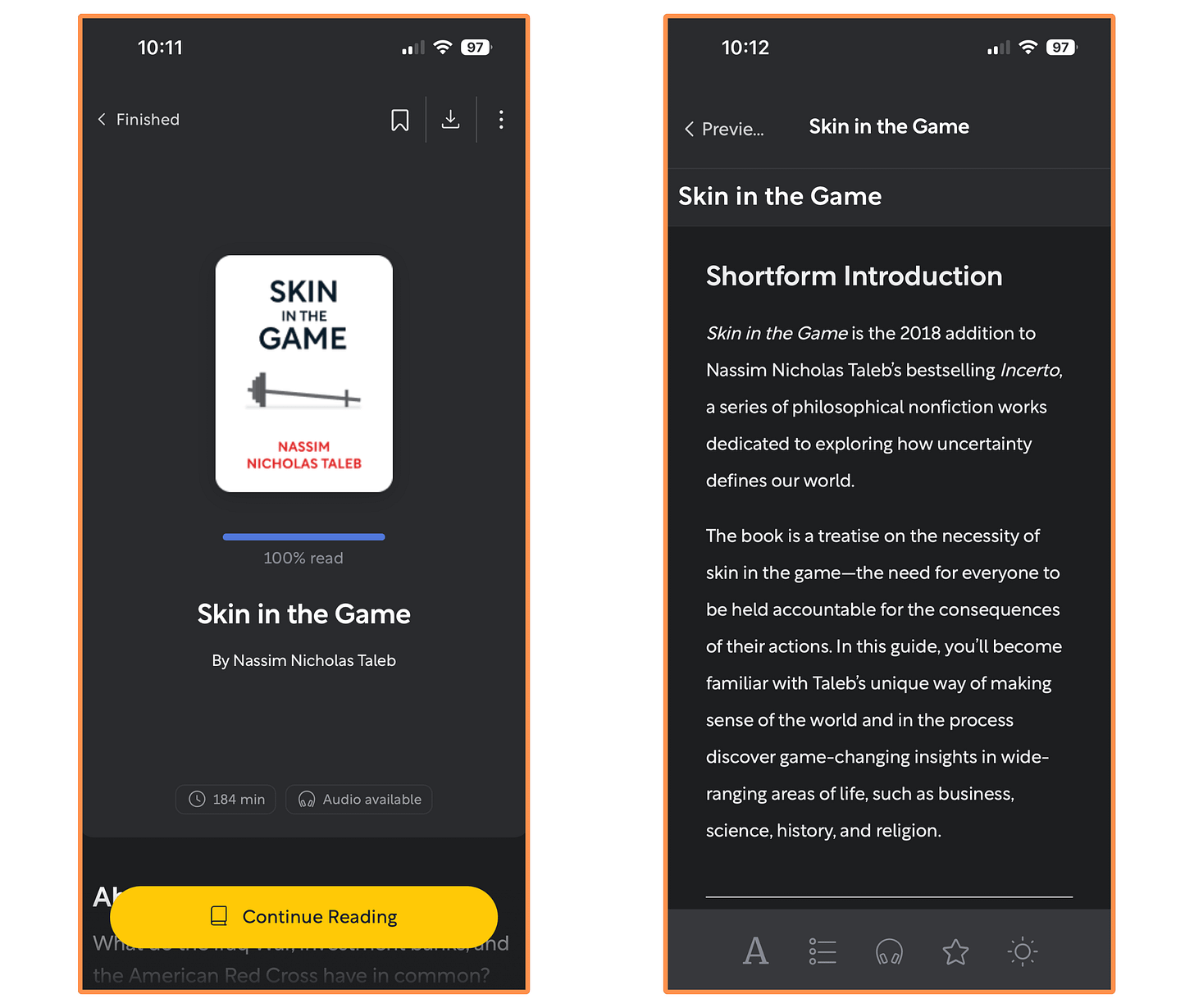
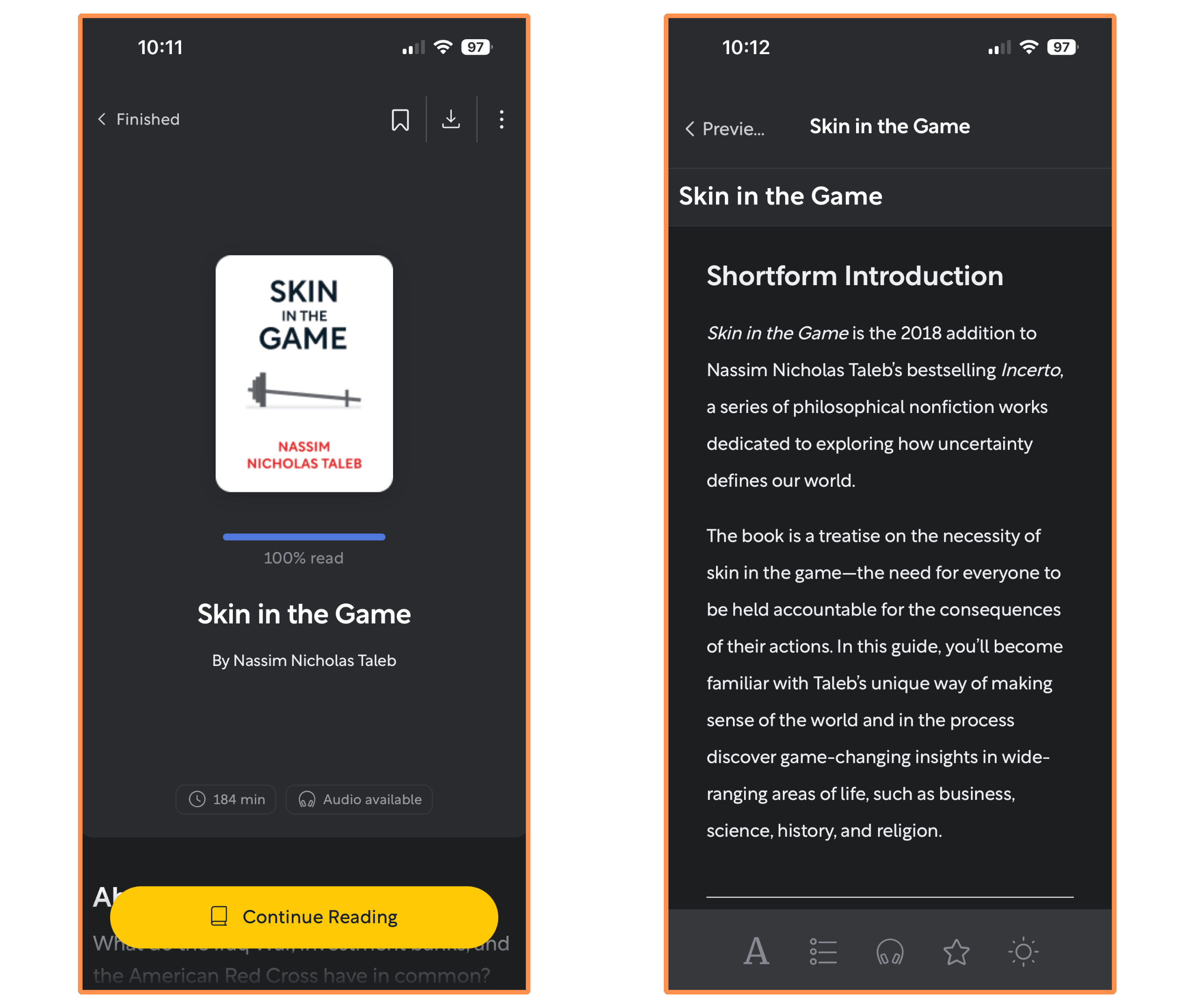
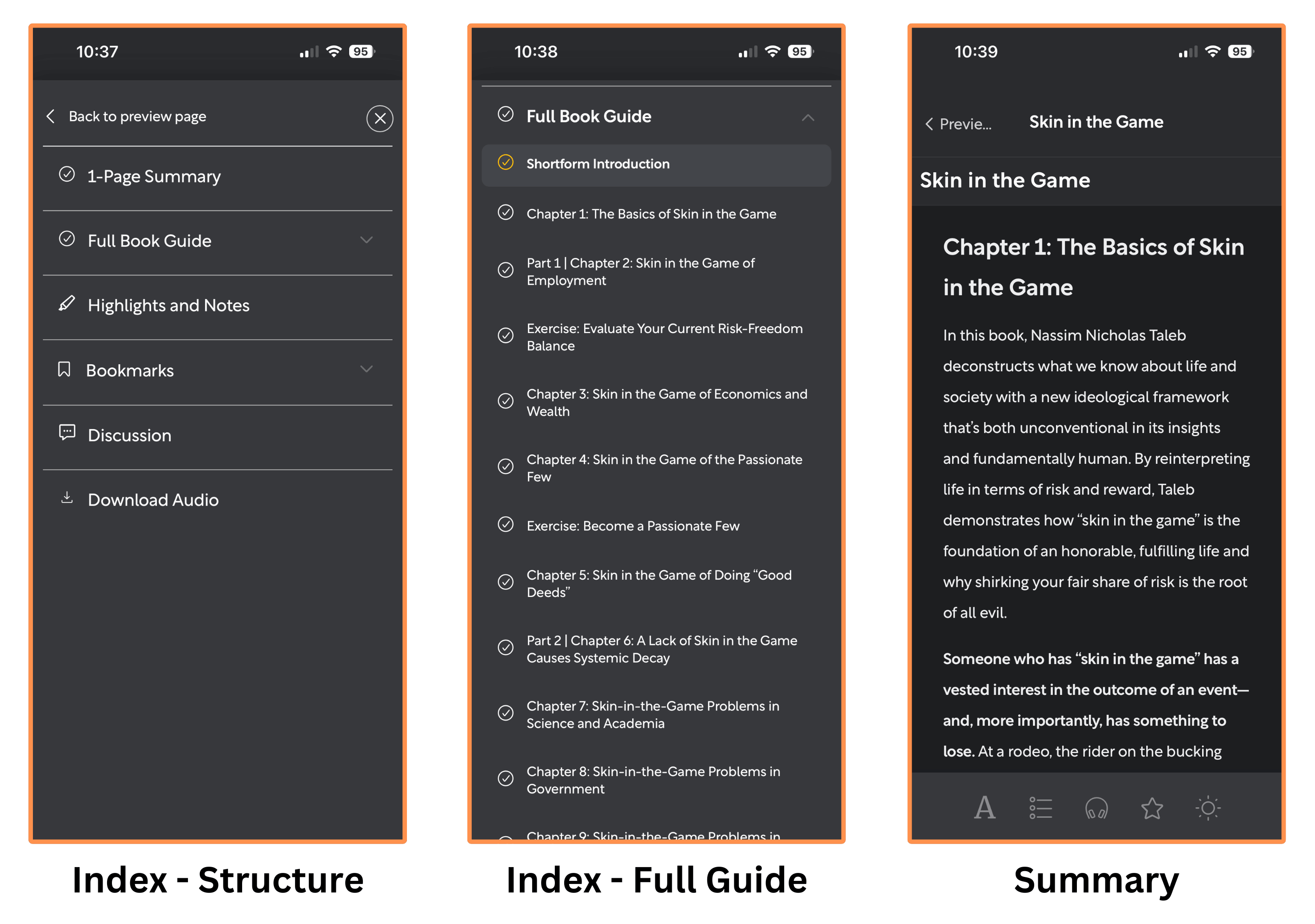
Shortform’s summary of Skin in the Game (dark mode) As I mentioned earlier, what makes Shortform truly unique is that they offer the most in-depth book summaries. They even have chapter-by-chapter breakdowns for classics or bestsellers (such as Skin In The Game), where they summarize each chapter of the book. So I think Shortform’s content feels more like study guides than traditional book summaries — which is fantastic to grasp a deeper understanding of the ideas in the books! And if you want to read something quick, they also have a “1-Page Summary” version.
They add cross-references (from other books), counterpoints, or just helpful notes to the summary. I think this is a great addition because it expands our perspective, and also corrects for potential biases of the book authors. It’s aligned with one of my all-time favorite quotes: “One should not read like a dog obeying its master, but like an eagle hunting its prey.” —Dee Hock (founder of Visa)
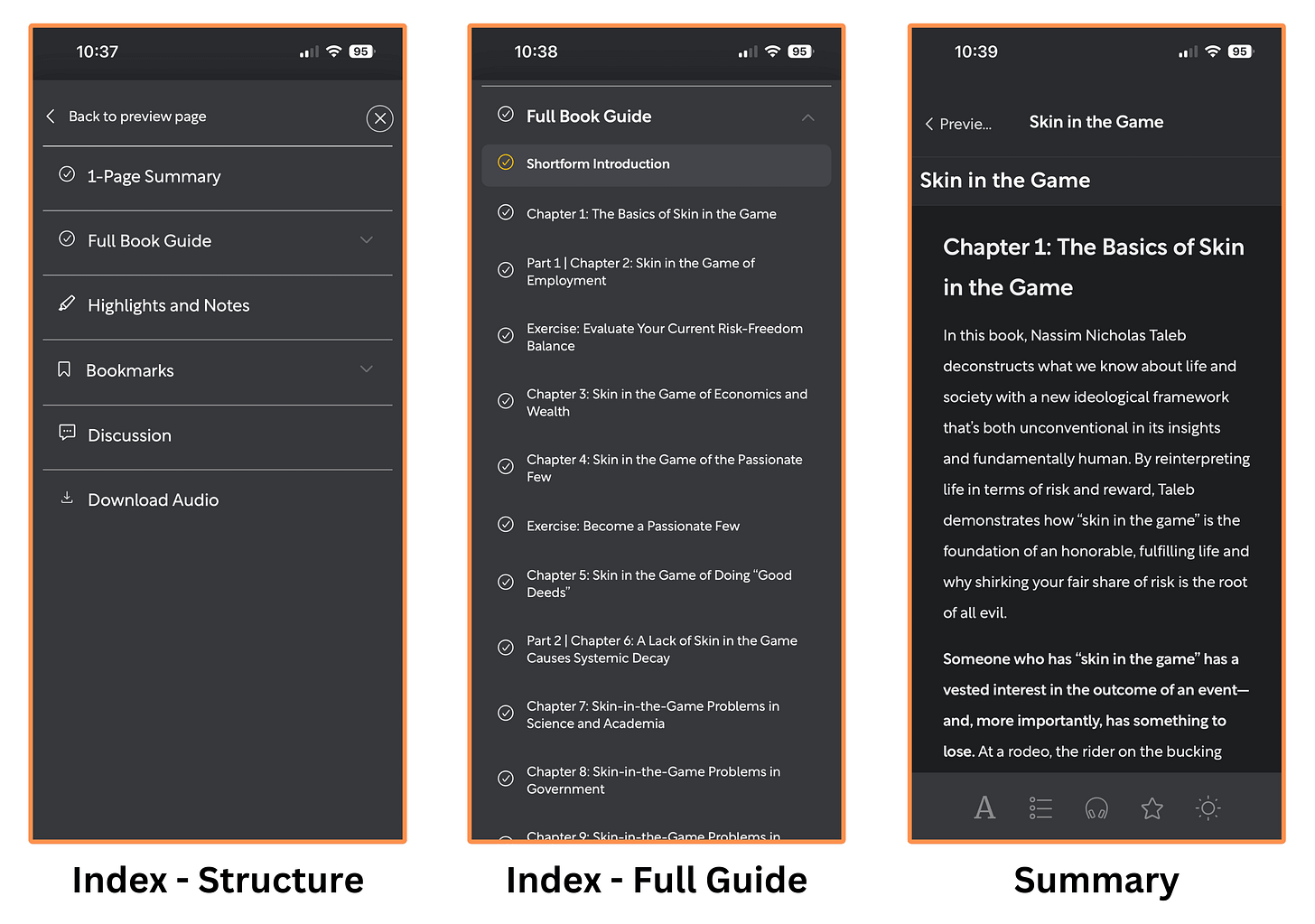
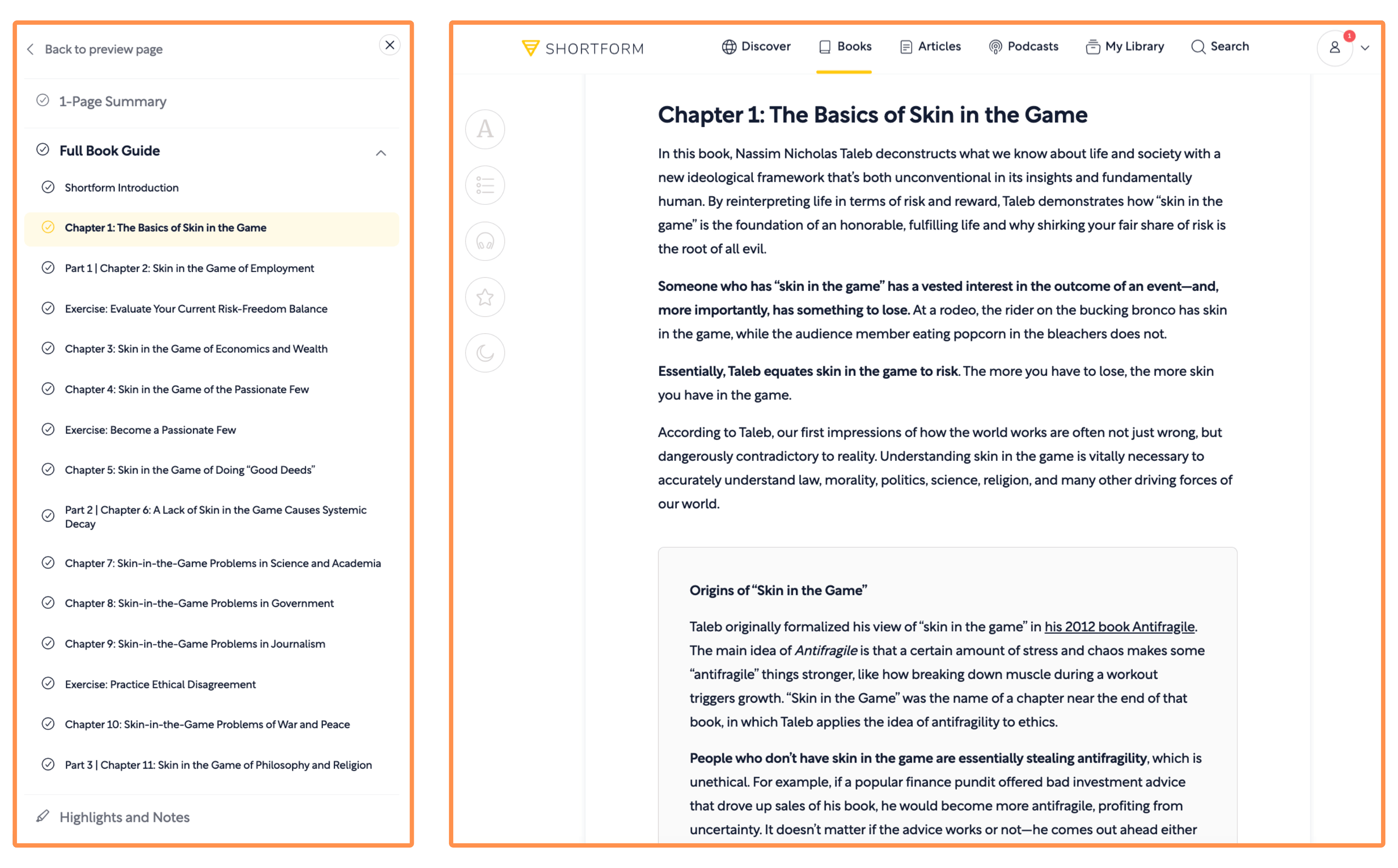
Besides the mobile app, Shortform also has a desktop version.
This is how the summary looks on desktop…
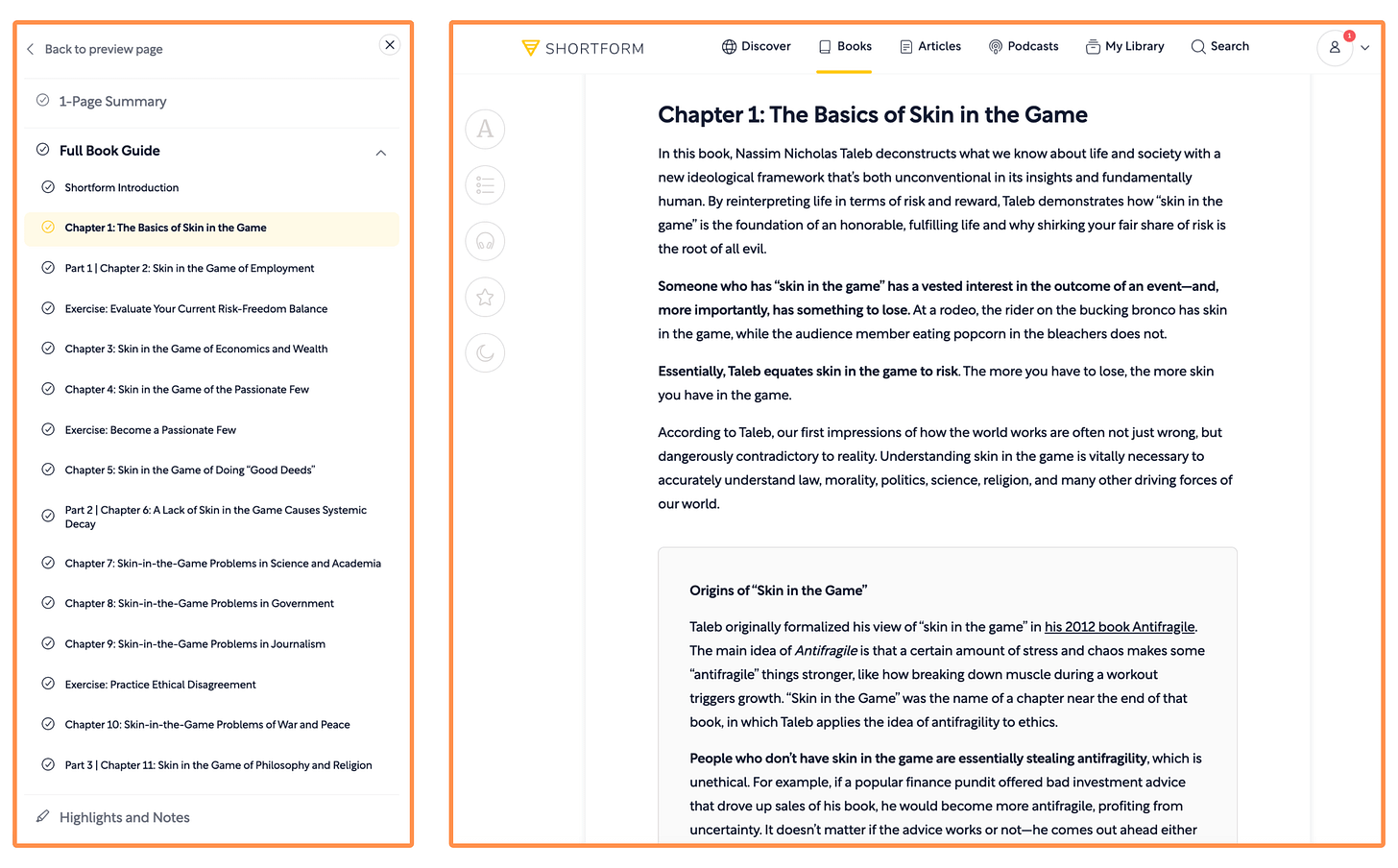
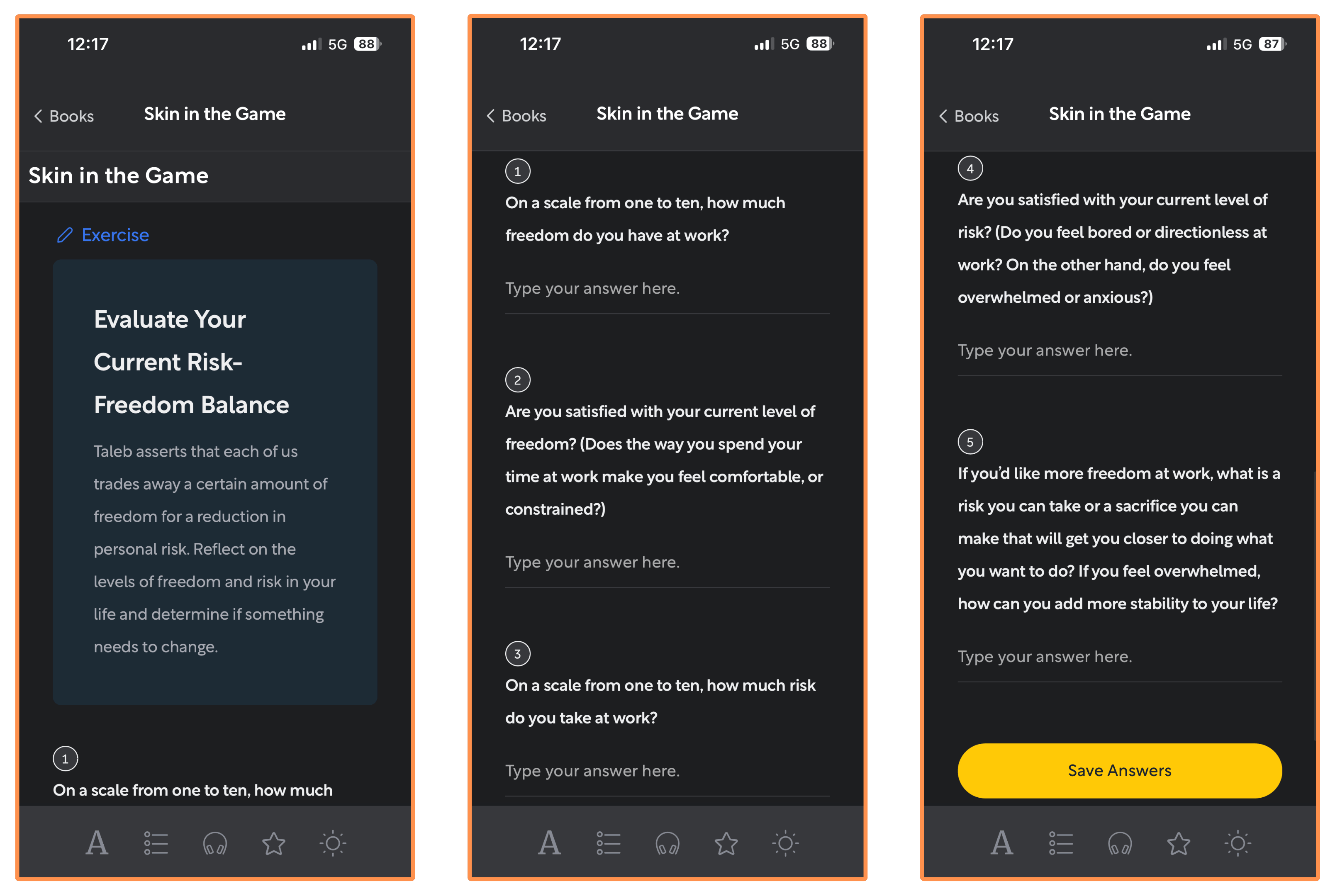
Shortform’s summary of Skin In The Game (desktop view + light mode) They have interactive exercises throughout the summary…
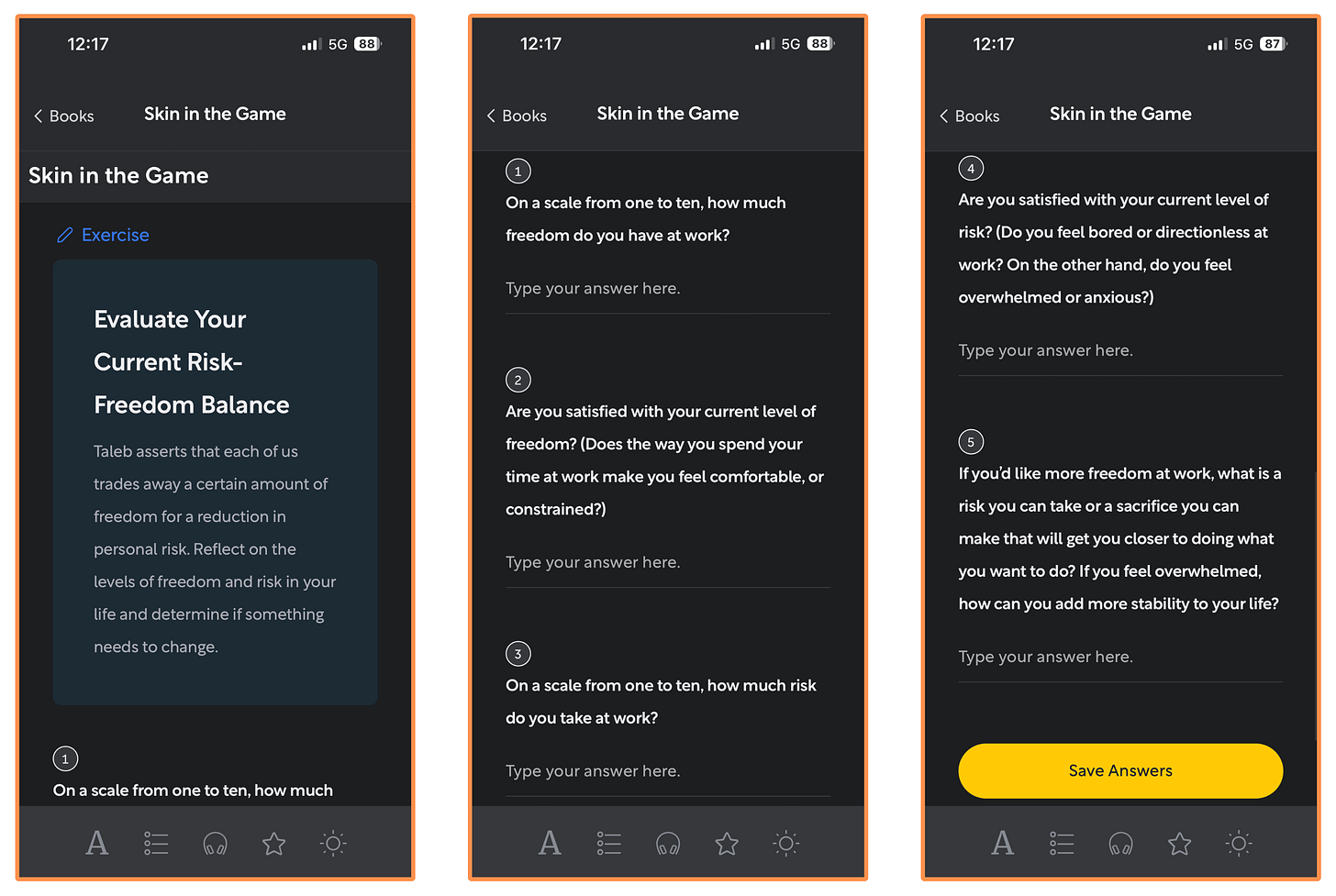
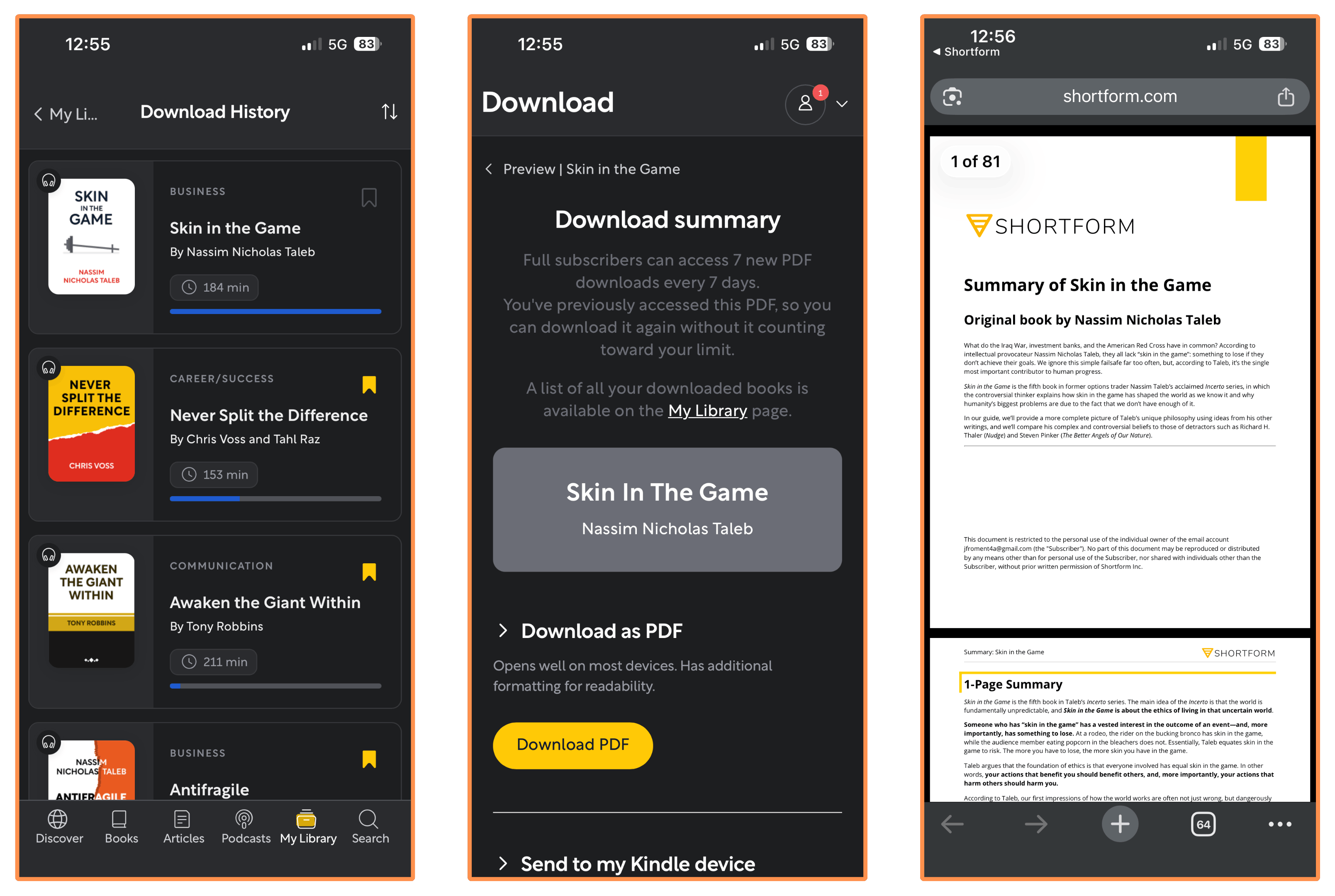
Exercise: Evaluate Your Current Risk-Freedom Balance (mobile app + dark mode) They let you download any summary as a PDF (so you can read offline). You can also find all your downloads organized in one place, under “Download History.”
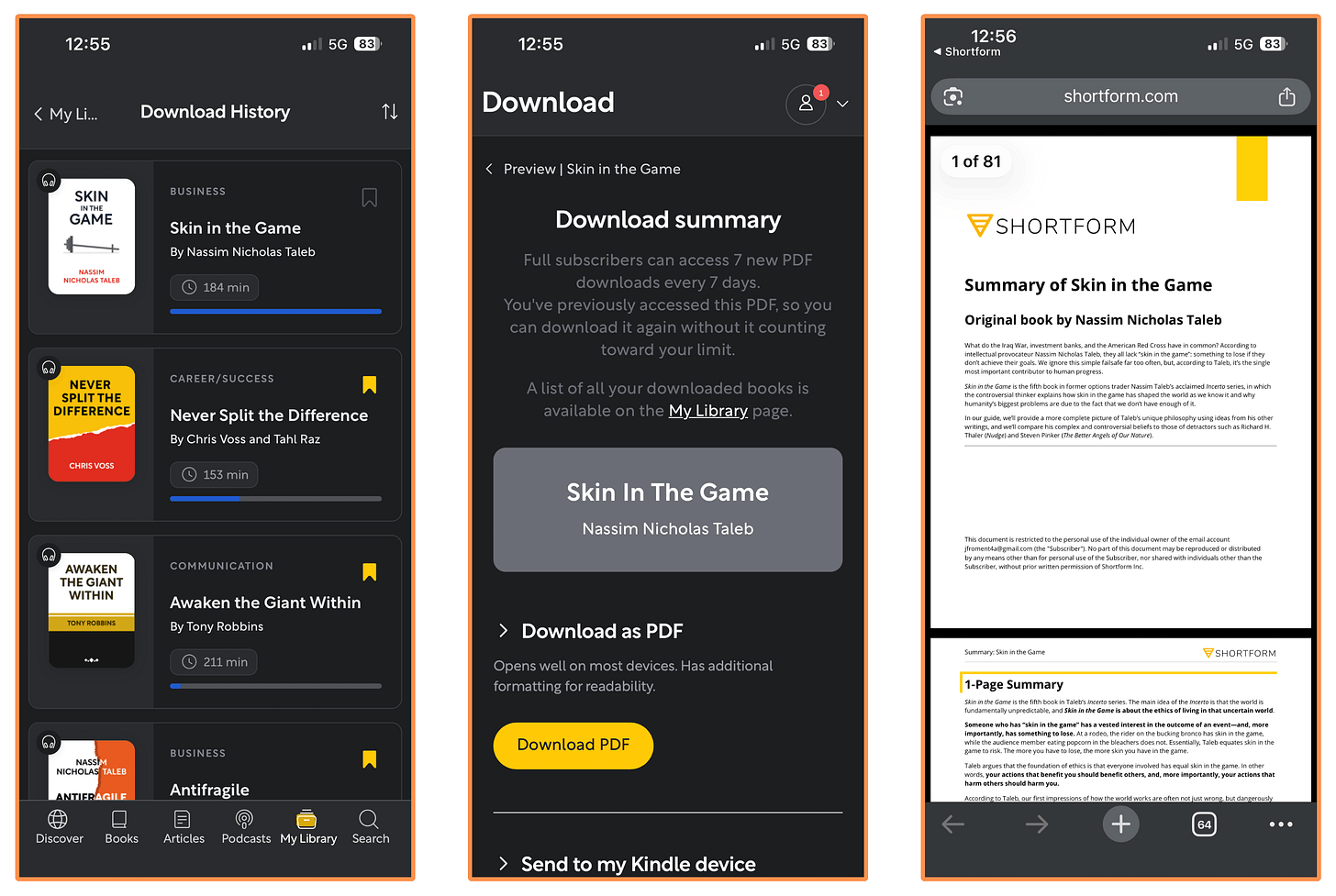
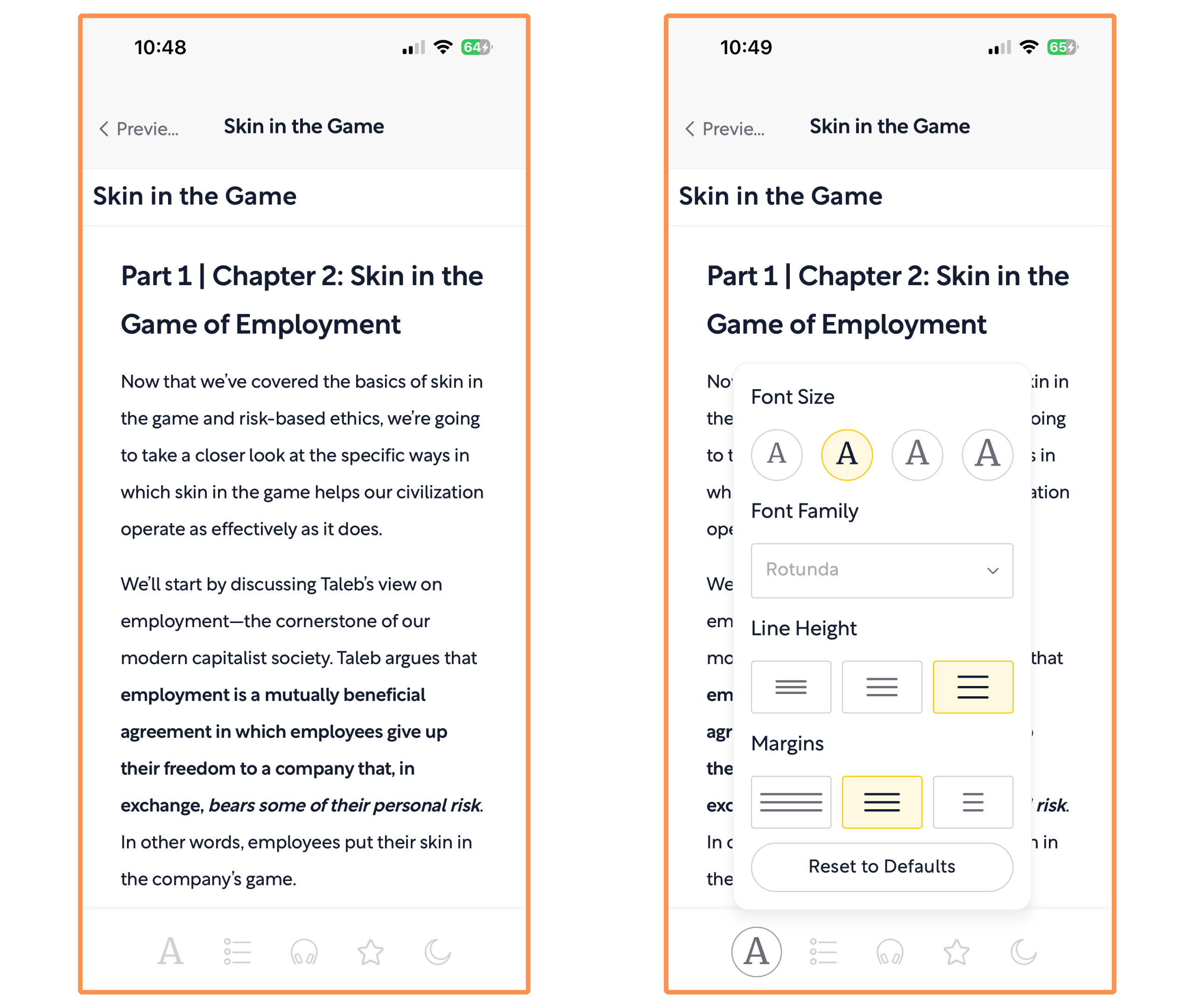
Shortform’s summary of Skin In The Game (PDF version) You can easily switch between dark mode and light mode, and also adjust the text format of any summary.
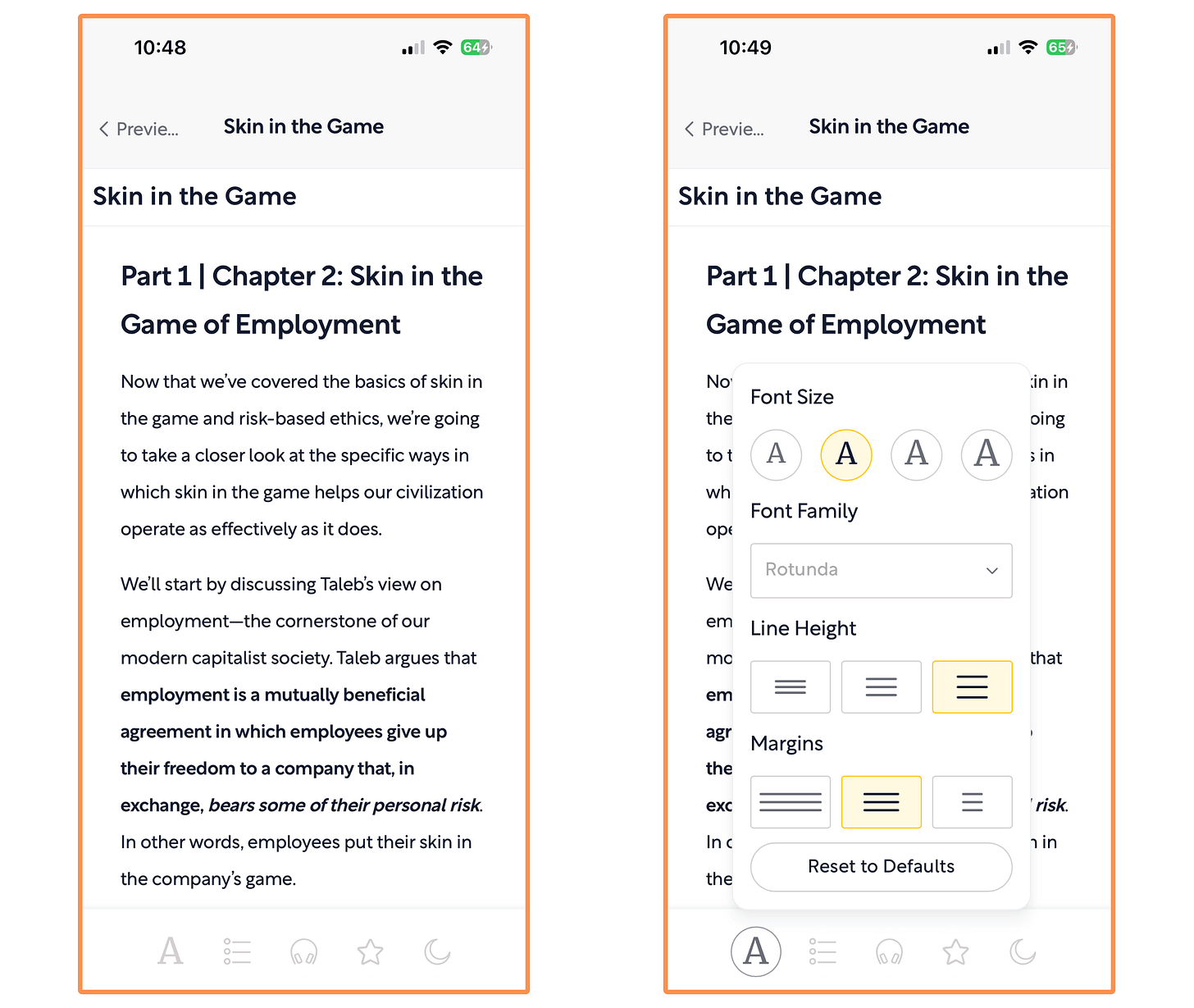
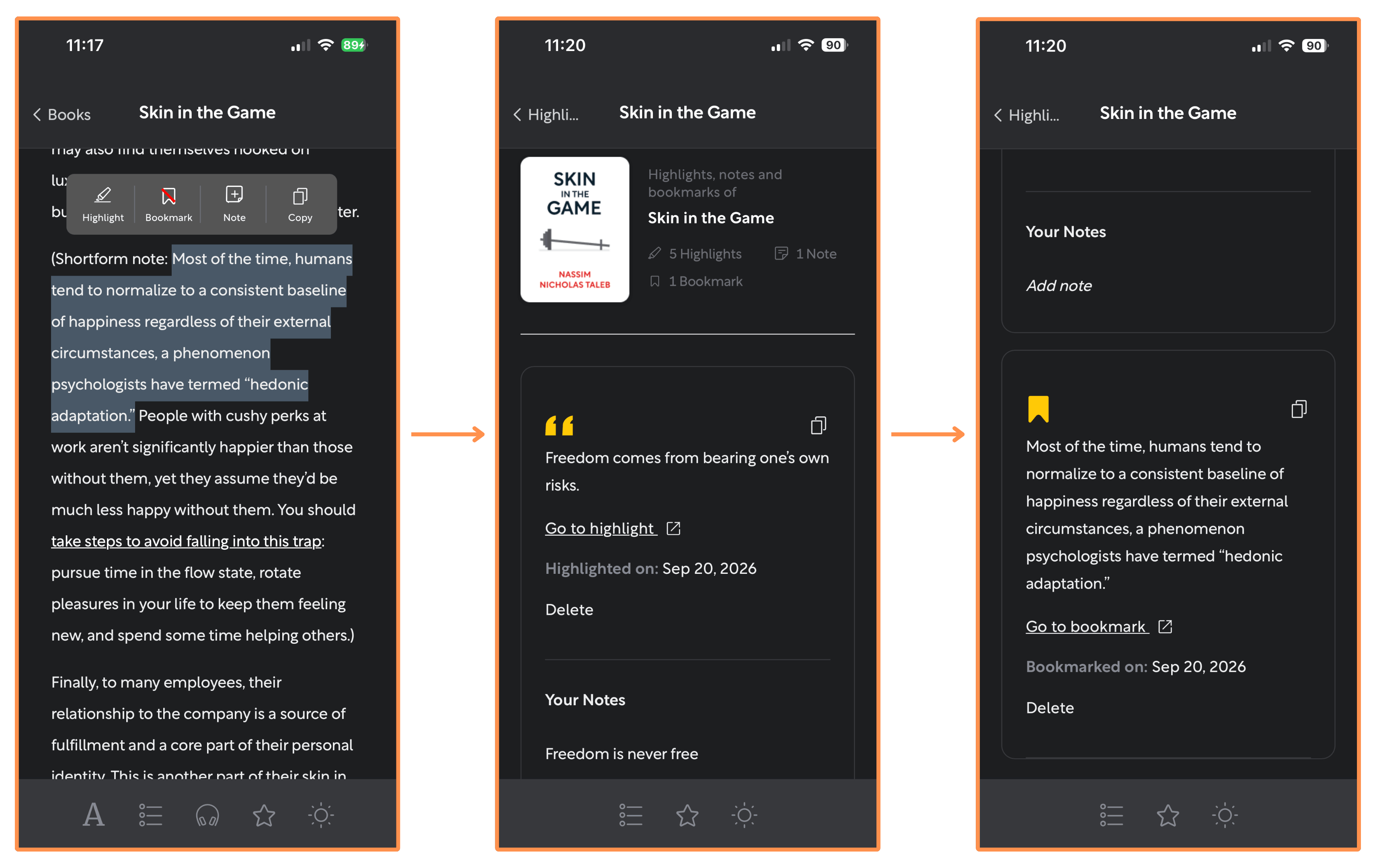
You can make highlights (on any text) and write notes on your highlights. And you can also create bookmarks — so you always know where you left off in your reading.
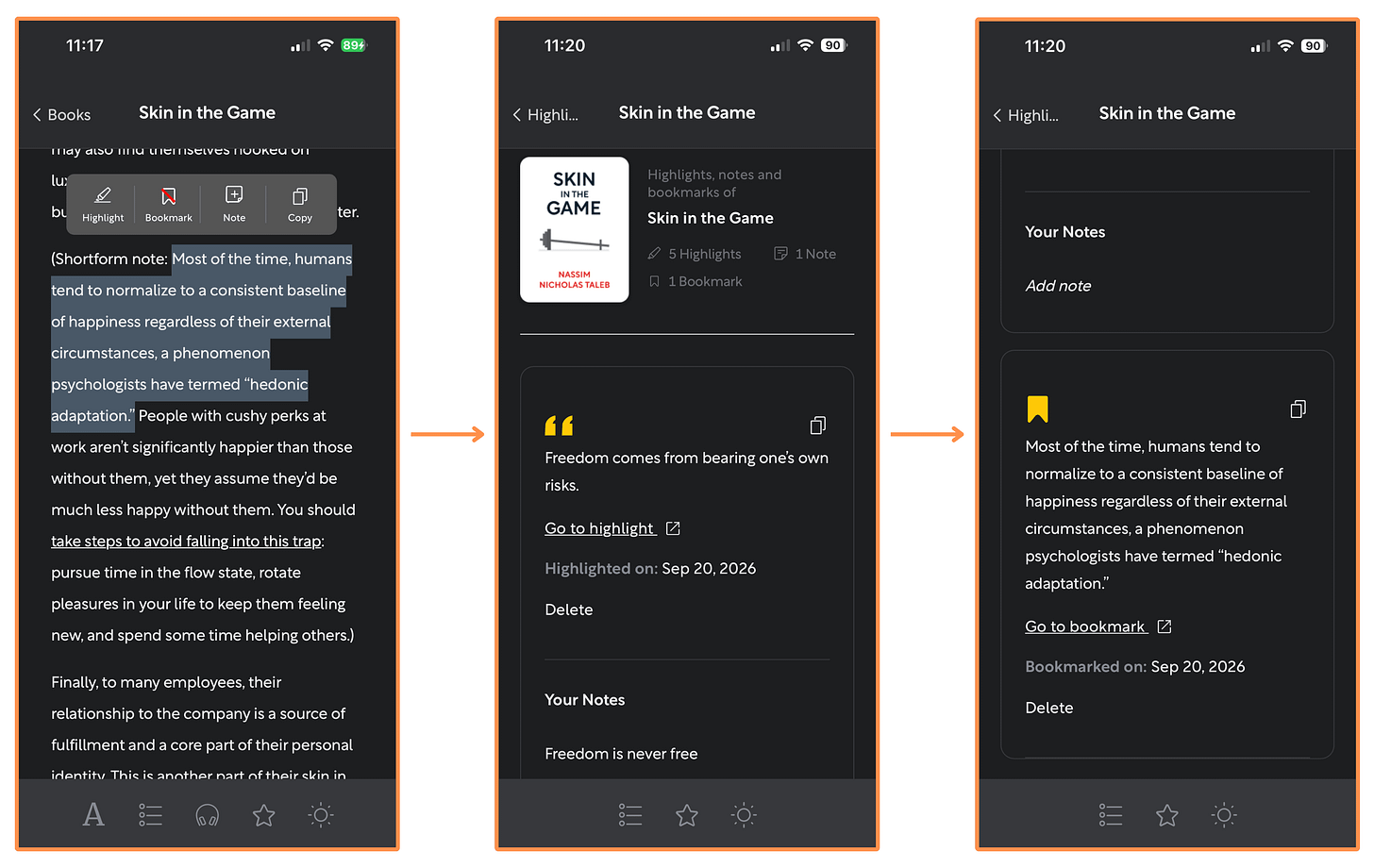
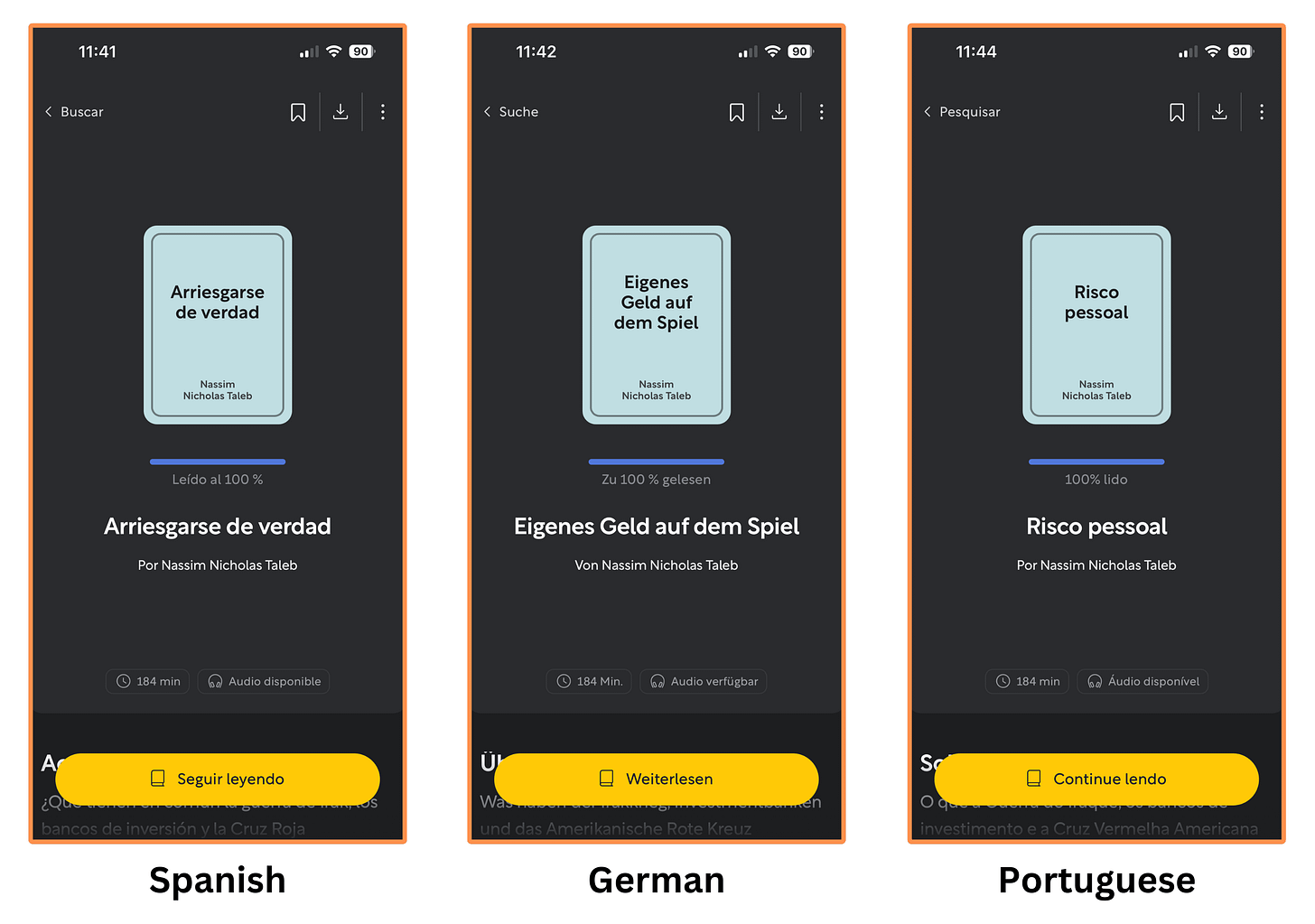
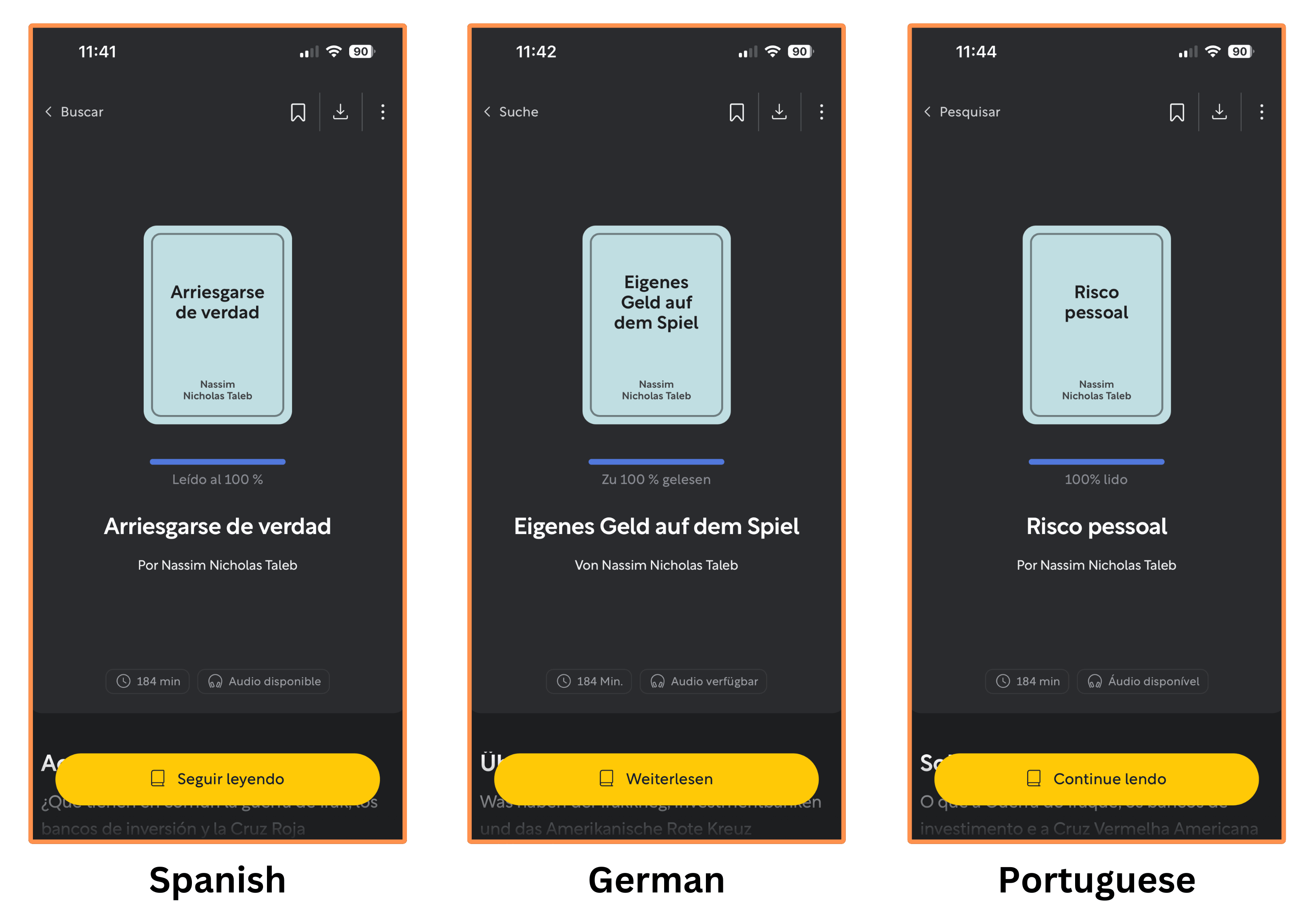
Highlights - Notes - Bookmarks Shortform’s summaries are also available in Spanish, German, and Portuguese…
Shortform also offers audio versions for all their book summaries. Here’s a sample from their summary of Skin In The Game. (recorded at 1x speed):
(You can also listen to the summaries with the screen off.)
I’ve actually talked to the team at Shortform and they agreed to give us a 20% discount on the Annual Subscription by signing up with this link! (You also get a 5-day free trial).
5.1.2 Shortform — Beyond Book Summaries
Shortform offers a wide variety of services beyond their book summaries.
Let’s explore each of them:
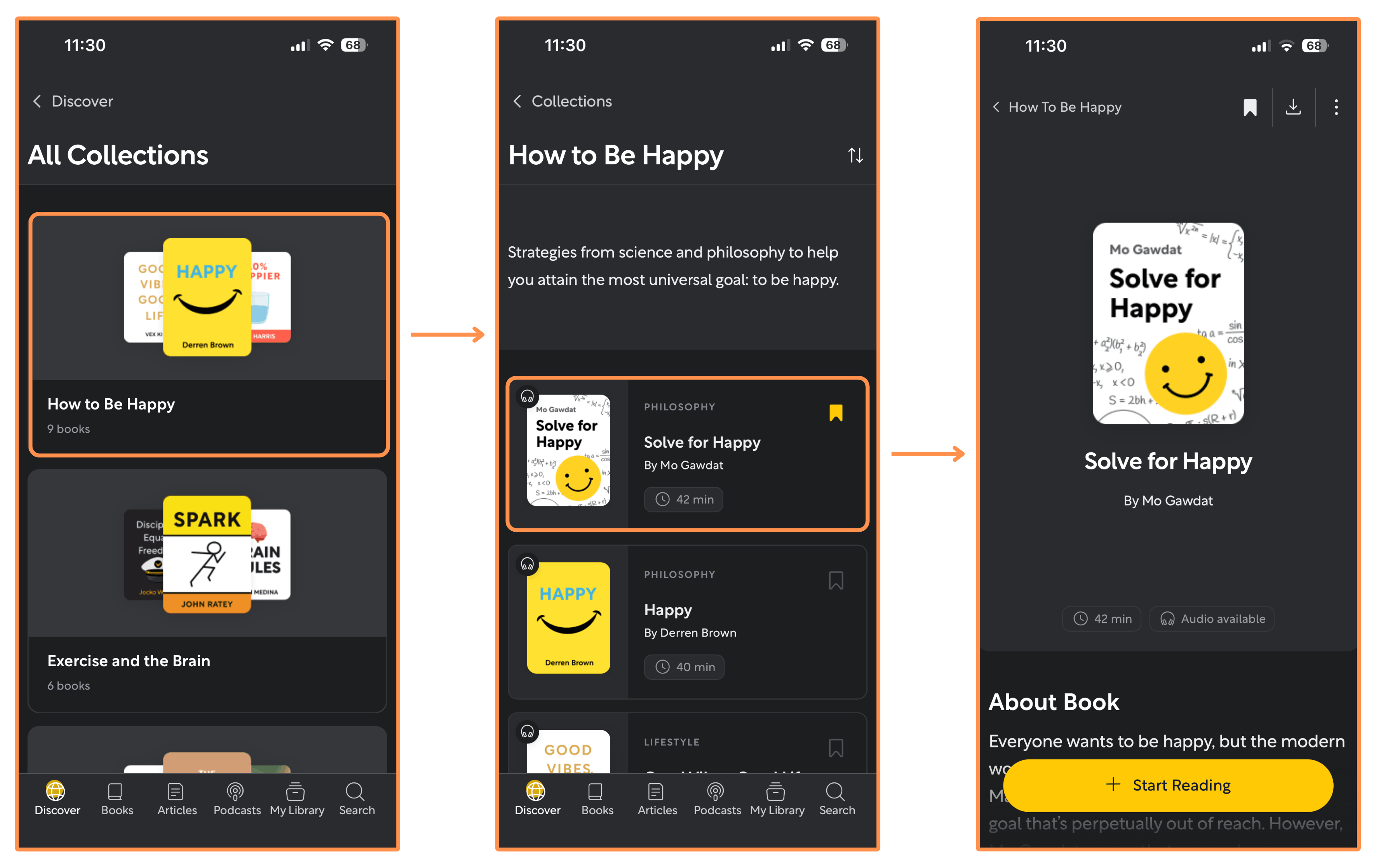
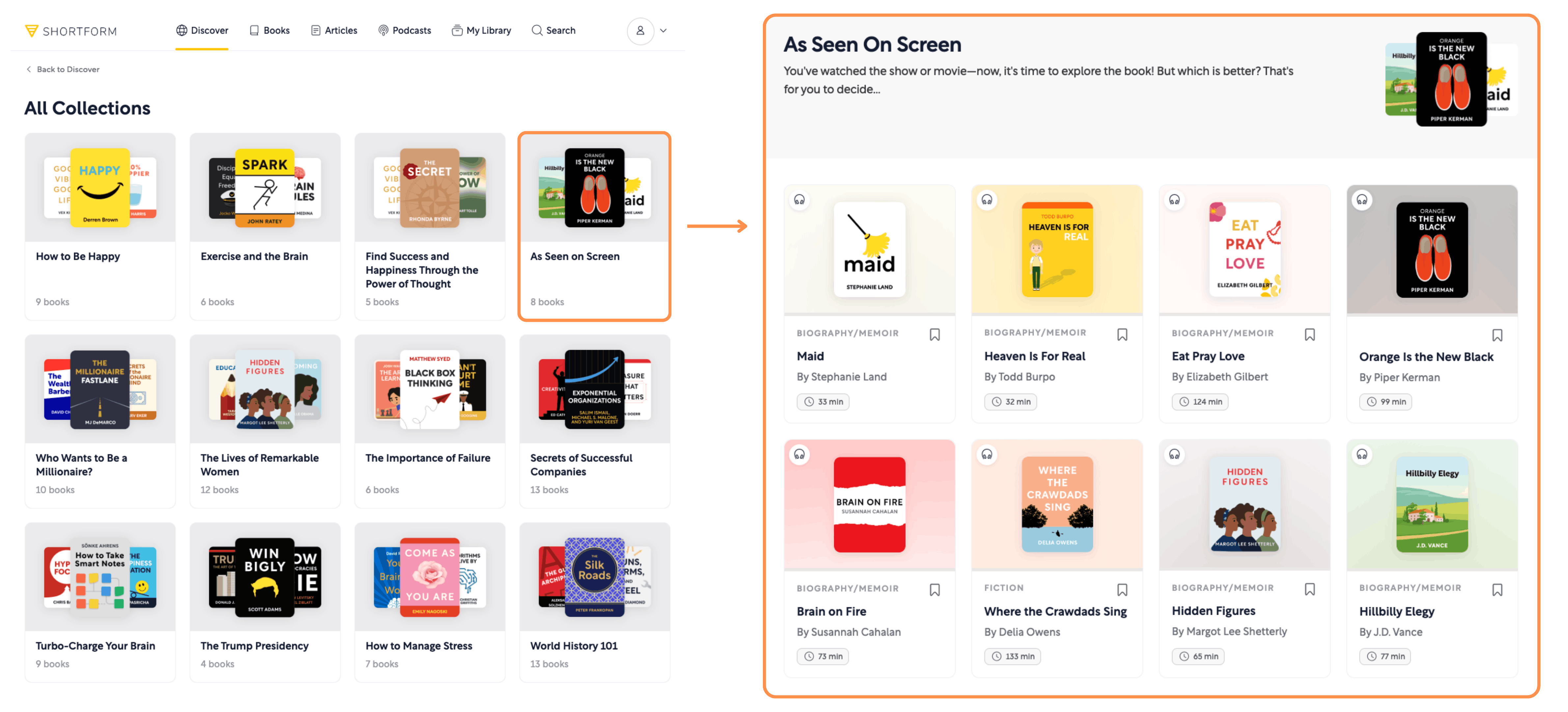
Collections → These are curated lists of book summaries built around a specific goal (similar to Deepstash’s Journeys).
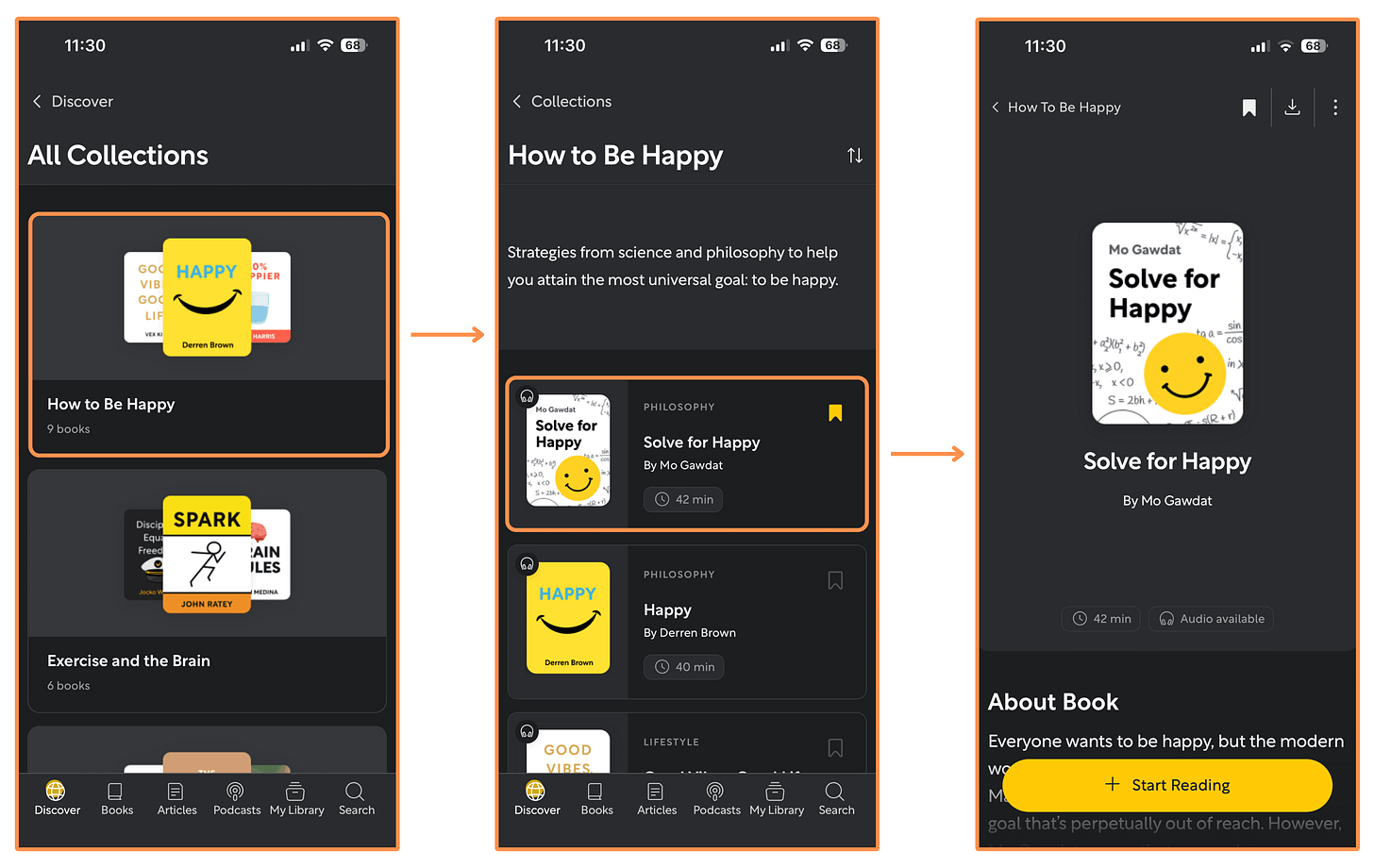
Shortform’s Collections (mobile app + dark mode) 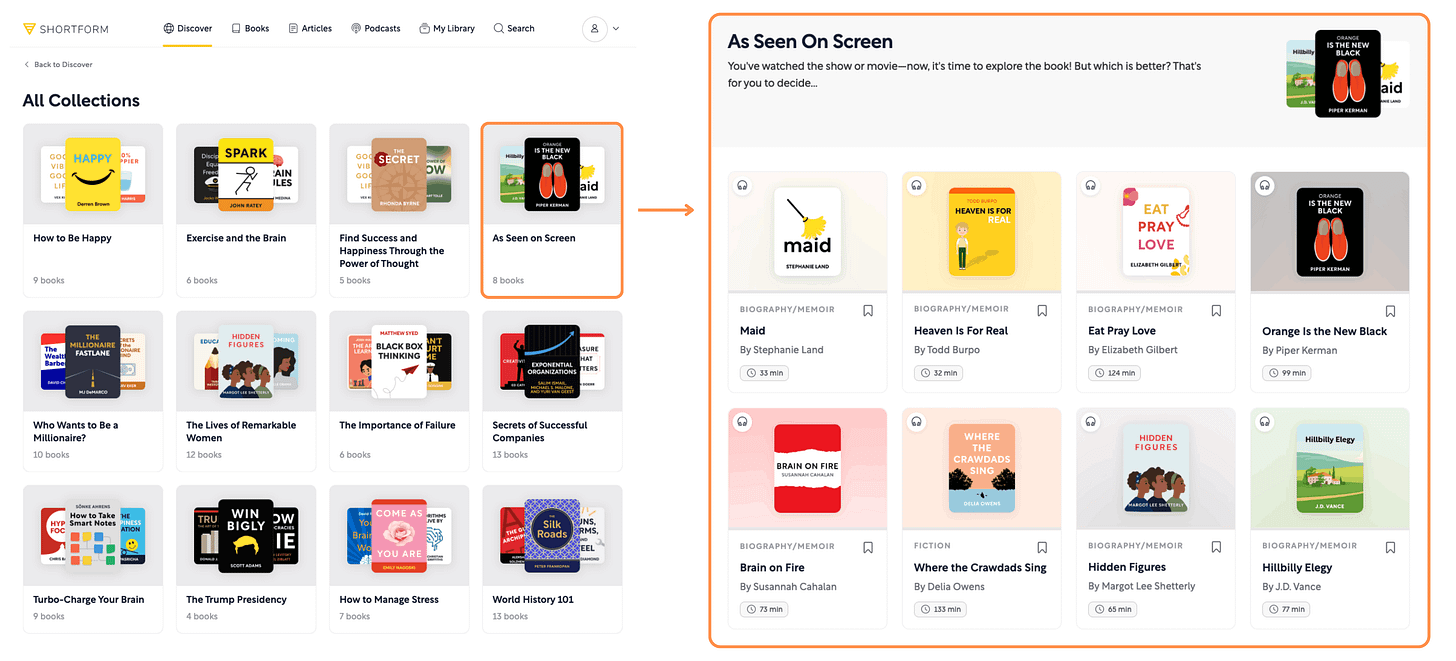
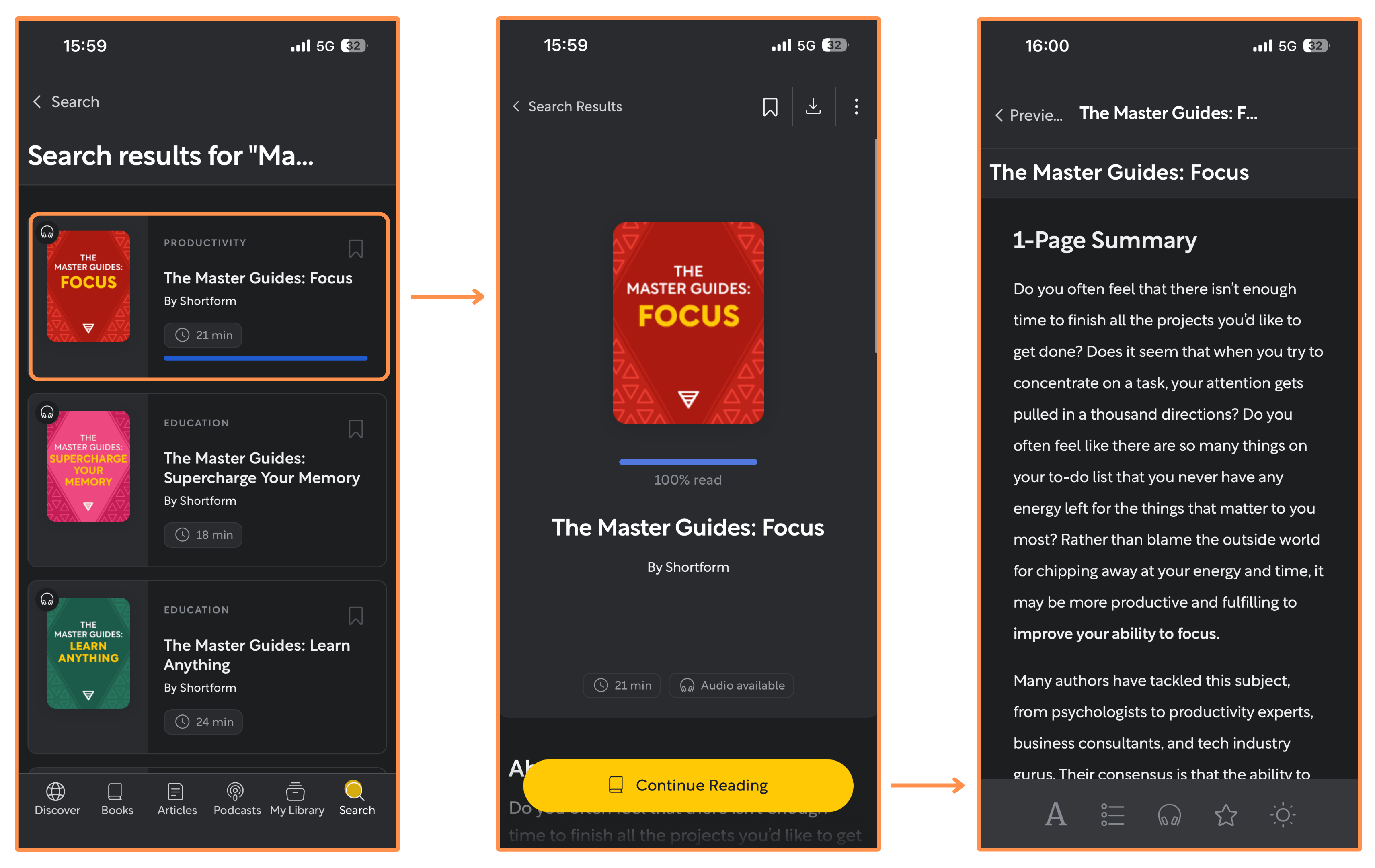
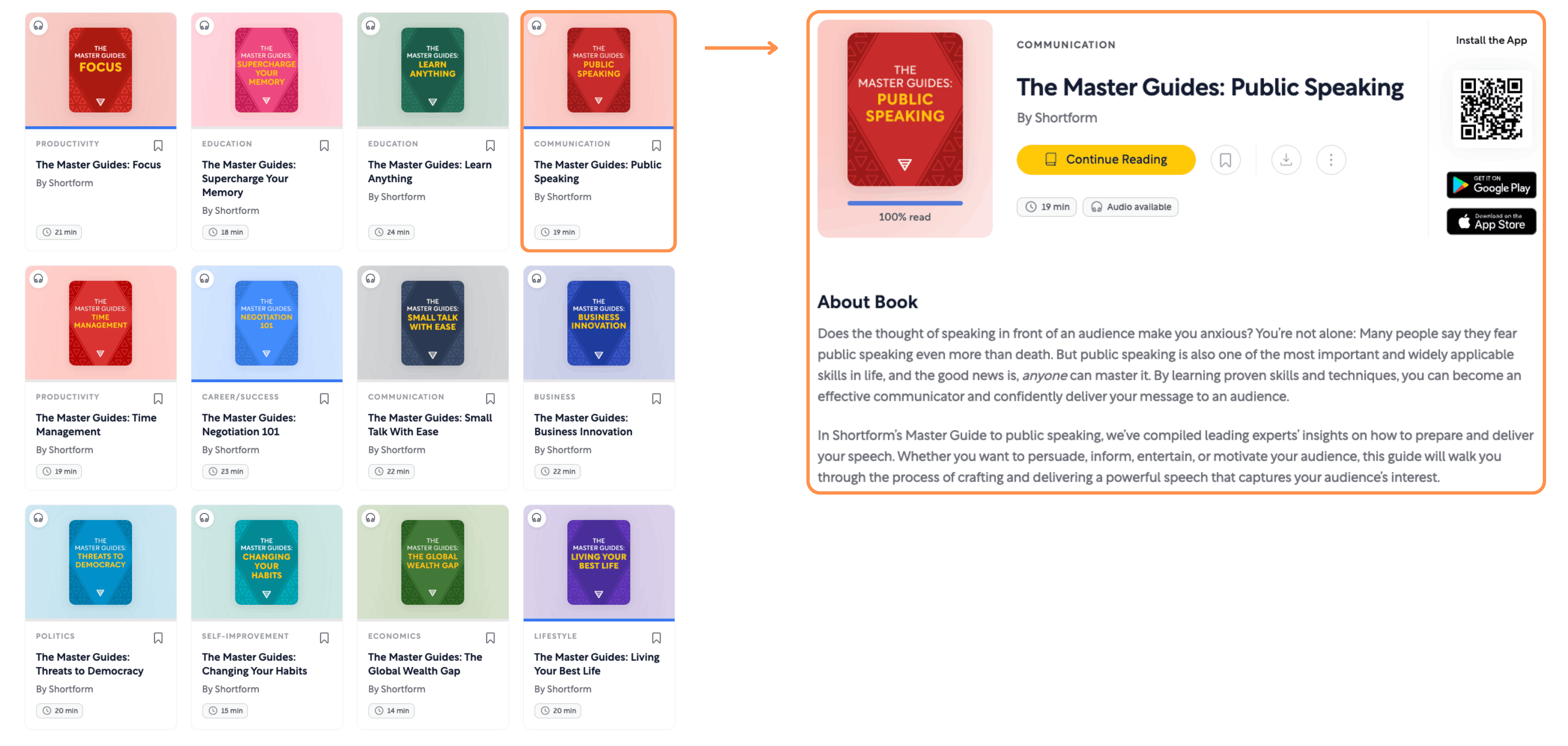
Shortform’s Collections (desktop view + light mode) Master Guides → A Master Guide is a compilation of ideas from different books to give you a comprehensive guide on a specific topic or goal. I find this interesting because it shows where authors generally agree (a sign an idea is likely correct) and where their views differ (a sign it’s more nuanced or uncertain).
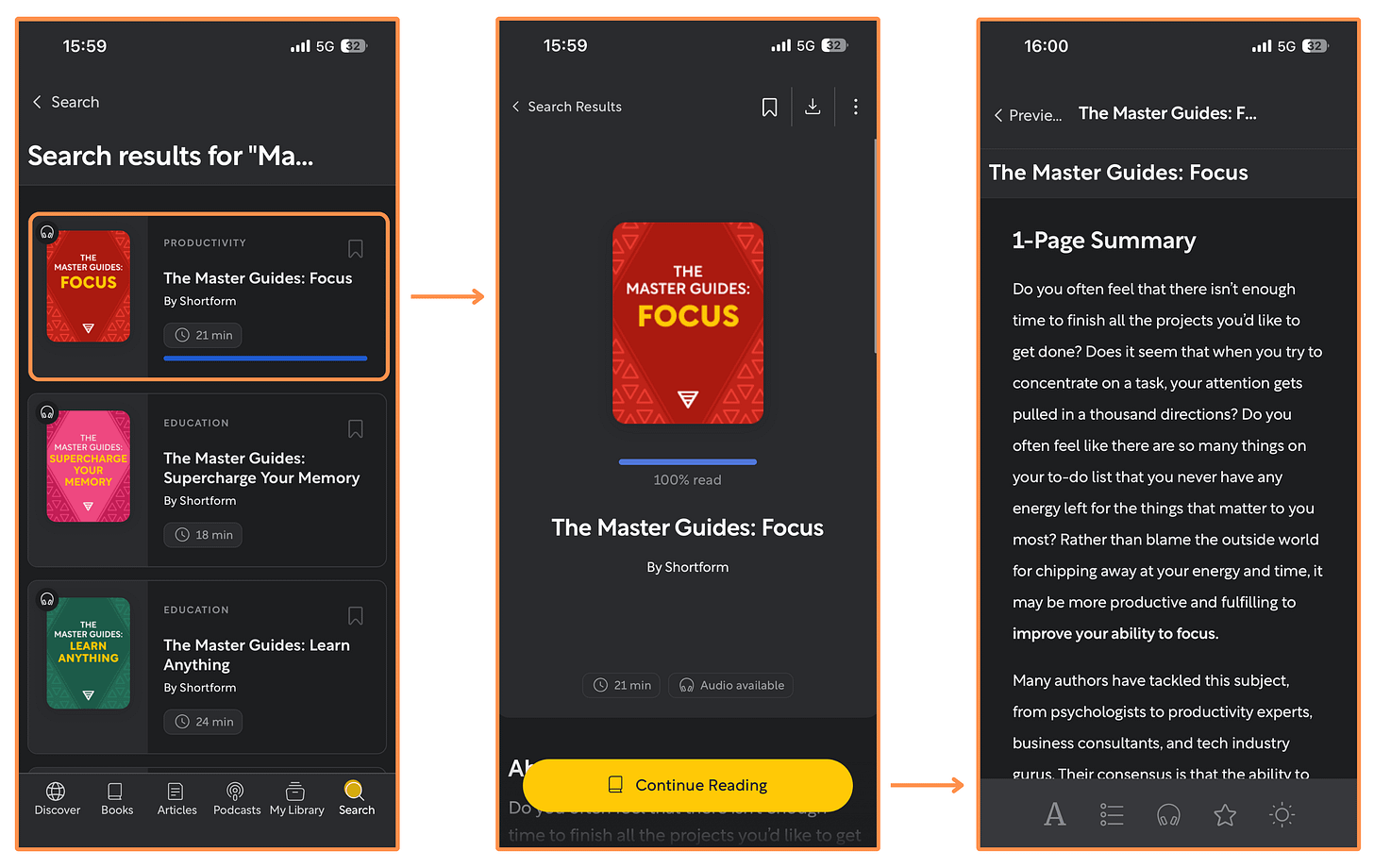
Shortform’s Master Guides (mobile app + dark mode) 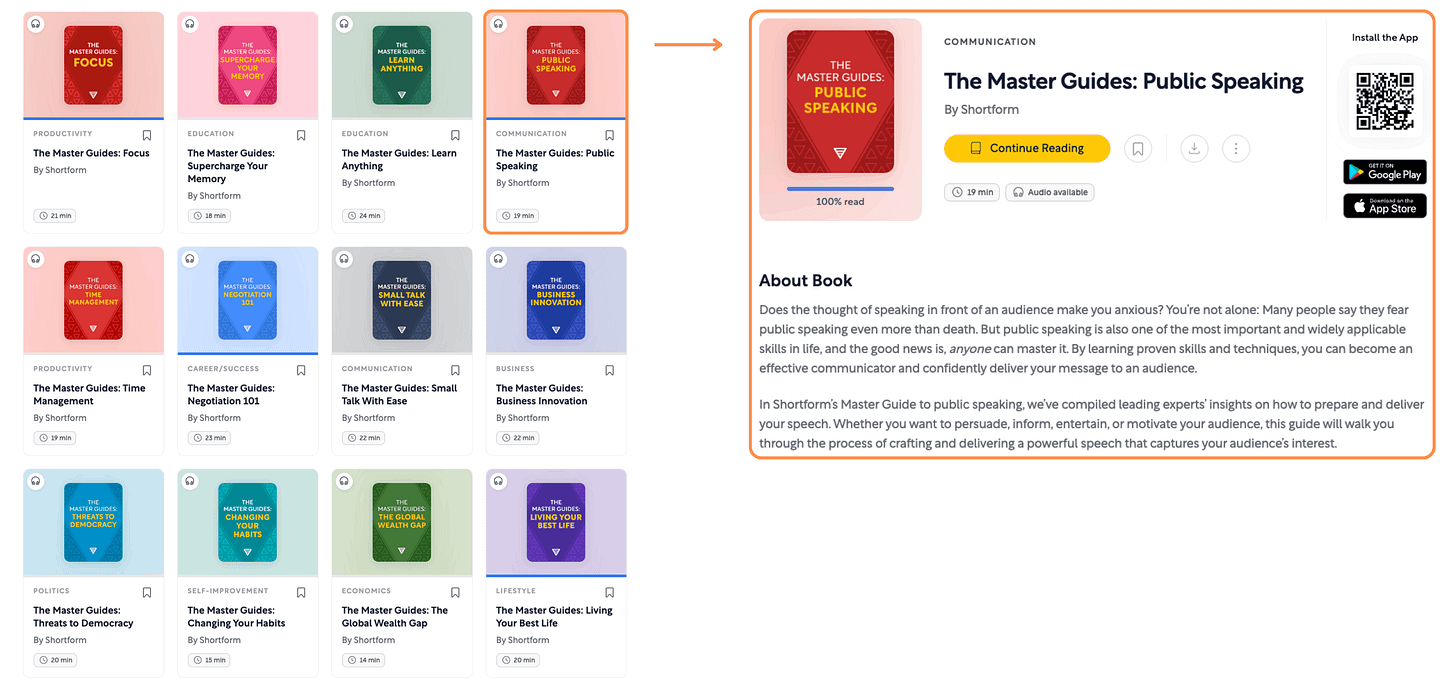
Shortform’s Master Guides (desktop view + light mode)
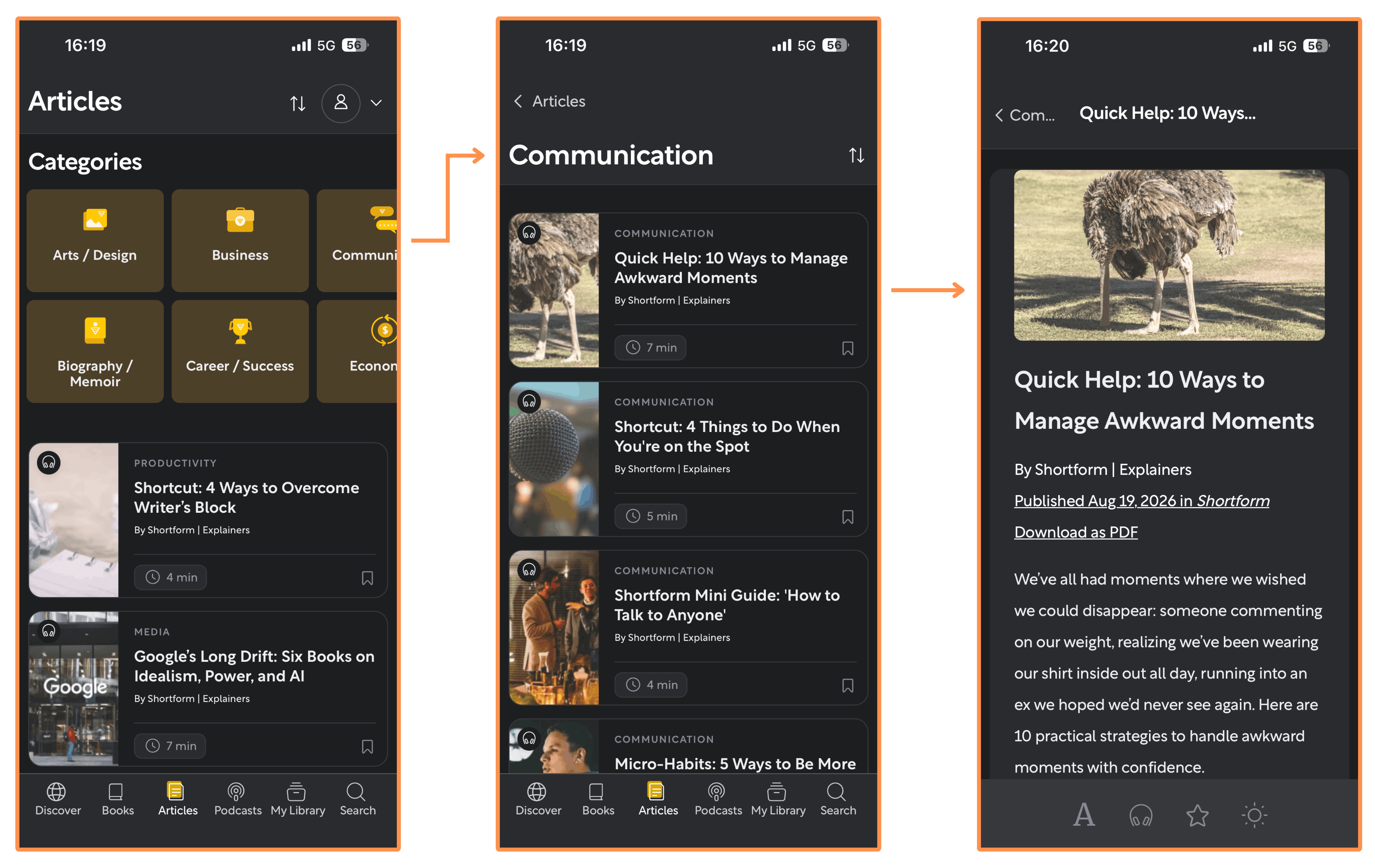
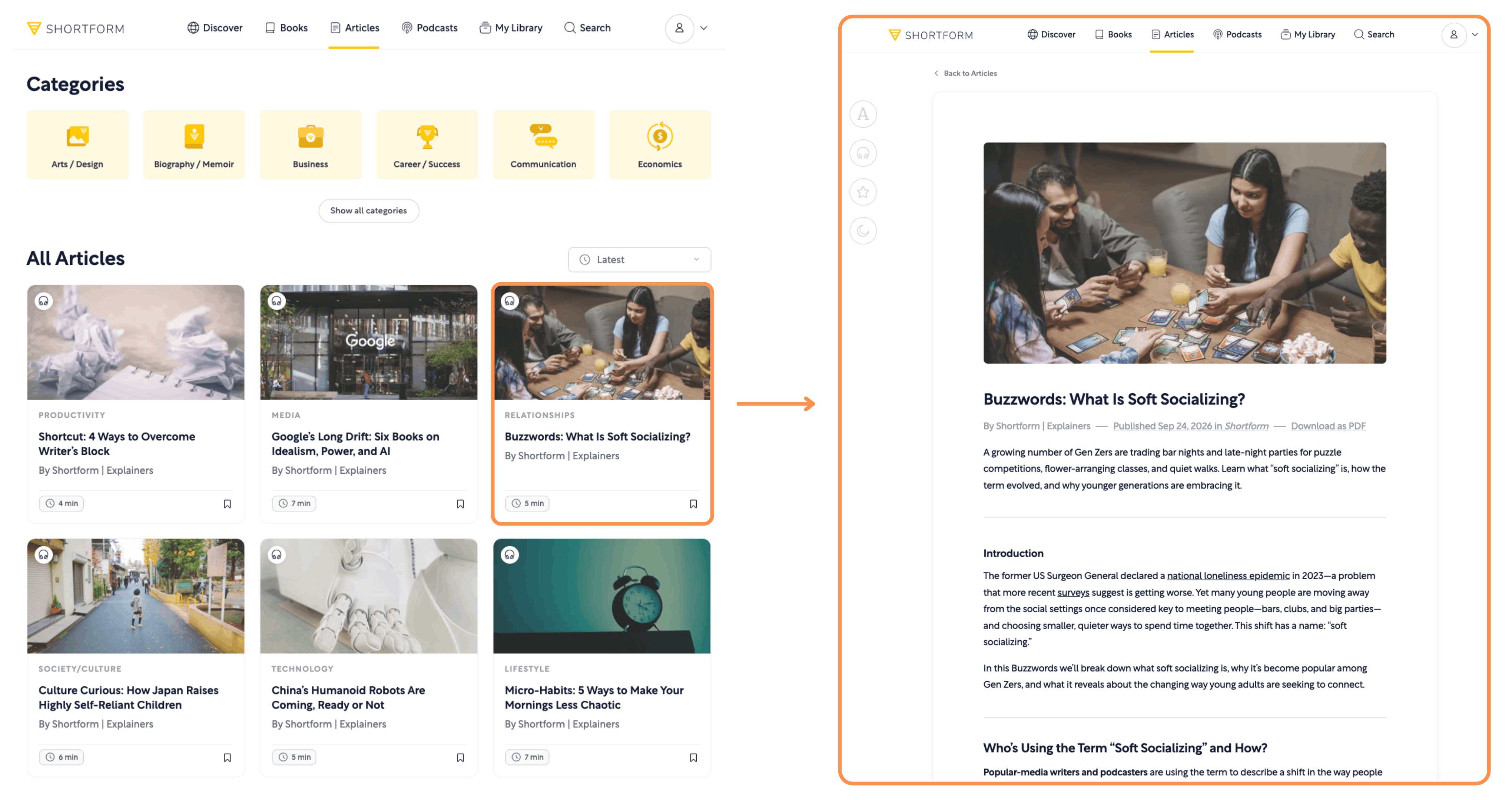
Articles → Shortform creates Articles on the latest news and trends. I really like these because each article is based off many sources (like a research paper), which makes it way less biased than an article from any news outlet.
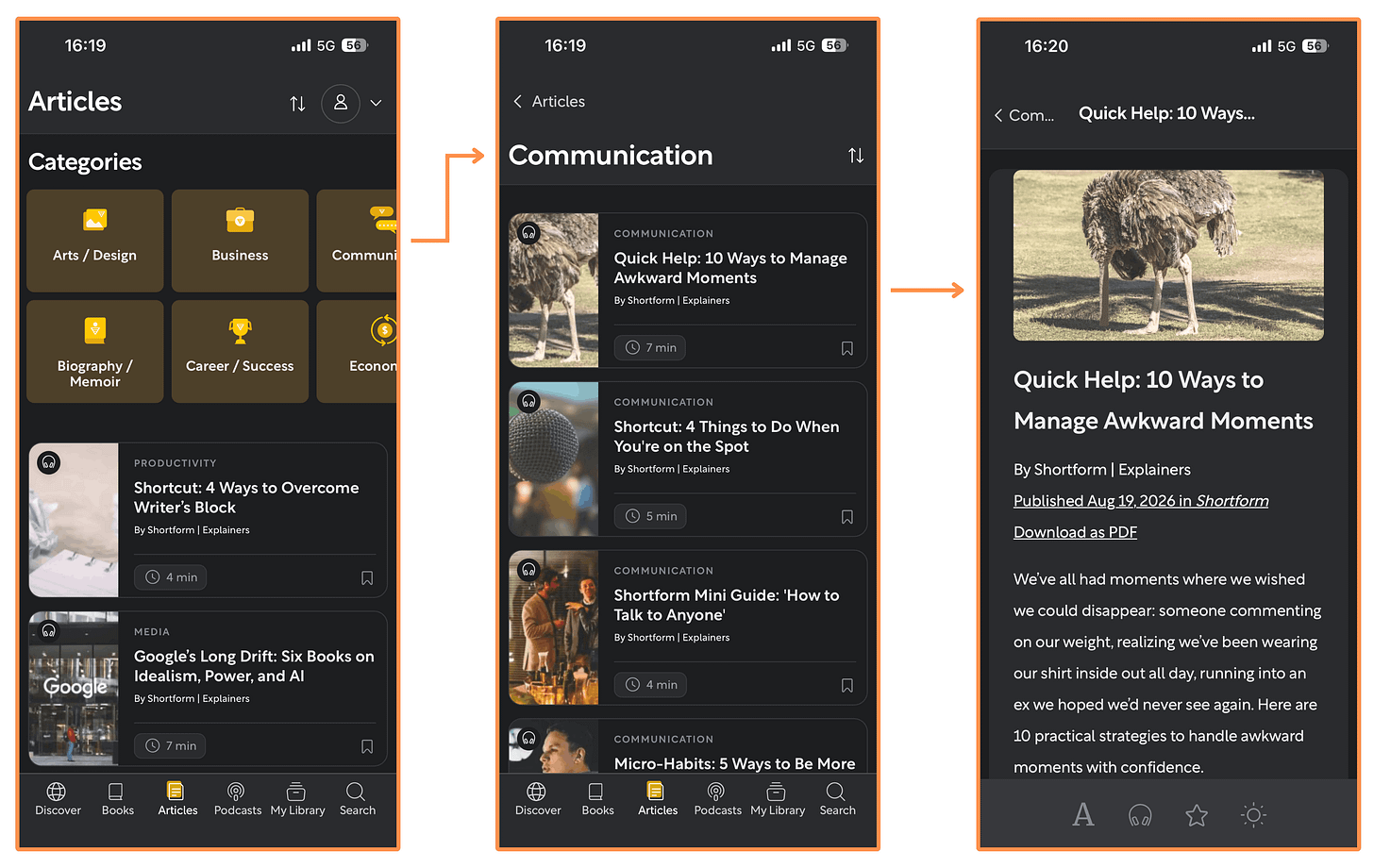
Shortform’s Articles (mobile app + dark mode) 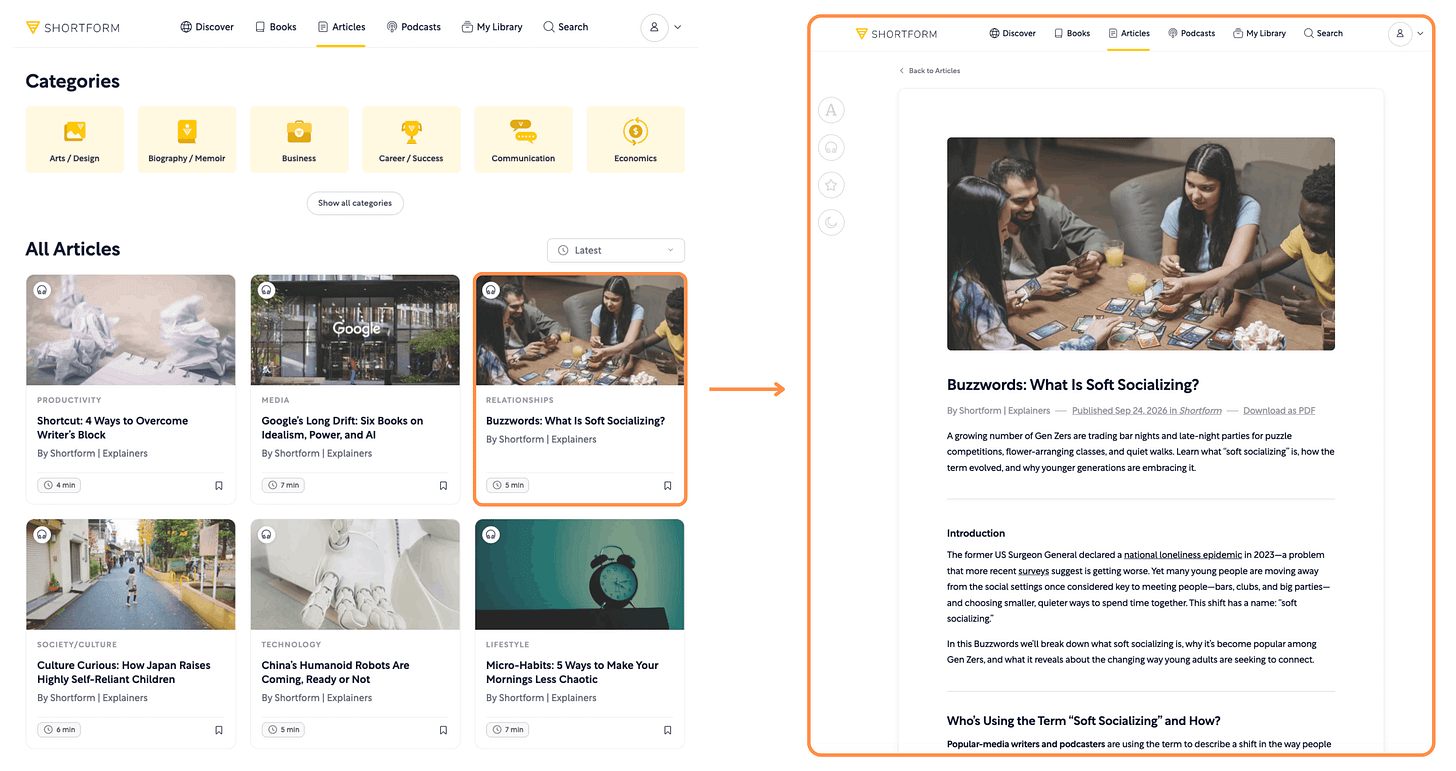
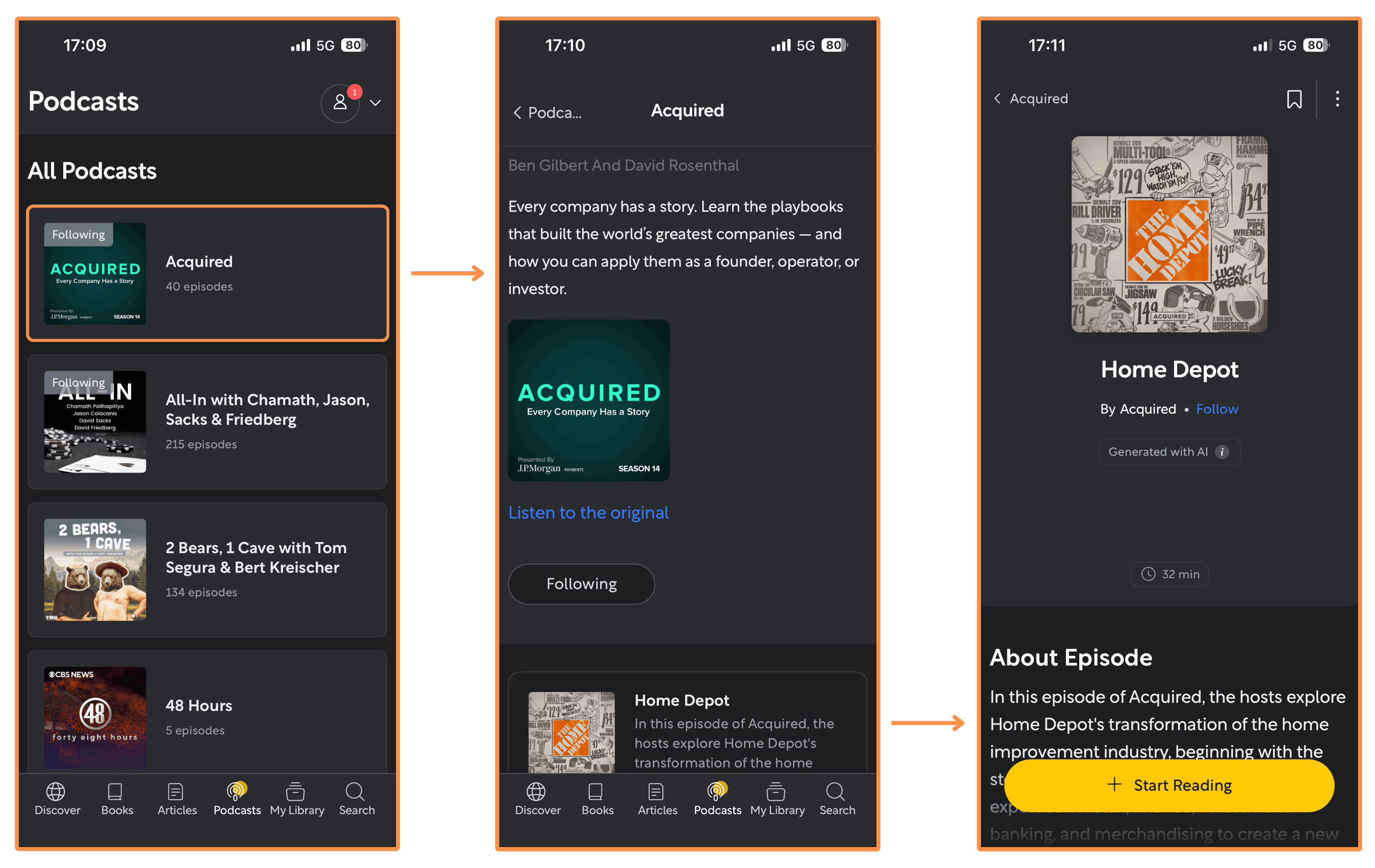
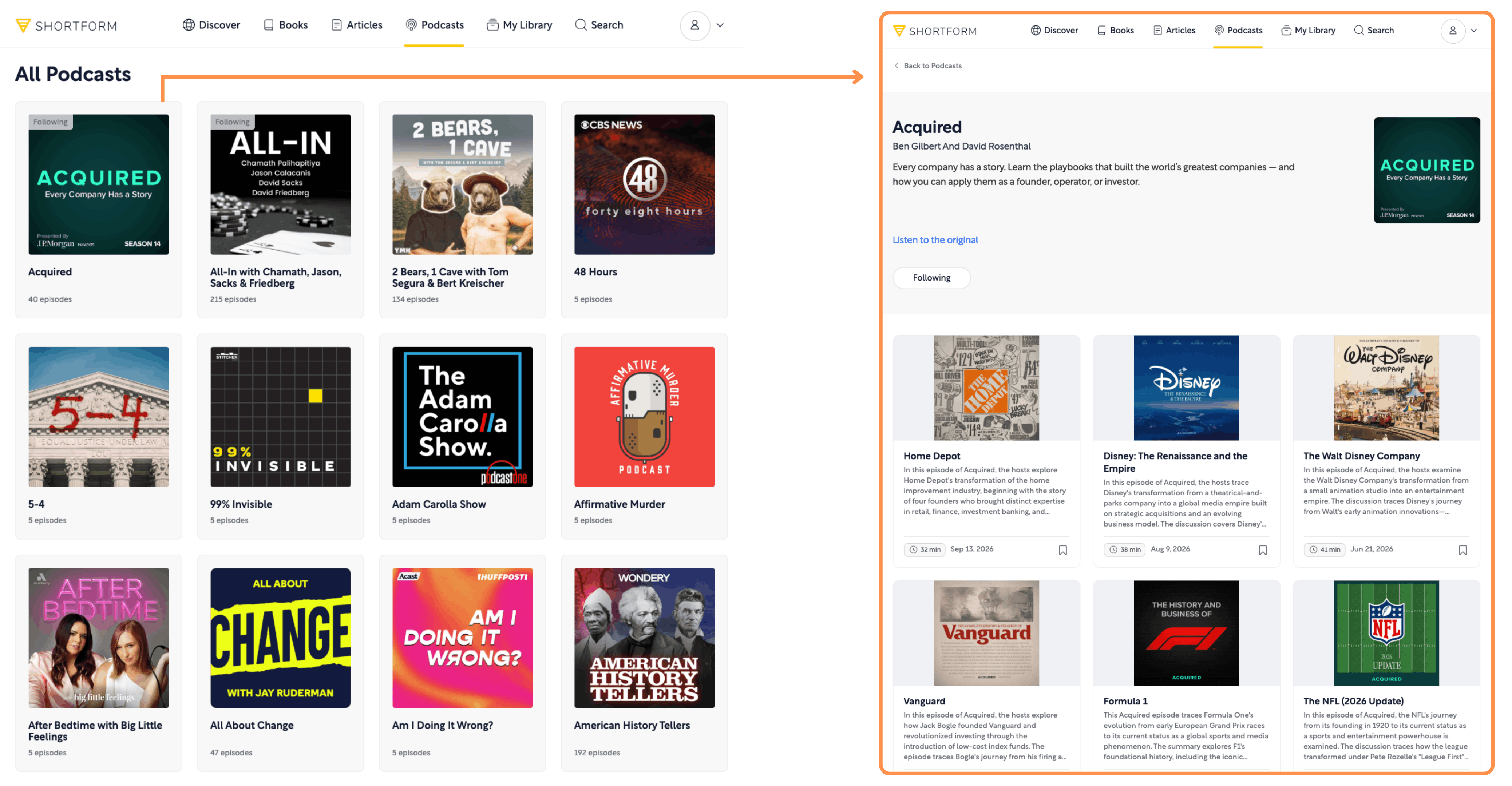
Shortform’s Articles (desktop view + light mode) Podcast Summaries → They offer summaries on episodes of many different Podcasts.
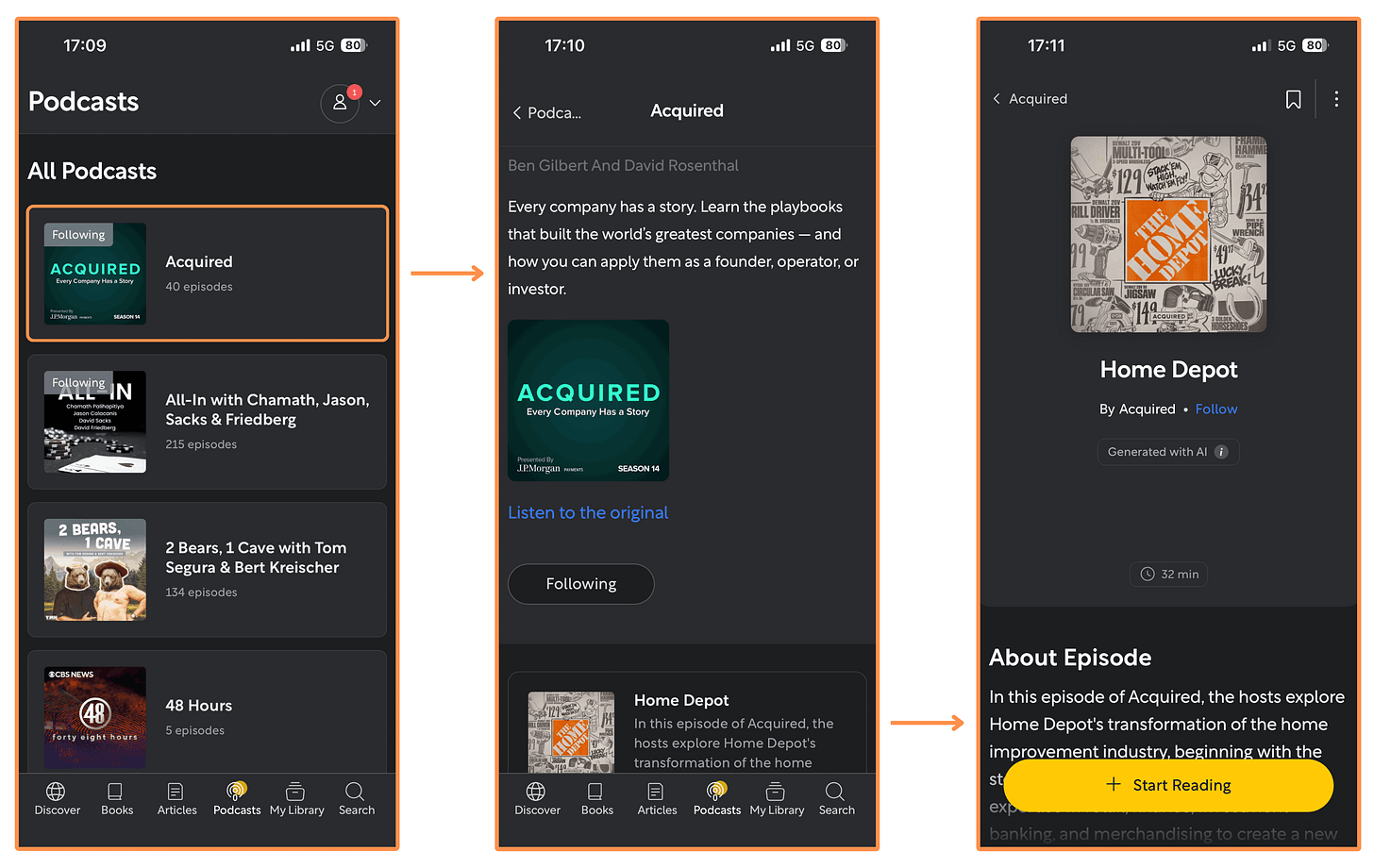
Shortform’s Podcasts (mobile app + dark mode) 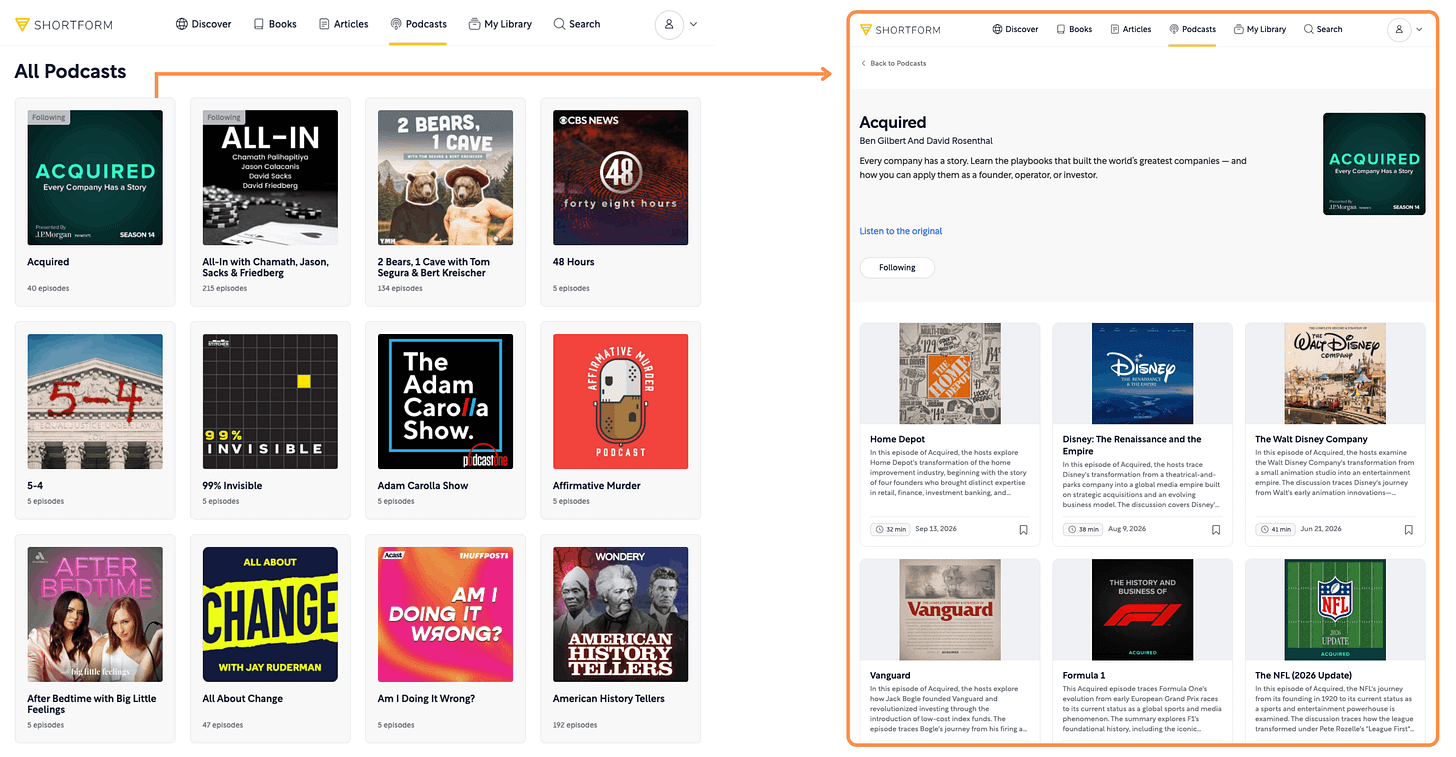
Shortform’s Podcasts (desktop view + light mode) Shortform AI (desktop-only feature) → It’s a browser extension that summarizes everything on the internet, from articles and emails to YouTube videos, at a click of a button. And you can even install it for free! But if you want the premium version (for unlimited summaries) you would need a Shortform subscription.

Shortform AI

5.1.3 Shortform — User Interface
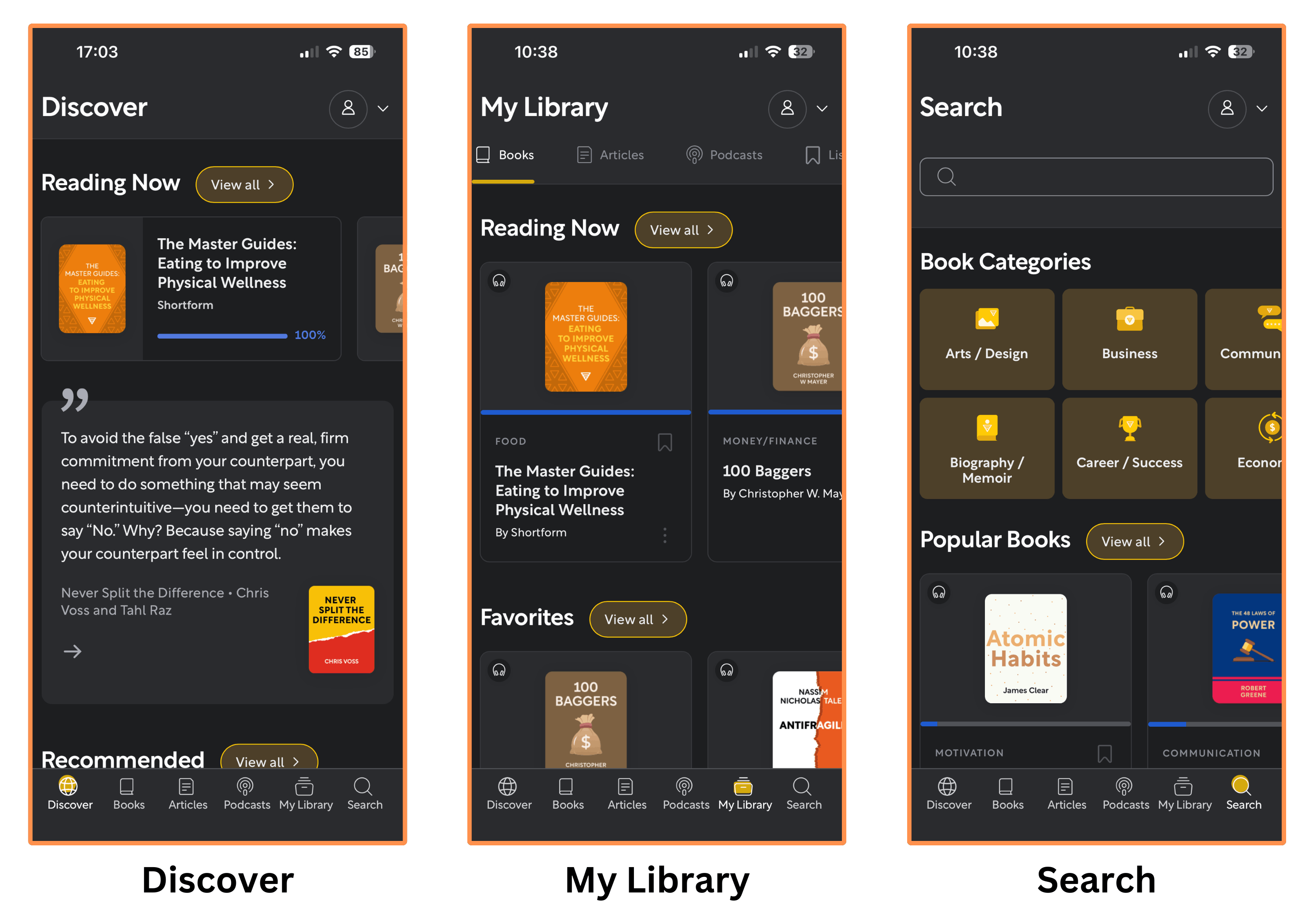
Mobile Interface
Shortform’s mobile app is beautiful and easy to navigate!
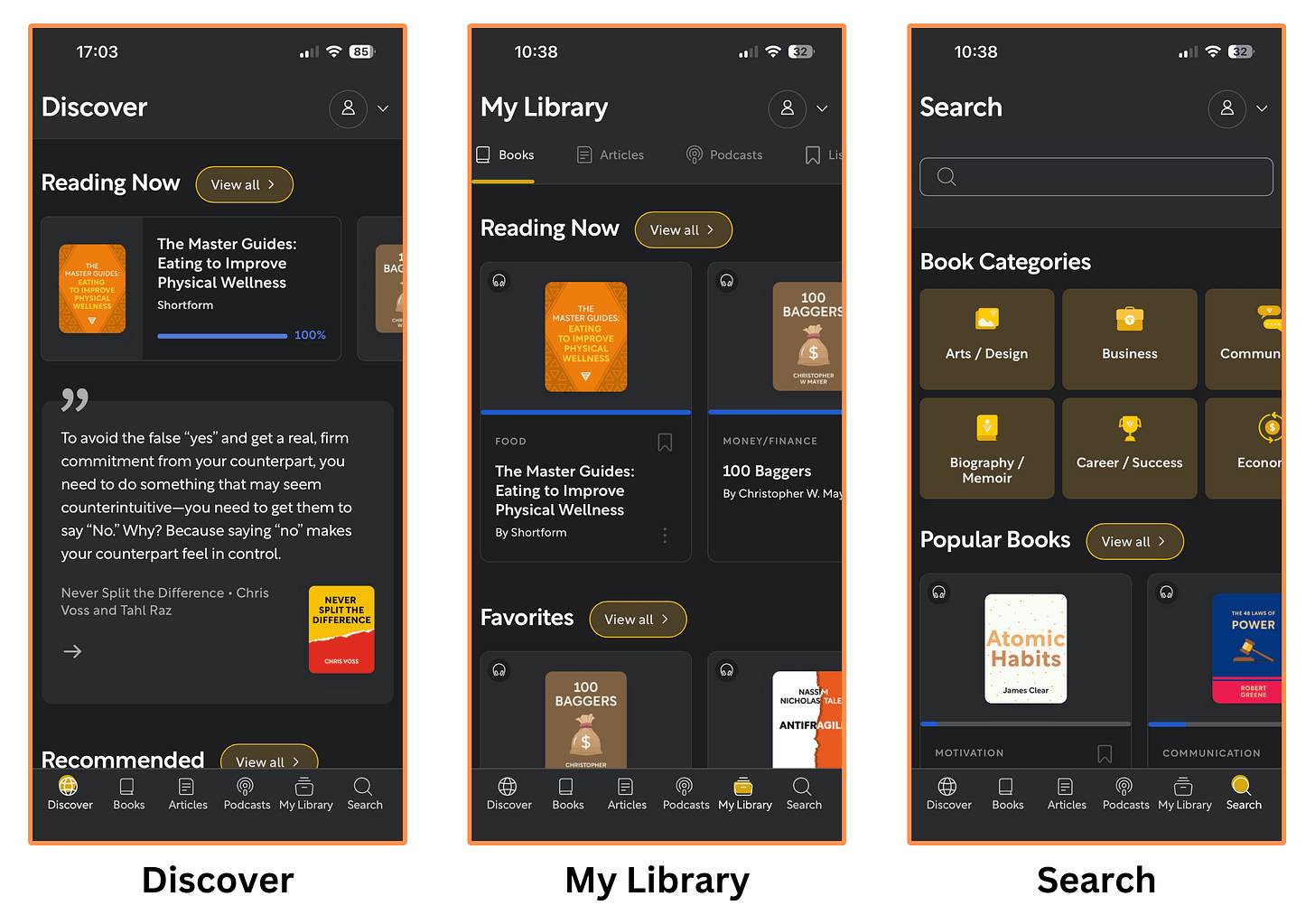
Shortform’s mobile interface (dark mode) Desktop Interface
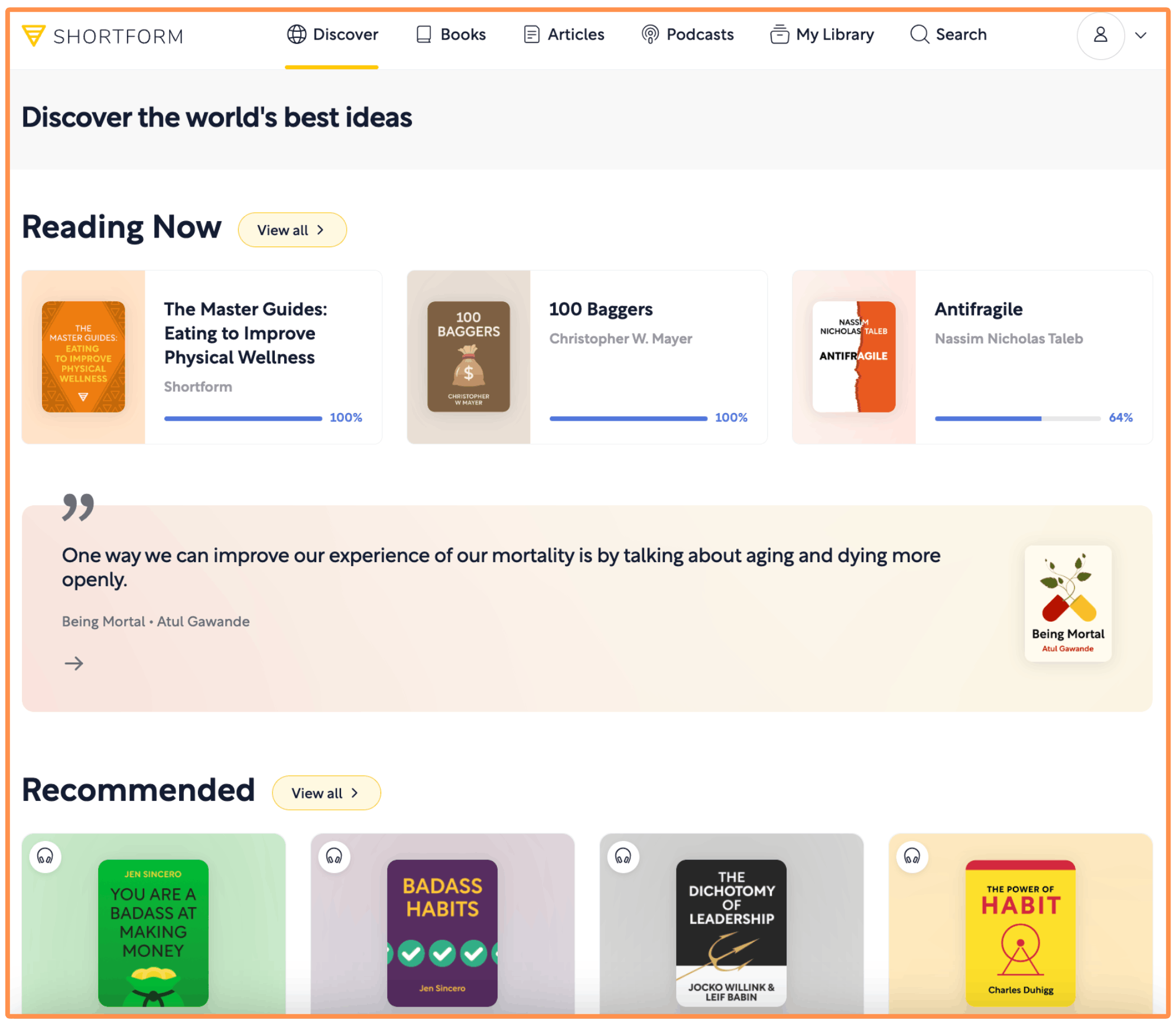
As mentioned earlier, Shortform also has a desktop version — it’s easy to use and as feature-rich as their mobile app.
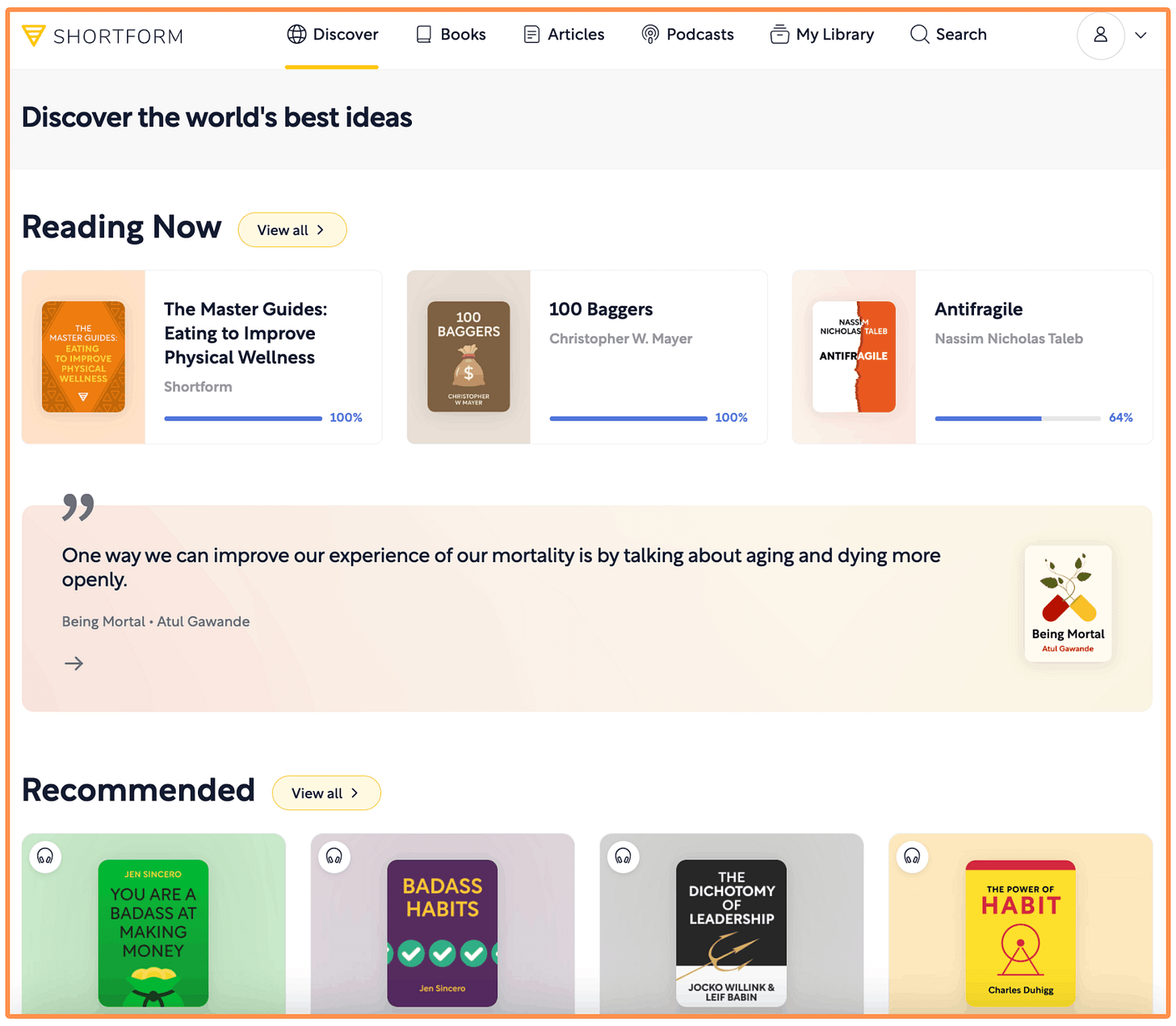
Shortform’s desktop interface (light mode)
5.1.4 Shortform — Price
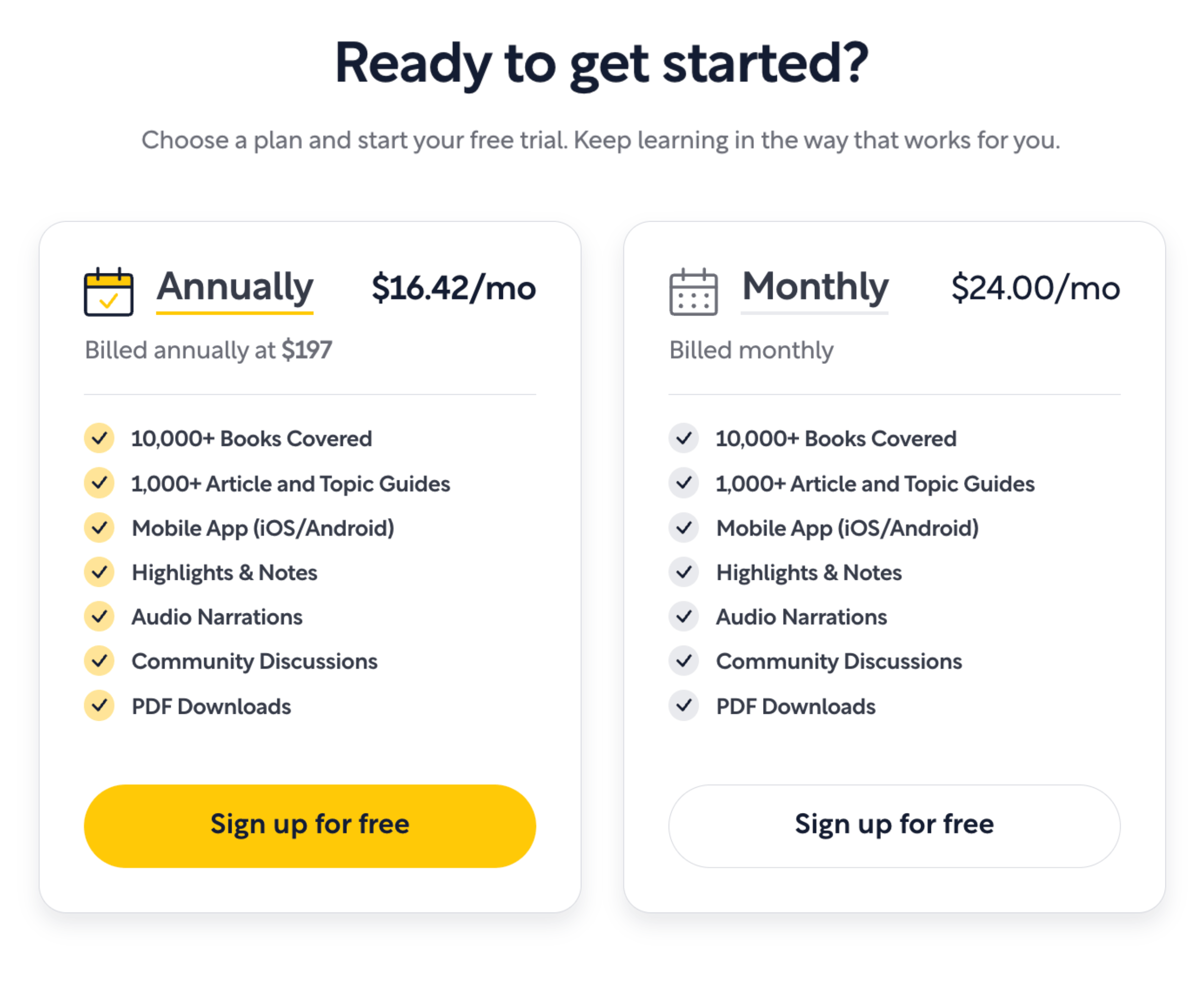
Shortform’s pricing is super transparent — you can see it directly on their website. Deepstash, by contrast, only shows its pricing after you complete an onboarding quiz.
Shortform offers two Subscription Plans:
The Monthly Subscription goes for $24 per month.
The Yearly Subscription costs $197 per year (equivalent to $16.42 per month). But I talked to the team at Shortform and they agreed to give us a 20% off! (just click here to get the discount).
Both of these plans offer a 5-day free trial!
I talked to the team at Shortform and they agreed to give us a 20% discount on the Annual Subscription by signing up with this link! (You also get a 5-day free trial).
5.2 Headway

I’ve been a Headway subscriber since March 2026. Its book summaries aren’t as in-depth as Shortform’s, but the app makes learning really engaging and fun.
So I’ve been using Headway to discover new books and microlearn, and Shortform to go deeper on the books that catch my interest.
Here’s my research on Headway…
5.2.1 Headway — Book Summaries
To illustrate my research, we’re going back to the book Skin In The Game. Oh wait.. I couldn’t find it! But I found The Black Swan (also by Nassim Nicholas Taleb), so we’ll use this one instead.
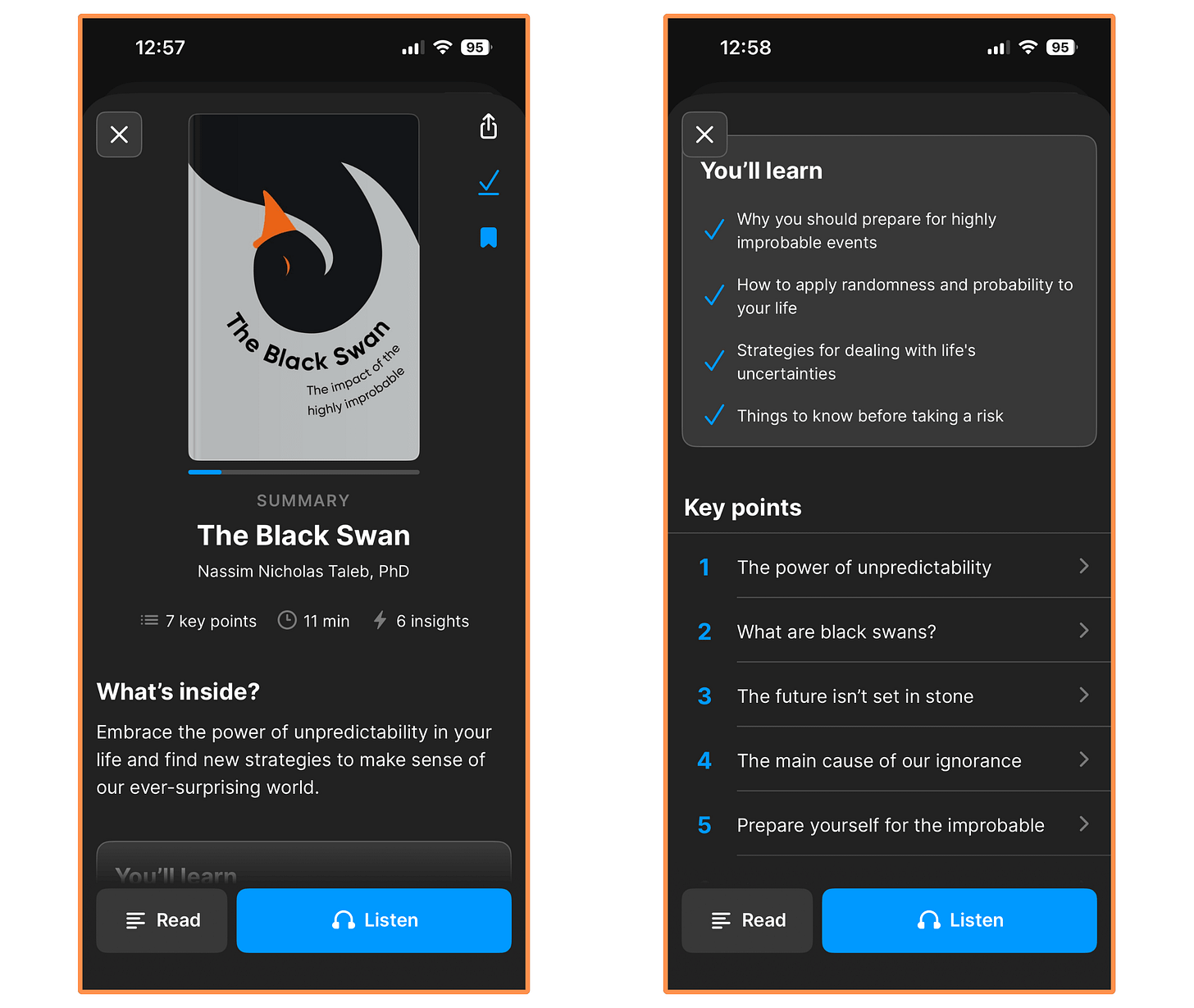
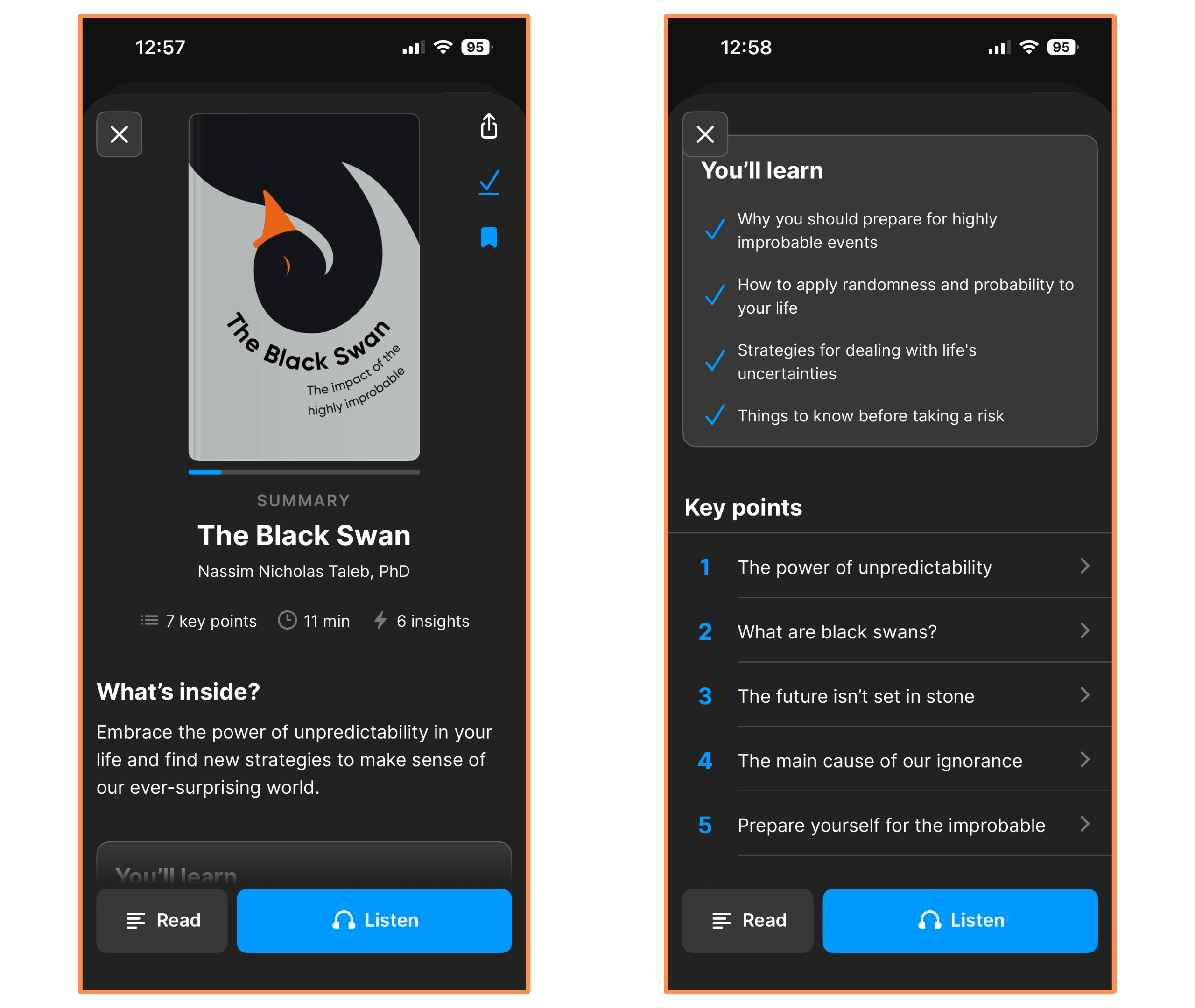
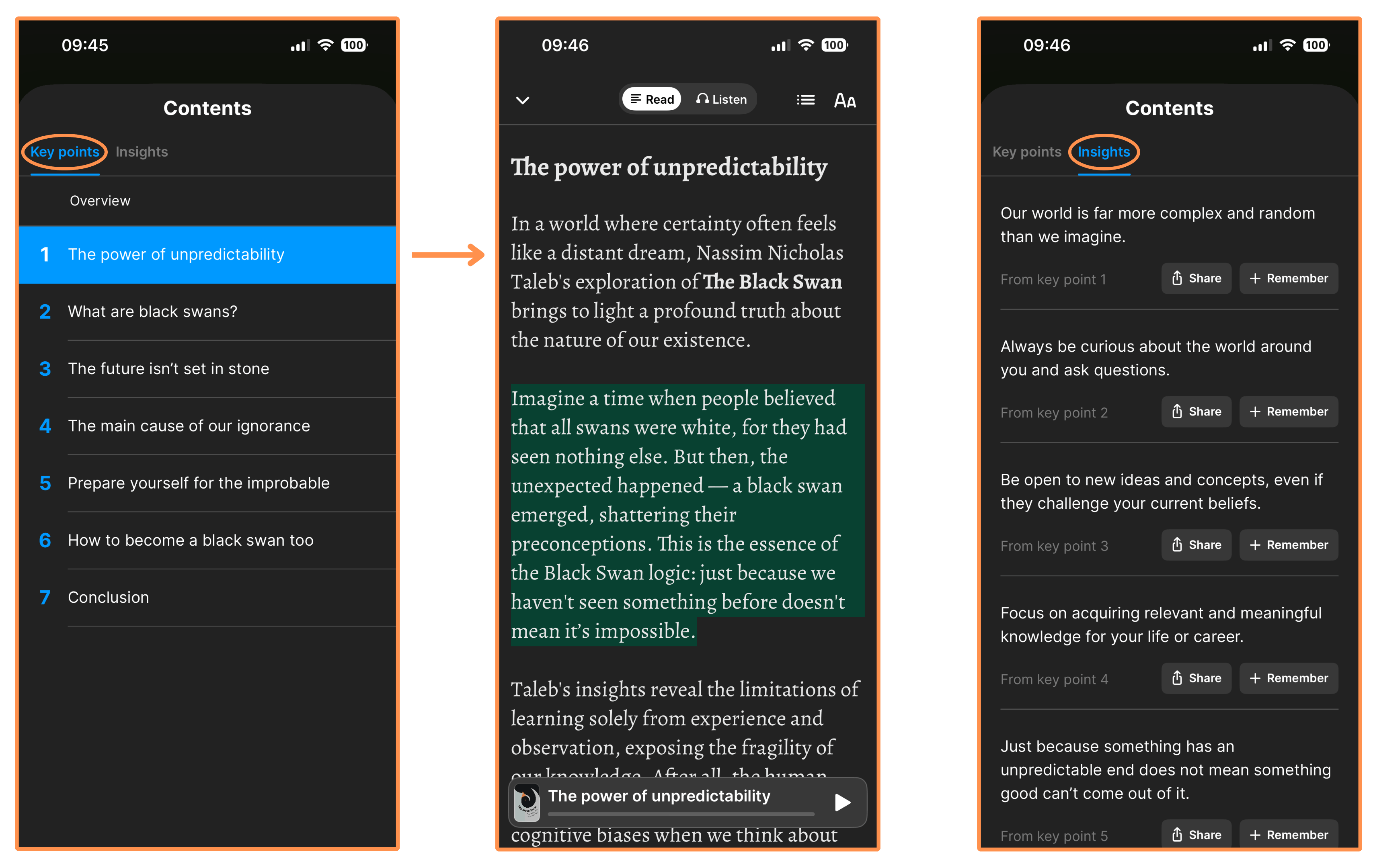
Headway’s summary of The Black Swan (dark mode) In the Headway App, a summary consists of a list of “key points”, which are sort of the key ideas of the book. And they also have a list of “insights”, which are basically one-liners that kind of summarizes the key points themselves (exactly… the summary of the summary!).
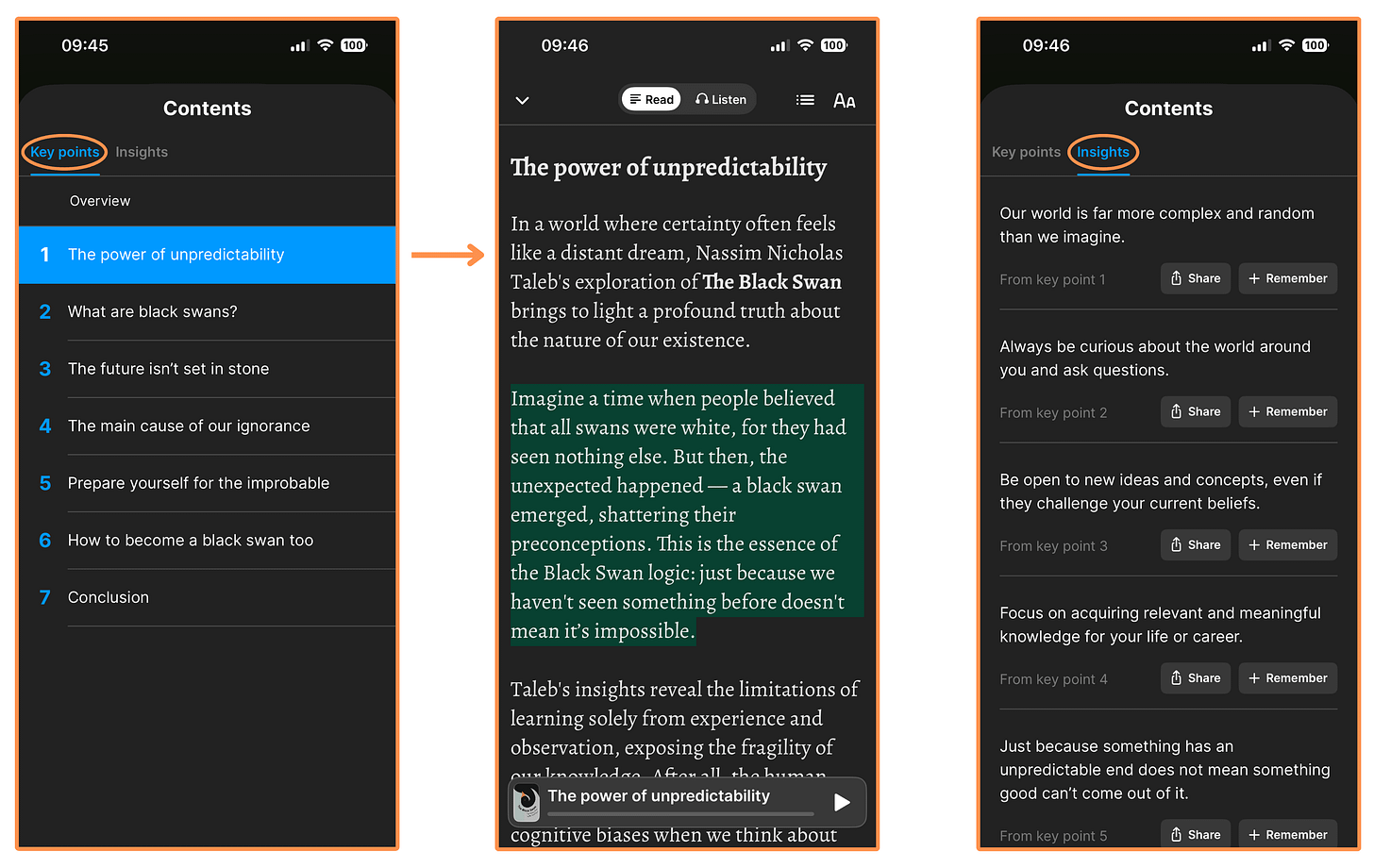
Headway’s summary of The Black Swan On Headway, you can download any book summary to read (or listen) offline.
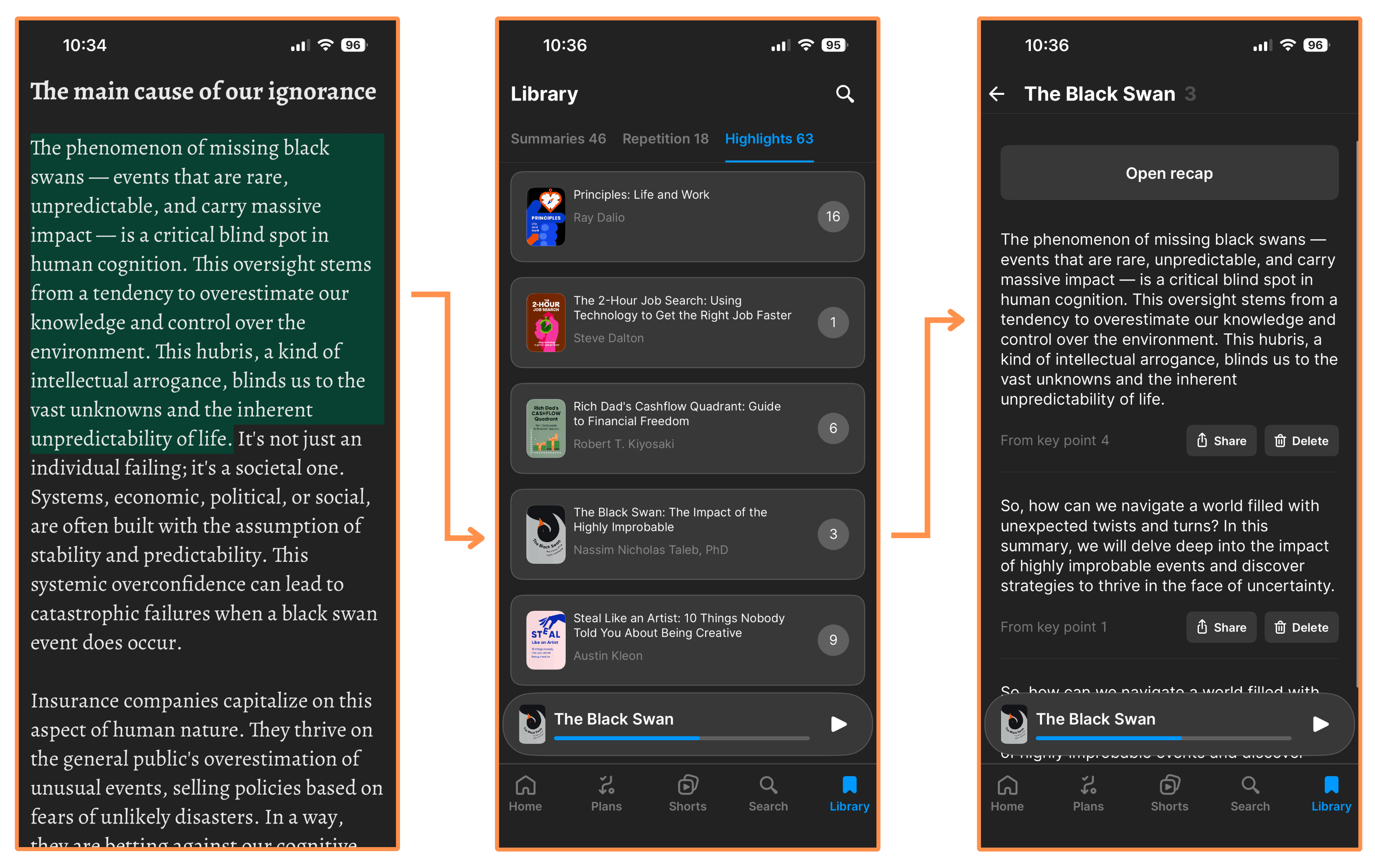
Like Shortform, you can make highlights — which are then saved in your Highlights Library. (But unlike Shortform, you can’t write notes on those highlights).
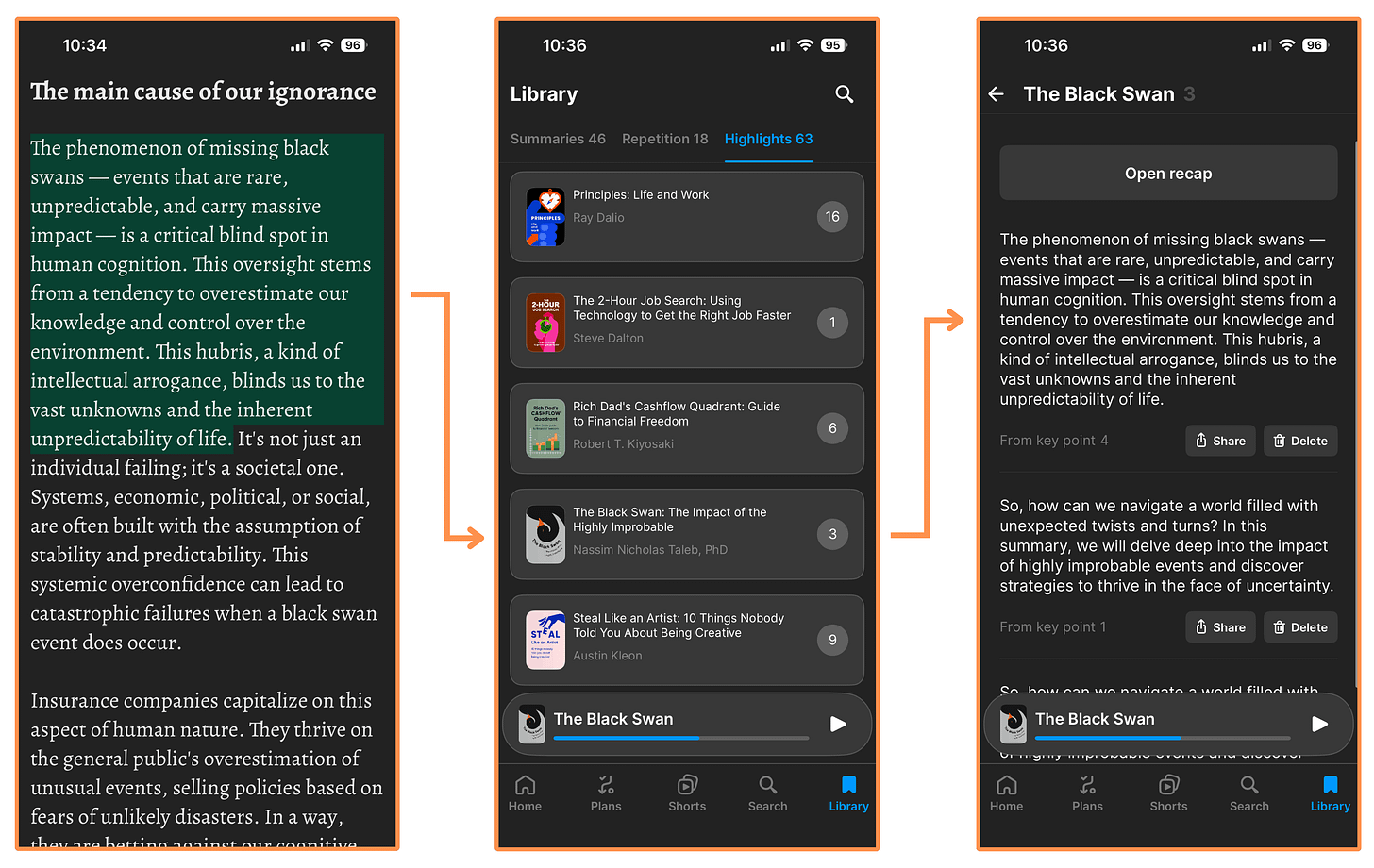
Highlights on Headway You can switch between dark mode / light mode, and adjust the text size.
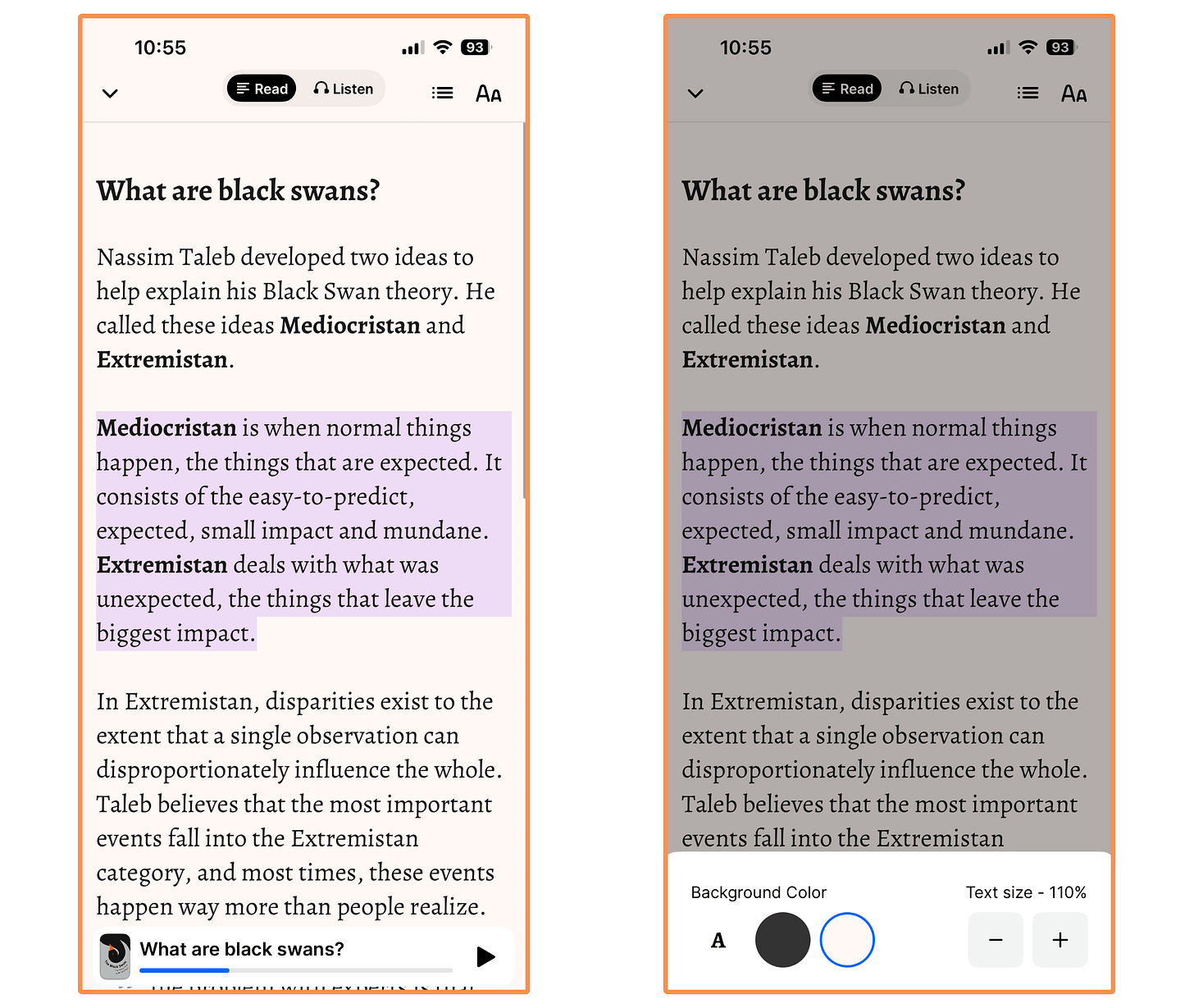
You can also read (or listen) in other languages such as Spanish, German, French, Portuguese, Italian, Polish, Czech, Hungarian, Japanese, and Romanian!
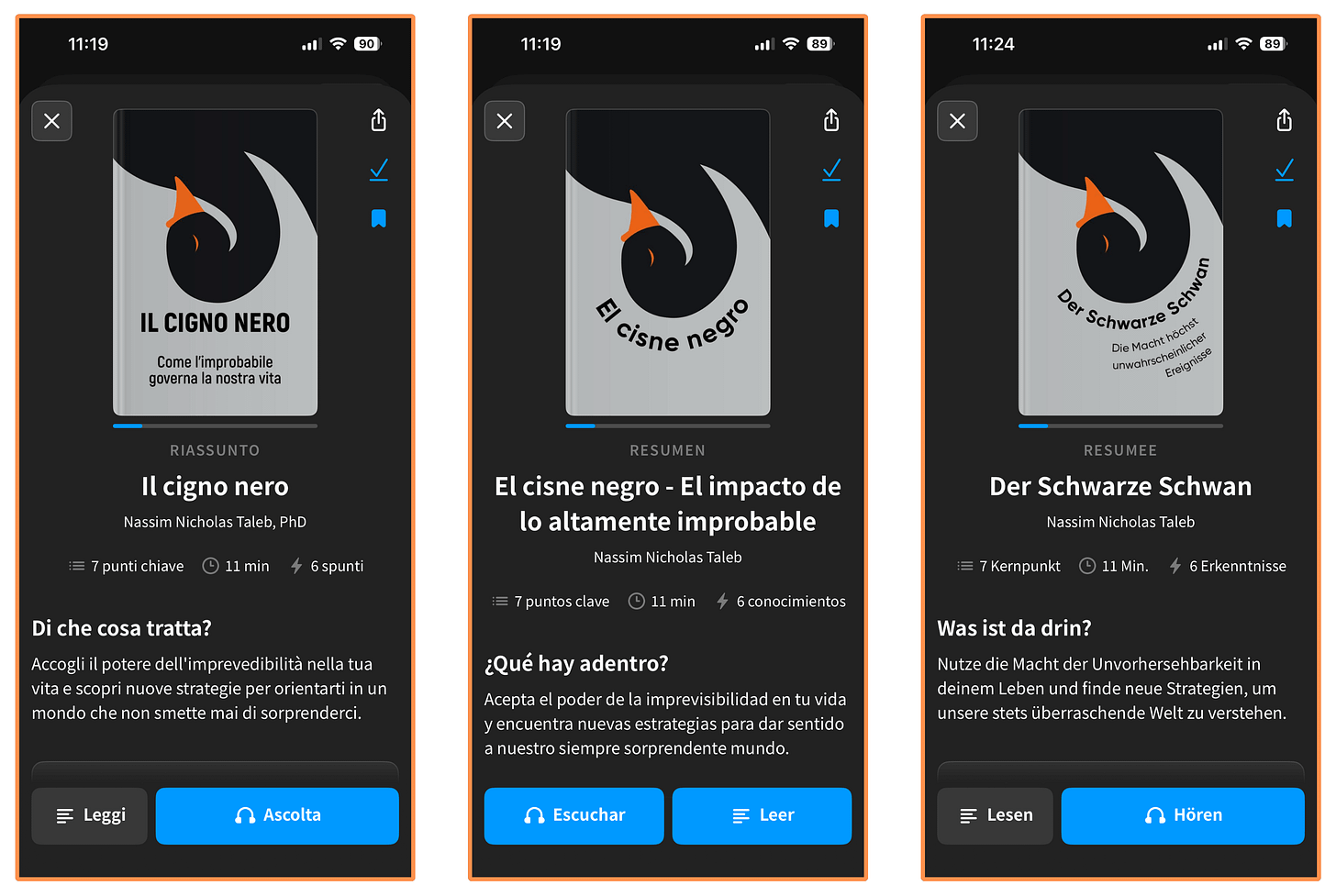
Although I noticed a few issues here. For instance, in the Spanish version of The Black Swan, the audio was still in English!! And in some languages, such as Japanese and French, the book is not even listed. So I’d take this language feature with a grain of salt. Personally, I just read the summaries in English.
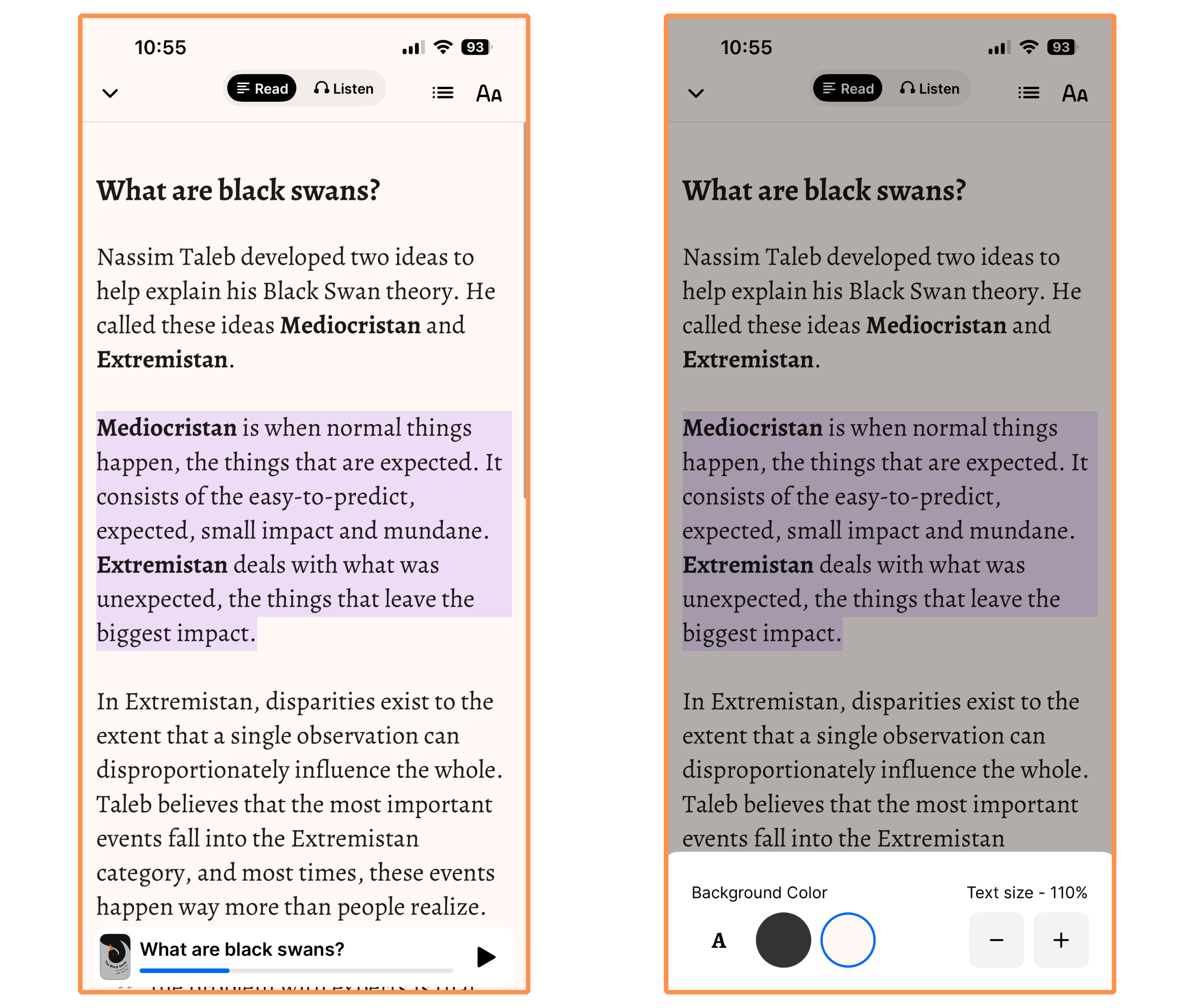
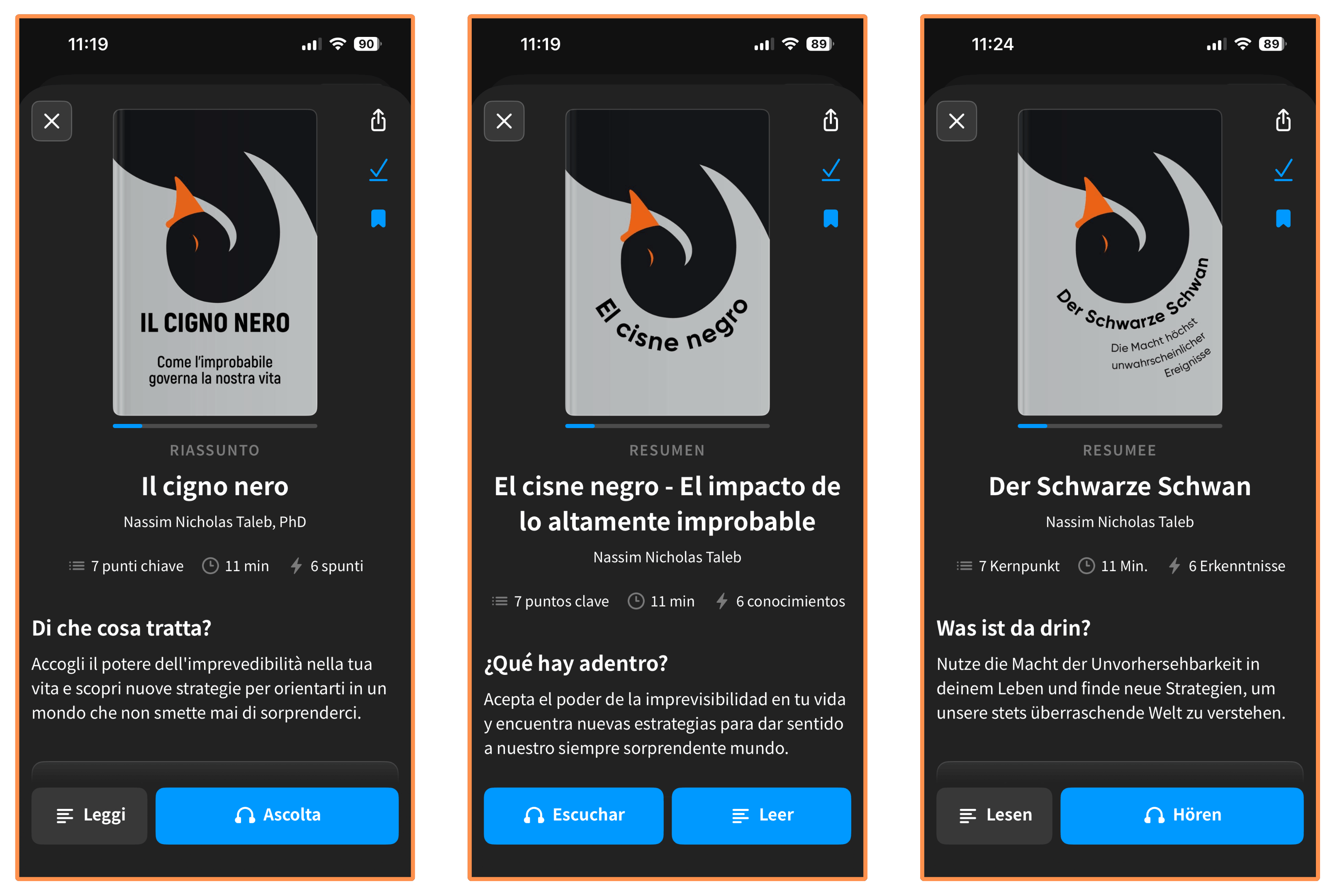
Finally, all Headway summaries come with an audio version. Here’s a sample from The Black Swan (recorded at 1x speed):
(You can also listen to the summaries with the screen off.)
5.2.2 Headway — Beyond Book Summaries
Beyond book summaries, the Headway App offers three extra features.
Let’s explore each of them:
Collections → Like Shortform, Headway also offers Collections. A Collection is a curated list of book summaries designed to make you more knowledgeable about a topic or help you improve a skill, typically containing 8–10 summaries.
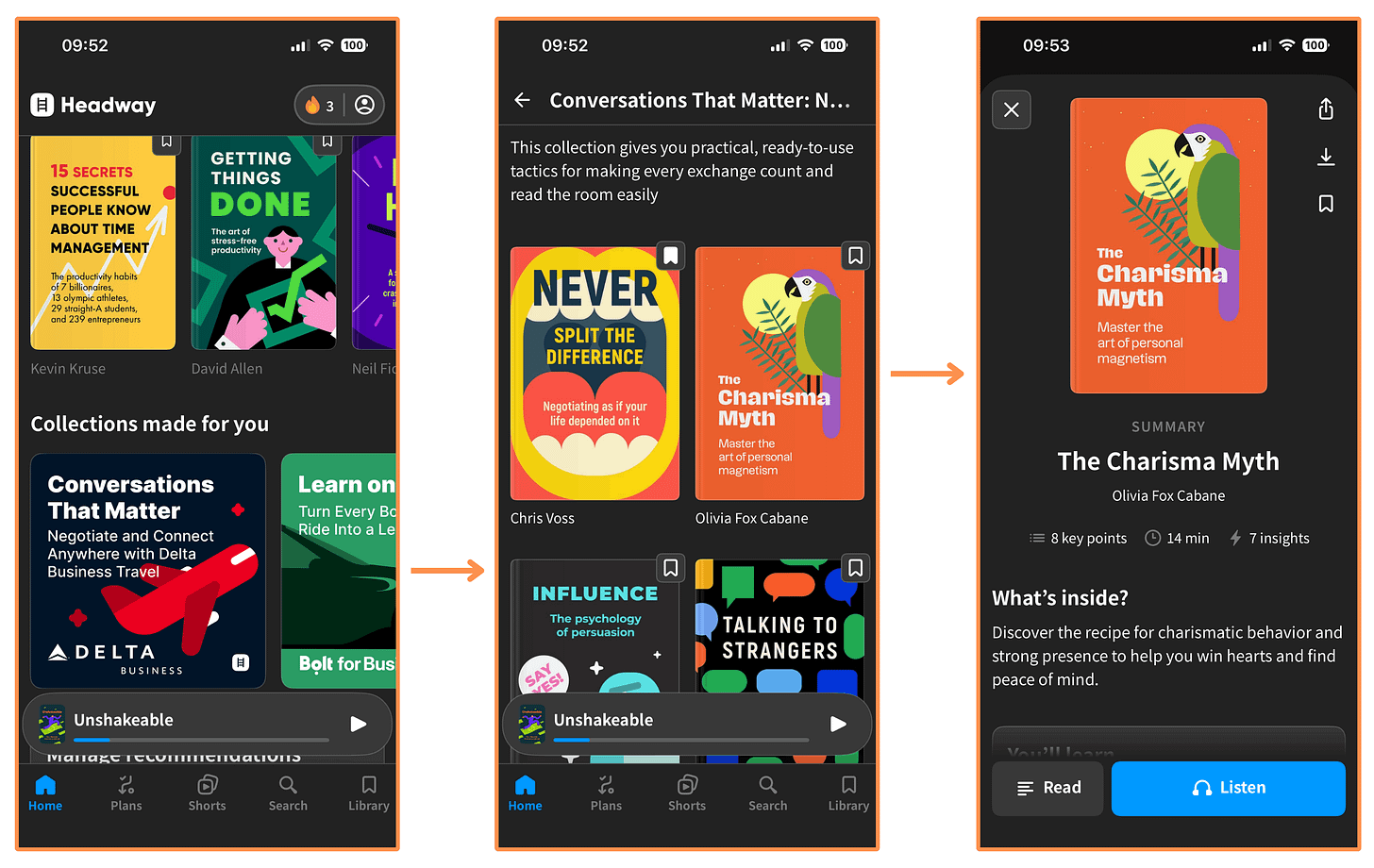
Headway’s Collections
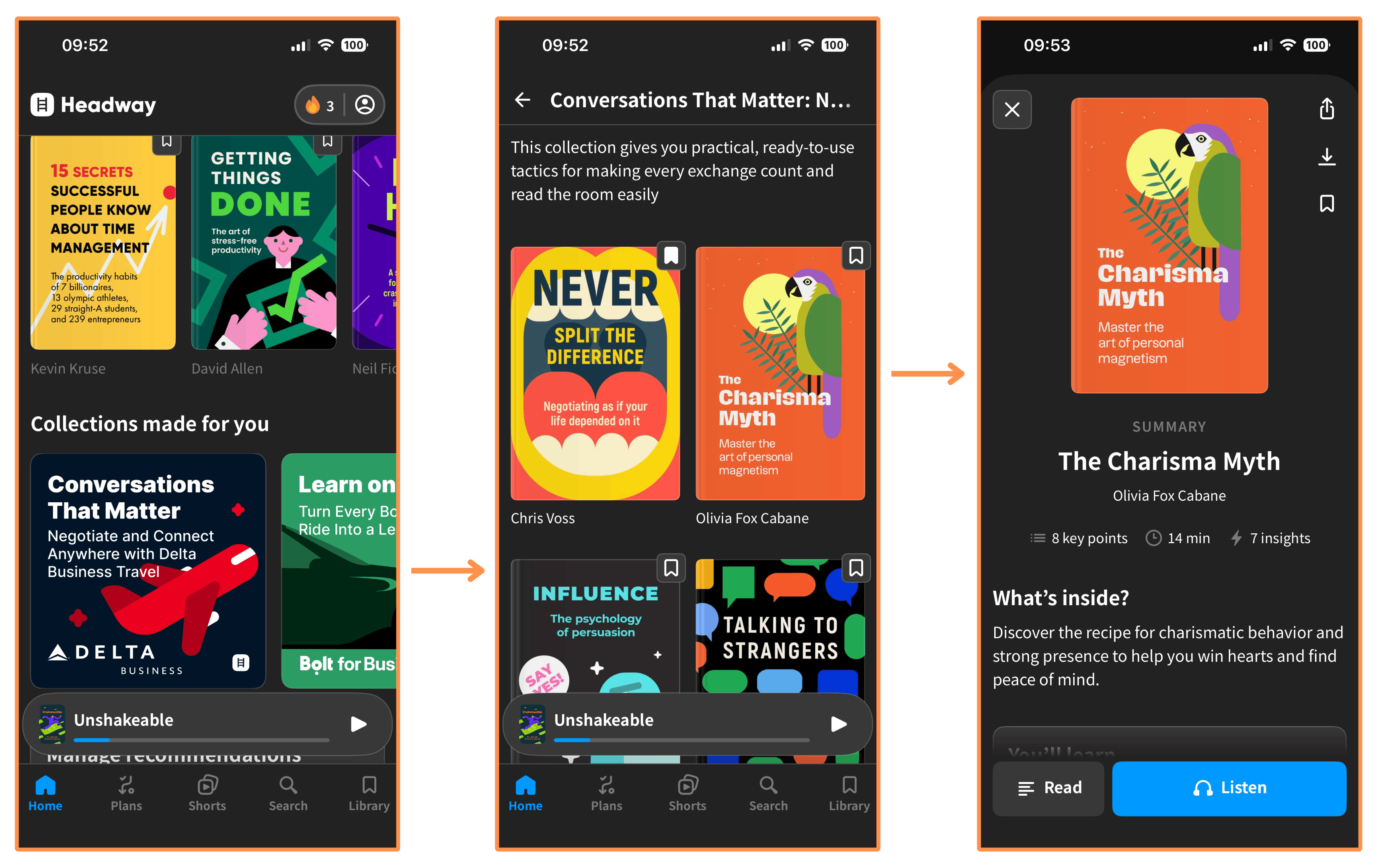
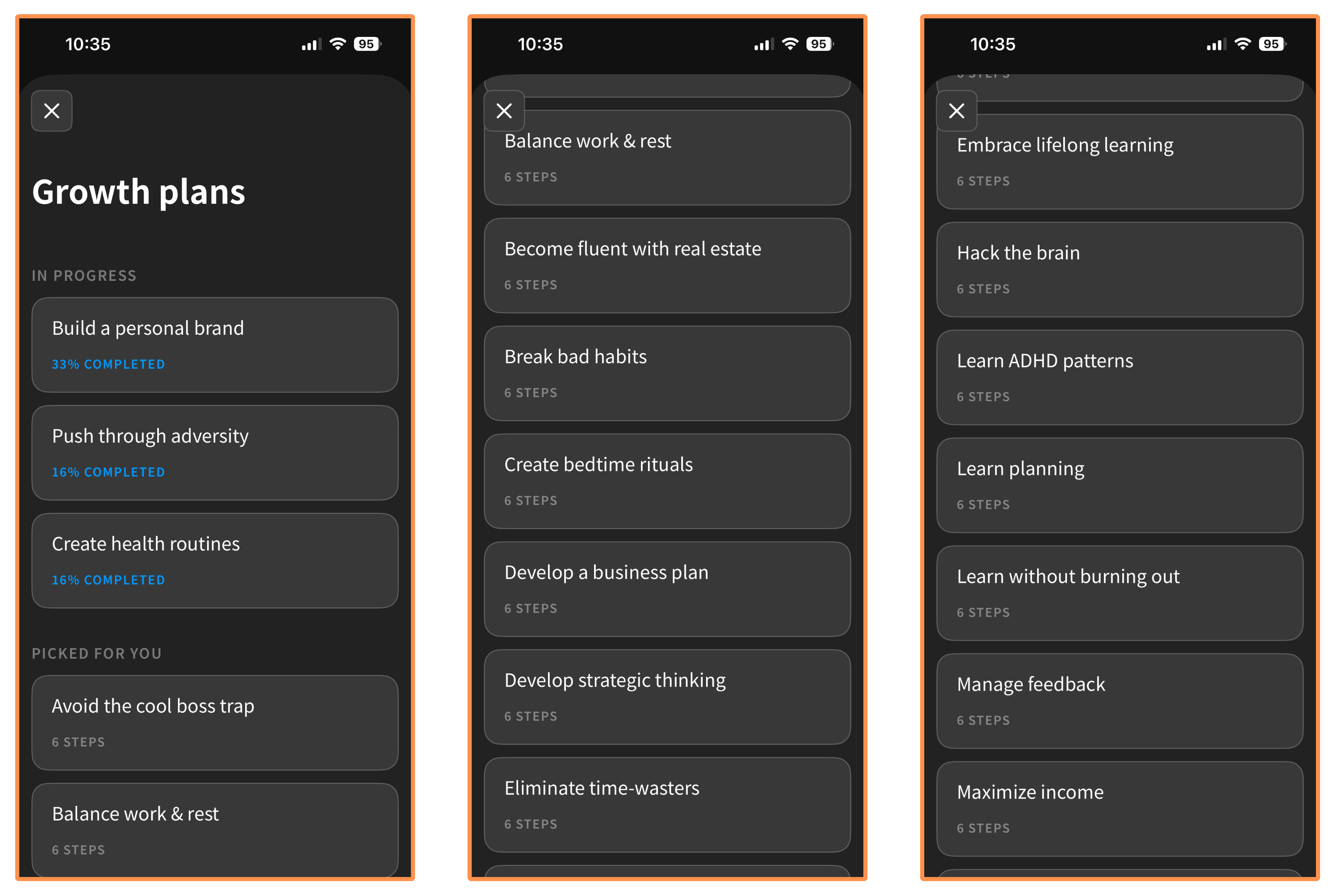
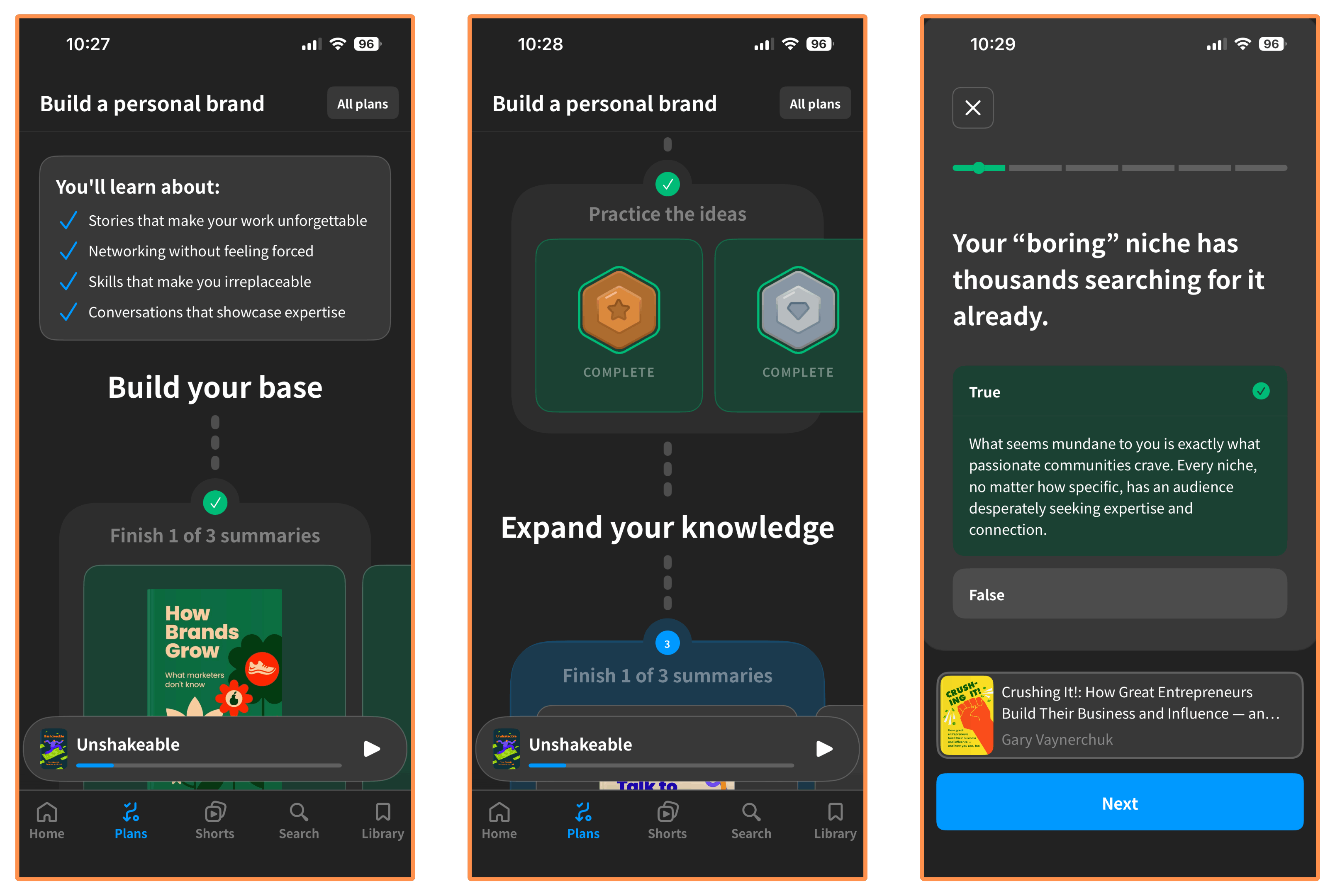
Growth Plans → These are like Collections, but a bit more developed. A Growth Plan is a curated list of summaries arranged in a clear progression, with quizzes along the way to help you practice the ideas.
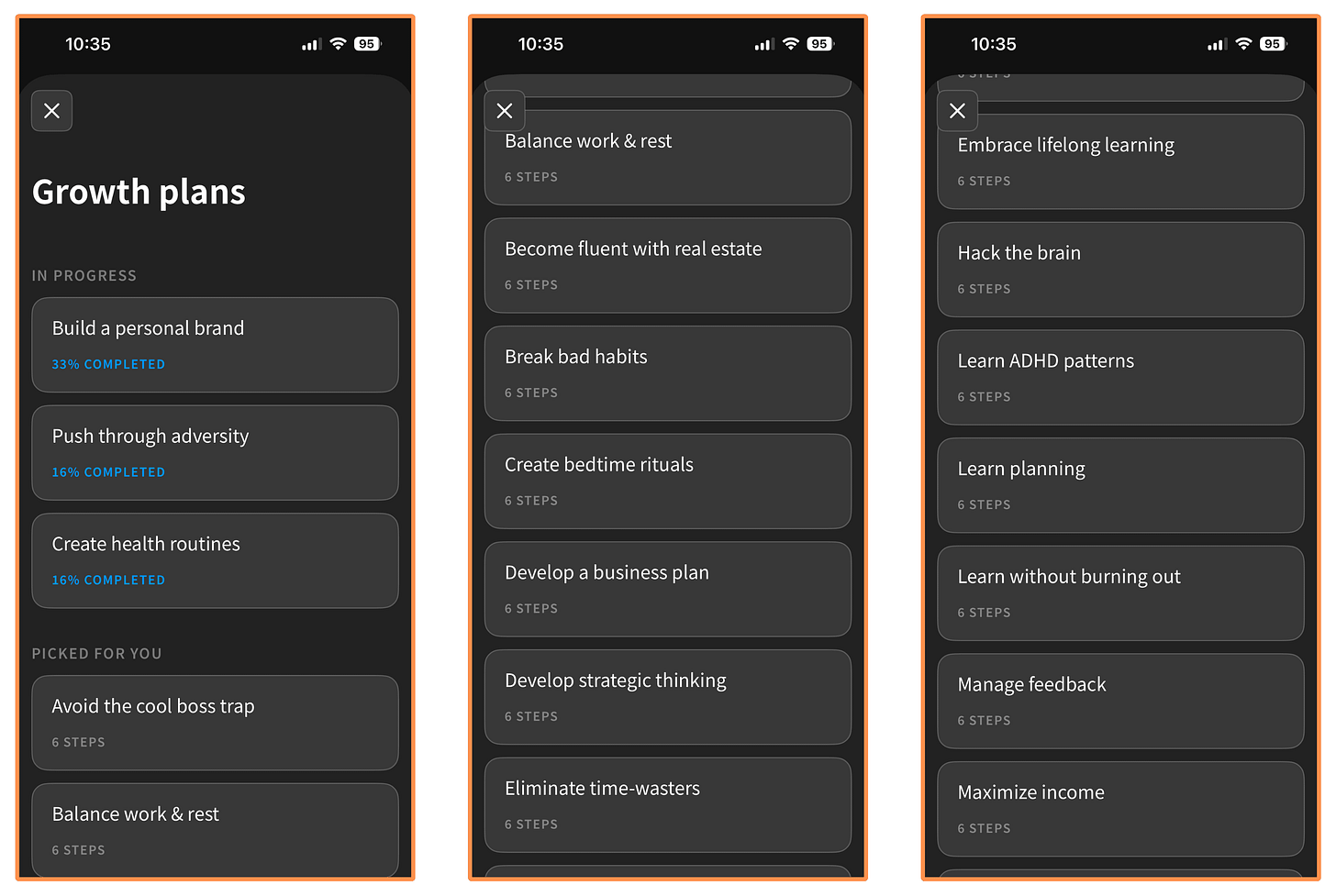
Headway’s Growth Plans 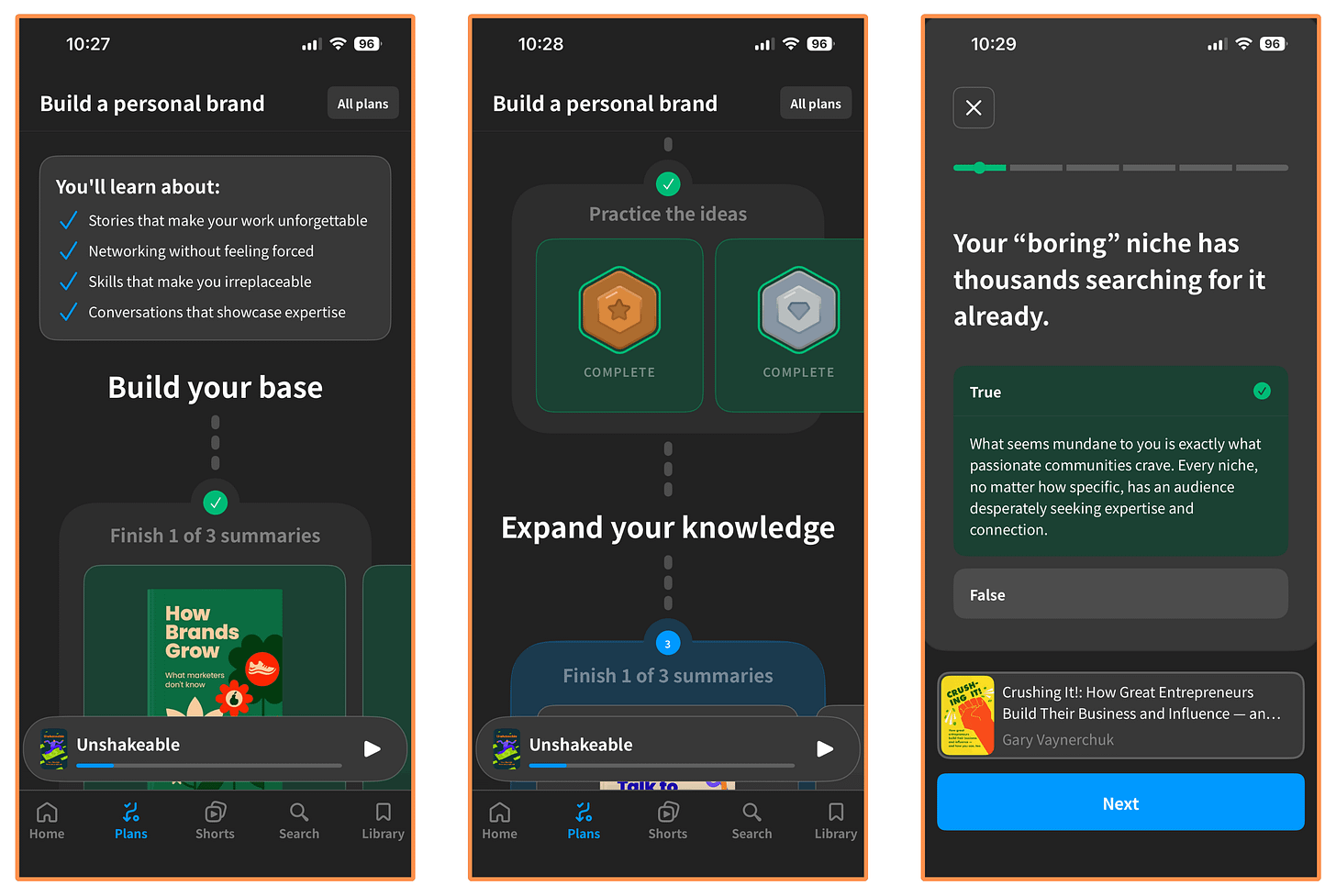
Headway’s Growth Plan “Build a personal brand”
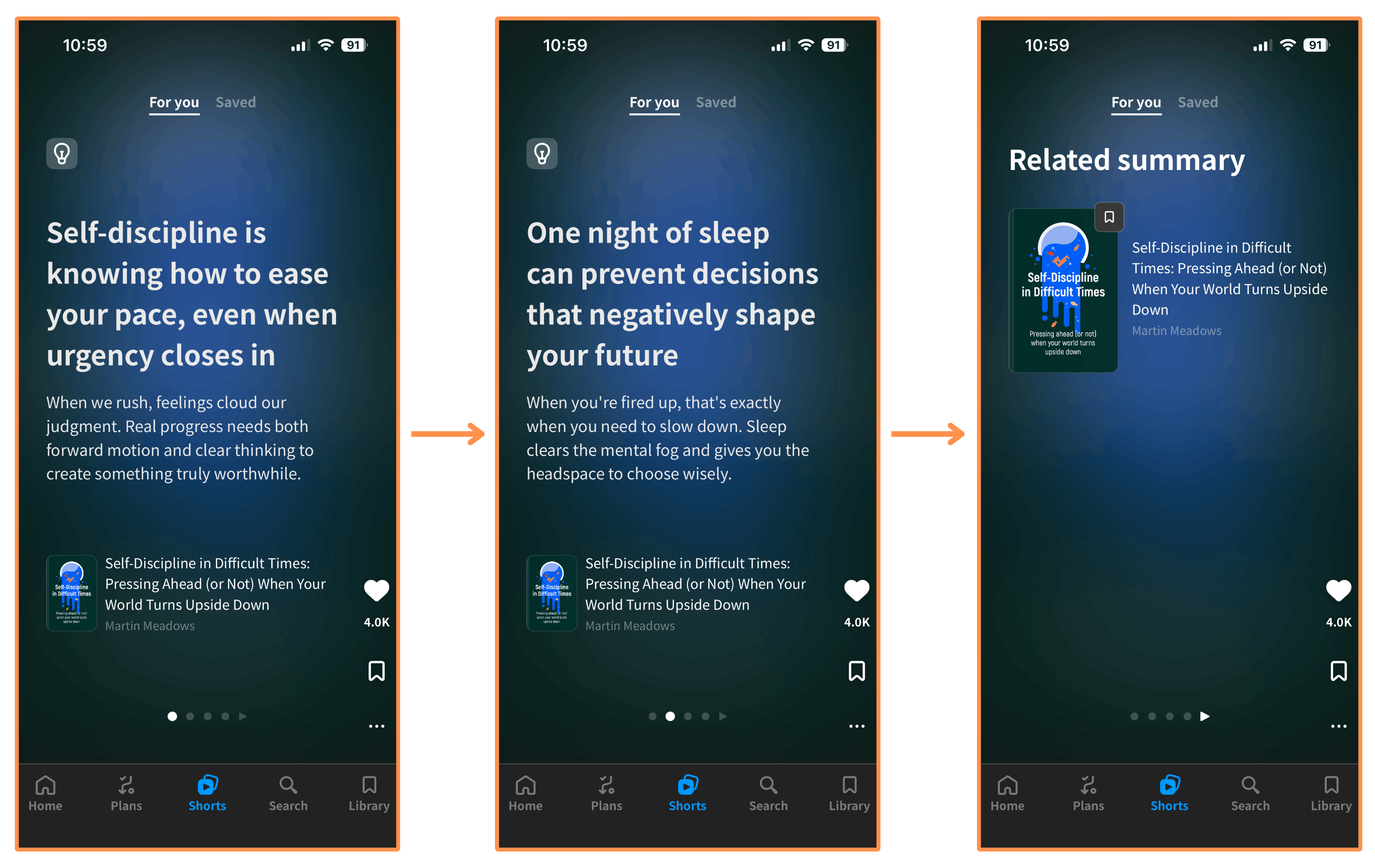
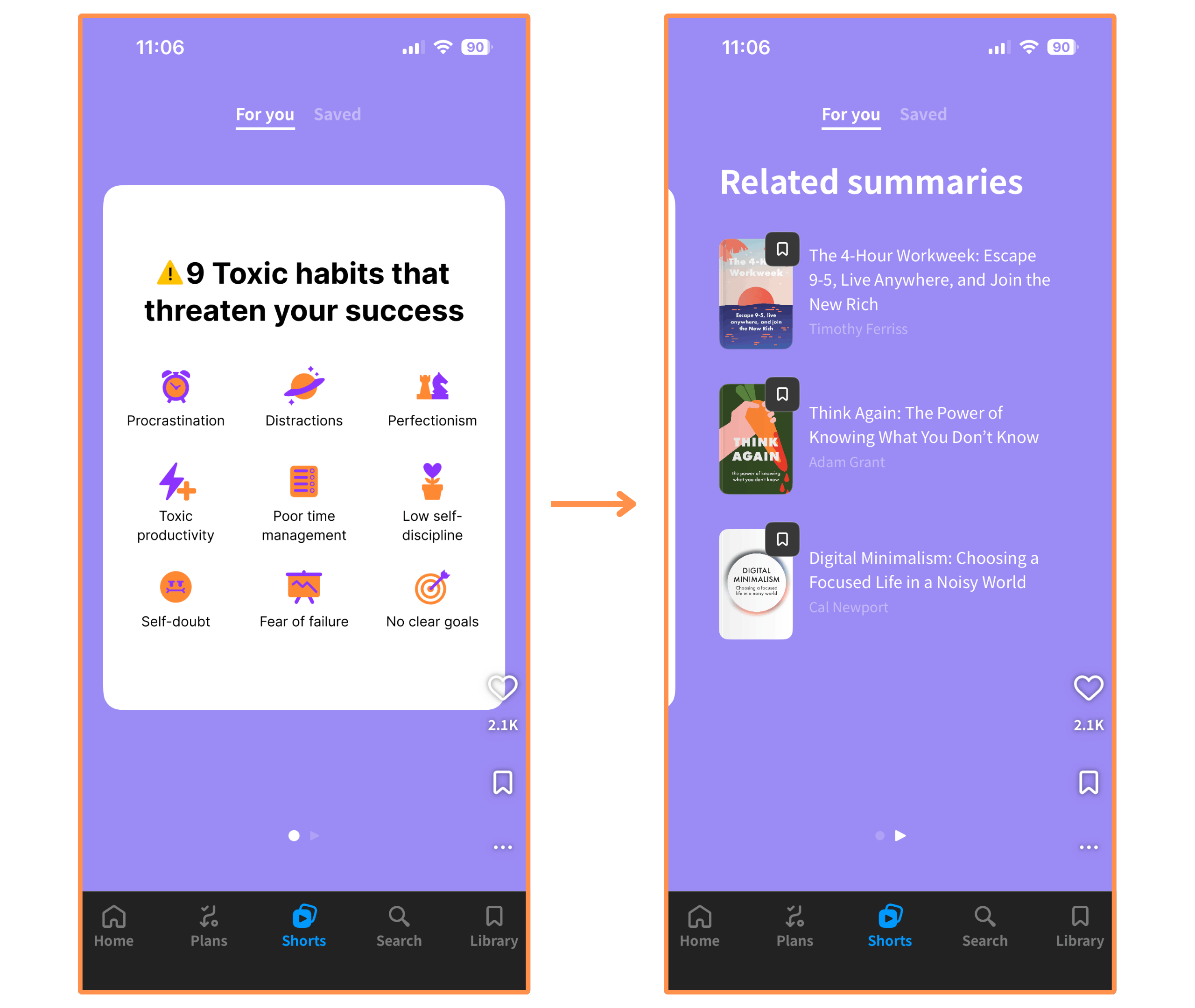
Shorts → These are fun introductions to the book summaries. They have text shorts and infographic shorts (similar to Instagram posts), and video shorts (similar to YouTube videos). And you swipe vertically to move through them.
Text Shorts → These typically feature an interesting fact or insight from a book. You swipe horizontally through the cards, and at the end you can check out the full summary.
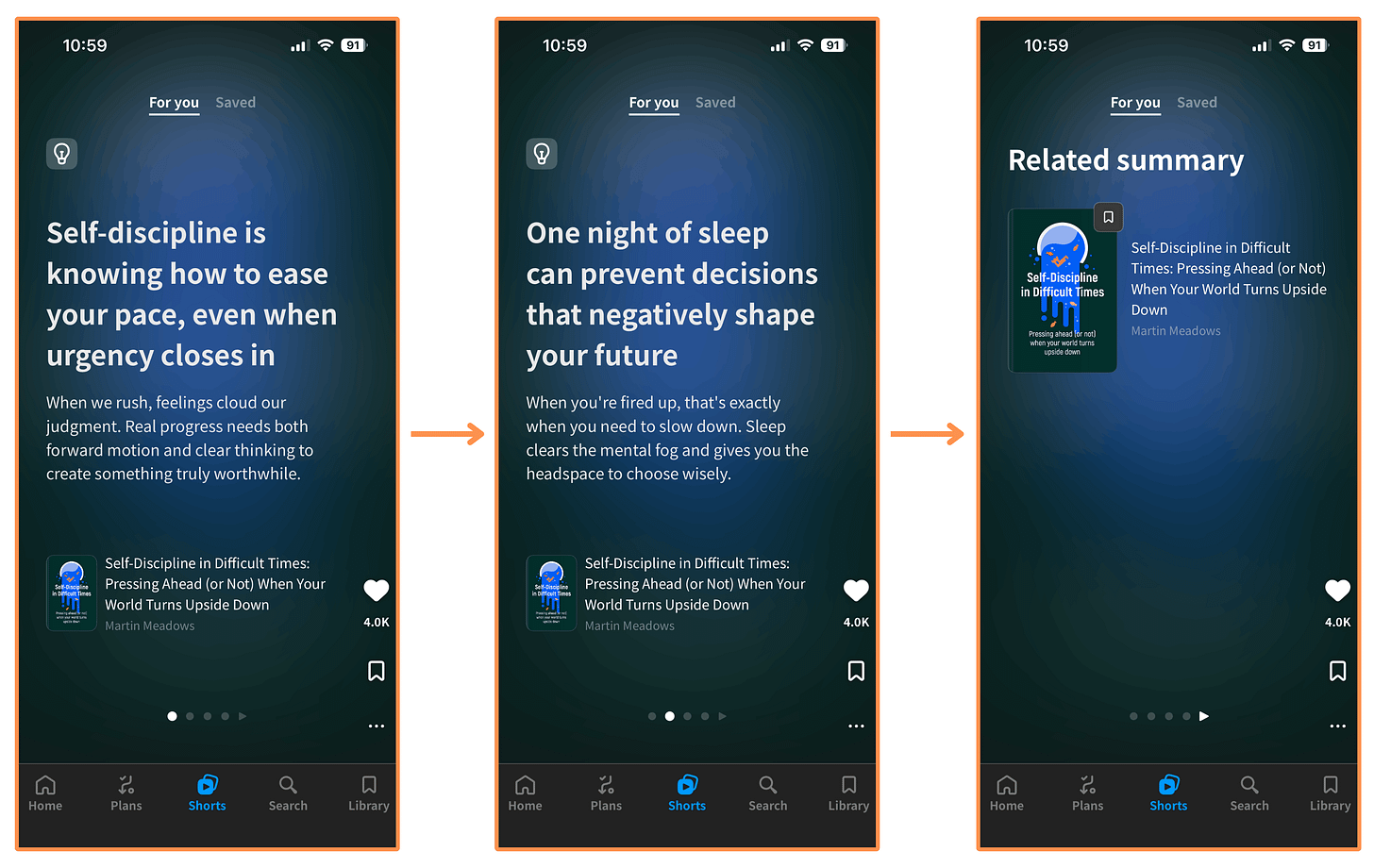
Headway’s text short Infographic Shorts…
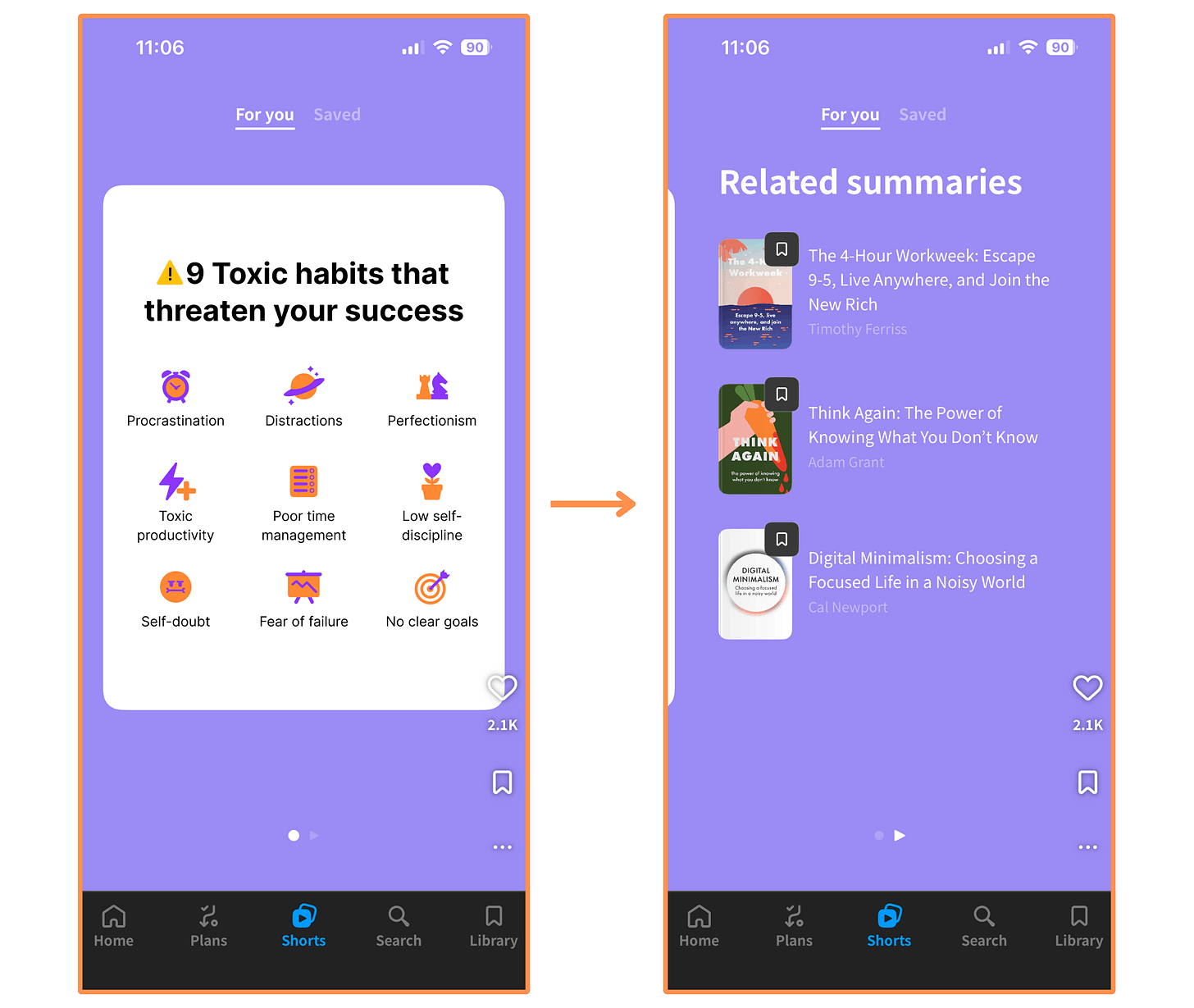
Headway’s infographic short Video Shorts → These are videos where a presenter explains key ideas from a book. Below, you can watch one from start to finish. (Tip: Expand the video to watch at full size!)
I think the Shorts feature is great for when you have some time to kill, or as a fun way to microlearn and discover new books (each Short links to related book summaries at the end).
Beyond the book summaries, I’d say it’s my favorite feature! Instead of swiping IG reels, I swipe these Headway Shorts… aaand IG reels 😂 (but less now!)
I talked to the team at Headway and they agreed to give us a 51% discount by taking the 5-minute quiz and signing up with this link! (If you prefer skipping the quiz, you can go directly to this page and get the same 51% off).
(P.S. If the link isn’t working, it might be your VPN or ad-blocker interfering…)
5.2.3 Headway — User Interface
The Headway App has a sleek design (especially on dark mode, but honestly… What doesn’t look better on dark mode? 😂 ), and it’s easy to navigate!
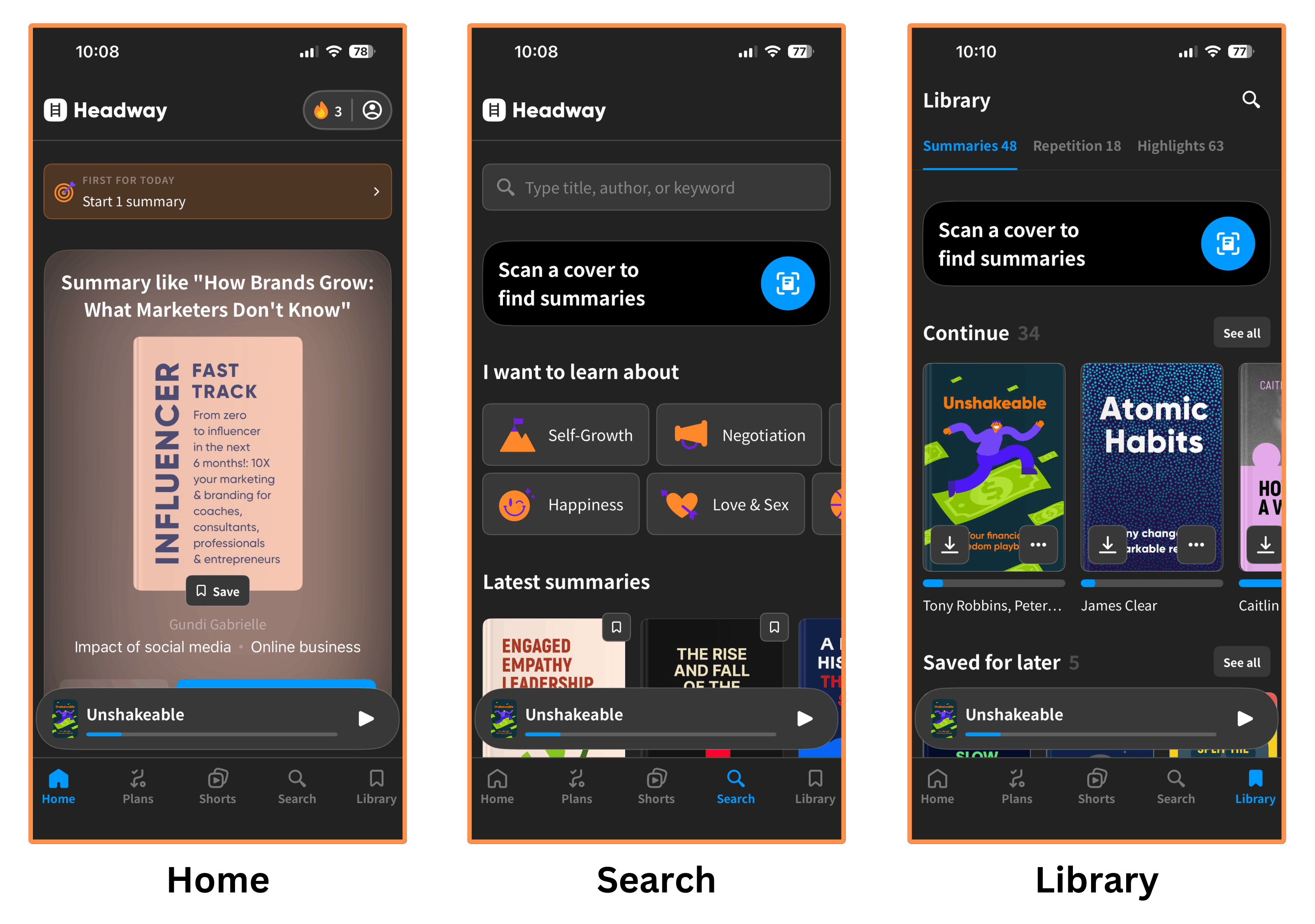
P.S. Headway used to have a desktop version, but it seems they’ve discontinued it — when I try to log in, I’m redirected to the App Store. You can still use the website to create an account (and apply discounts), though.
5.2.4 Headway — Price
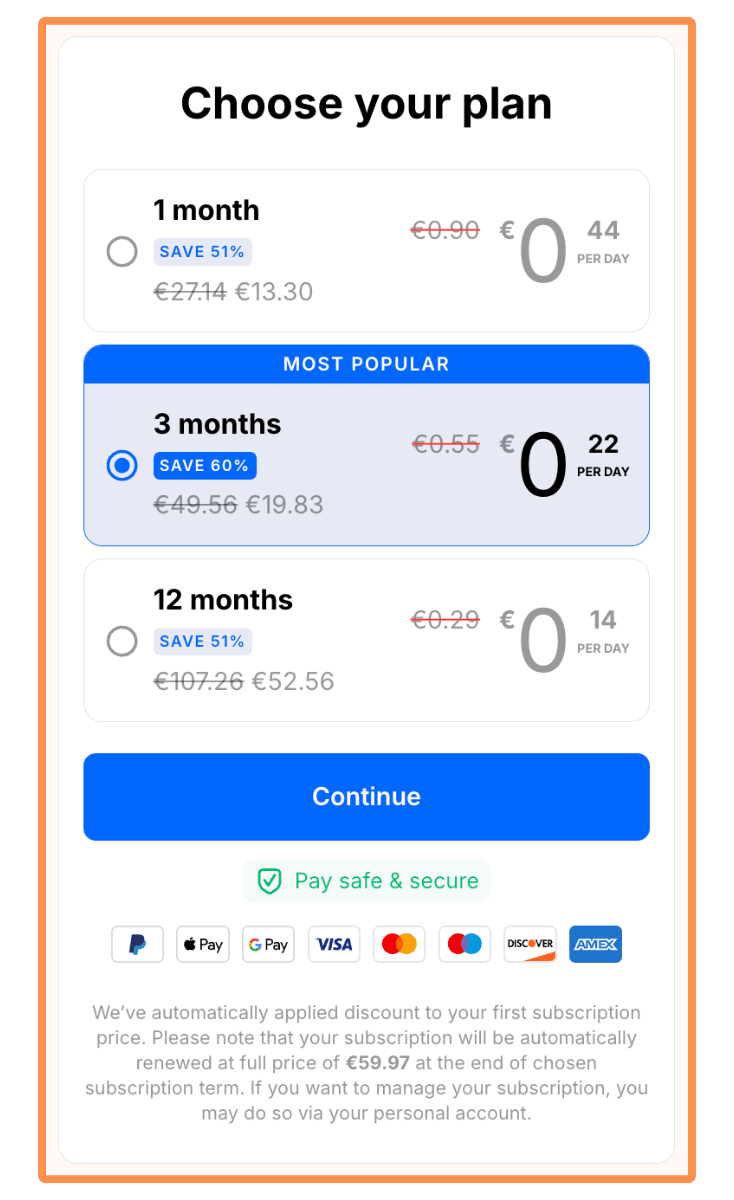
Like Deepstash, you have to fill out a questionnaire (the “onboarding”) to see their pricing. Kind of annoying, but I did it and finally got to the meat…
Headway has three subscription plans:
Monthly Subscription for $38.86 (or €32.84) per month.
Quarterly Subscription for $70.97 (or €59.97) per quarter — equivalent to $23.66 (or €19.99) per month.
Yearly Subscription for $153.57 (or €129.77) per year — equivalent to $12.80 (or €10.81) per month.
None of the subscription plans offer a free trial.
Conclusion: Is Deepstash Worth it in 2026?
Based on my research, I can say that Deepstash is a great app for learning ideas from popular books. I particularly enjoy its story-driven format, the images that bring the ideas to life, and the fact that the user interface is built around our habit of scrolling.
But… Is it really worth it when we have other alternatives such as Shortform or Headway?
Personally, Shortform is still my favorite book summary app. Mainly because their summaries are more like study guides: they’re the most in-depth I’ve seen, they include chapter-by-chapter breakdowns and helpful notes (with cross-references to other authors), and there’s also a note-taking feature (which is great for personal reflection). All of this is incredibly helpful for gaining a deeper understanding of the books’ ideas. Plus, authors like Mark Manson (The Subtle Art of Not Giving a F*ck), James Clear (Atomic Habits), and Sahil Bloom (The 5 Types of Wealth) have all recommended Shortform.
Having said that, I also think Deepstash or Headway can be a valuable complement to the learning experience.
In my own “learning funnel” I’m using Headway’s Shorts as a fun way to microlearn (which is also nice for reducing Social Media time) and discover new books. When I find a book that I wanna explore further, I open the (Headway) book summary to get a quick overview of the book’s ideas. Then, if I’m still interested, I move to the Shortform study guide for a deeper analysis. And finally, if I’m still hooked, I buy the book!
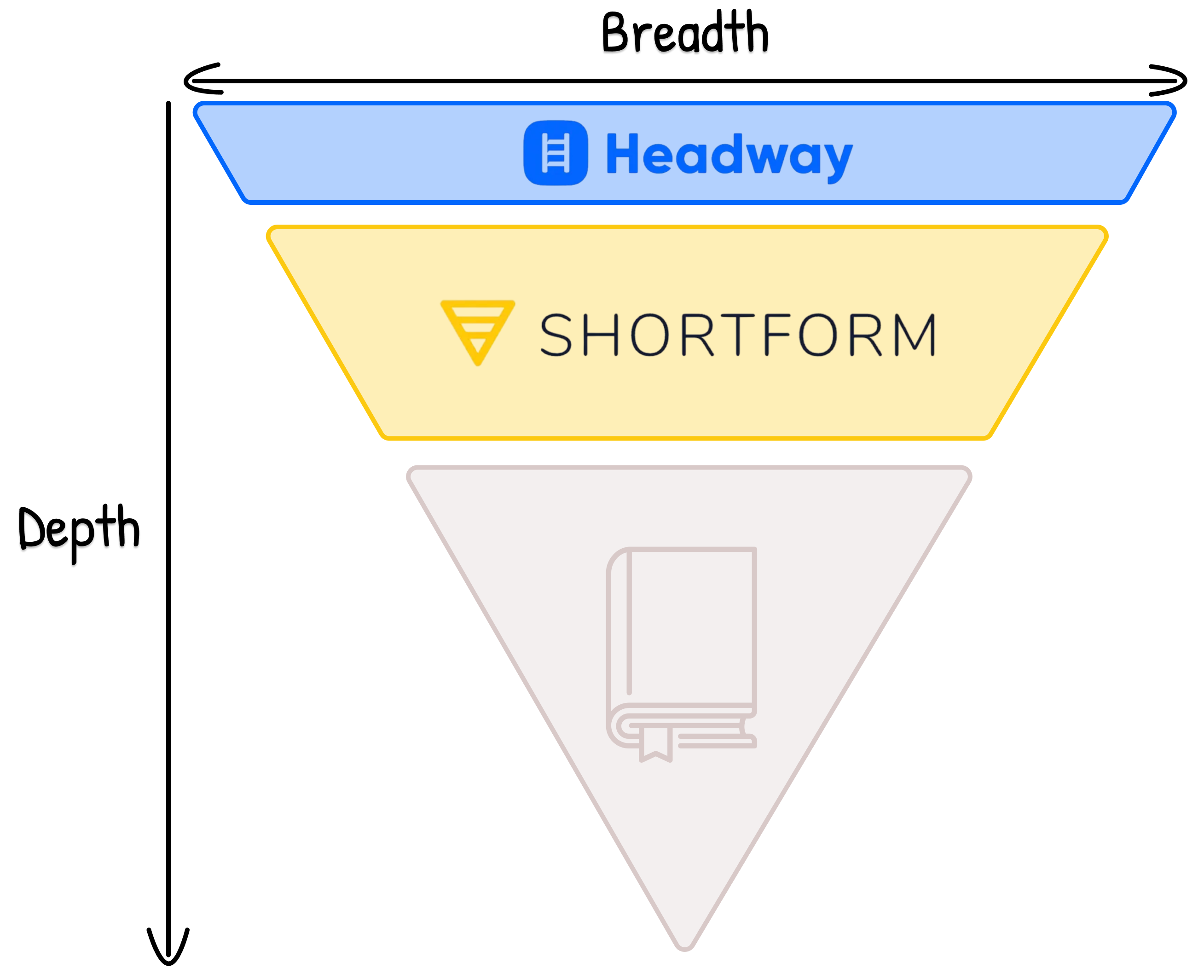
(Even after reading the book, I occasionally revisit the Shortform study guide to refresh the main ideas and takeaways).
So I think Headway and Deepstash are both solid options for that first stage of the learning funnel (microlearning + discovering books). In my case, I’ll keep using Headway because I really enjoy their Shorts and quick summaries.
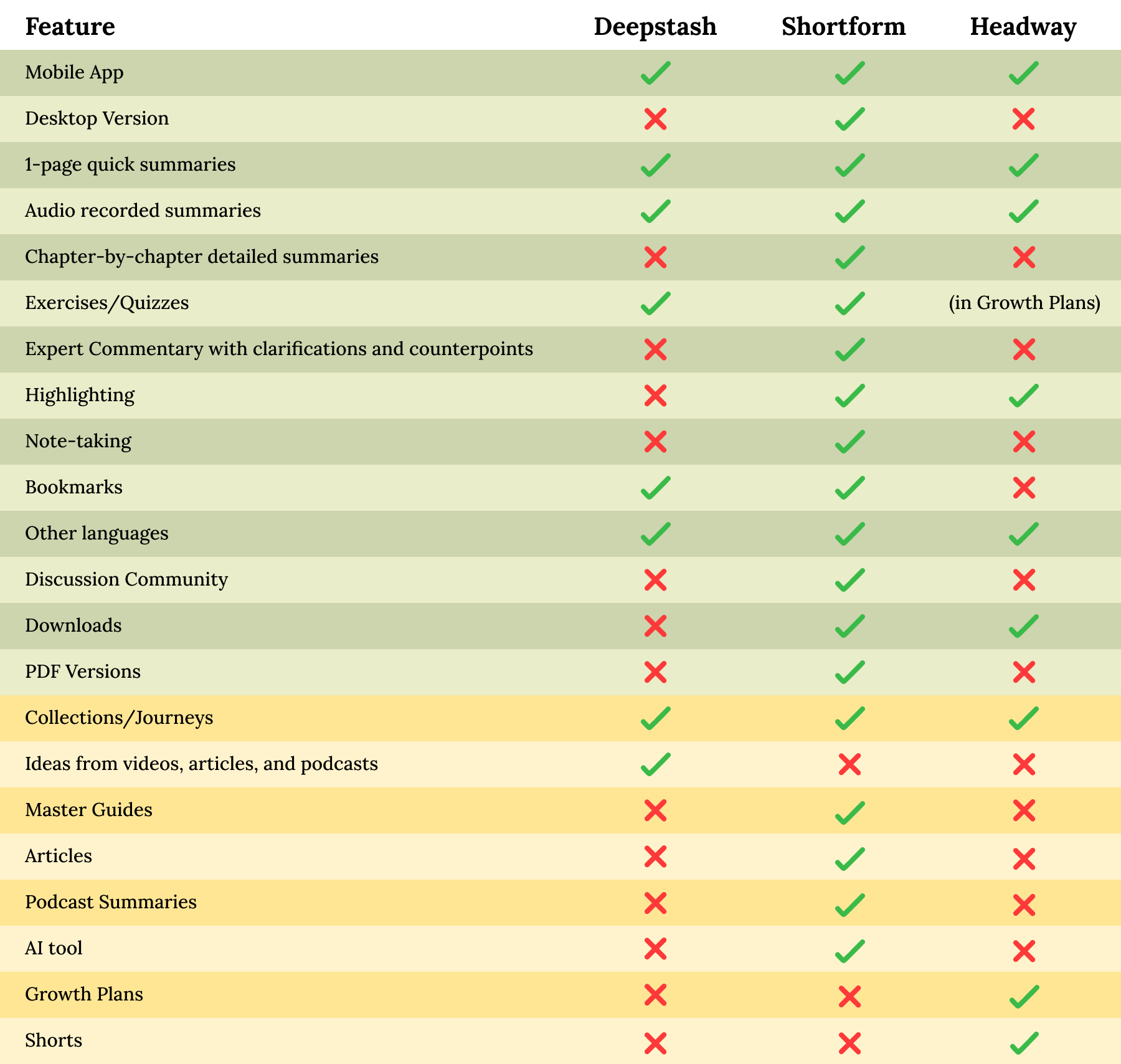
Here’s a complete list of all the features so you can decide which is the best app for you…
(Note: The green color represents the features of the book summaries, whereas the yellow represents the services beyond the book summaries…)
My Final Verdict…
As I mentioned earlier, Shortform is still my favorite book summary app in 2026. But I think pairing it with Headway or Deepstash makes it even more powerful: Headway/Deepstash for microlearning, discovery, and a quick introduction to a book’s ideas. And then Shortform for studying, practicing, and really mastering those ideas.
If I had to pick only one app though, I’d go with Shortform.
And thank you for reading my blog post :)
💸 Discounts:
👉 I talked to the team at Shortform and they agreed to give us a 20% discount on the Annual Subscription by signing up with this link! (You also get a 5-day free trial)
👉 I also talked to the team at Headway and they agreed to give us a 51% discount by taking the 5-minute quiz and signing up with this link! (If you prefer skipping the quiz, you can go directly to this page and get the same 51% off).
(P.S. If the link isn’t working, it might be your VPN or ad-blocker interfering…)