


It was back in 2022 when I first heard of Blinkist and became interested in book summary apps.
And, after days of research and comparing with the other two popular players in the book summary space: Headway and Shortform, I ended up going with Shortform — because I found their summaries to be more in-depth.
Buuut. It’s now 2026. So, I think it is time for me to make a new research and find out if Blinkist is really worth it, and more specifically if it’s actually the best book summary app on the market. And this time I’m gonna document all my research here! So if you are in a similar situation like me, I guarantee this will save you a ton of research time.

Before the Research
It’s a shame they don’t have a free trial (or even a monthly subscription). So I had to “commit” (at least financially) for a whole year in order to try the app and make the research.
(Note: Alternative apps such as Headway or Shortform are more flexible in their pricing: Headway starts with a monthly subscription, and Shortform offers a 5-day free trial on their monthly and annual subscriptions.)
Below is my full 5-day research — organized by day:
Research Day #1: Book Summaries
Research Day #2: Beyond Book Summaries
Research Day #3: User Interface
Research Day #4: Price
Research Day #5: Best Blinkist Alternatives
And at the end, I share my conclusion on whether Blinkist is worth it in 2026, and if it’s truly the best book summary app on the market.
1. Research Day #1: Book Summaries
Blinkist summaries are called “blinks”, and after reading a few blinks it’s clear to me they are super high quality, easy to understand, and well structured. Plus, with a library of over 7,000 summaries, you’ll likely never run out of interesting reads!
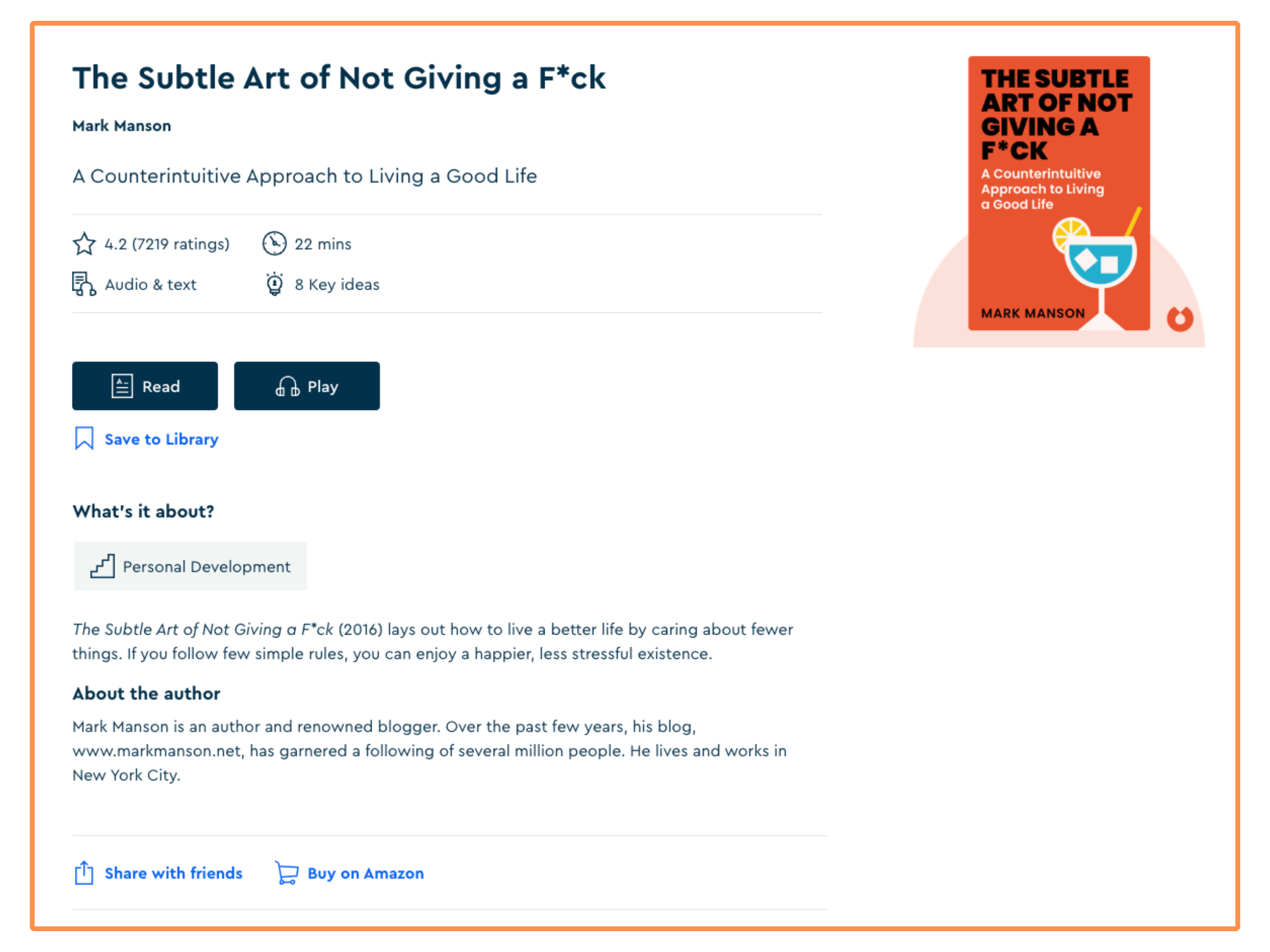
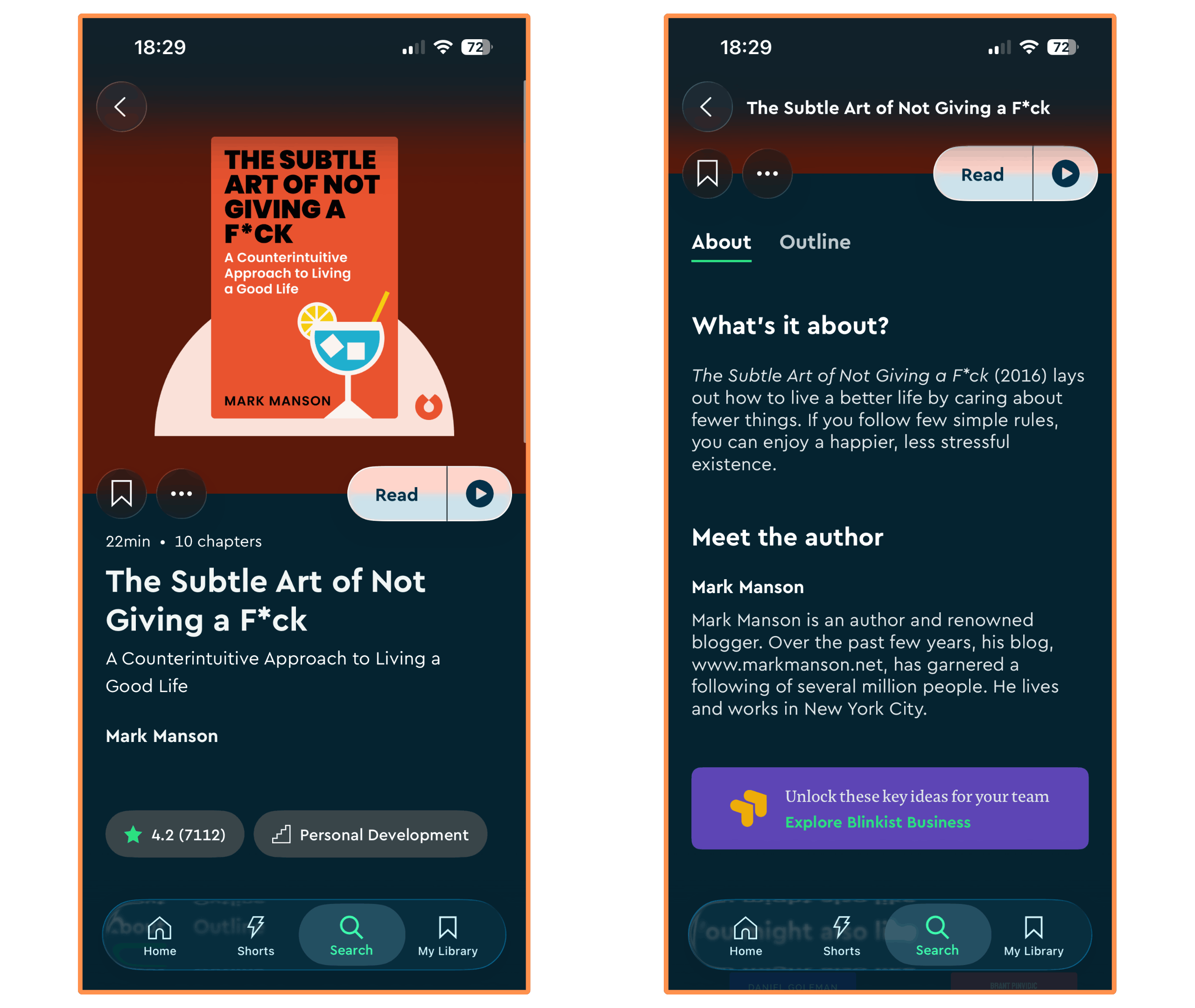
To illustrate my research, I’ll take the self-improvement bestseller (and a book I personally loved reading) The Subtle Art of Not Giving a F*ck, written by Mark Manson.
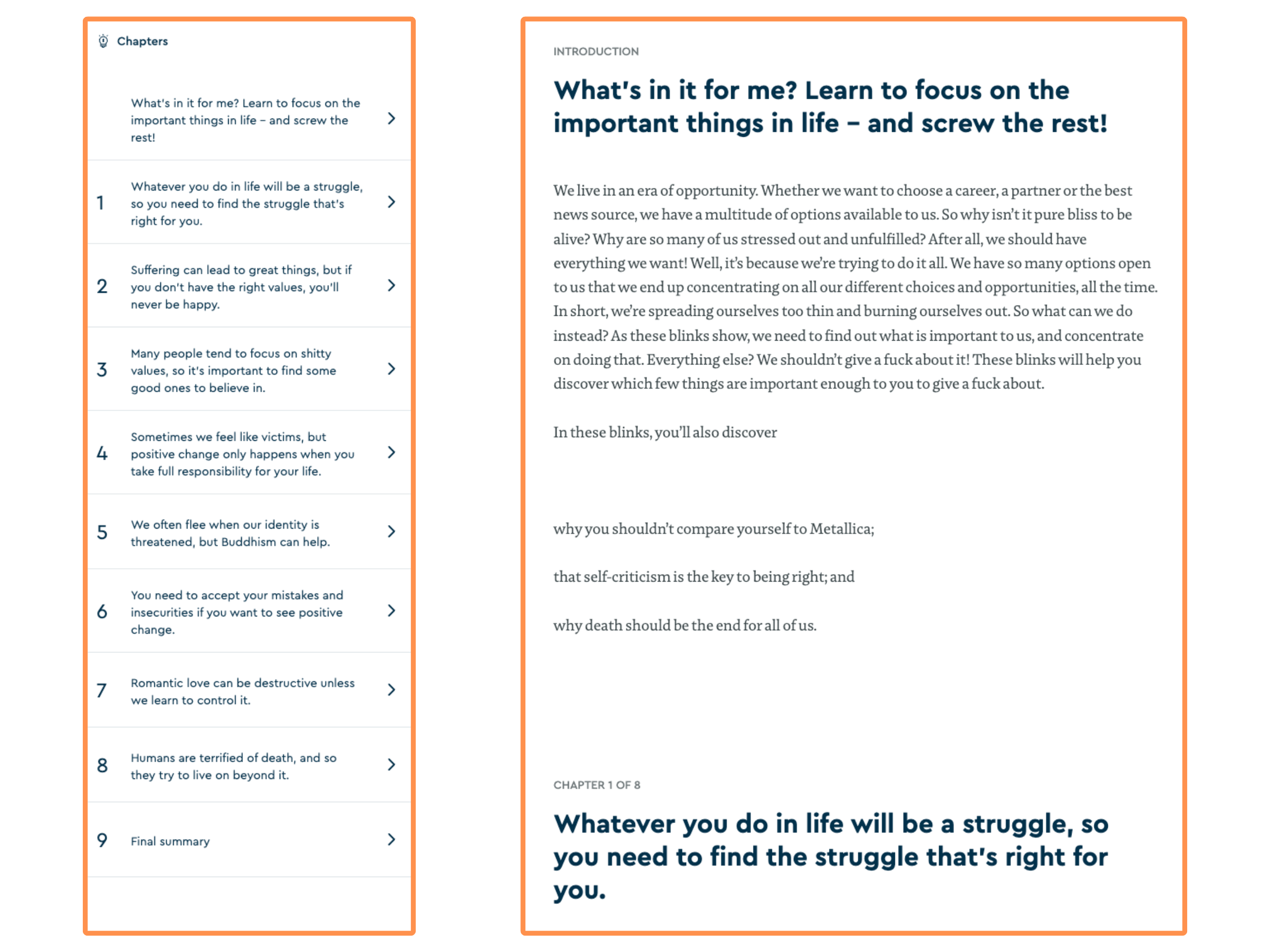
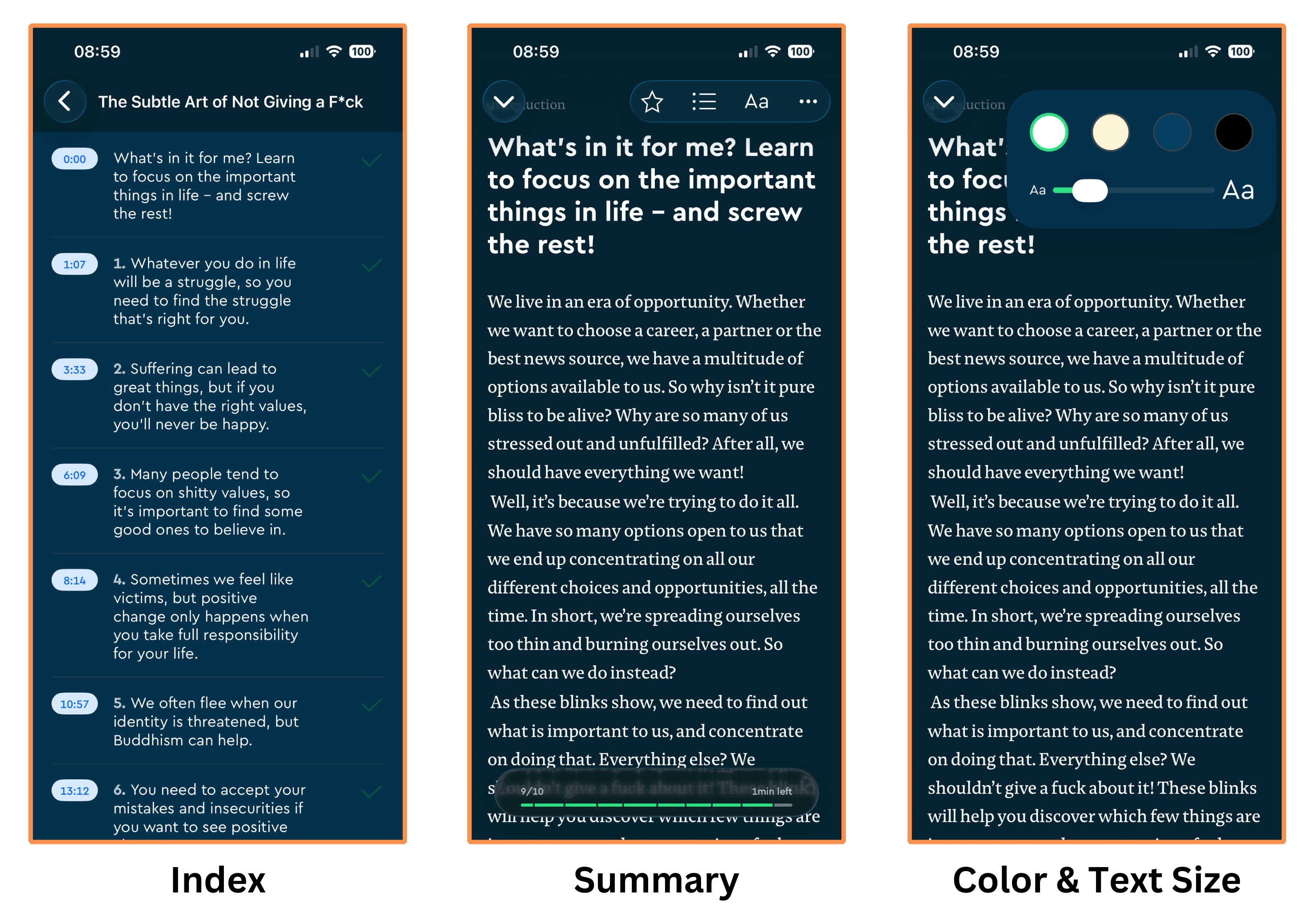
A summary is structured in chapters. The first chapter is always an introduction, the next chapters are the “Key Ideas”, and the last chapter is a “Final Summary” (sort of a short conclusion).
In their summary of the book The Subtle Art of Not Giving a F*ck, they have 10 chapters and 8 “key ideas.”
1.1 Downloads
You can also download any summary. And these are automatically saved in the “Downloads” section…
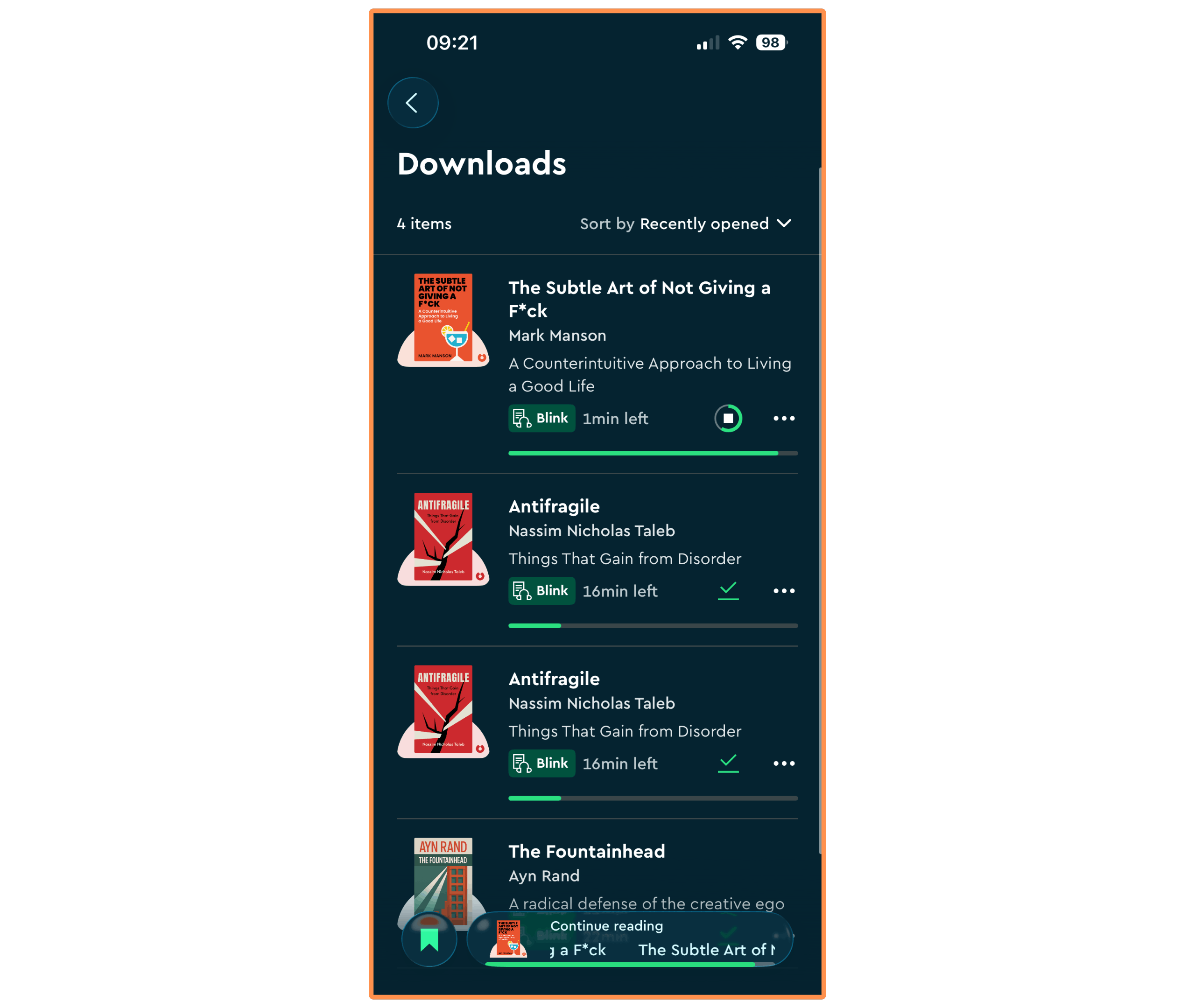
This is a feature I truly appreciate because I frequently lose internet on my routinely commutes, and I can’t think of something worse than staring at the phone for minutes waiting for the content to load 😂.
1.2 Highlights
Another useful feature is that you can create highlights on the summaries, which are then automatically tagged (to the book summary where it belongs) and saved in your Highlights Library.
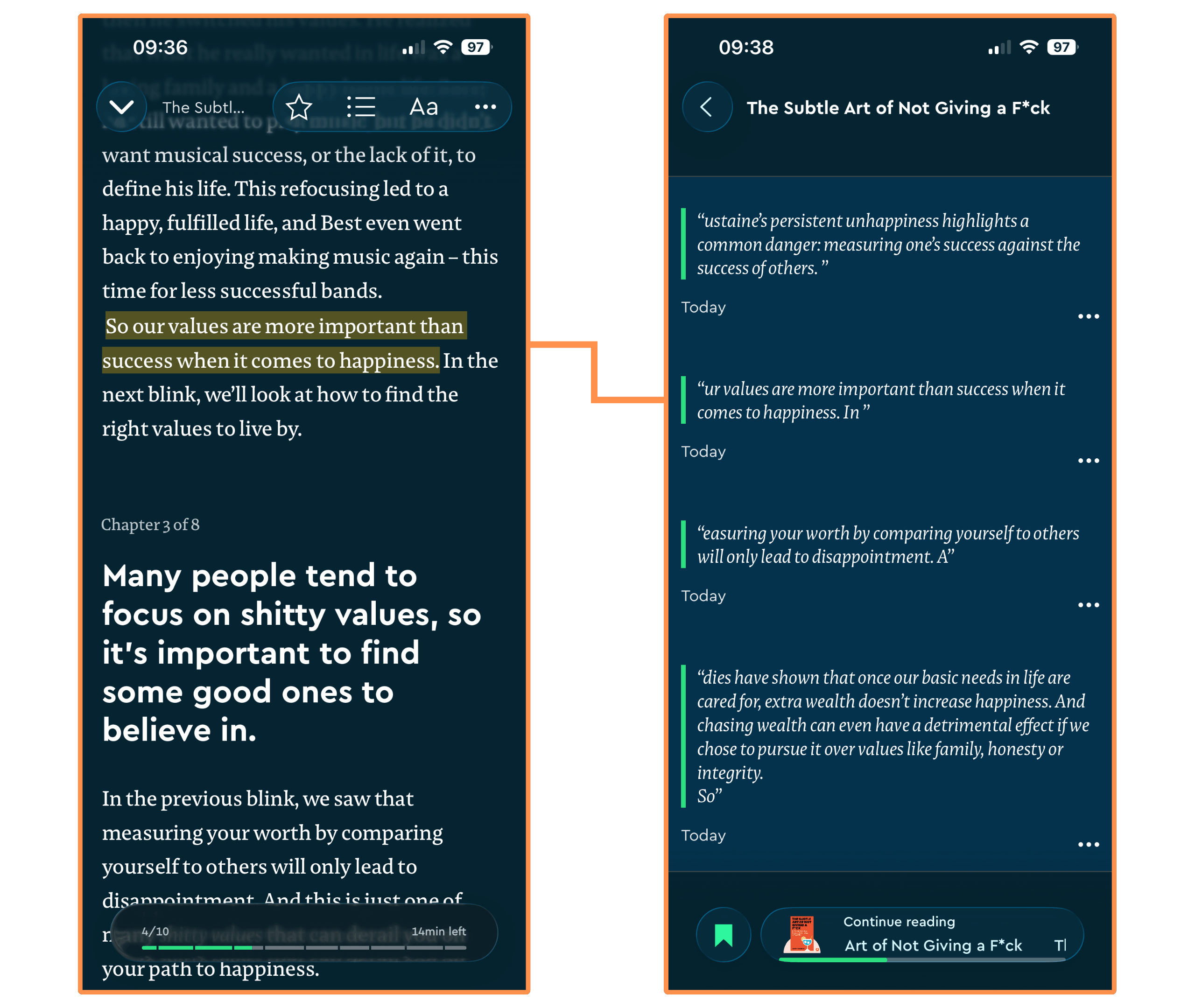
This feature has an important glitch though… When you make a highlight, it is saved but it misses a few letters at the start and it adds letters (which weren’t part of the highlight) at the end.
Personally, this makes the highlights tool unusable to me — because I can’t clearly read what it says… And by the way, this glitch was also present when I tried the app in previous years, so I don’t think they’ll solve it any time soon!
If you care about making highlights, I recommend you checking out other alternatives such as Headway or Shortform — they both have a flawless highlighting tool! And Shortform even comes with note-taking and bookmarks. (I cover both apps — Headway and Shortform — in Research Day #5: Best Blinkist Alternatives).
1.3 Audio Version
All Blinkist summaries come with an audio version, and I like how it sounds. I wouldn’t say it’s amazing, but I think it is very decent.
Here’s a sample from their book summary of The Subtle Art of Not Giving a F*ck, so you can also hear it for yourself…
1.4 Other Languages
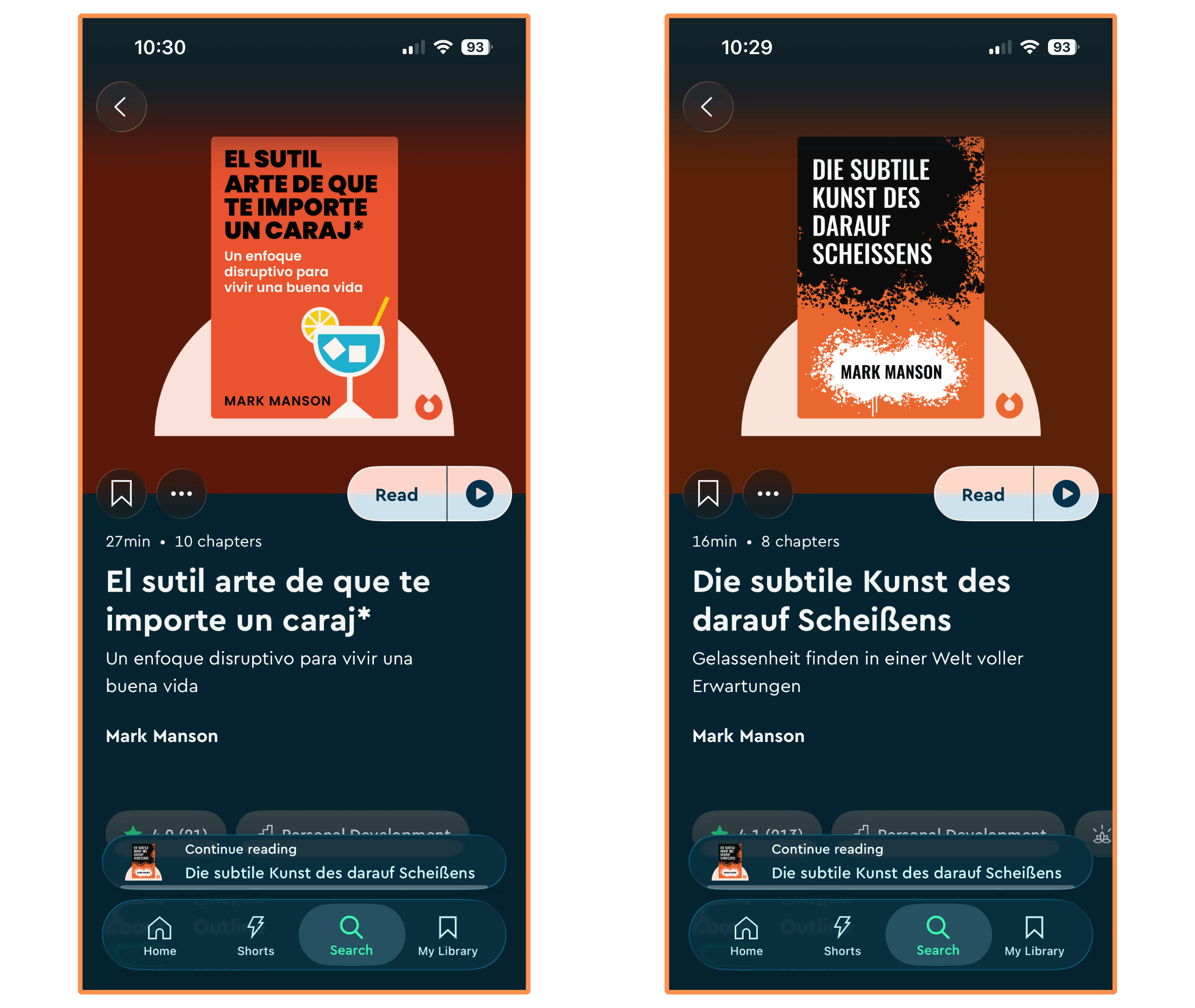
Blinkist’s summaries are also available in Spanish, German, and Portuguese. I think that’s very cool if you’re learning any of these languages, or (of course) if you’re a native in any of them. Although I couldn’t find their summary of The Subtle Art of Not Giving a F*ck in Portuguese.
2. Research Day #2: Beyond Book Summaries
Beyond book summaries, Blinkist offers 6 features:
Collections
Guides
Shortcasts
Blinkist AI
Shorts
Live Events (& Infographics)
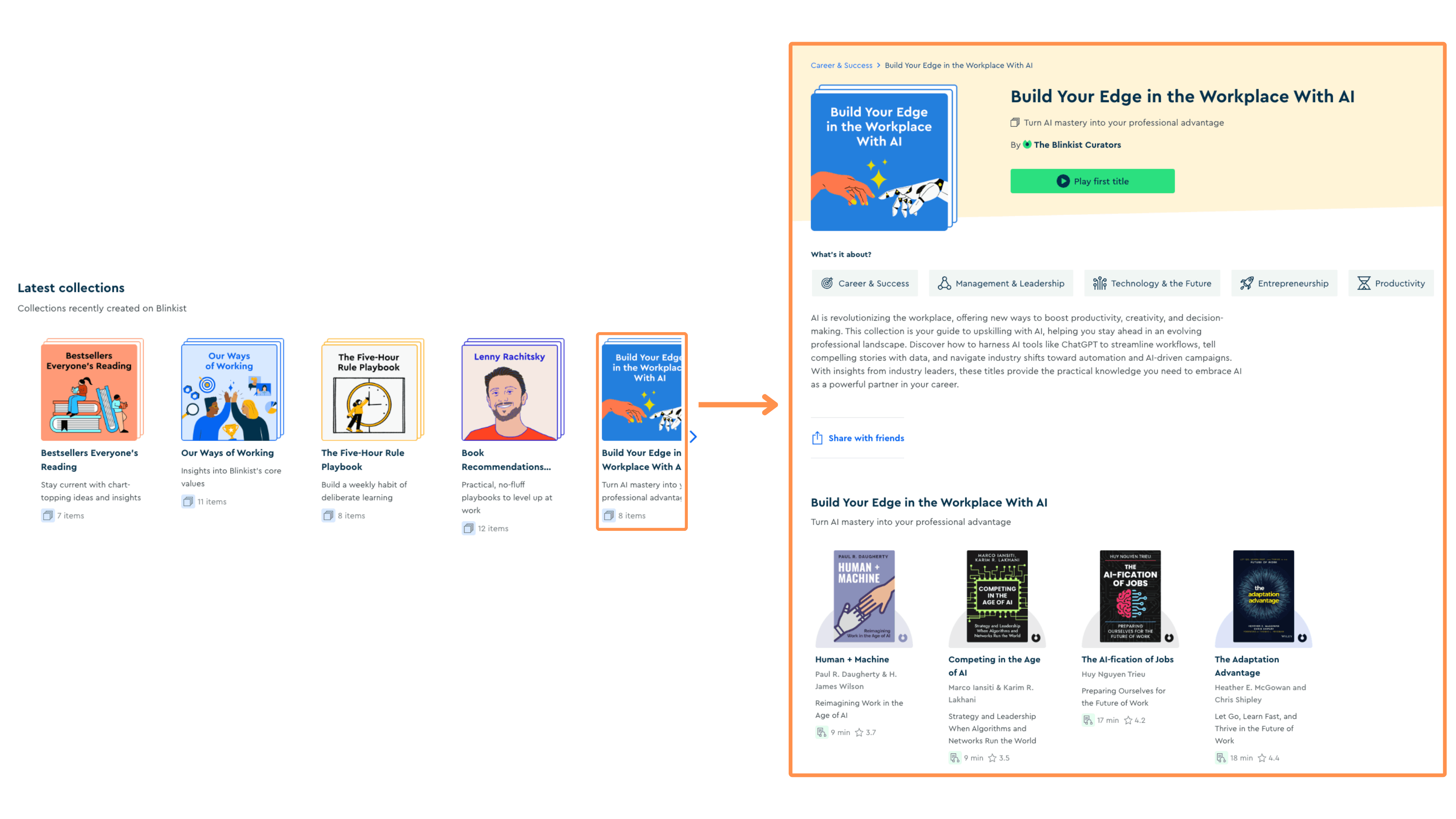
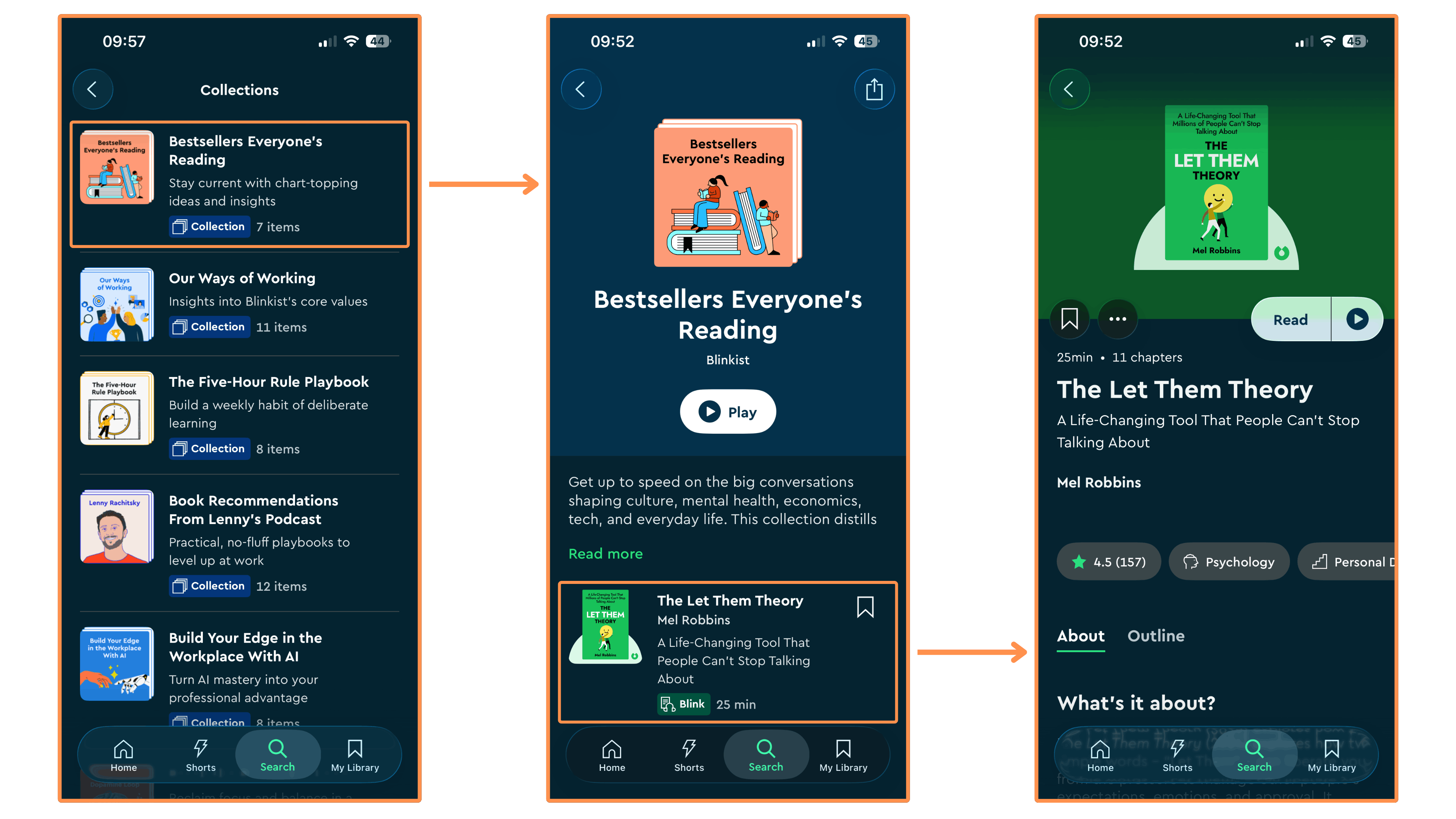
2.1 Collections
A Collection is a curated list of book summaries that help you improve a specific skill or learn about a particular topic.
2.2 Guides
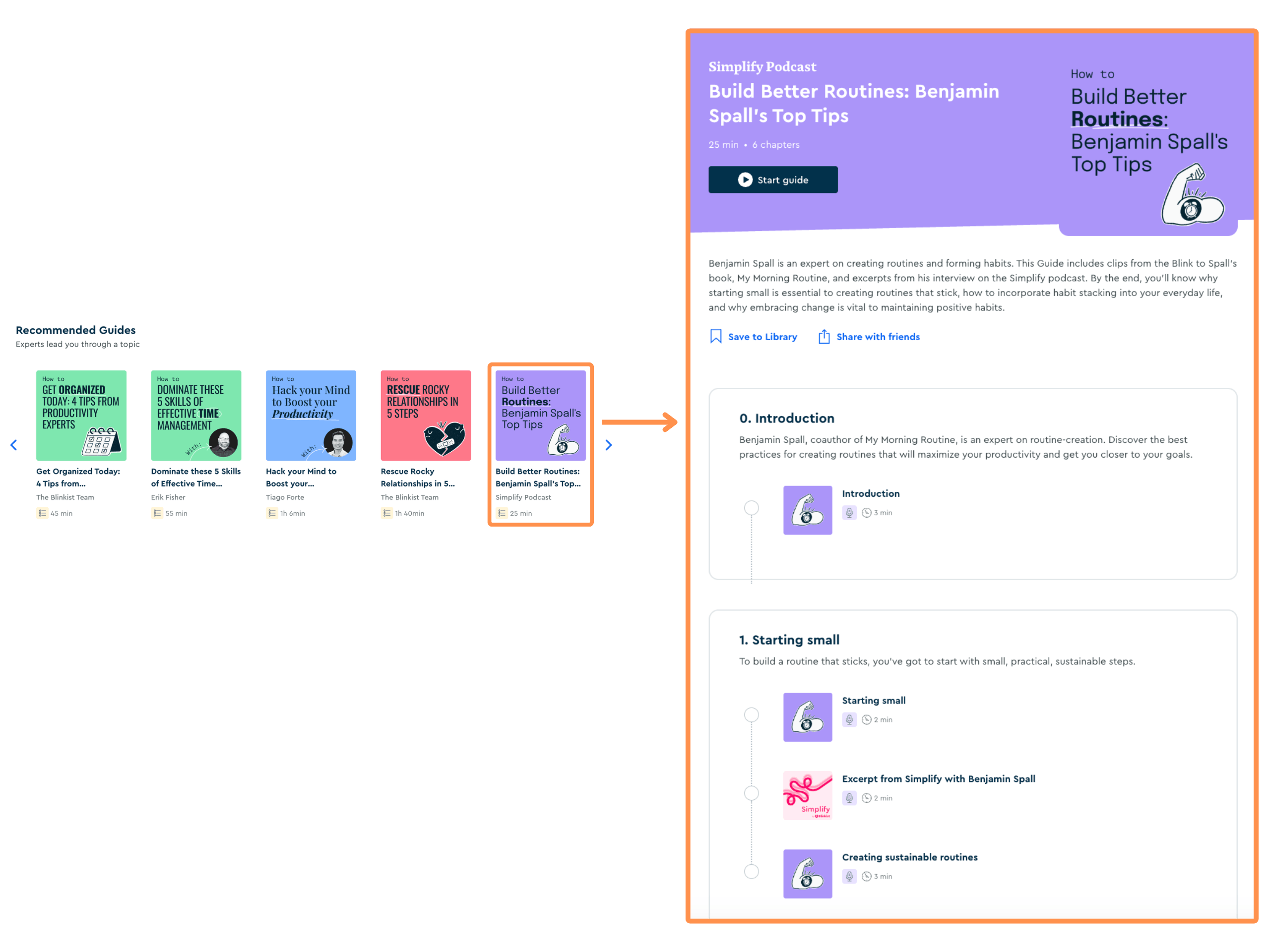
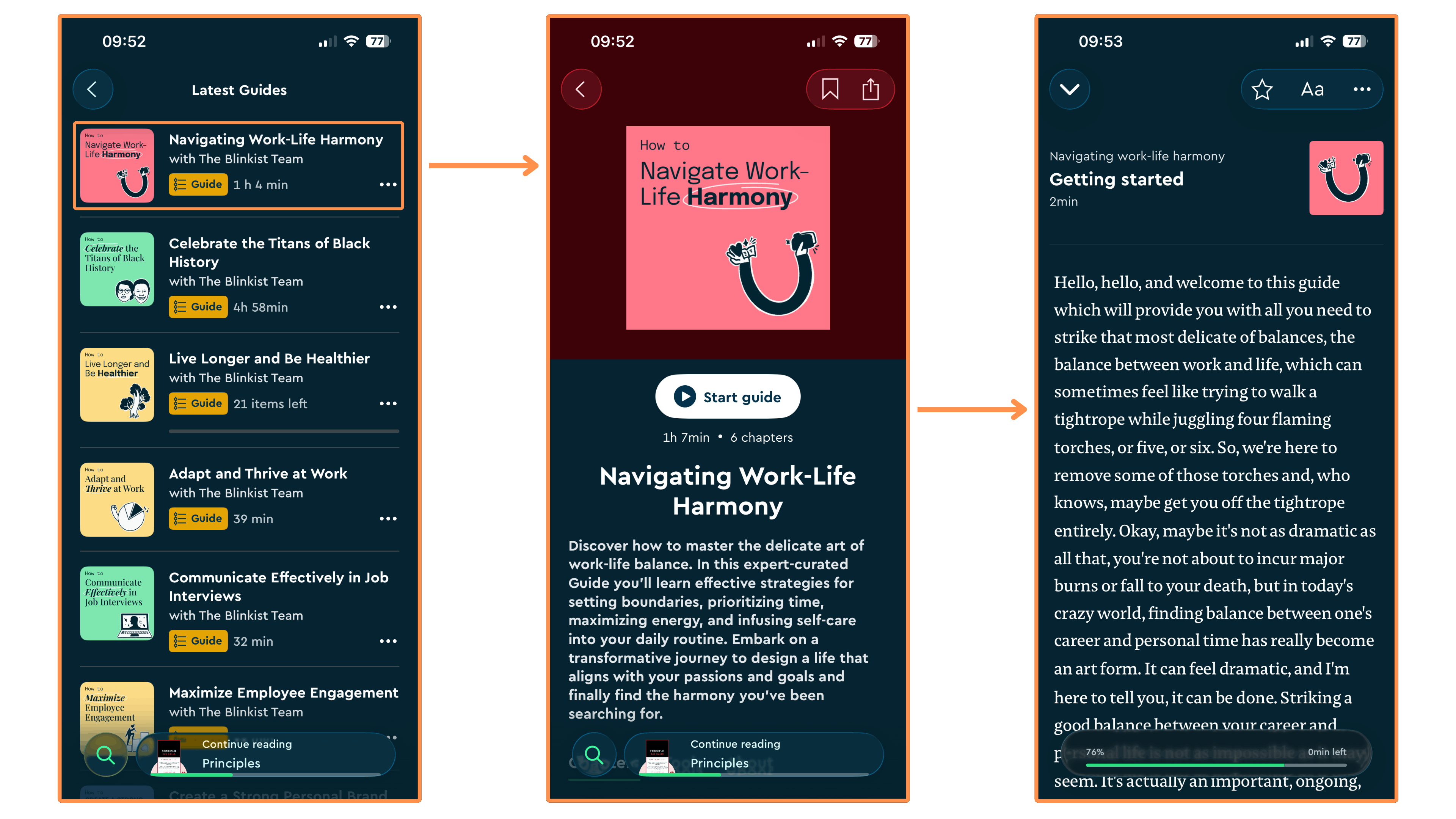
These are like mini-courses on many different topics and areas. It’s all audio-based and it’s really cool!
2.3 Shortcasts
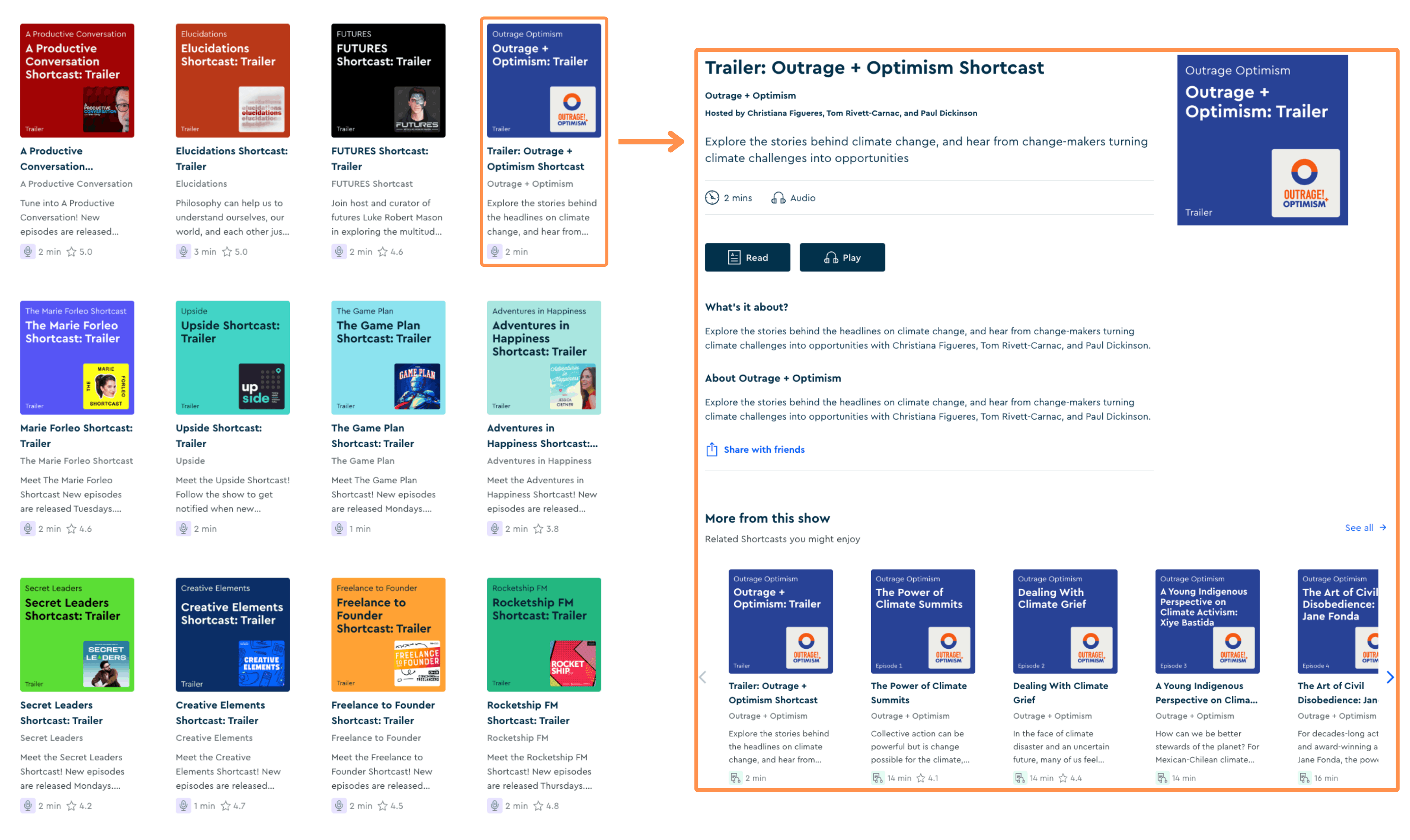
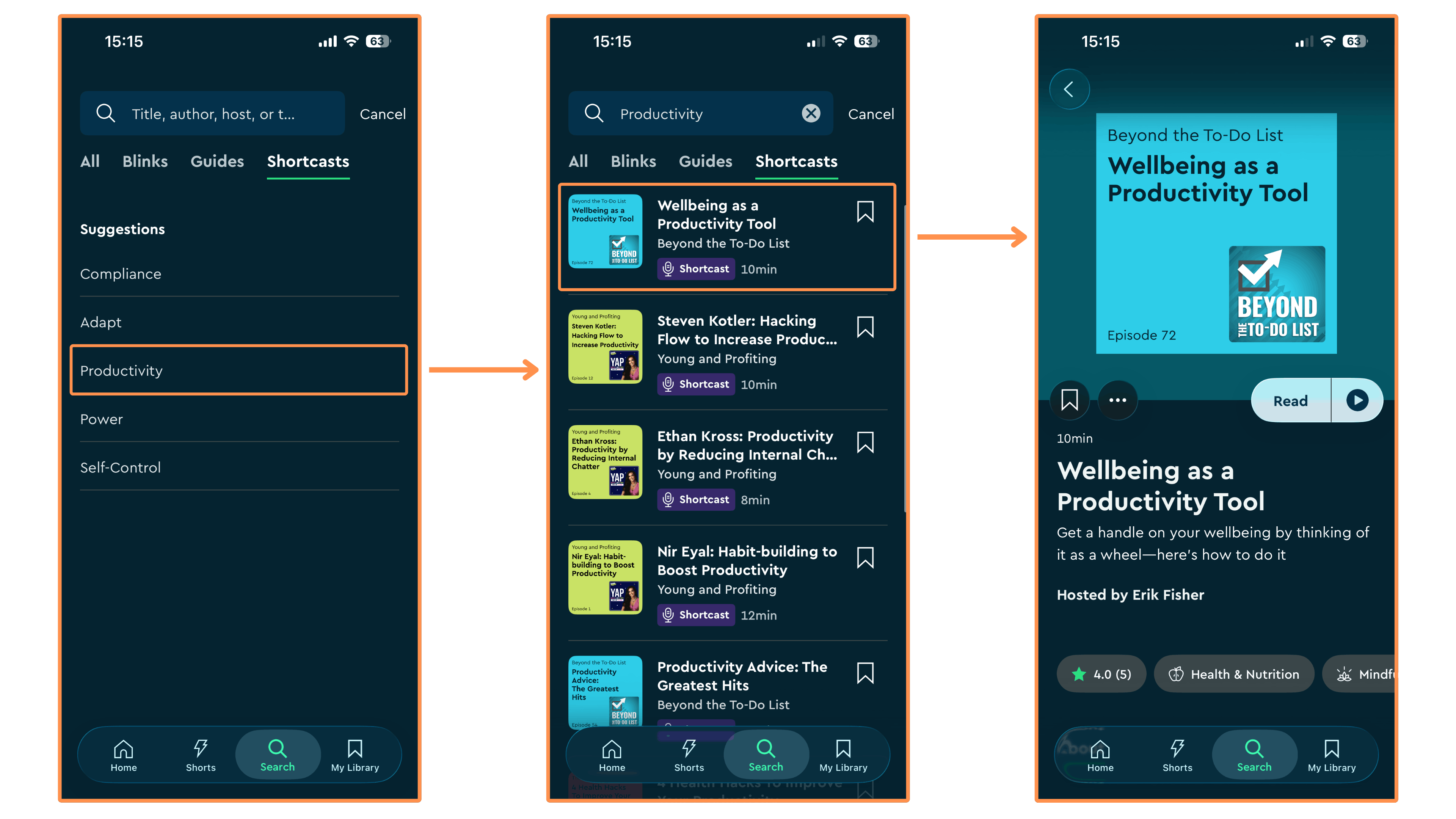
Playing with the word Podcasts, Blinkist created Shortcasts — podcast shows that you can only find on Blinkist. There are 16 different shortcasts, each focused on delivering key ideas within a specific area (which is also why episodes are super short — typically around 10–15 minutes).
2.4 Blinkist AI
📱 Only available on mobile
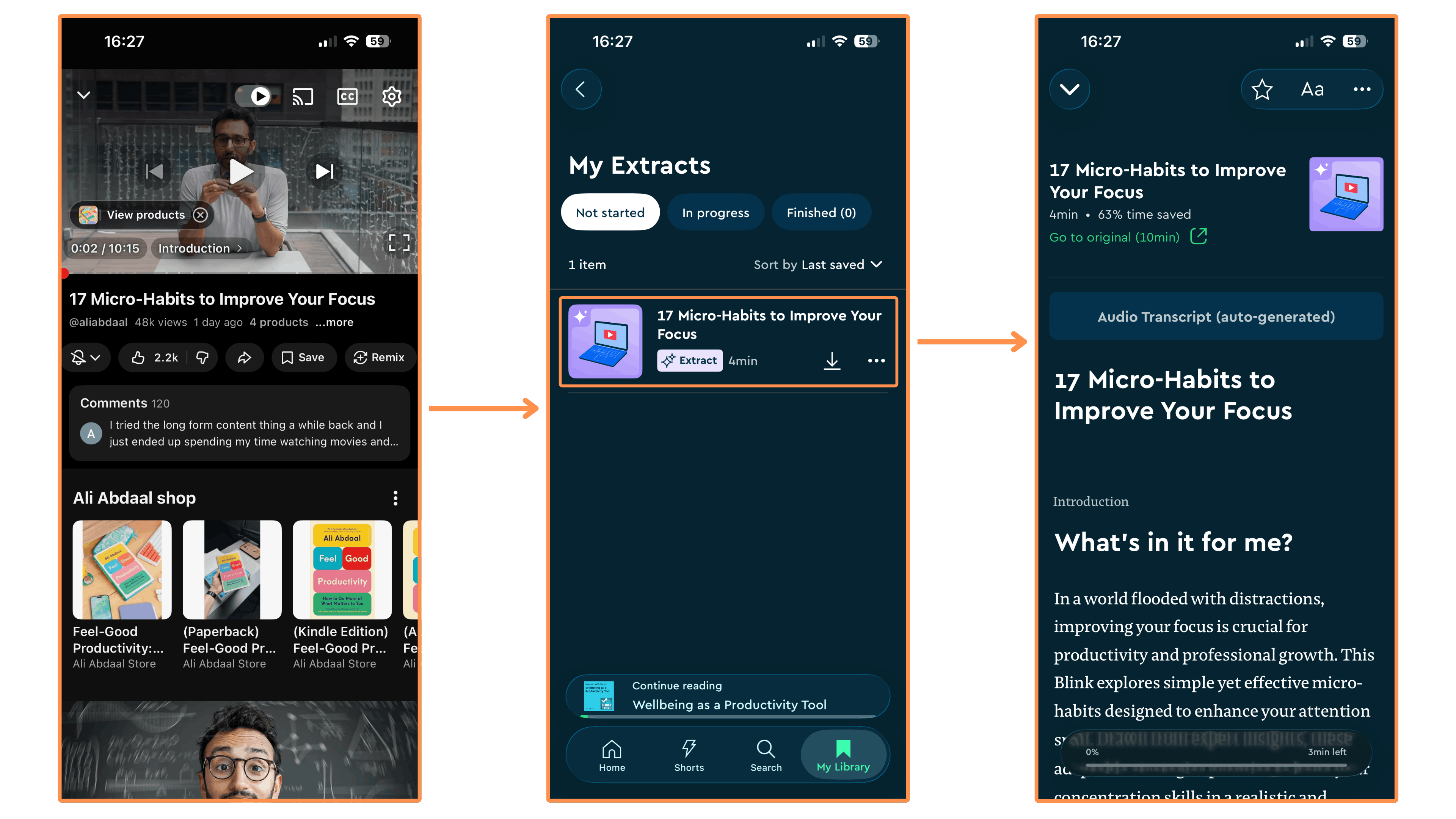
You can share any article or video with this AI tool, and it will generate a summary using AI! These summaries are then saved within the Blinkist app.
2.5 Shorts
📱 Only available on mobile
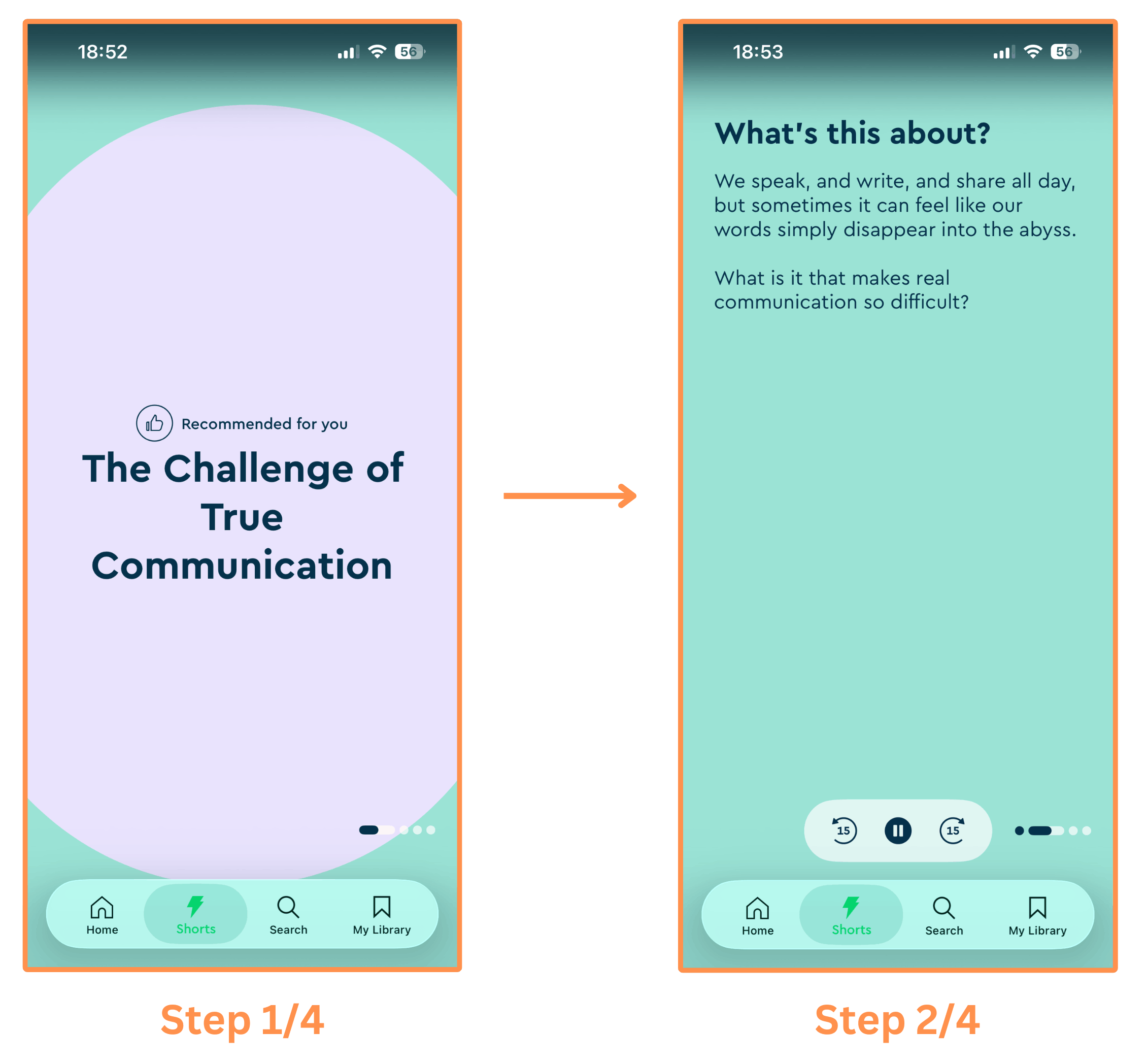
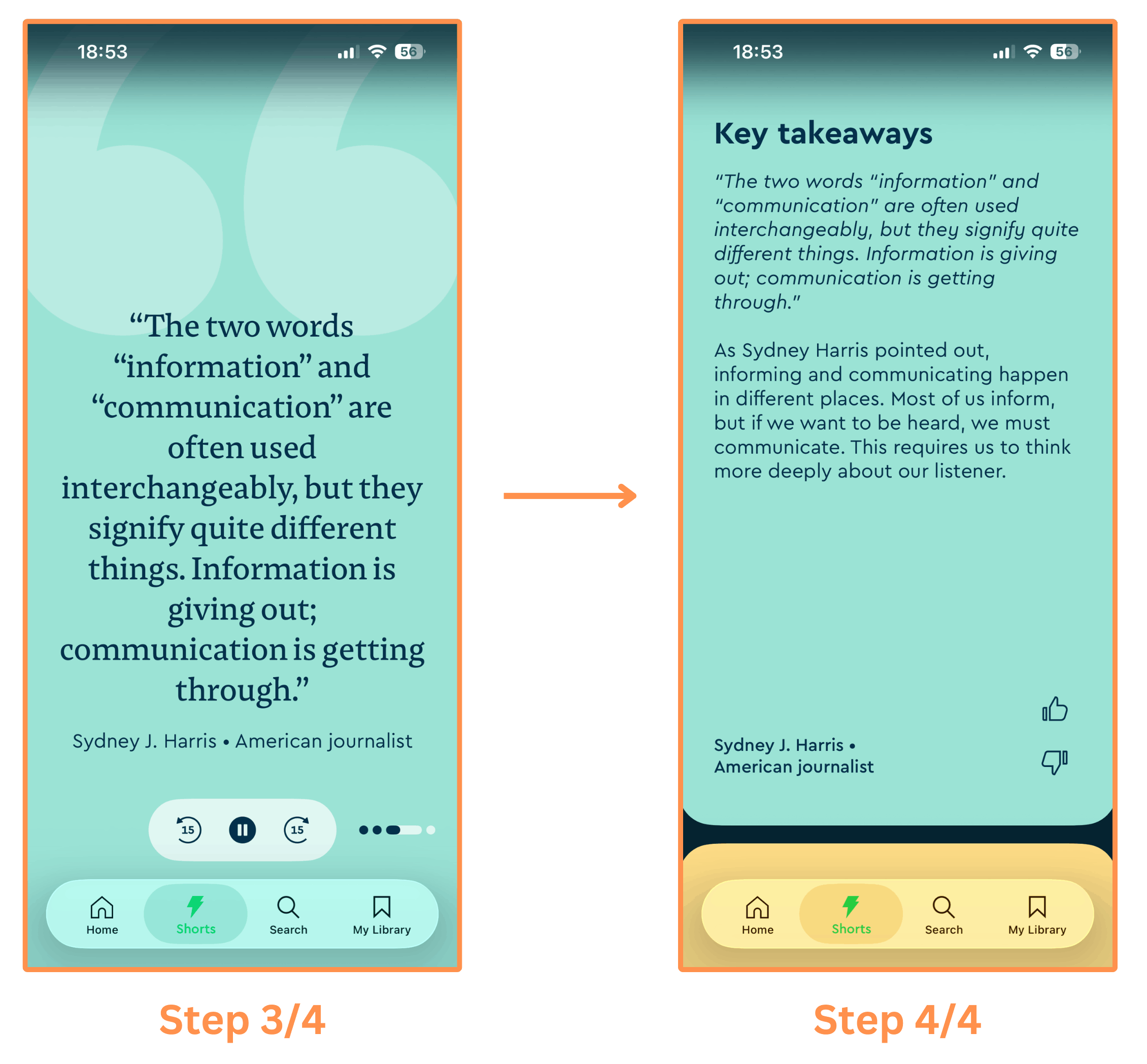
These are super short insights from their book summaries, podcast shows, and external articles. They are useful for when you have some (very) short time to kill, and also to discover new book summaries, Blinkist podcast shows, and interesting articles (these are linked at the end of the shorts). And I noticed they have three types:
Text Shorts → These are displayed in a carousel-style format, and they link to a book summary at the end.
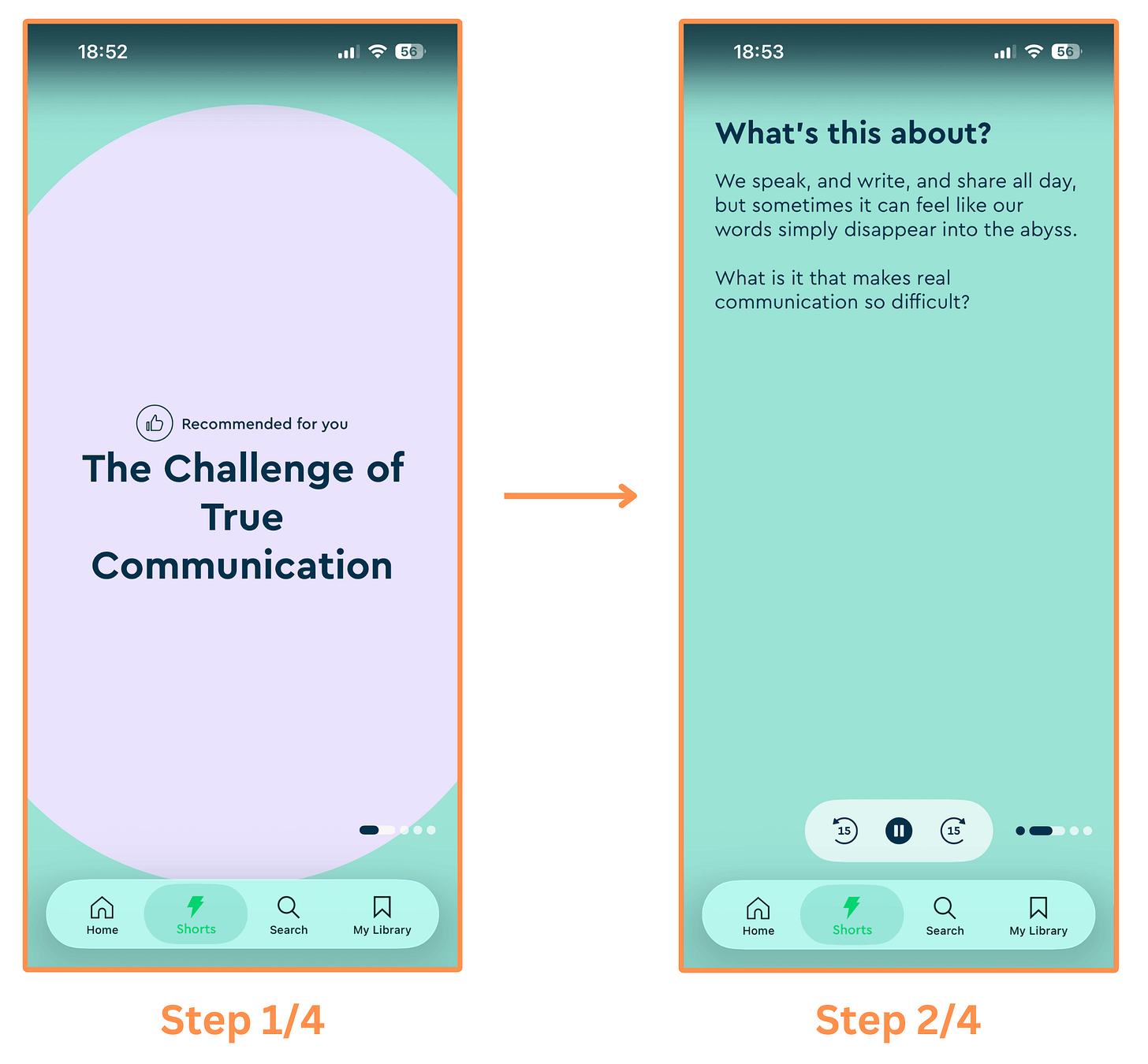
Blinkist’s text short (part 1/2) 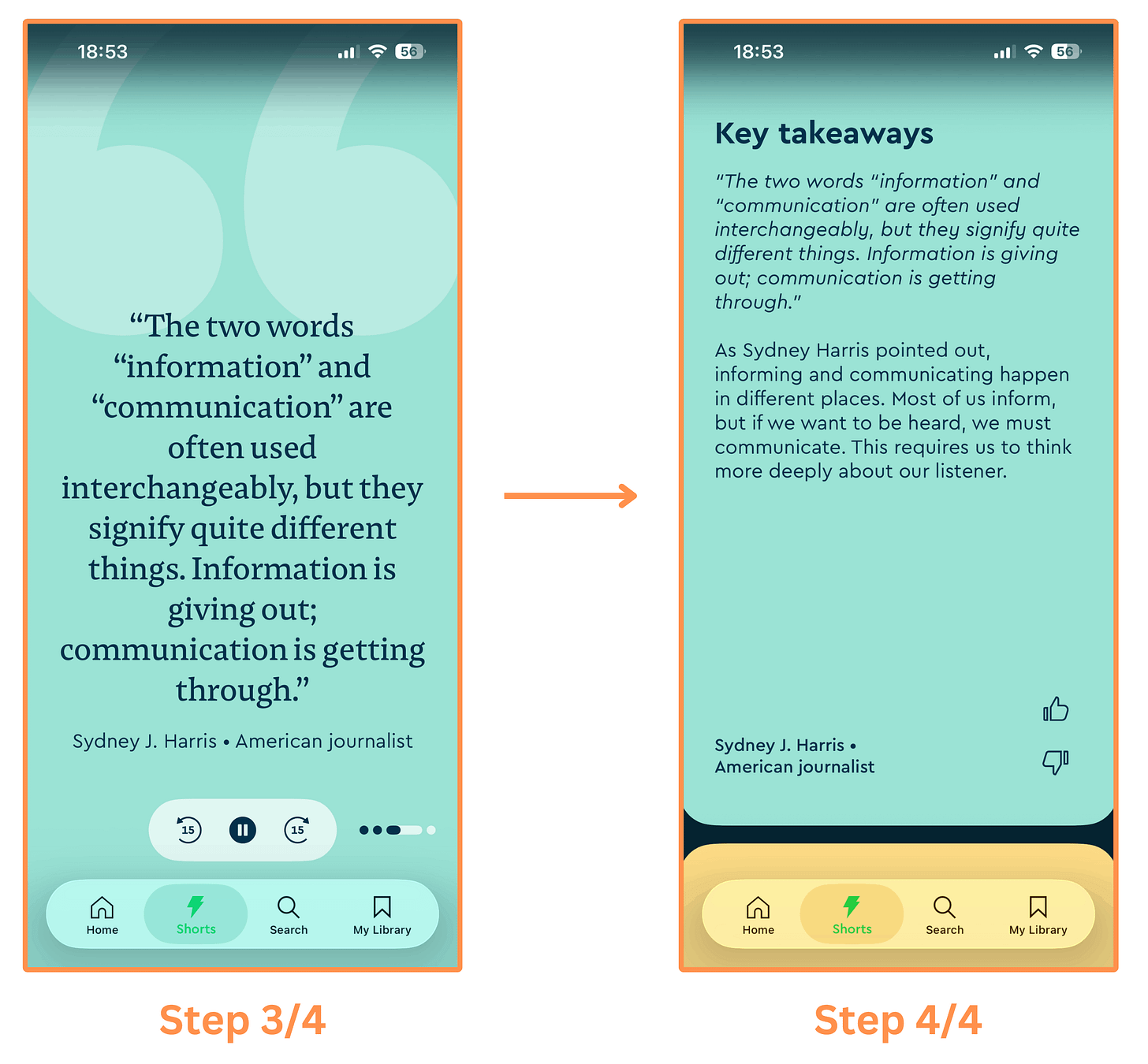
Blinkist’s text short (part 2/2) Audio Shorts → These are audio clips (taken from Blinkist’s Shortcasts) with a synced transcription on-screen. And they link to the respective Shortcast source at the end. (Tip → Expand the video to watch at full size!)
Video Shorts → It features a person explaining you an insight from a book summary or an article. (Tip → Expand the video to watch at full size!)
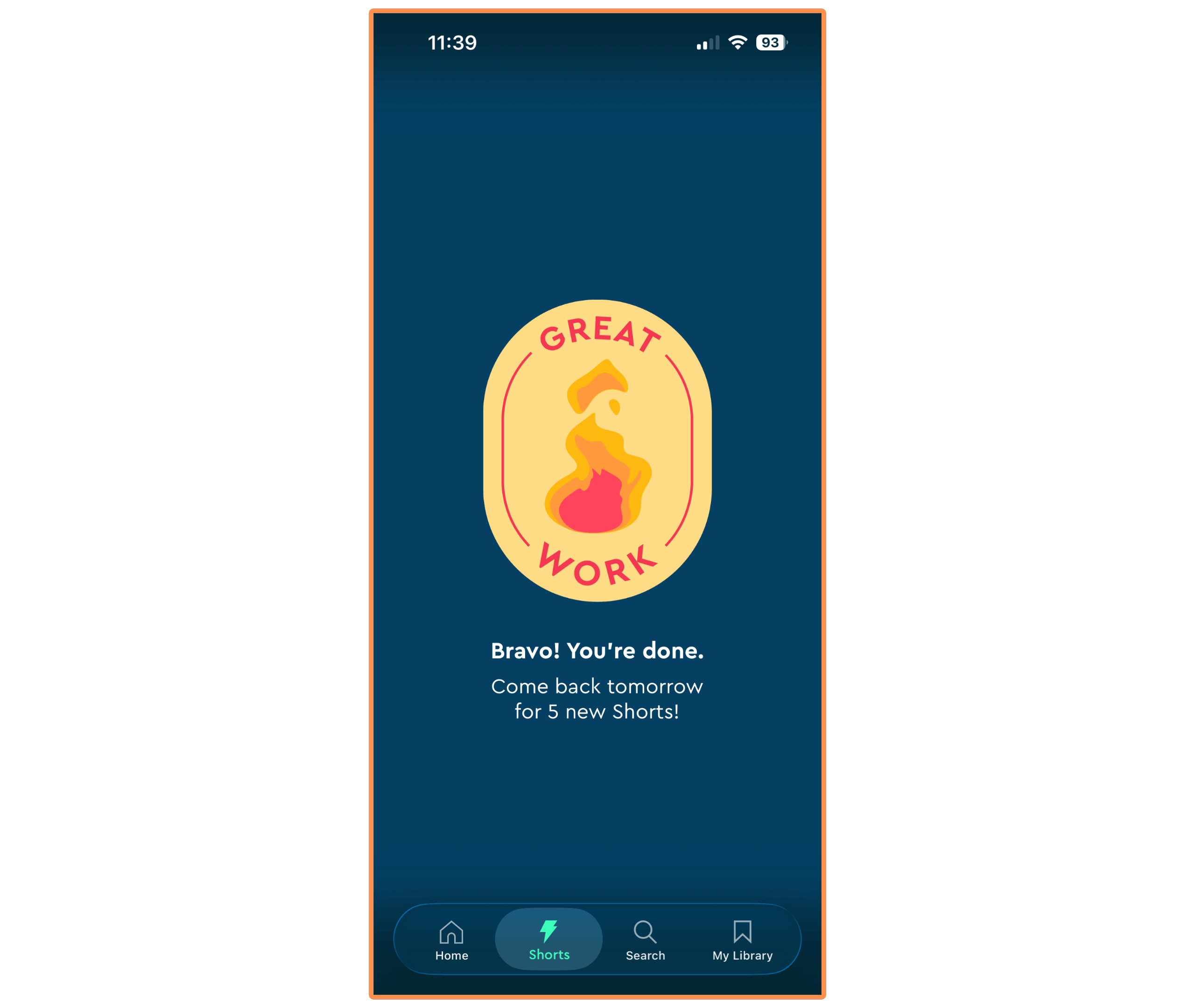
The feature is nice, but I don’t like that there’s a cap of 5 shorts per day. After you watch all five, the feed stops and you see this:
2.6 Live Events (& Infographics)
🖥️ Only available on desktop
I think live events are a great complement to the learning experience.
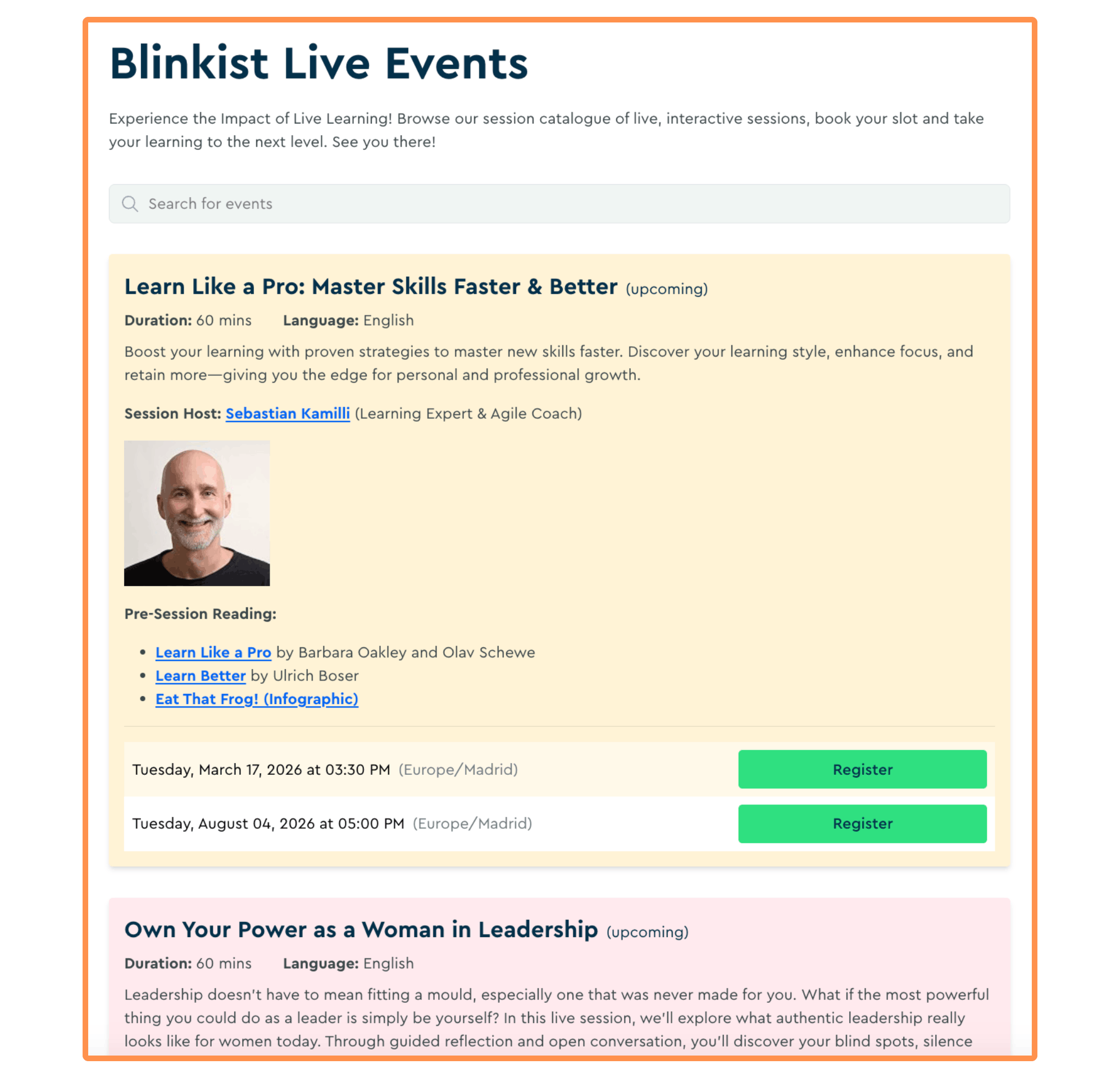
But I see two problems with this feature:
There is not a wide offer of events. Today is March 16th, and I see there are four events scheduled for the rest of the month — out of which I’m only interested in one…
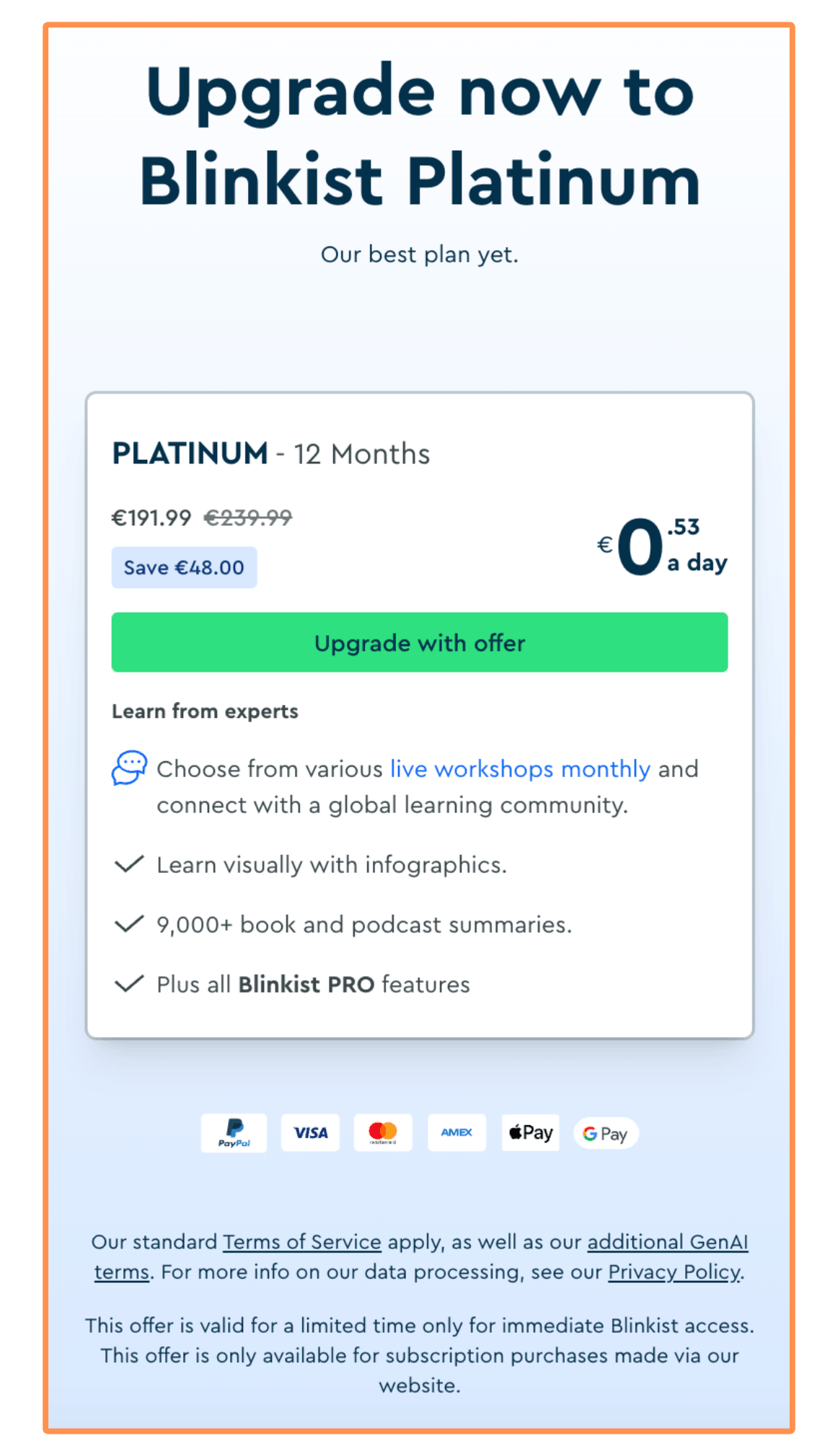
It’s only offered in their “Platinum” plan (costs €239.99 or $285.85), which is 70% more expensive than the “Pro” plan (which costs €139.98 or $166.72). The only special extra that the Platinum gives you are these live events (and infographics — which are given as “pre-session reading” for the live event). Honestly, I’d rather pick a different subscription plan and save the money, and if I’m interested in an educational streaming platform I would just signed up to Skillshare or MasterClass — their catalogue of classes is much wider, and the instructors are top-notch… For instance, Aaron Sorkin teaches Screenwriting and Story-telling on MasterClass — I watched it and it’s sooo good!
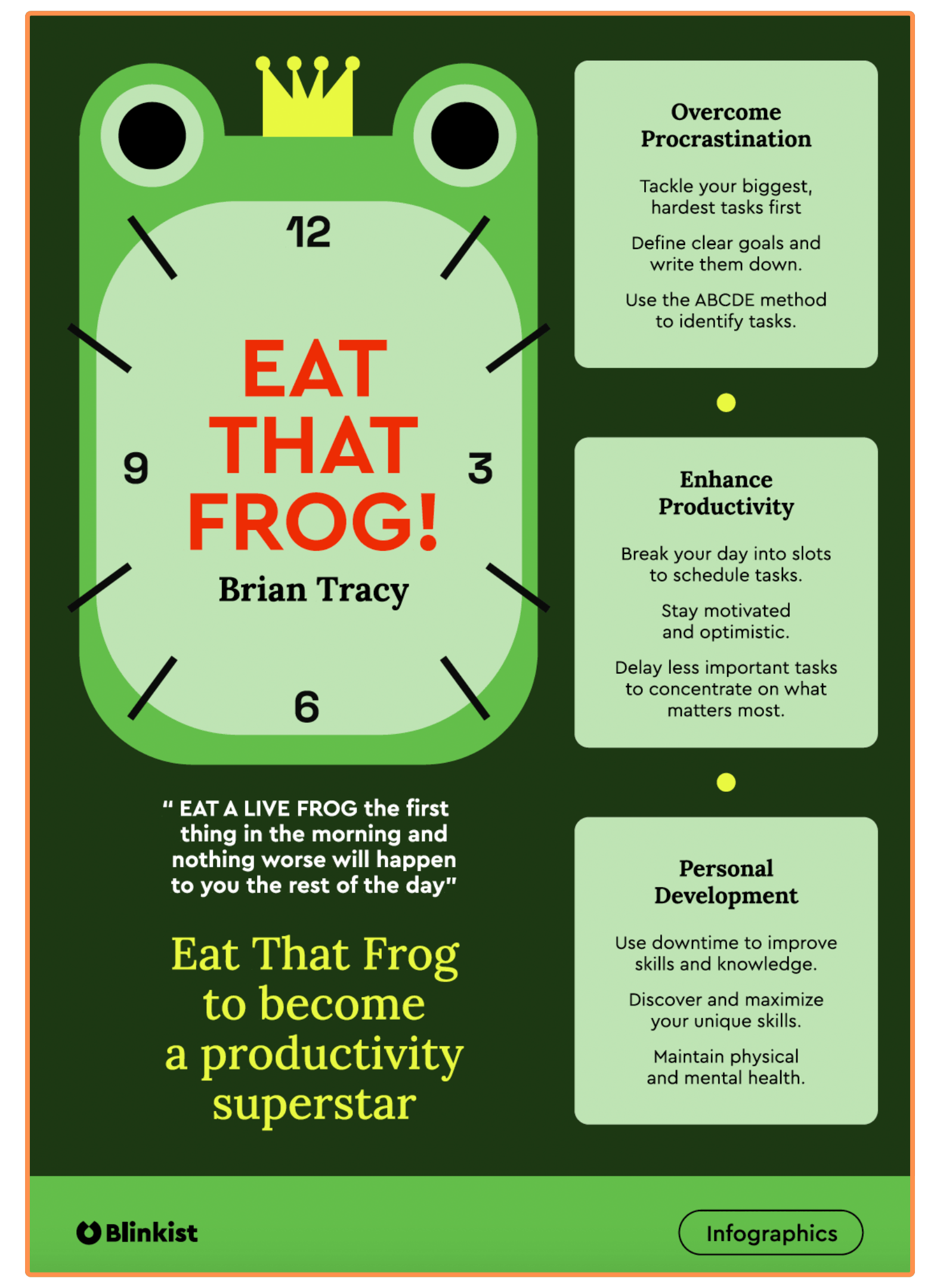
For the example of the live event “Learn Like a Pro: Master Skills Faster & Better”, this is the pre-session infographic:
3. Research Day #3: User Interface
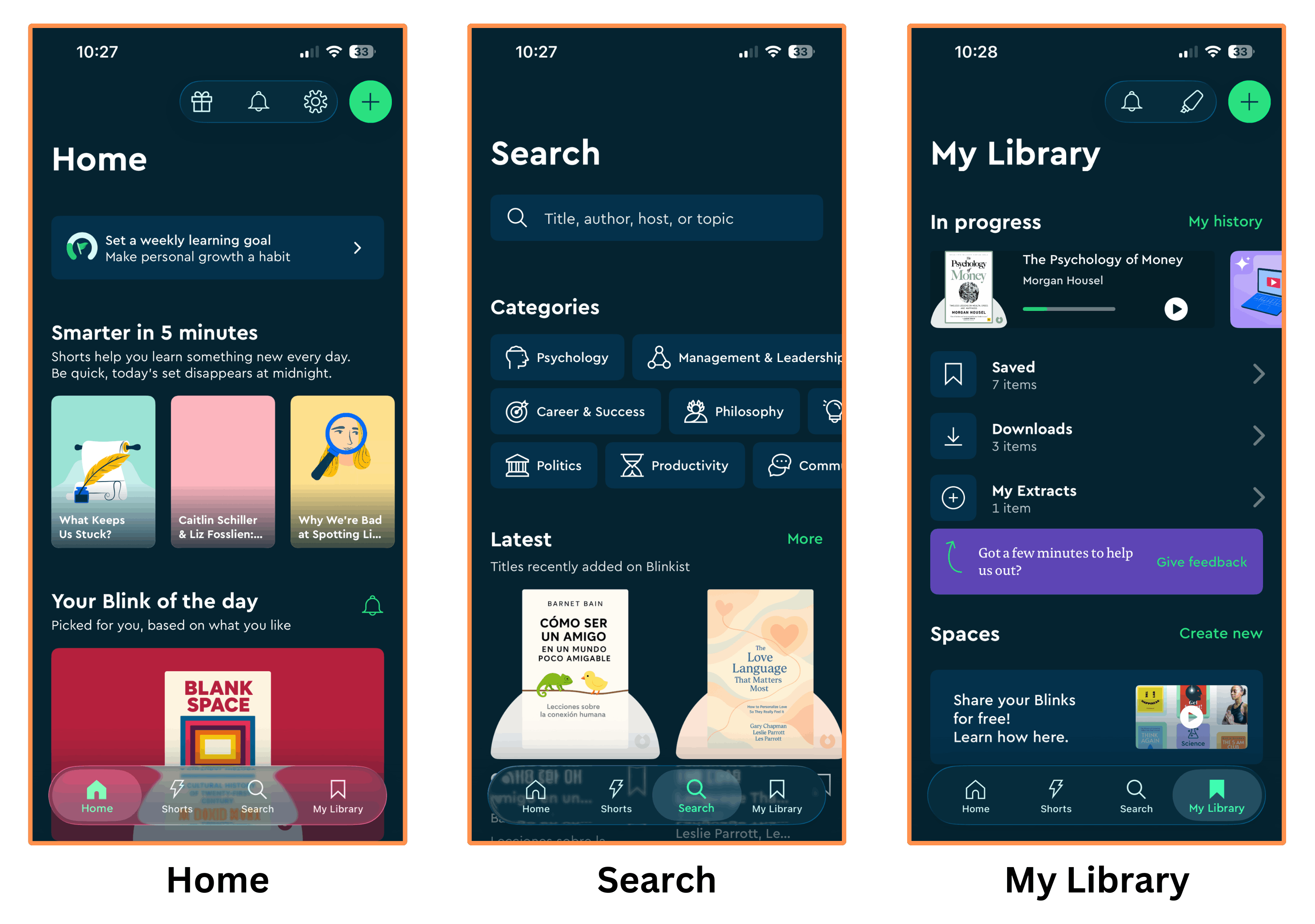
3.1 Mobile Interface
Blinkist has a stunning mobile app and it’s quite easy to use! It looks especially sexy in dark mode 🔥
3.2 Desktop Interface
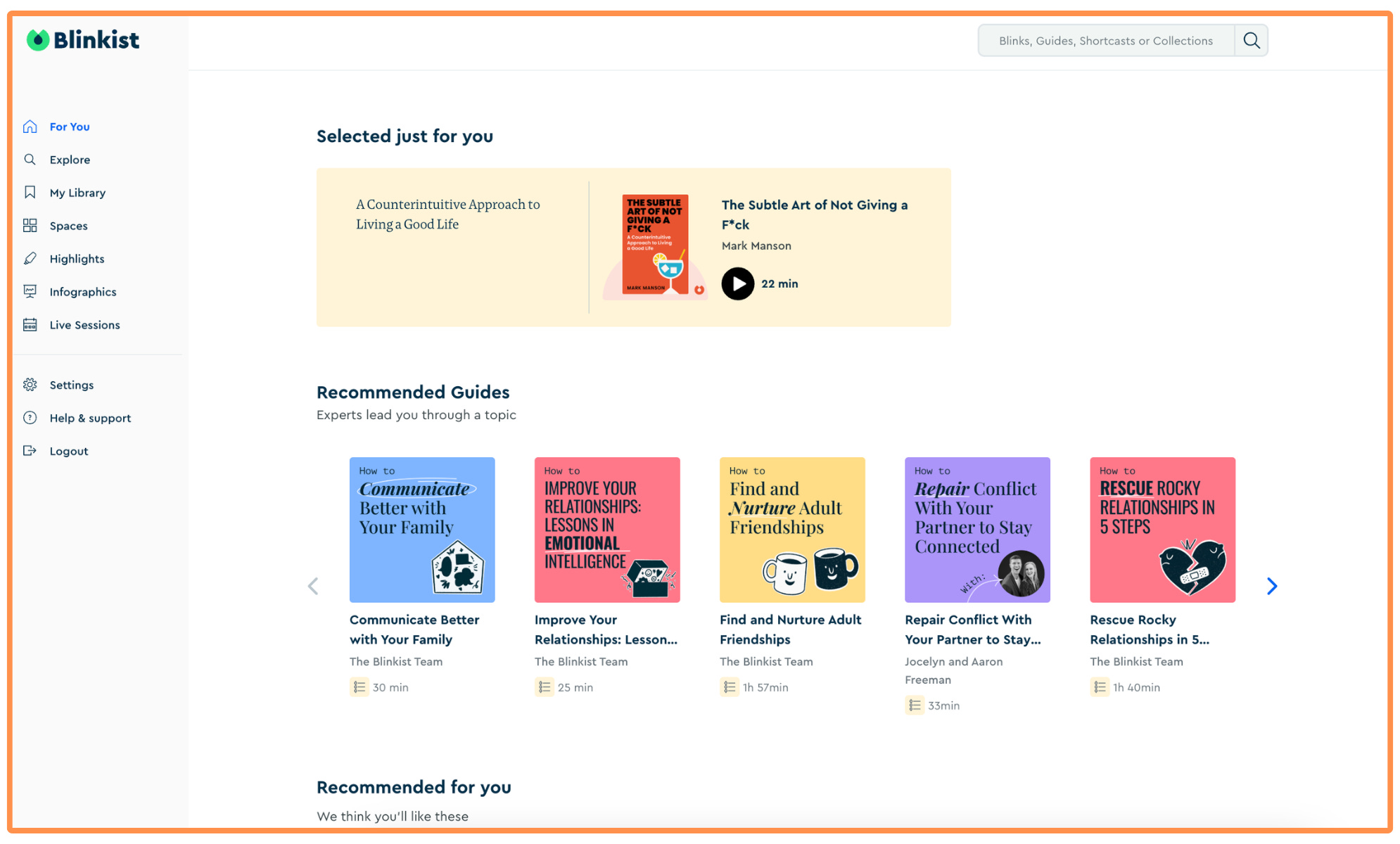
Blinkist’s desktop interface is great, and it’s almost as feature-rich as the mobile app (it’s just missing Blinkist AI and Shorts).
4. Research Day #4: Price
If you were wondering whether Blinkist is free or not — or if it has a “freemium” or free version — let me tell you right away it is not free (and there’s no free version). And you have to fill out a questionnaire and enter your email in order to see the pricing… so it’s not very transparent. But I did it and finally got to the meat.
How Much Does Blinkist Cost?
Blinkist offers three Subscription Plans:
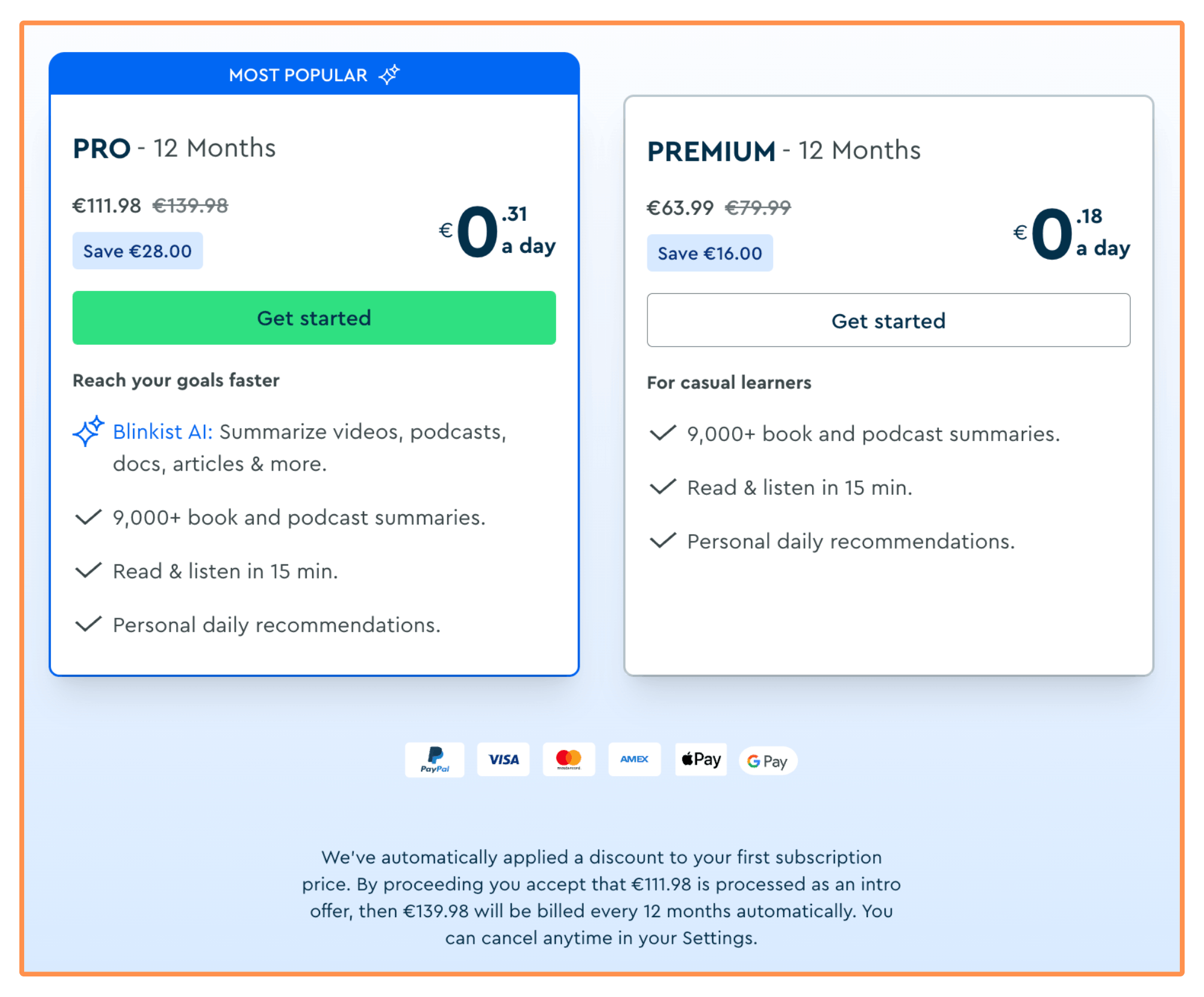
The Premium Subscription goes for $95.27 (or €79.99) per year — equivalent to $7.94 (or €6.67). It doesn’t include Blinkist AI or live events.
The Pro Subscription costs $166.72 (or €139.98) per year — equivalent to $13.89 (or €11.67) per month. It includes Blinkist AI but not live events.
The Platinum Subscription goes for $285.84 (or €239.99) per year — equivalent to $23.82 (or €20) per month. It includes Blinkist AI and live events (with access to infographics).
They also gave me a 20% discount on my first payment, if I paid in less than 20 minutes.
The Blinkist Platinum paywall only shows up after you become a Premium or Pro subscriber…
As I mentioned at the beginning of this review, there’s no free trial or even a monthly subscription. So you have to (financially) commit for a whole year without first trying the app :(
In contrast, alternative apps such as Headway and Shortform are much better in this regard. Headway offers a monthly subscription (best choice to try the app), and Shortform a 5-day free trial on all their subscriptions (so you can try the app without any commitment!).
And now it’s time to actually explore these alternative apps…
5. Research Day #5: Best Blinkist Alternatives
I think a Blinkist review wouldn’t be complete if I just talked about Blinkist. Because to figure out if Blinkist is worth it or not, we need to also look at the other top alternatives in the book summary space: Headway and Shortform.
5.1 Headway

I talked to the team at Headway and they agreed to give us a 60% discount by taking the 5-minute quiz and signing up with this link! (If you prefer skipping the quiz, you can go directly to this page and get the same 60% off).
(P.S. If the link isn’t working, it might be your VPN or ad-blocker interfering…)
5.1.1 Headway — Book Summaries
To illustrate my research, we’re going back to the book The Subtle Art of Not Giving a F*ck. This is how the cover of the summary looks on Headway:
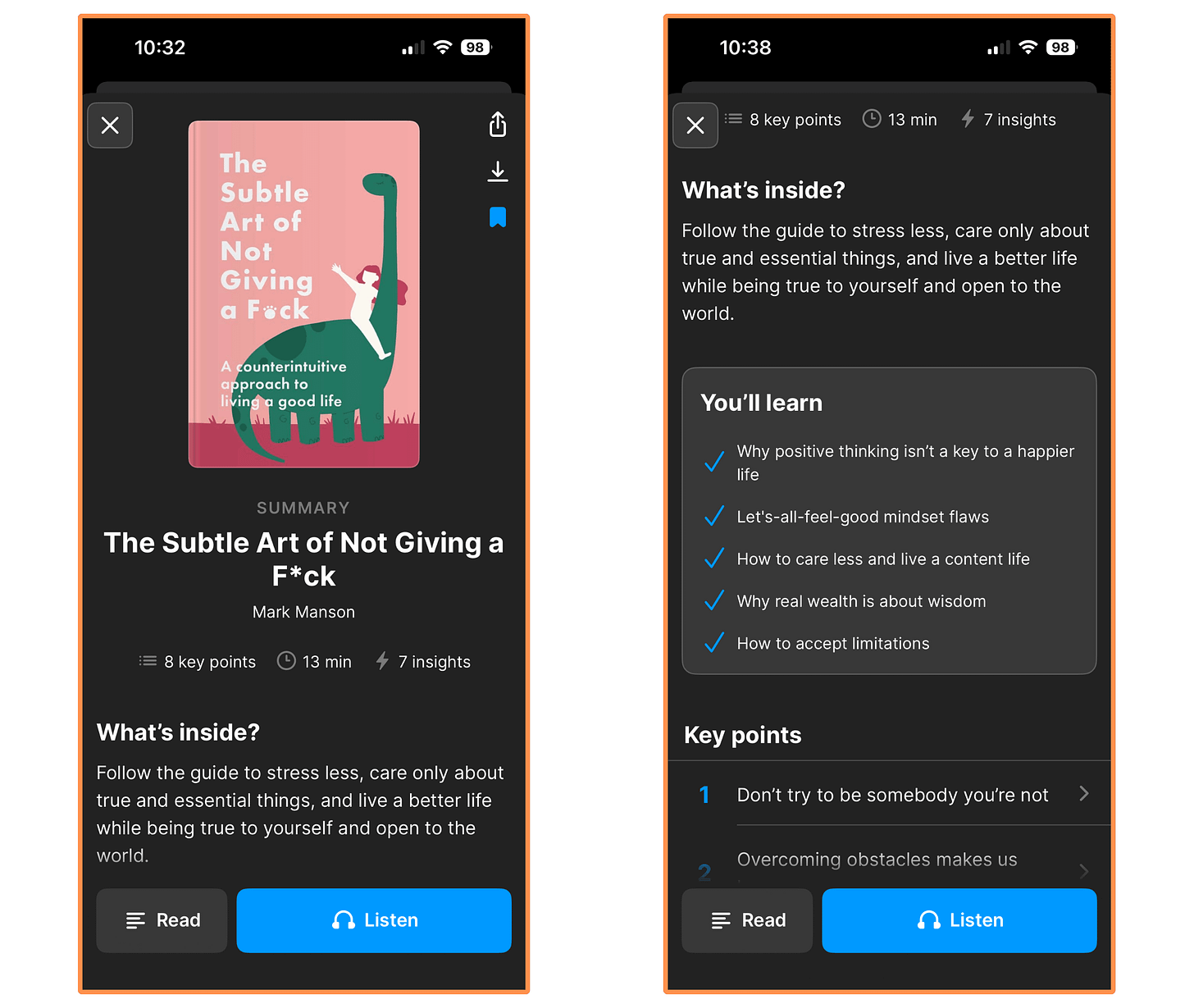
Headway’s cover of the book The Subtle Art of Not Giving a F*ck
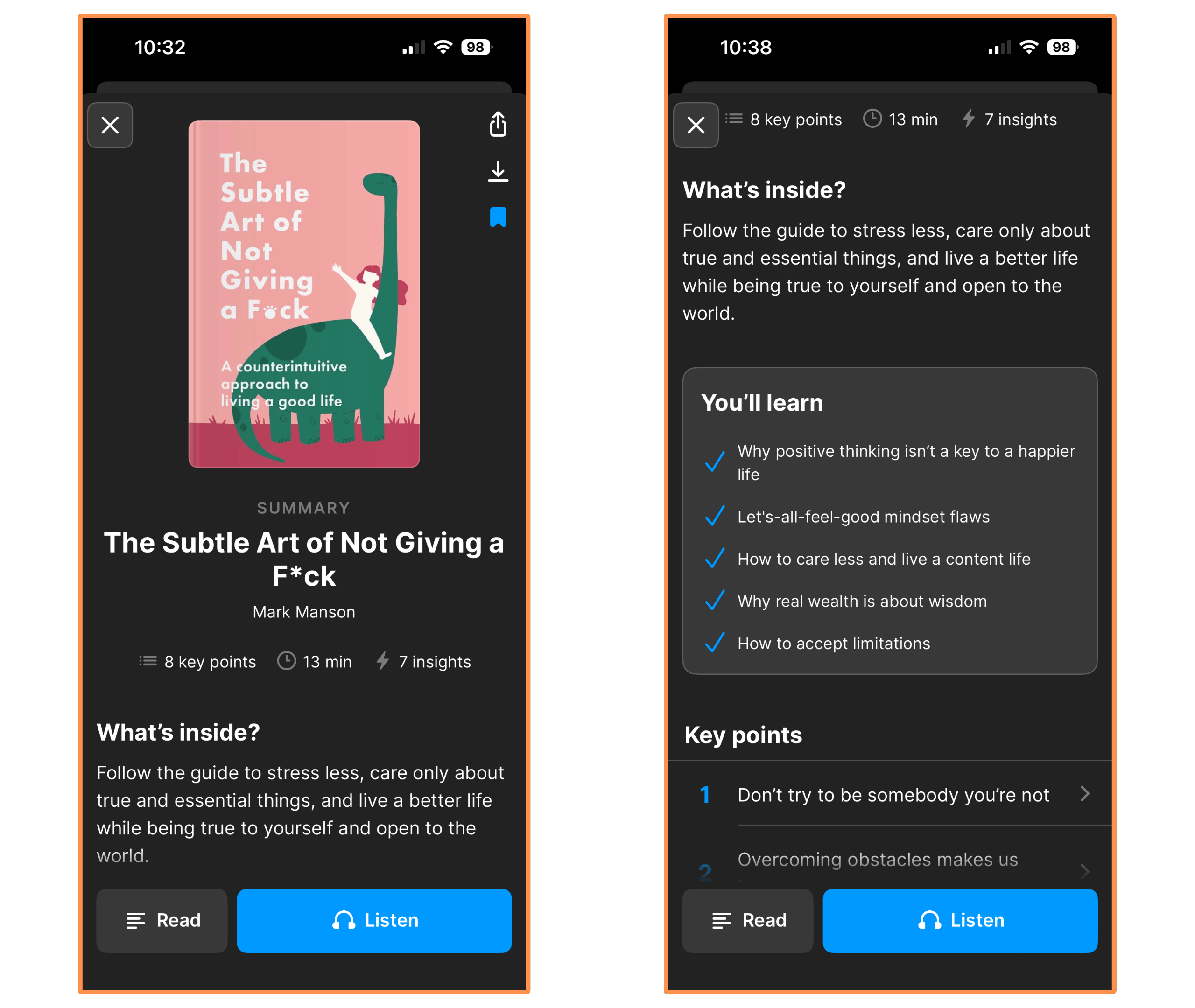
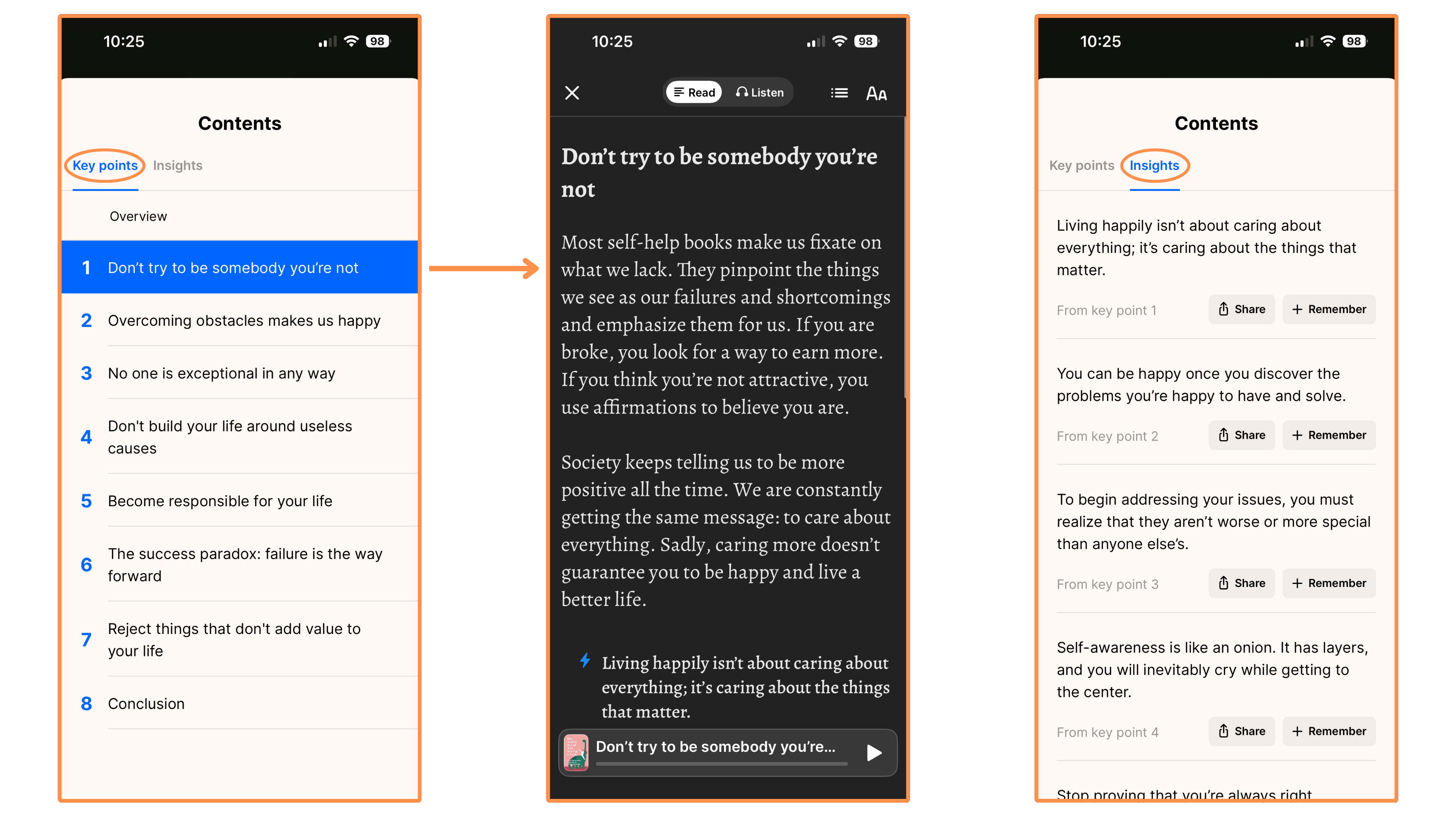
In the Headway App, a summary consists of a list of “key points”, which are sort of the key ideas of the book. And they also have a list of “insights”, which are basically one-liners that kind of summarizes the key points themselves (exactly… the summary of the summary!).
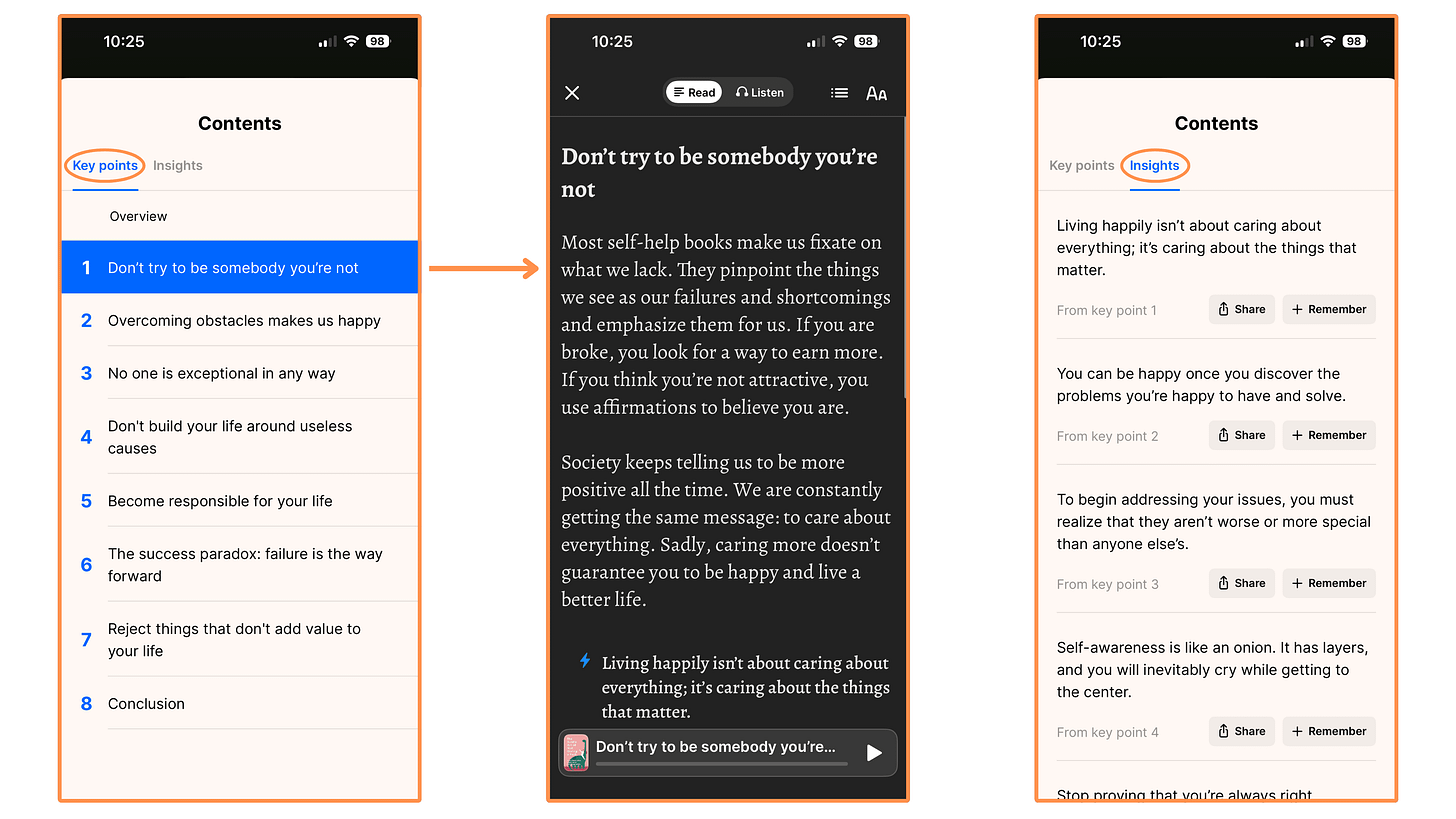
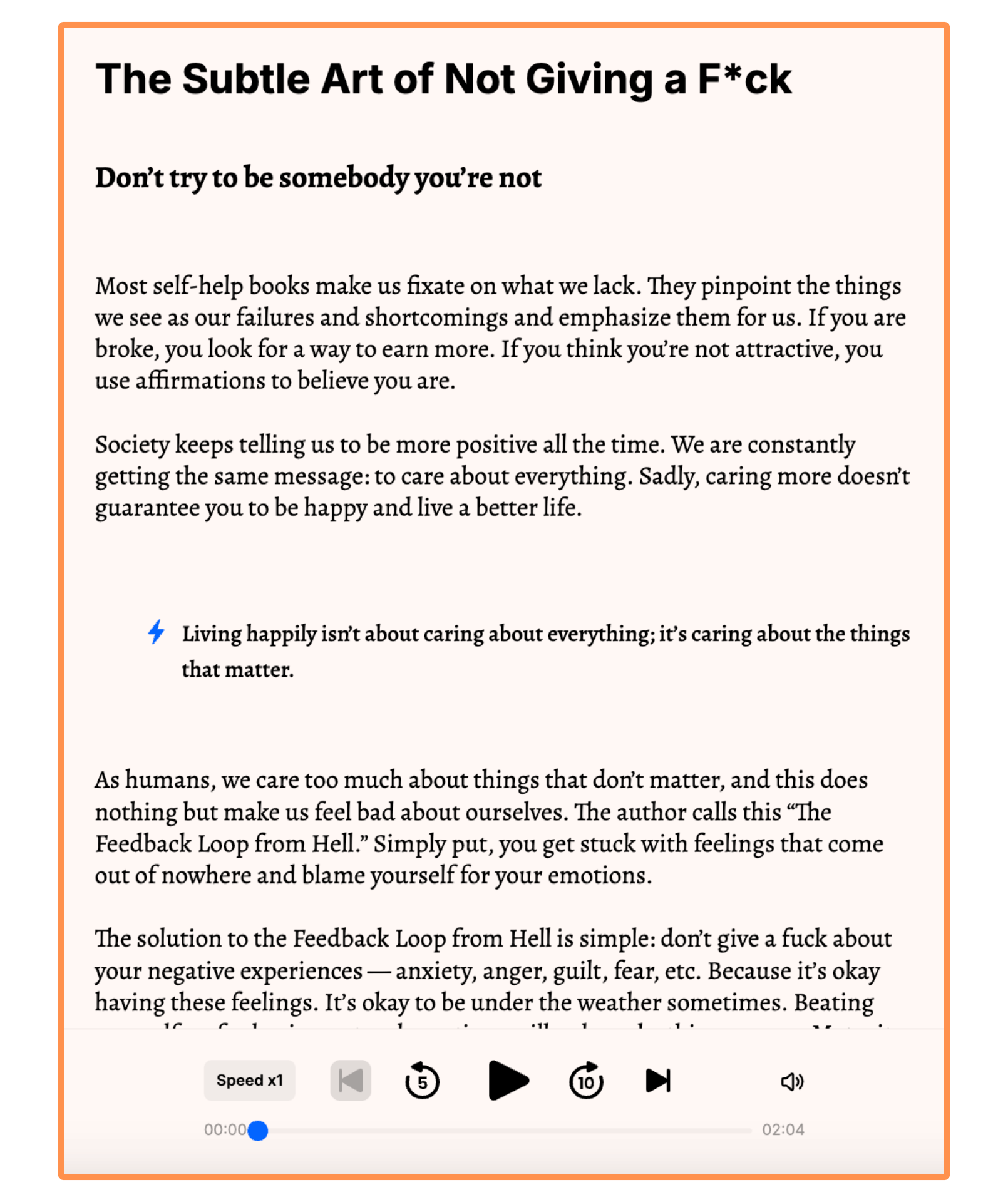
Headway’s summary of the book The Subtle Art of Not Giving a F*ck (mobile app + dark mode) This is how the summary looks on desktop…
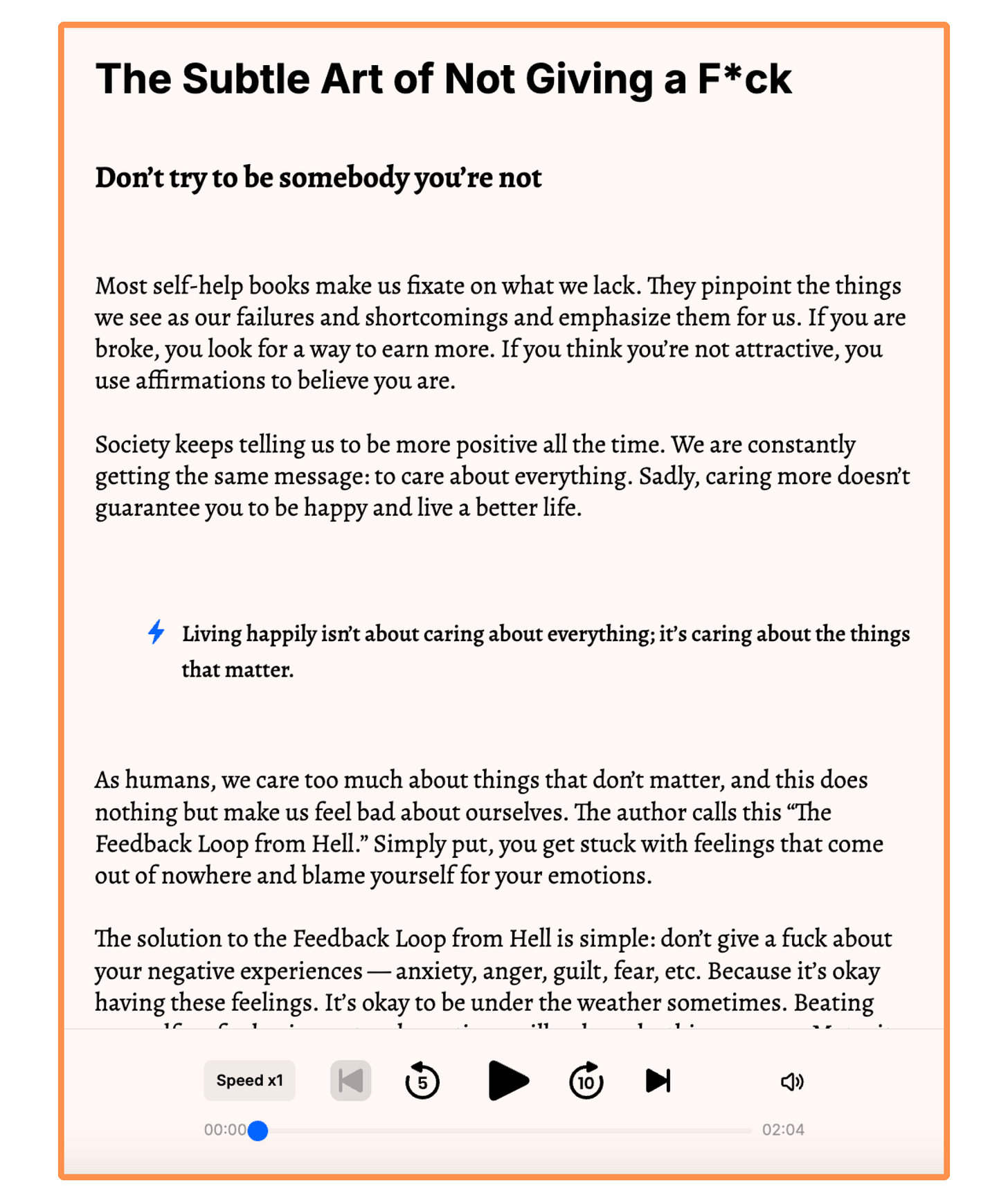
Headway’s summary of the book The Subtle Art of Not Giving a F*ck (desktop view) You can download any book summary to read offline.
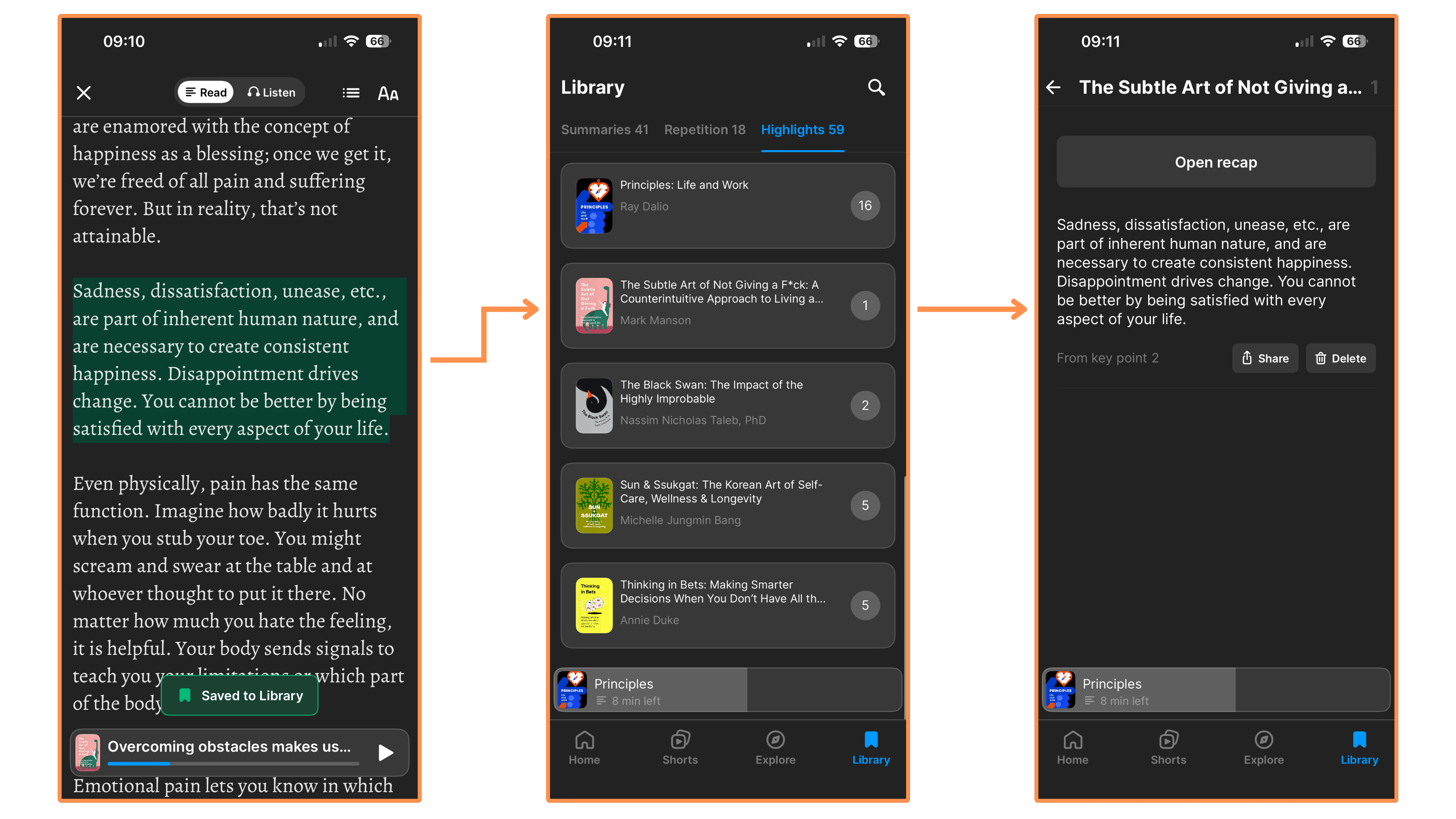
You can make highlights — and then these highlights are automatically tagged (to the book summary where it belongs) and saved in your Highlights Library.
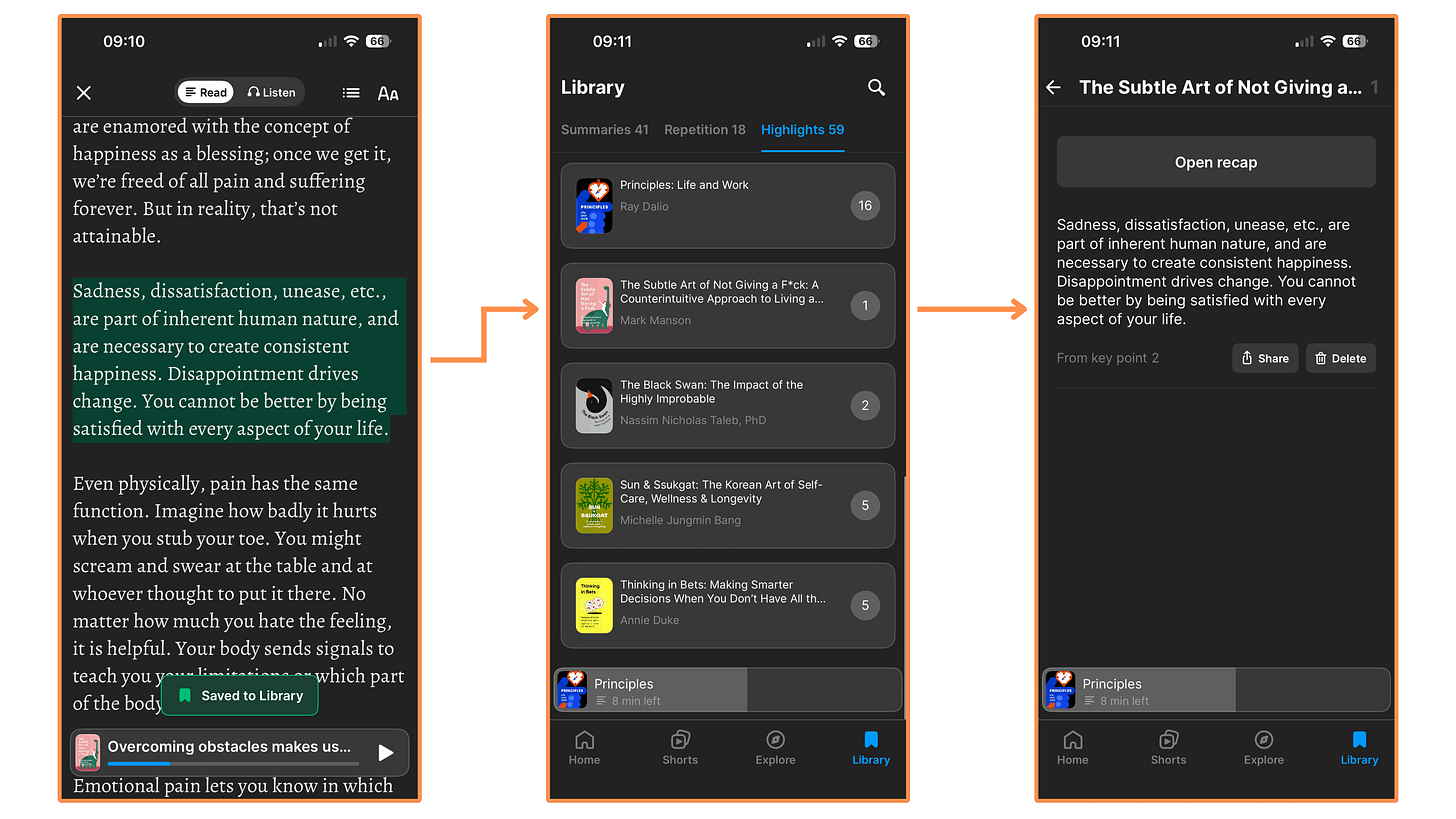
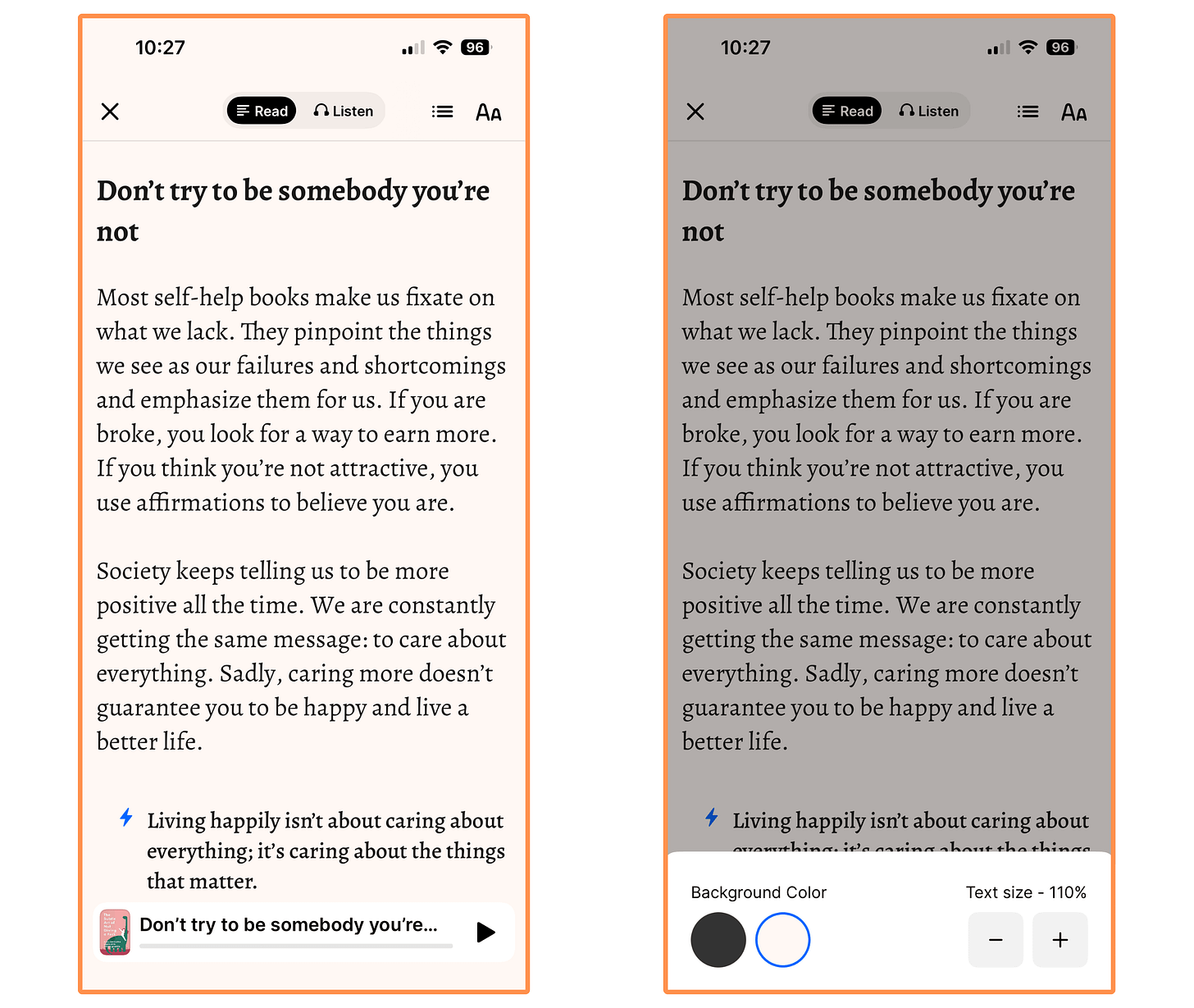
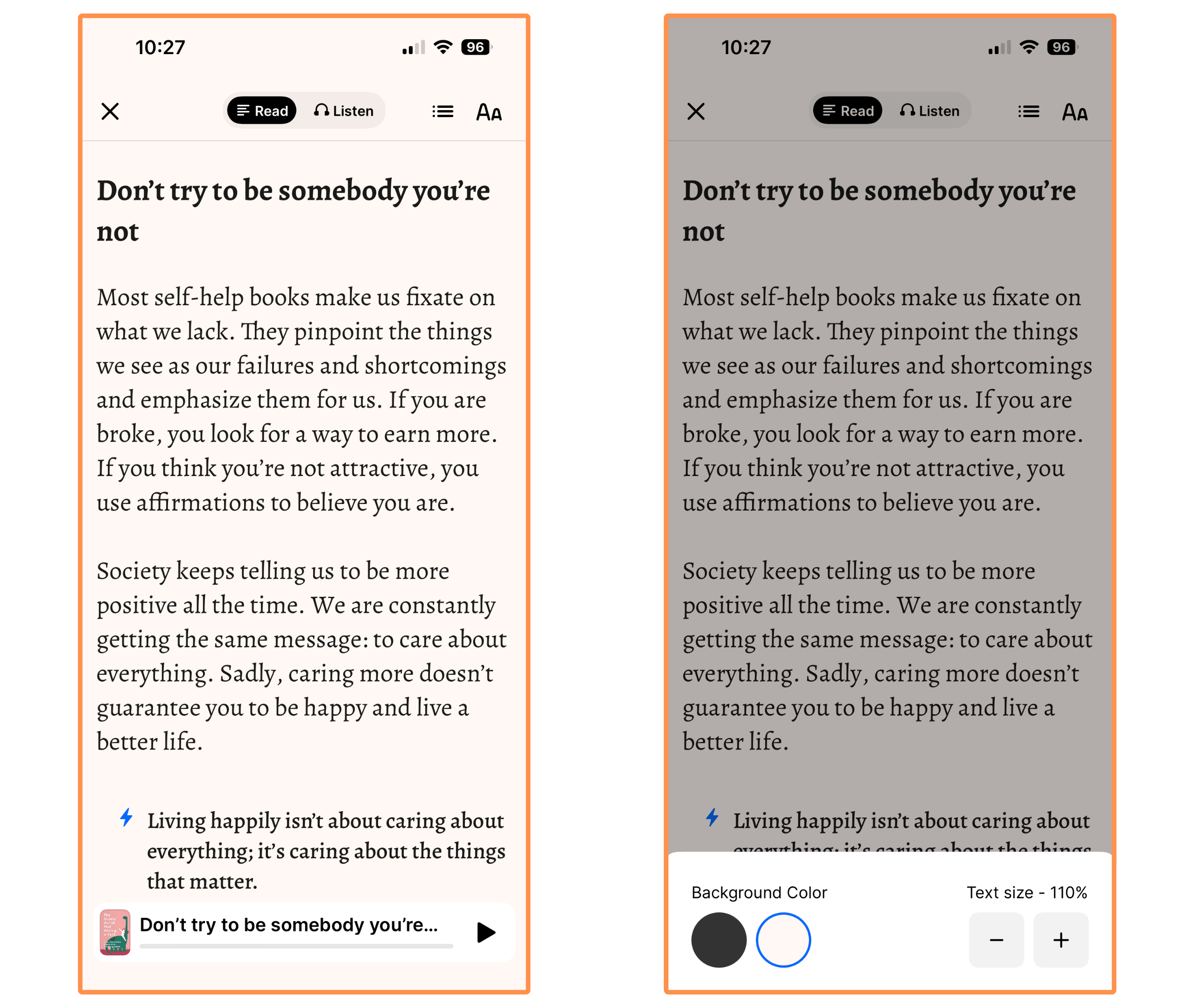
Highlights on Headway (dark mode) You can switch between dark mode / light mode, and adjust the text size.
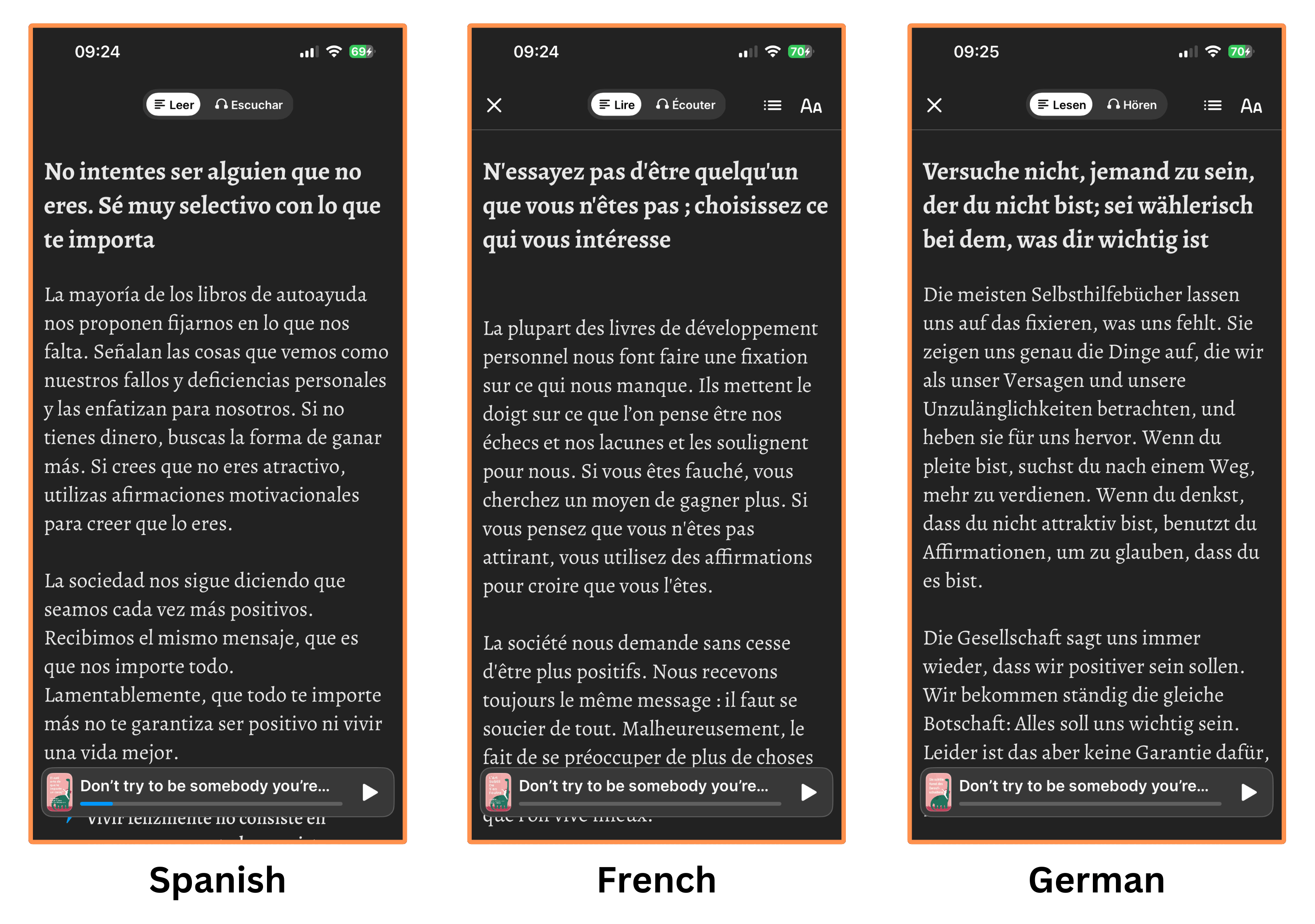
You can also switch from English to Spanish, German, French, Portuguese, Italian, and Polish.
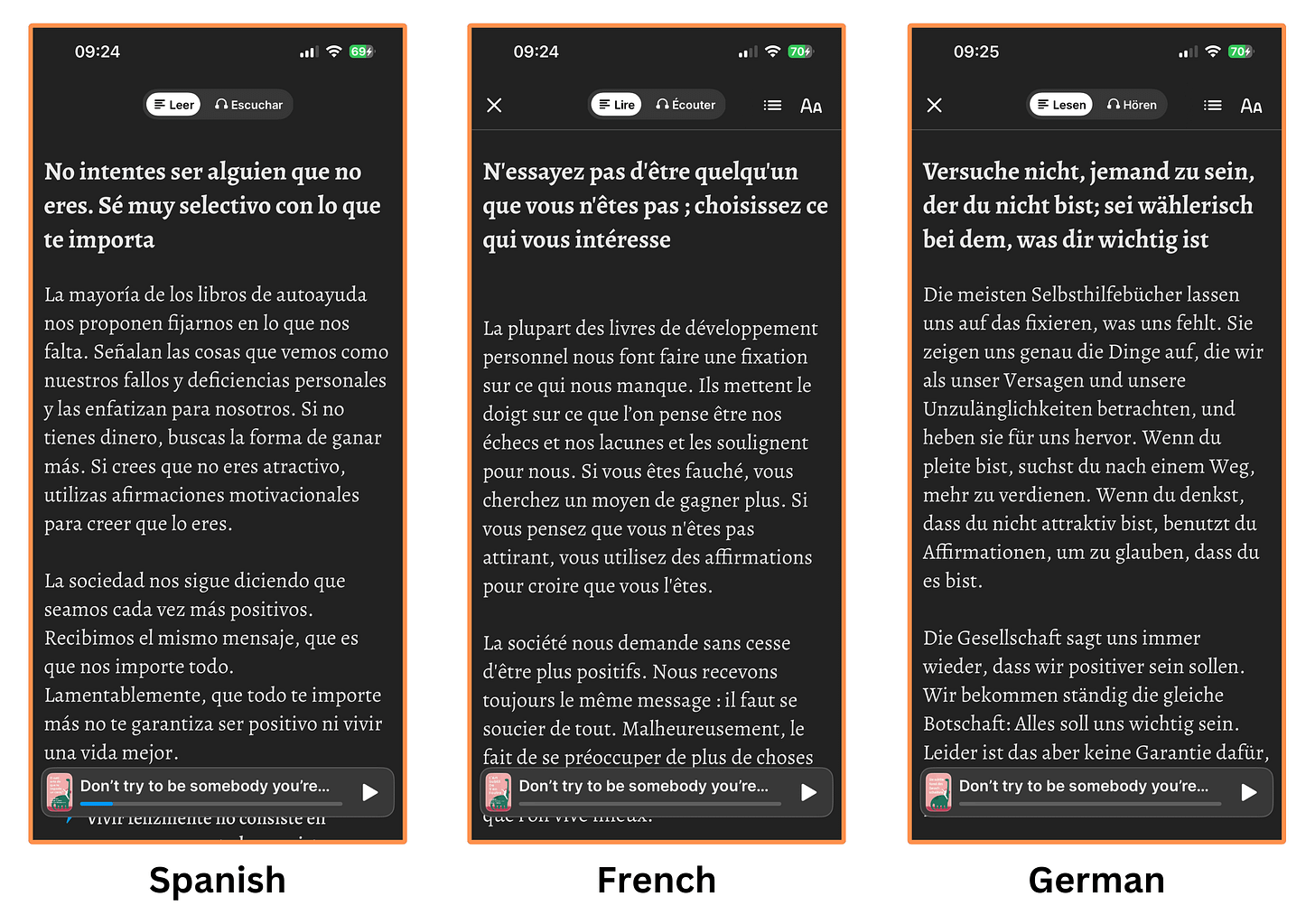
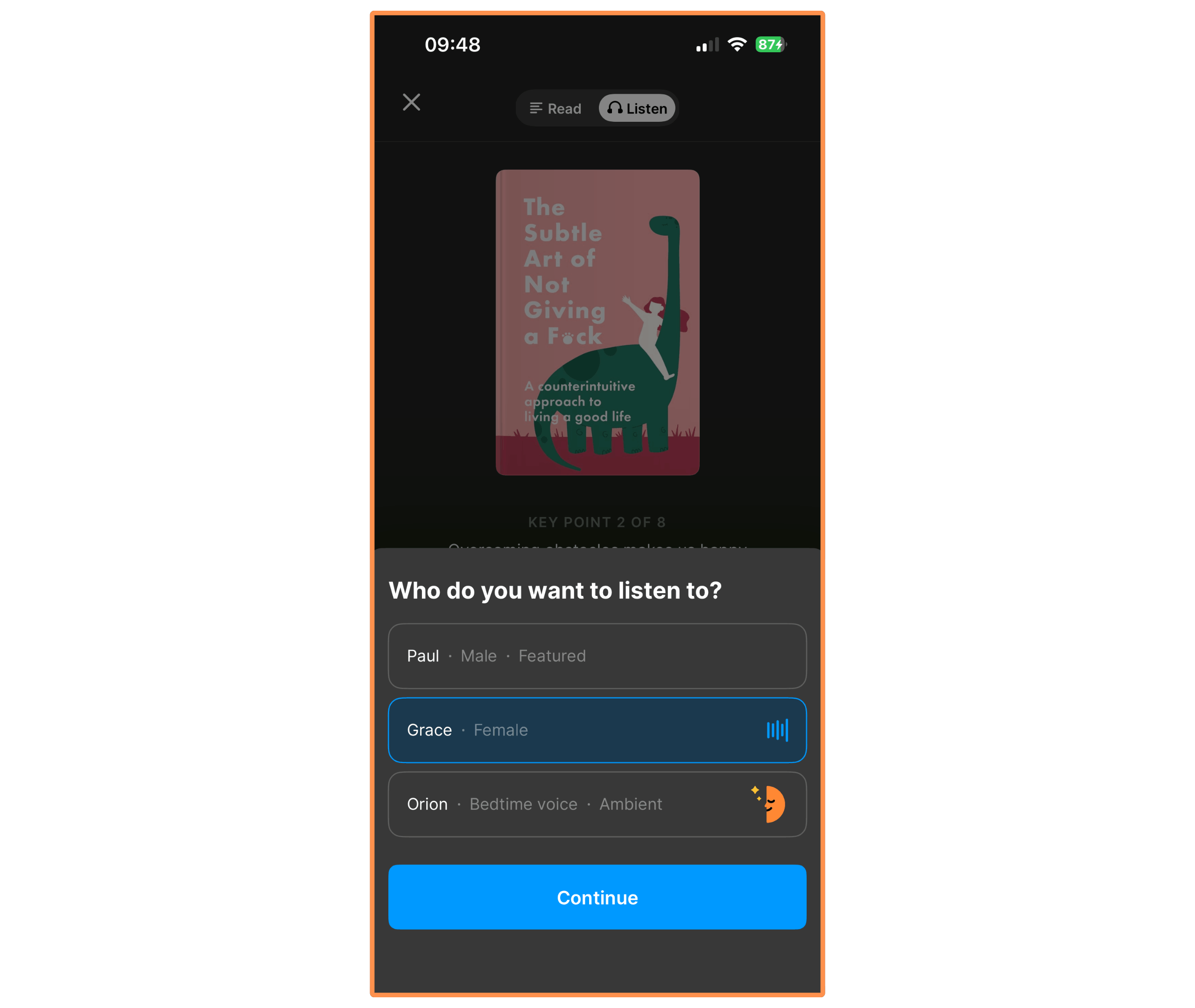
Headway (Other Languages) Finally, all Headway summaries come with an audio version — and you can choose between Paul (male voice), Grace (female voice), and Orion (“bedtime” voice).
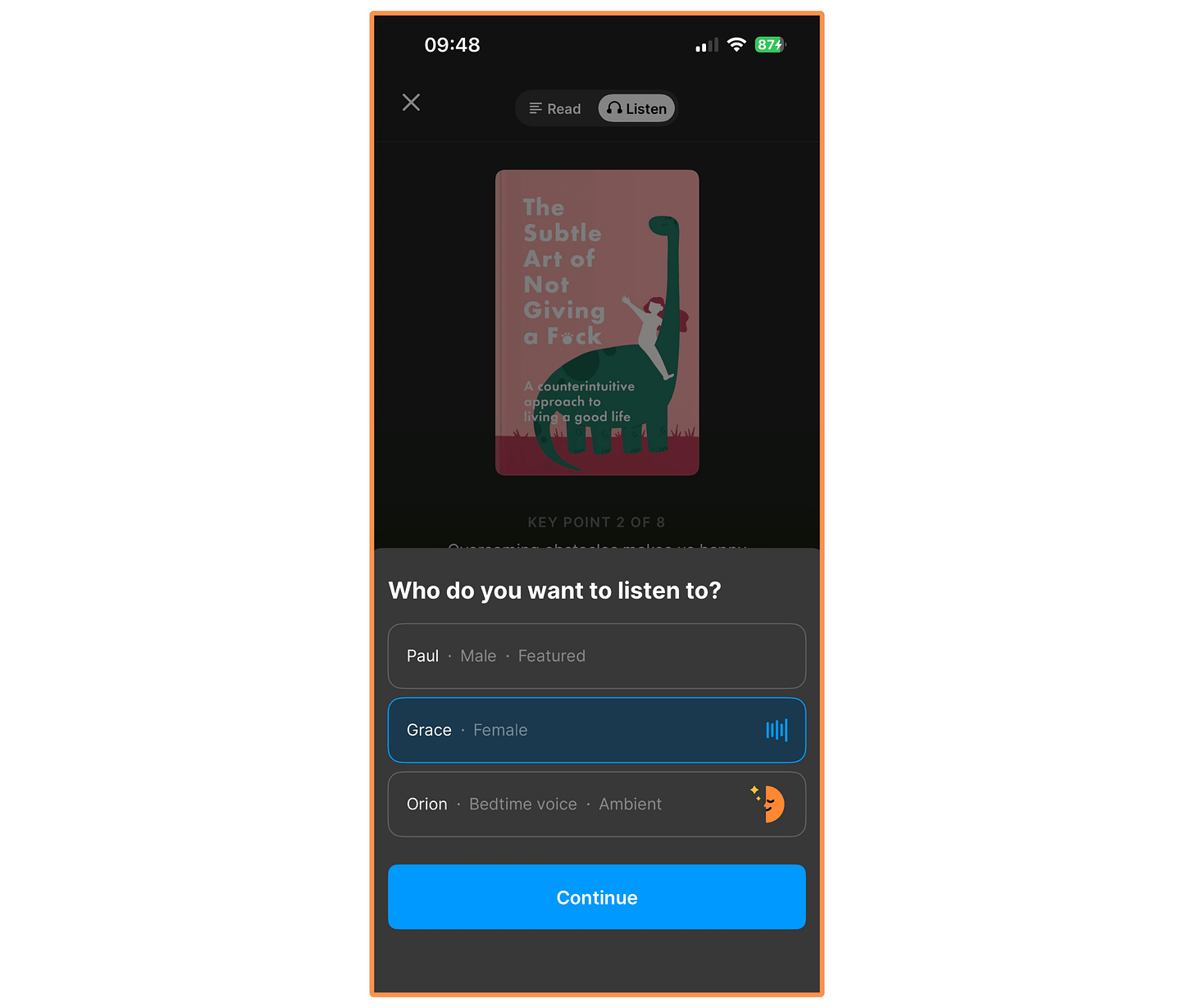
Audio Version This is our friend Paul:
Now our British friend Grace:
And finally our mystic (and extremely relaxed) buddy Orion:
Personally, I think the audio quality is quite good!
5.1.2 Headway — Beyond Book Summaries
Beyond book summaries, the Headway App offers three services. Let’s explore each of them:
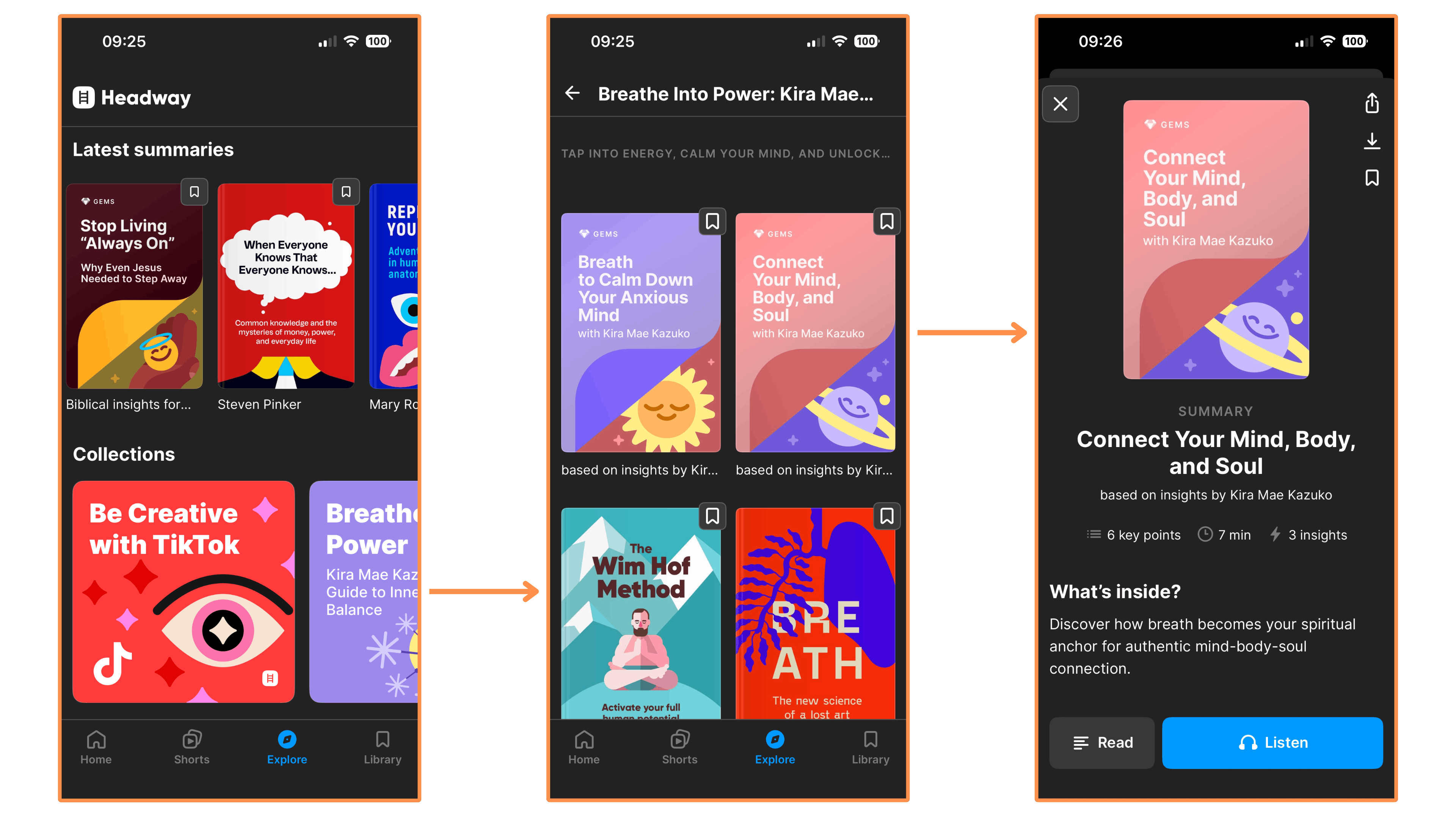
Collections → Similar to Blinkist, Headway offers Collections — curated lists of book summaries to make you more knowledgable on a topic or help you improve a skill, typically containing 8-10 summaries.
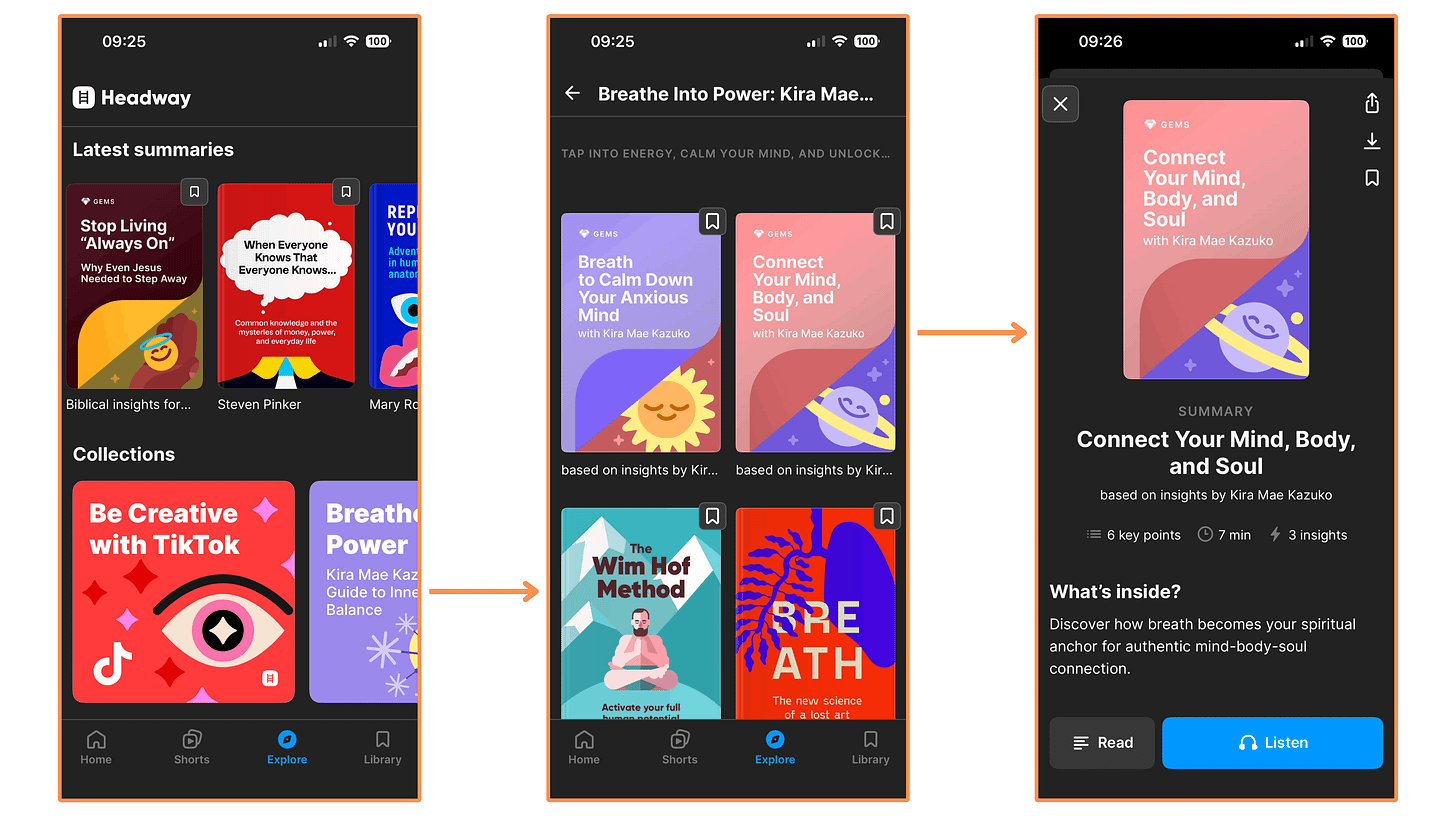
Headway’s Collections (mobile app + dark mode) 
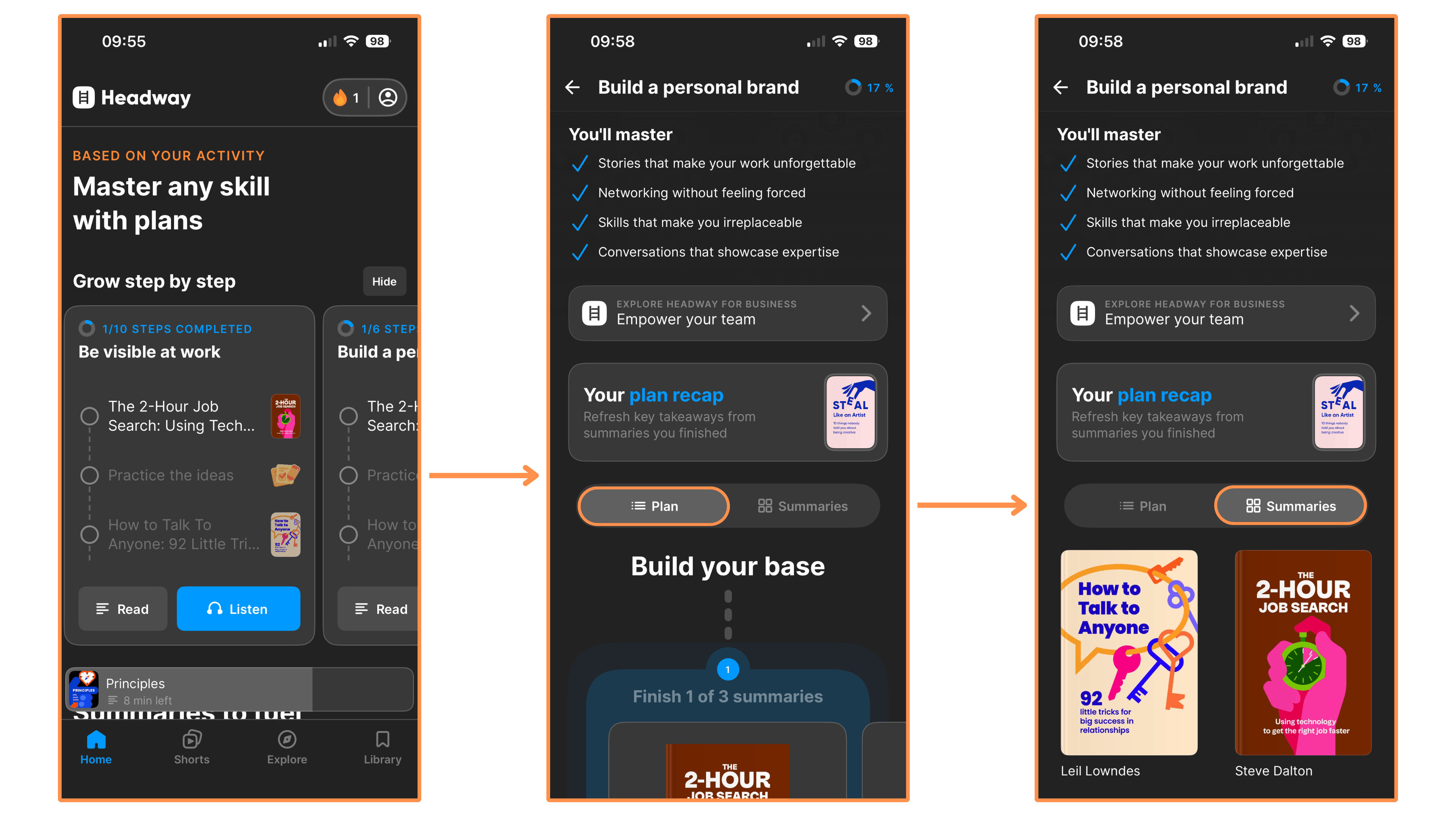
Headway’s Collections (desktop view) Growth Plans (mobile-only feature) → These are like Collections on steroids. Similar to a Collection, a Growth Plan gives you a curated list of summaries. But Growth Plans go beyond that — by also offering interactive plans to go through these summaries.
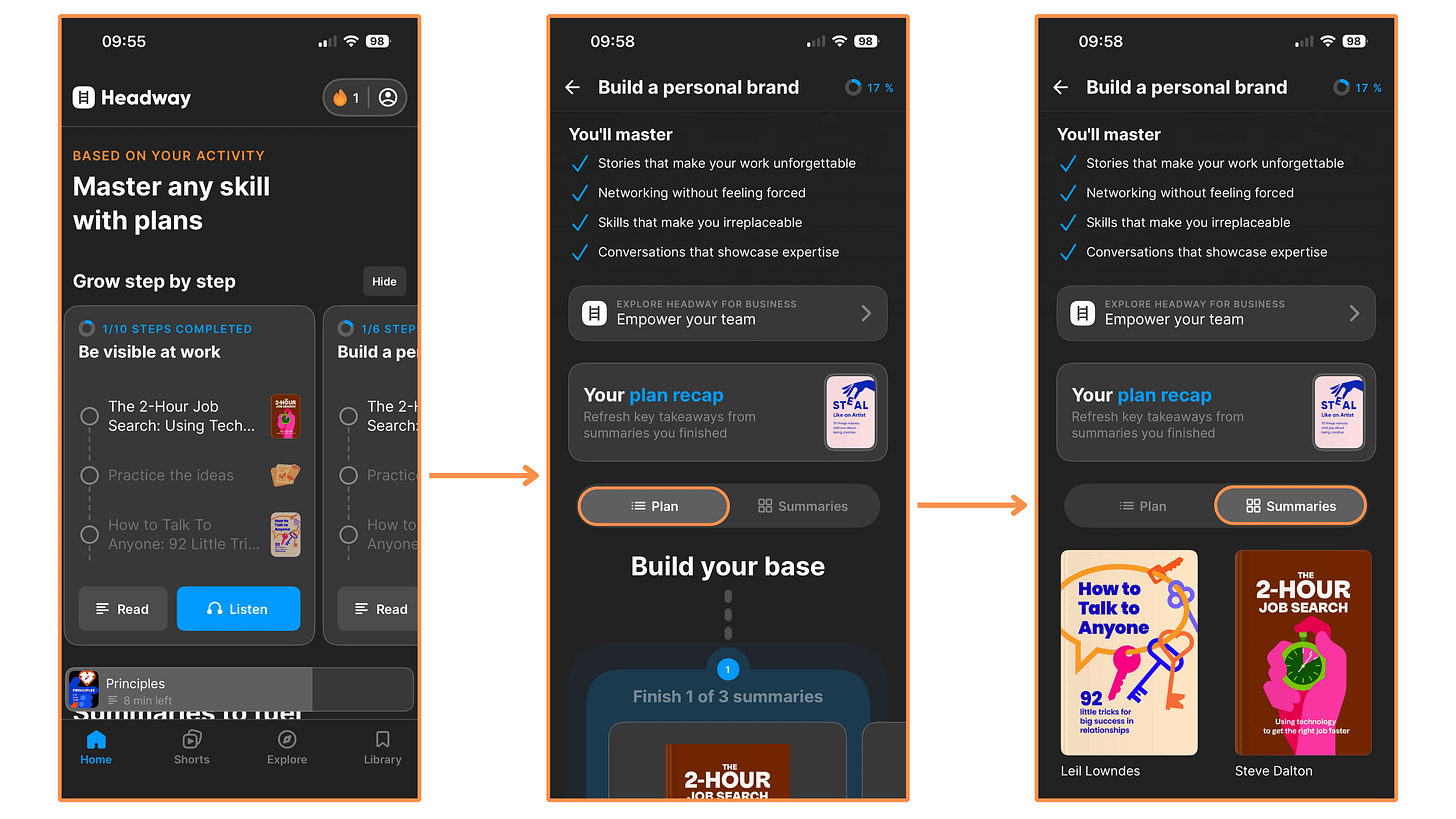
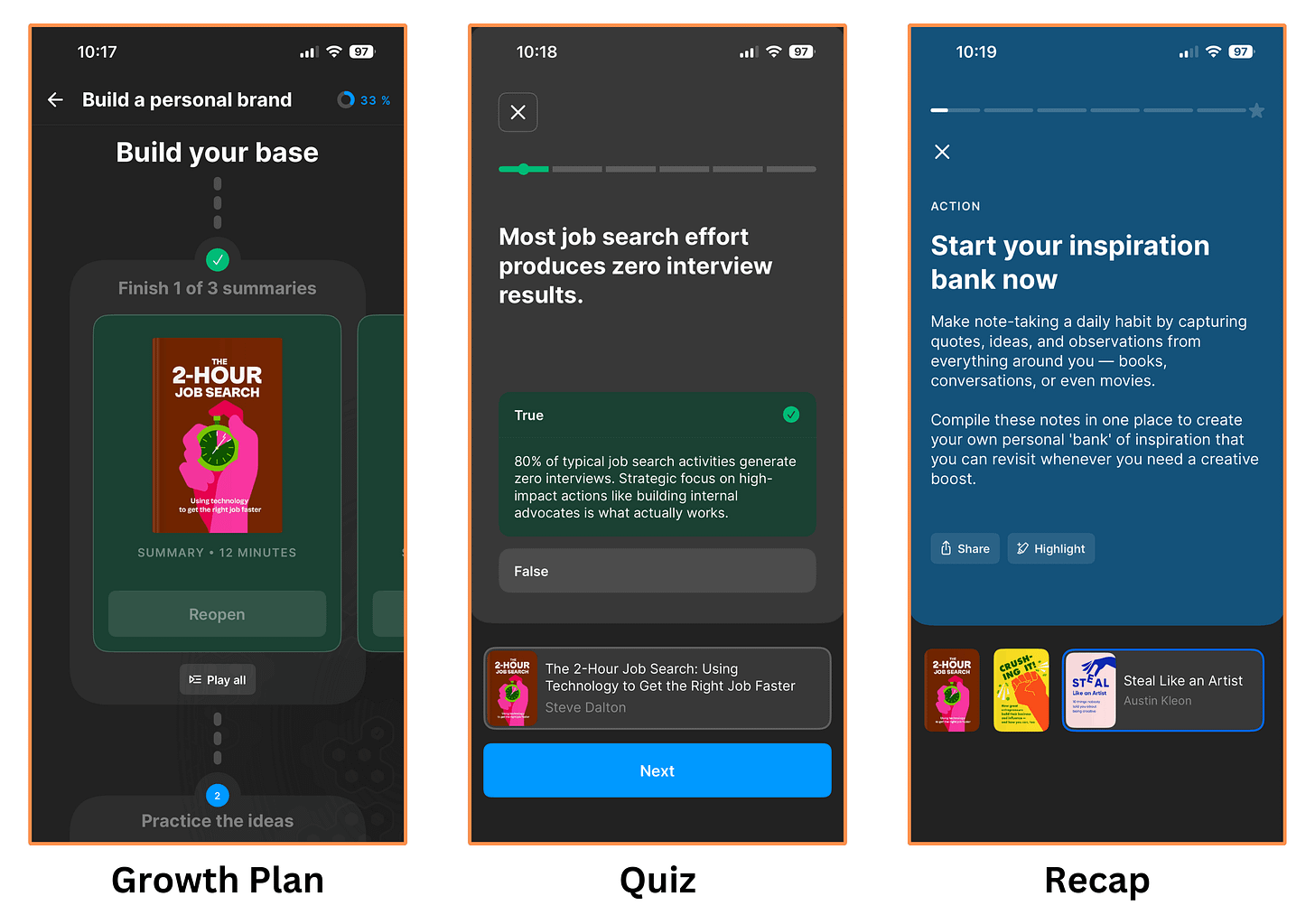
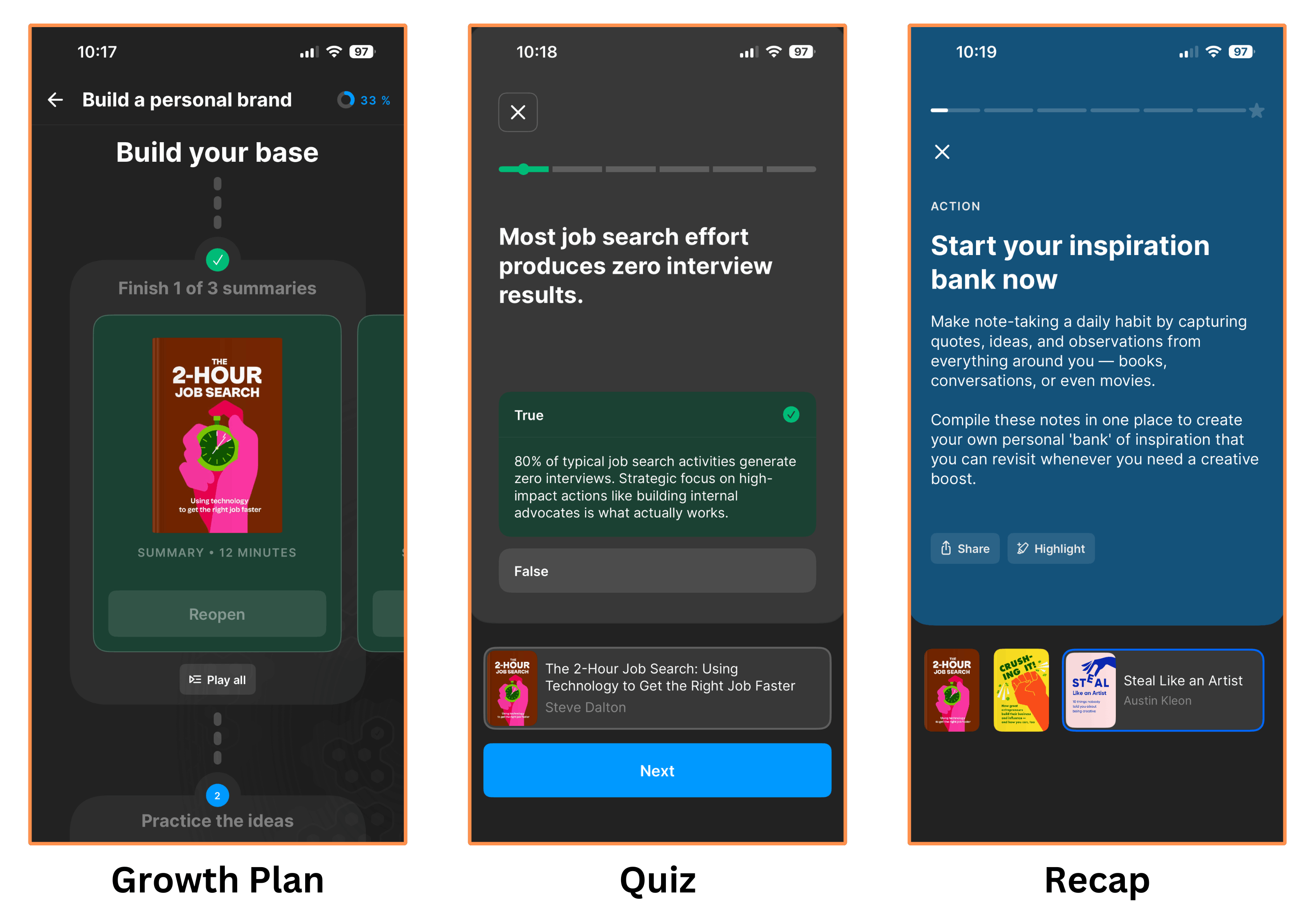
Headway’s Growth Plans (dark mode) An interactive plan expands on the summaries by offering quizzes, and recaps (which contains highlights and action points)…
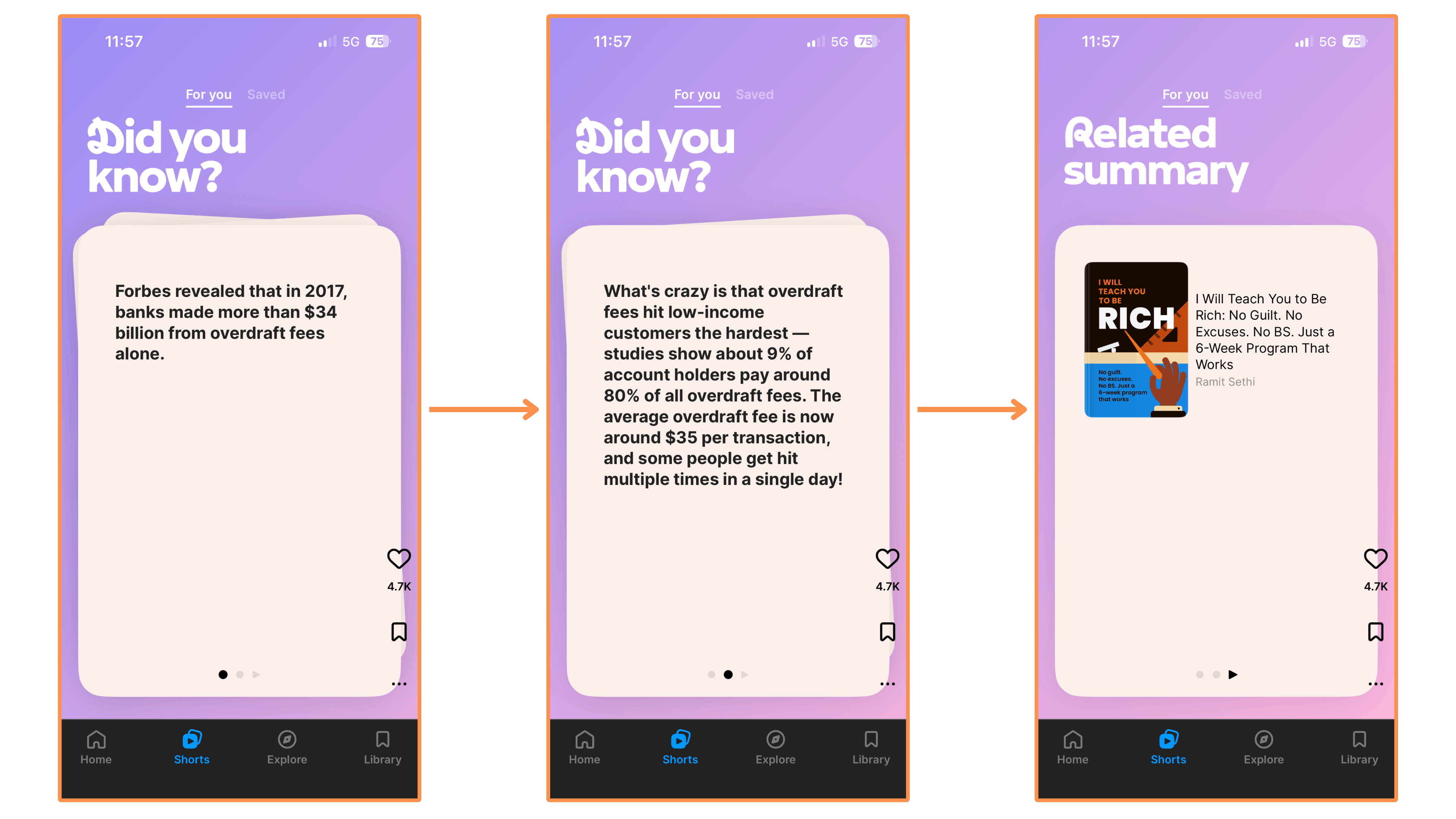
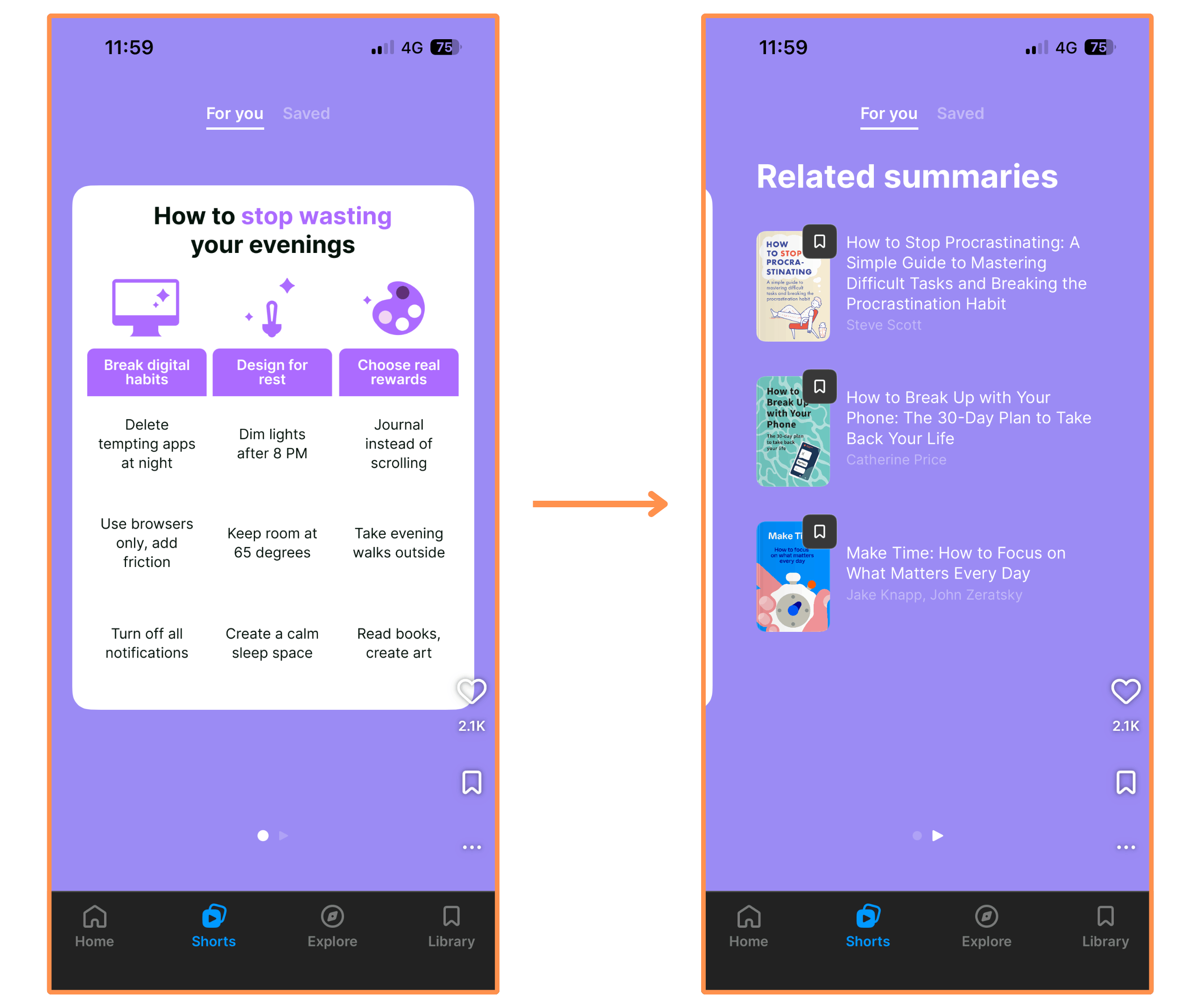
Shorts (mobile-only feature) → These are super fun introductions to the book summaries (featuring insights, interesting facts, and stories). They have text shorts and infographic shorts (similar to Instagram posts), and video shorts (similar to Instagram reels). And you swipe vertically to move through them.
Text Shorts → These typically feature an interesting fact or an insight from a book summary. And you can check out the book summary source at the end.
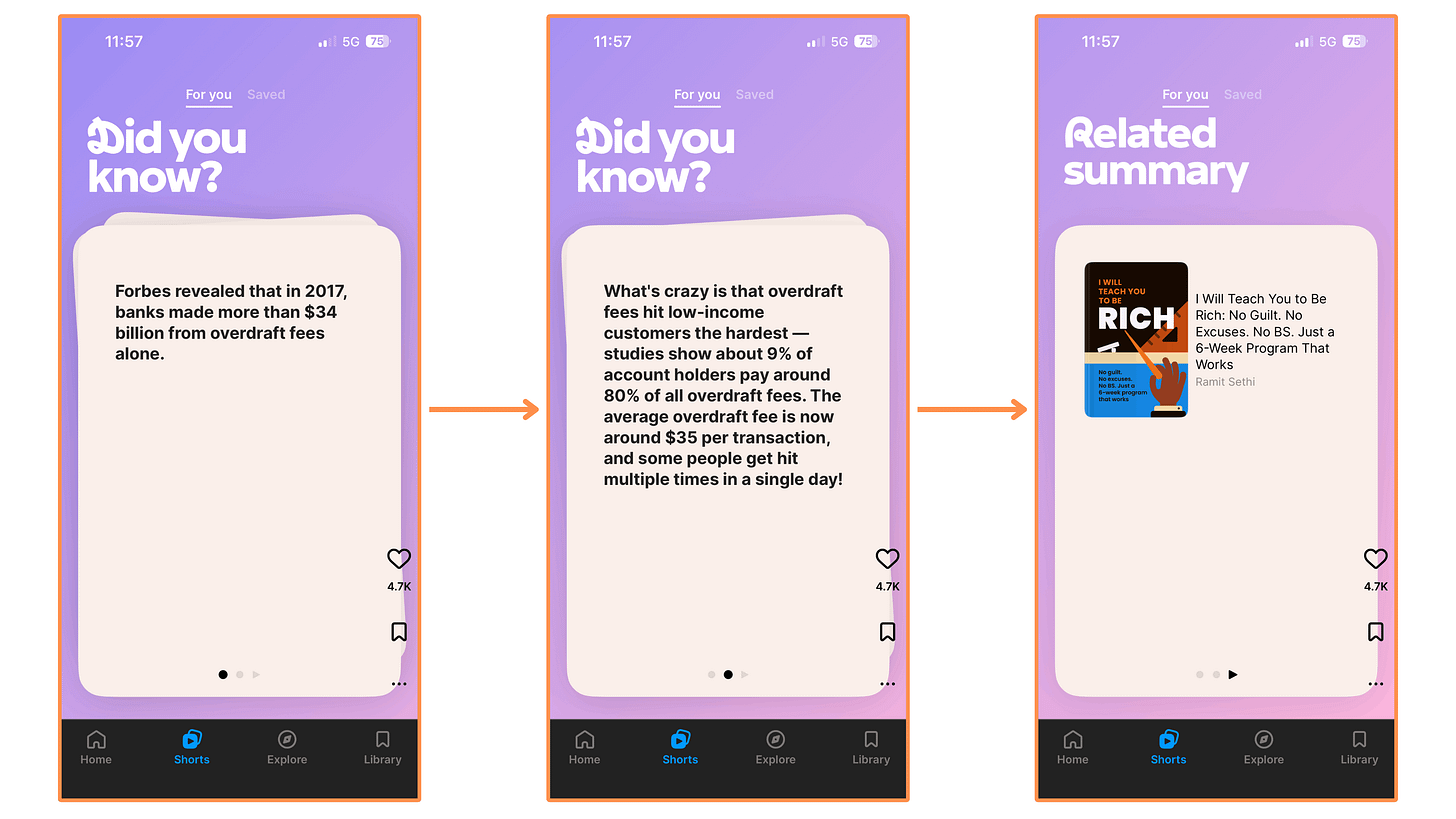
Headway’s text short (featuring an interesting fact) Infographic Shorts…
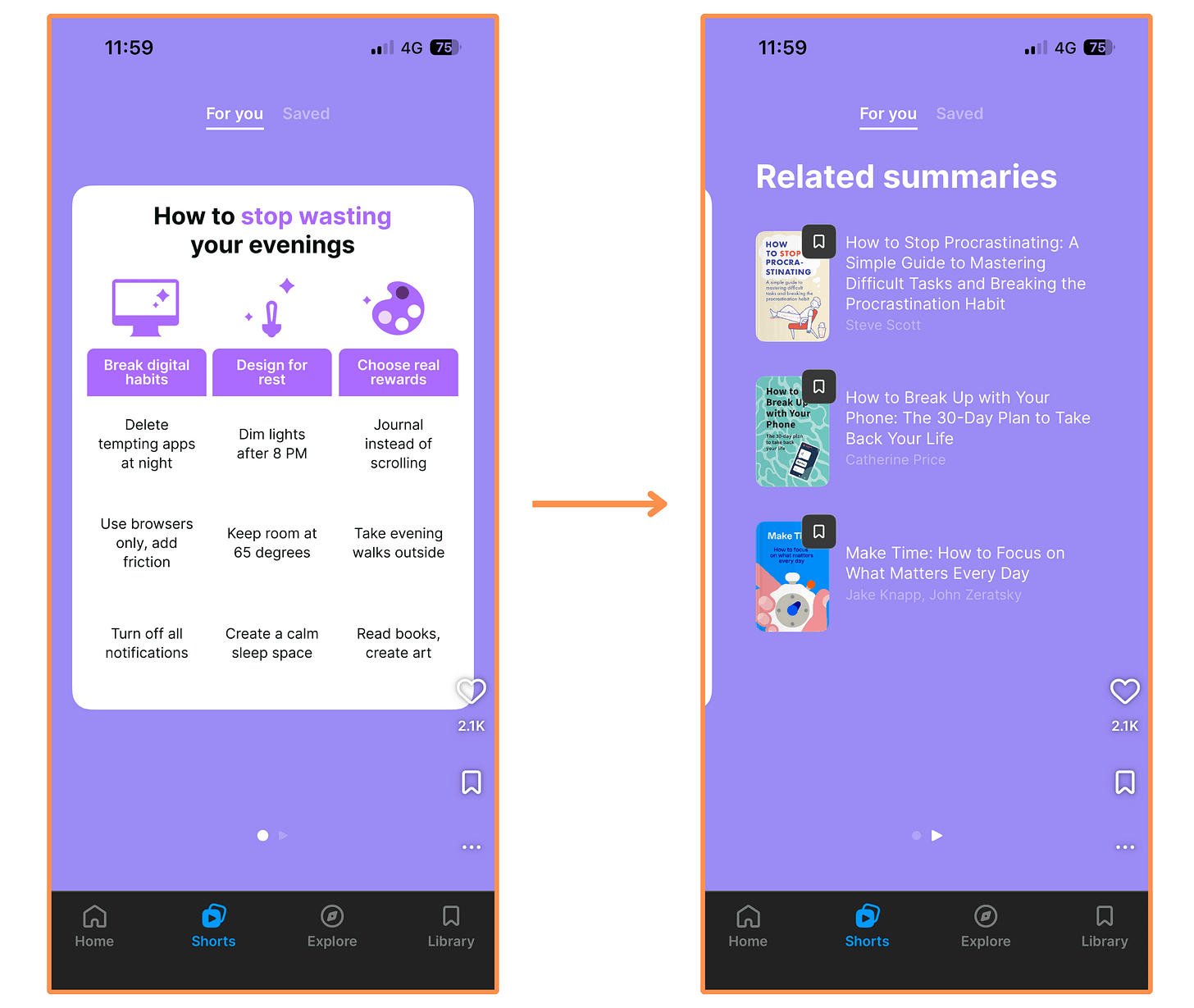
Headway’s infographic short Video Shorts → I noticed three different styles: (1) Visual Explanations, (2) Stories (these have a Pixar vibe), and (3) Podcast style. It’s also cool that they are interactive. Here’s an example for the Visual Explanation style…
(Tip → Expand the video to watch at full size!)
I think the shorts feature is great for when you have some (very short) time to kill, or as a fun way to discover new book summaries (each short links to related summaries at the end).
Beyond the book summaries, it is my favorite feature! And now, instead of swiping IG reels, I swipe these Headway Shorts… aaand IG reels 😂 (but less now!)

I talked to the team at Headway and they agreed to give us a 60% discount by taking the 5-minute quiz and signing up with this link! (If you prefer skipping the quiz, you can go directly to this page and get the same 60% off).
(P.S. If the link isn’t working, it might be your VPN or ad-blocker interfering…)
5.1.3 Headway — User Interface
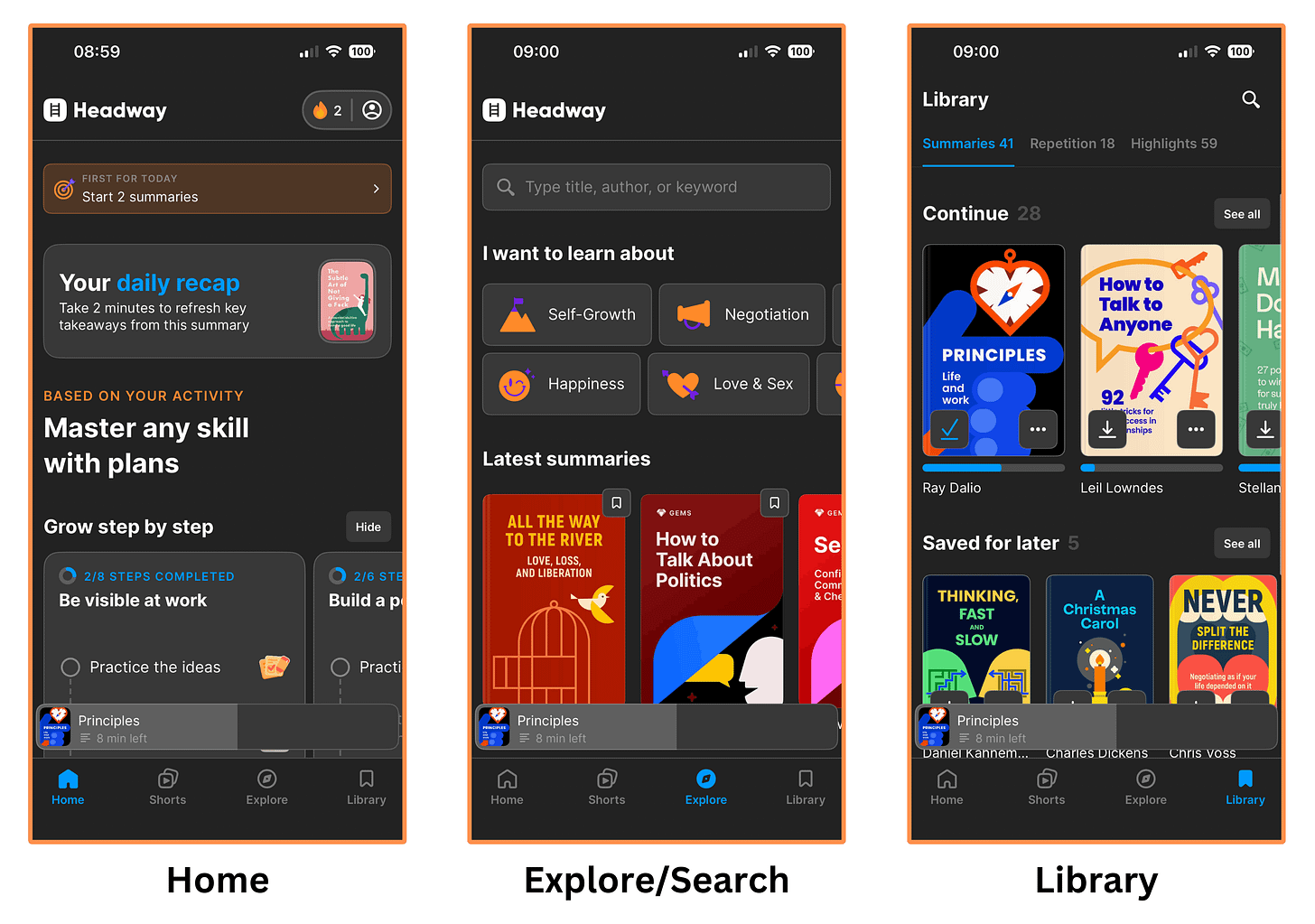
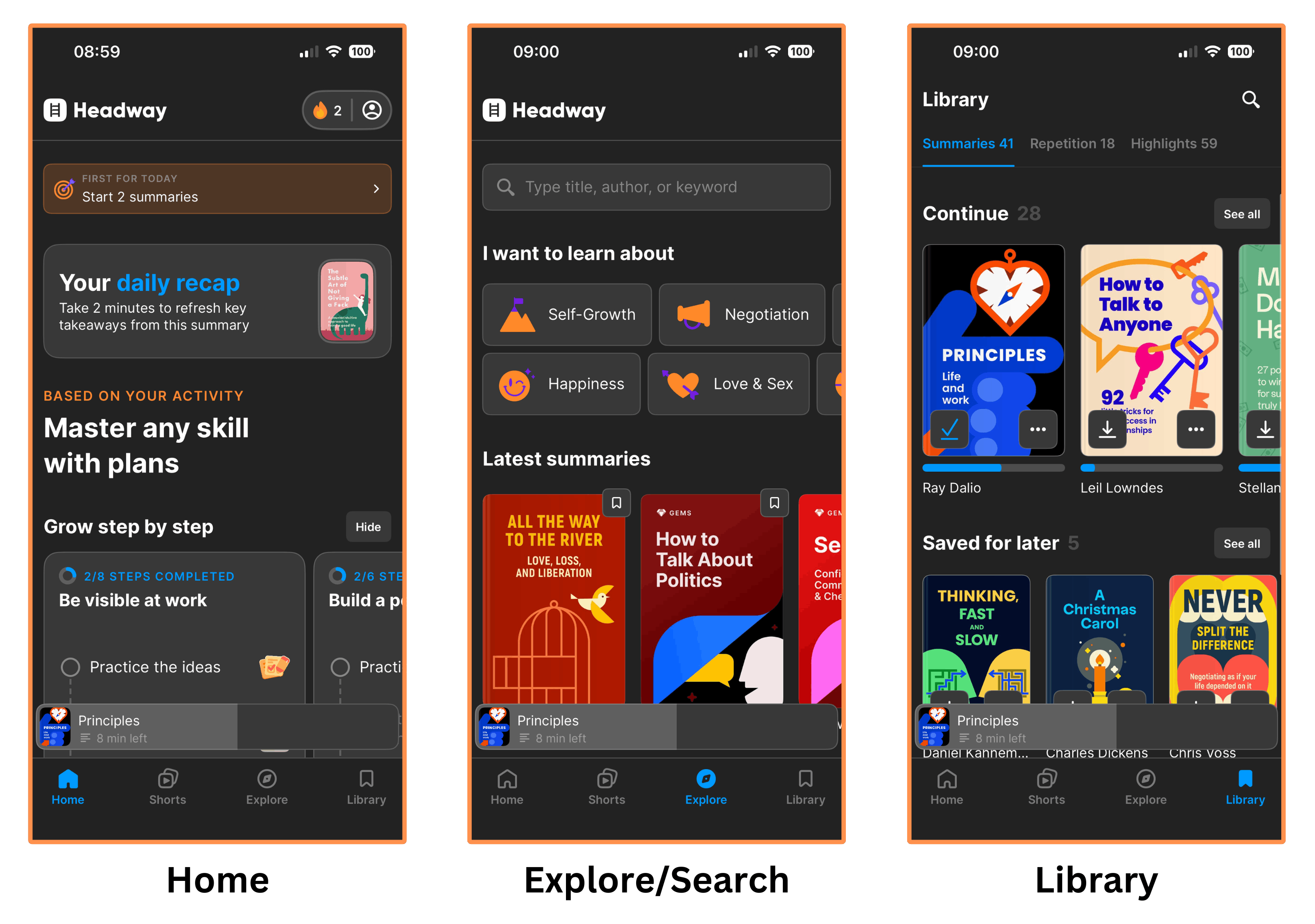
Mobile Interface
The Headway App has a sleek design (especially on dark mode, but honestly… What doesn’t look better on dark mode? 😂 ), and it’s super easy to navigate!
Headway’s mobile interface (dark mode) Desktop Interface
The design is nice, but it’s not as feature-rich as the mobile app. You can’t download summaries or highlight text, and you won’t find features like Growth Plans or Shorts (they’re mobile-only). But maybe my biggest disappointment: there’s no dark mode 💔

Headway’s Desktop Interface

5.1.4 Headway — Price
Similar to Blinkist, you have to fill out a questionnaire and enter your email before you can see the pricing.
Headway has three subscription plans:
Monthly Subscription for $38.86 (or €32.84) per month.
Quarterly Subscription for $70.97 (or €59.97) per quarter — equivalent to $23.66 (or €19.99) per month.
Yearly Subscription for $153.57 (or €129.77) per year — equivalent to $12.80 (or €10.81) per month.
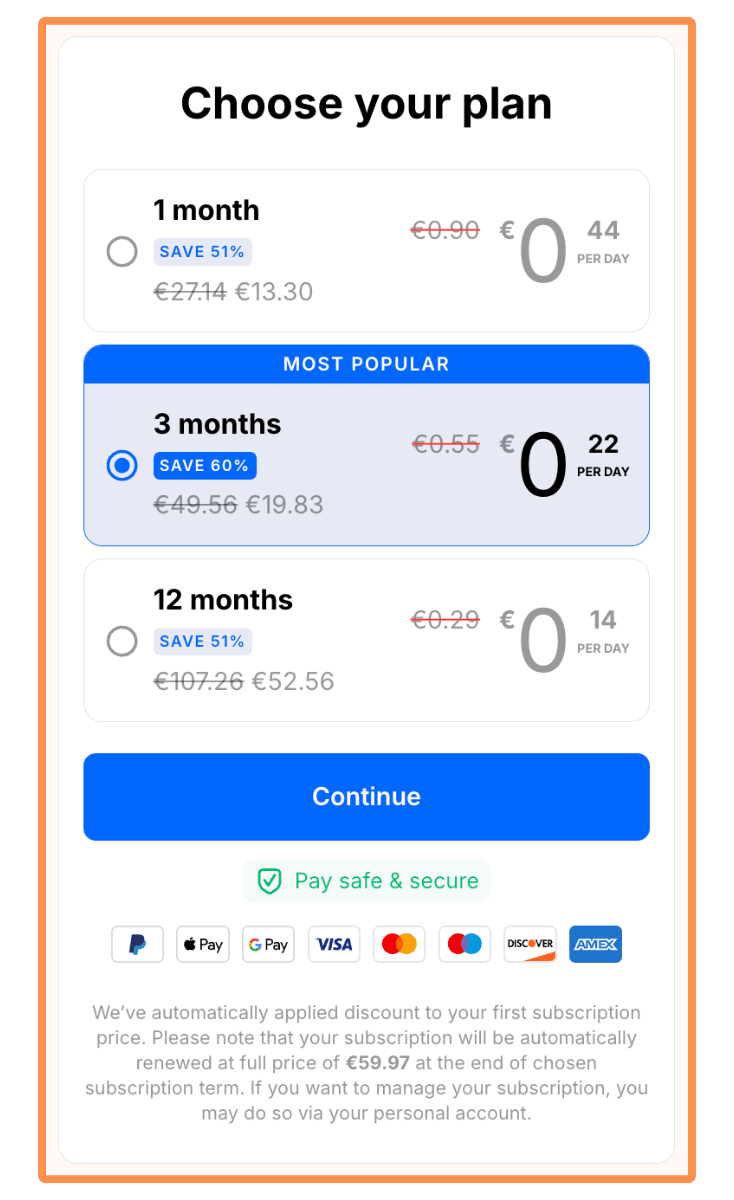
None of the subscription plans offer a free trial. But you get a 60% discount for being a Little Almanack reader! (If you prefer skipping the quiz, you can go directly to this page and get the same 60% off).
P.S. If the link isn’t working, it might be your VPN or ad-blocker interfering…
5.2 Shortform
As I mentioned at the beginning of this blog post, I’ve been a paid subscriber of Shortform since 2022 because I find their summaries to be extremely high-quality and in-depth.
I talked to the team at Shortform and they agreed to give us a 20% discount on the Annual Subscription by signing up with this link! (You also get a 5-day free trial).
5.2.1 Shortform — Book Summaries
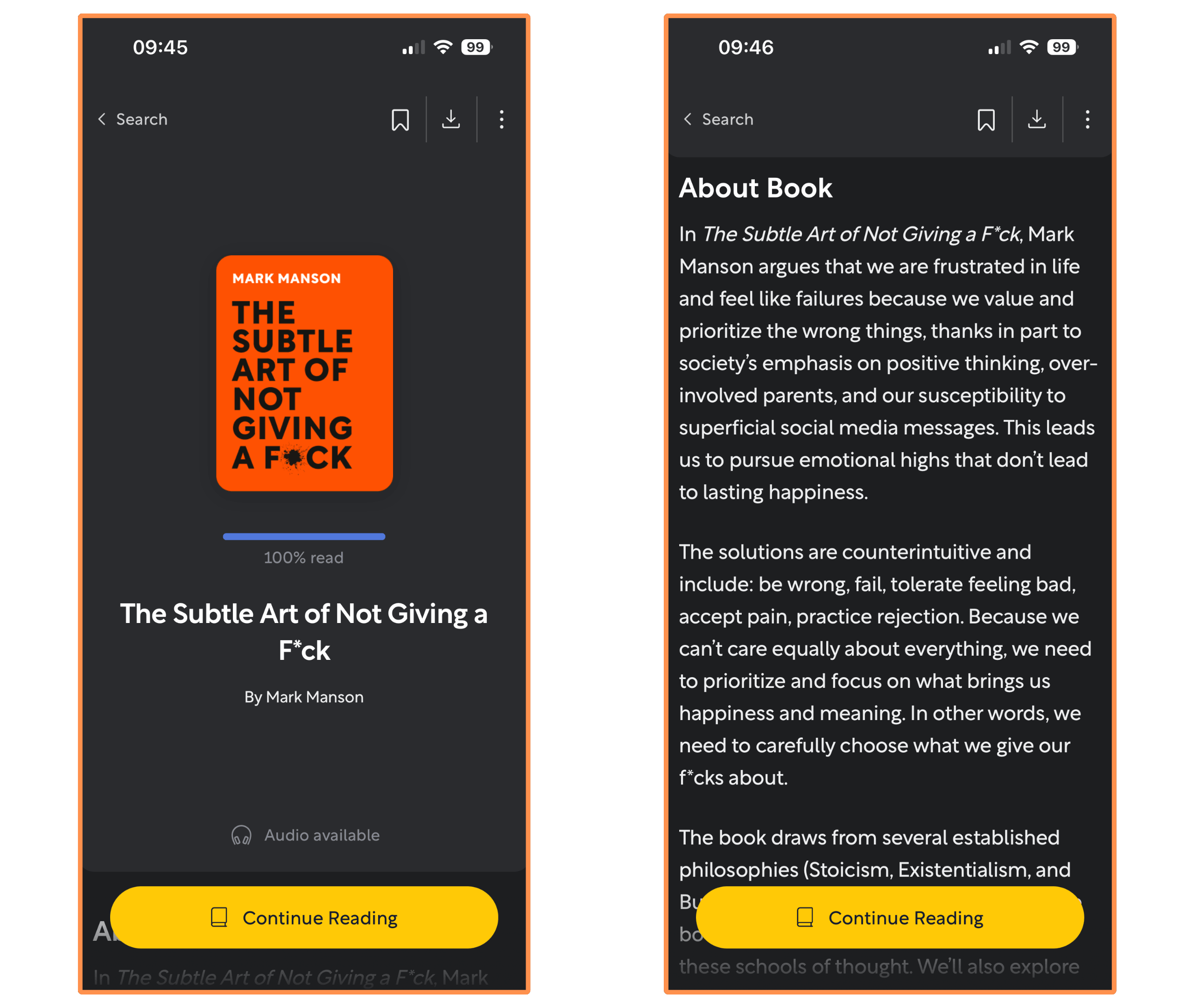
To illustrate my research, we’re (yet again) jumping back to the book The Subtle Art of Not Giving a F*ck.
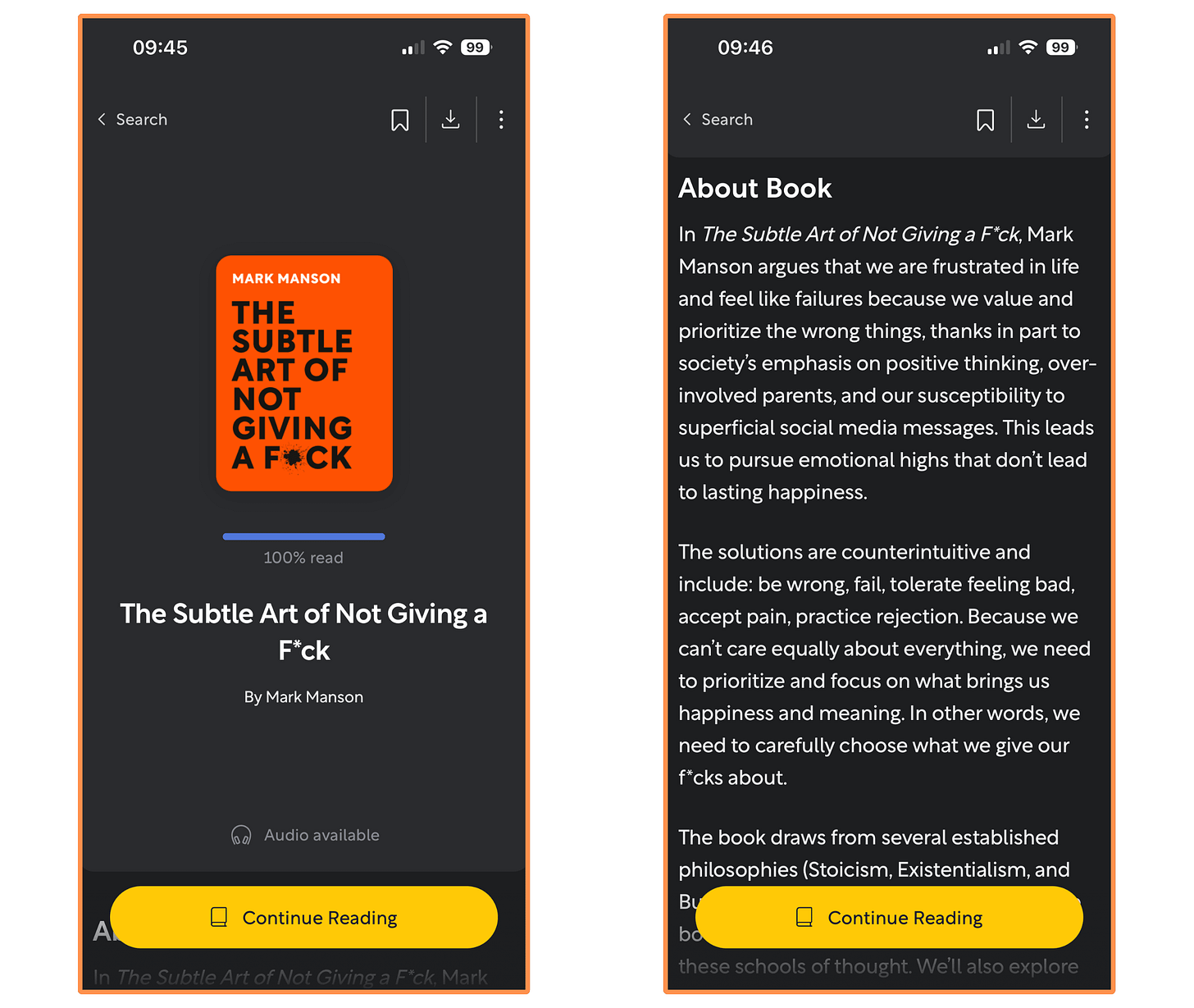
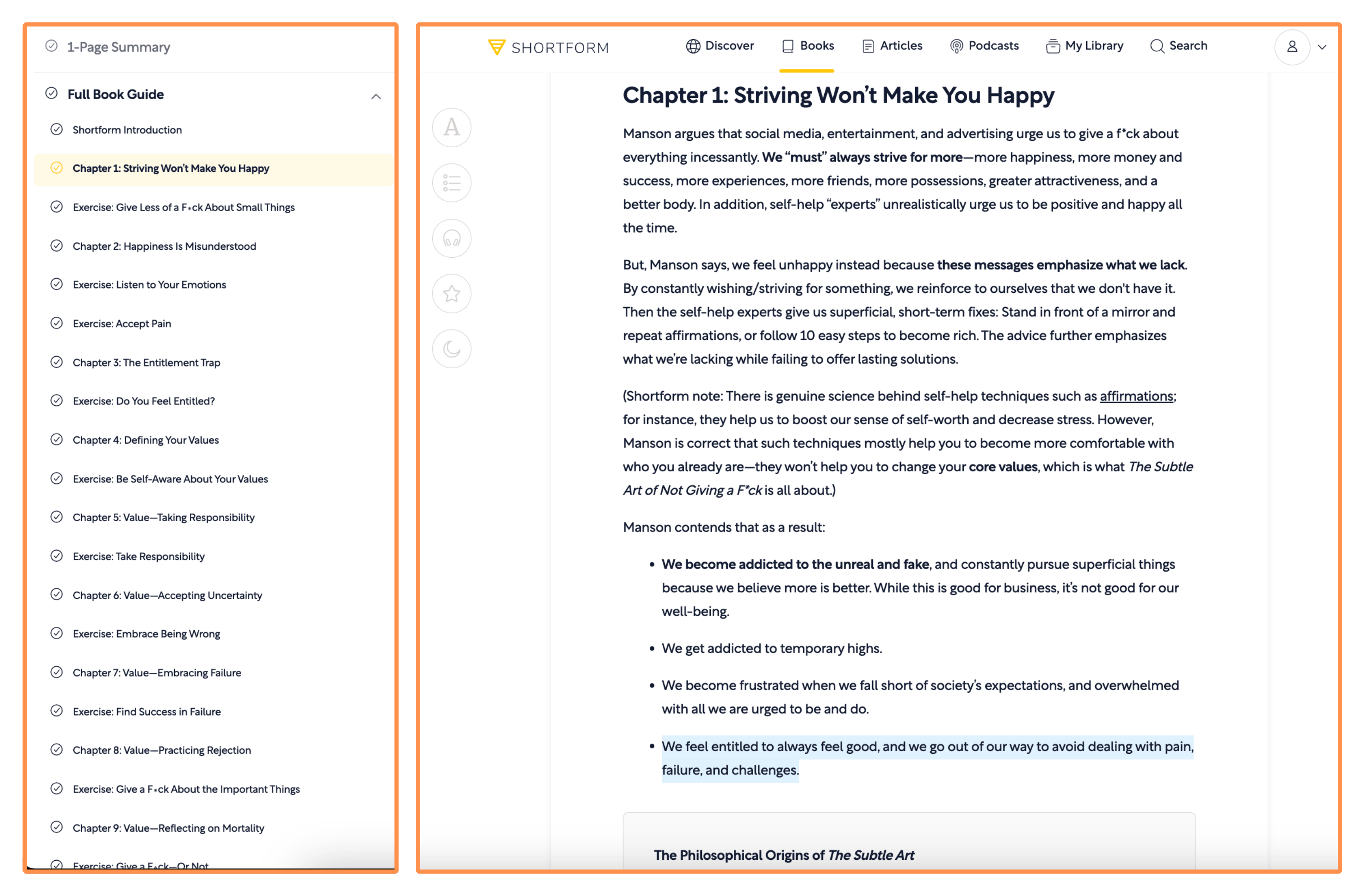
Shortform’s cover of the book The Subtle Art of Not Giving a F*ck If I had to point at only one thing that makes Shortform truly special, it would be the depth of their summaries — they’re by far the most in-depth summaries you can find! They even have a chapter-by-chapter breakdown (for classics and bestsellers) — where they summarize each chapter of the book. So I think Shortform’s content feels more like study guides than traditional book summaries — which is fantastic to grasp a deeper understanding of the ideas in the books! And if you want to read something quick, they also have a “1-Page Summary” version.
They add clarifications, counterpoints, or just helpful notes to the summary. I think this is a great addition because it expands our perspective, and also corrects for potential biases of the book authors. It’s aligned with one of my all-time favorite quotes: “One should not read like a dog obeying its master, but like an eagle hunting its prey.” - Dee Hock (founder of Visa)
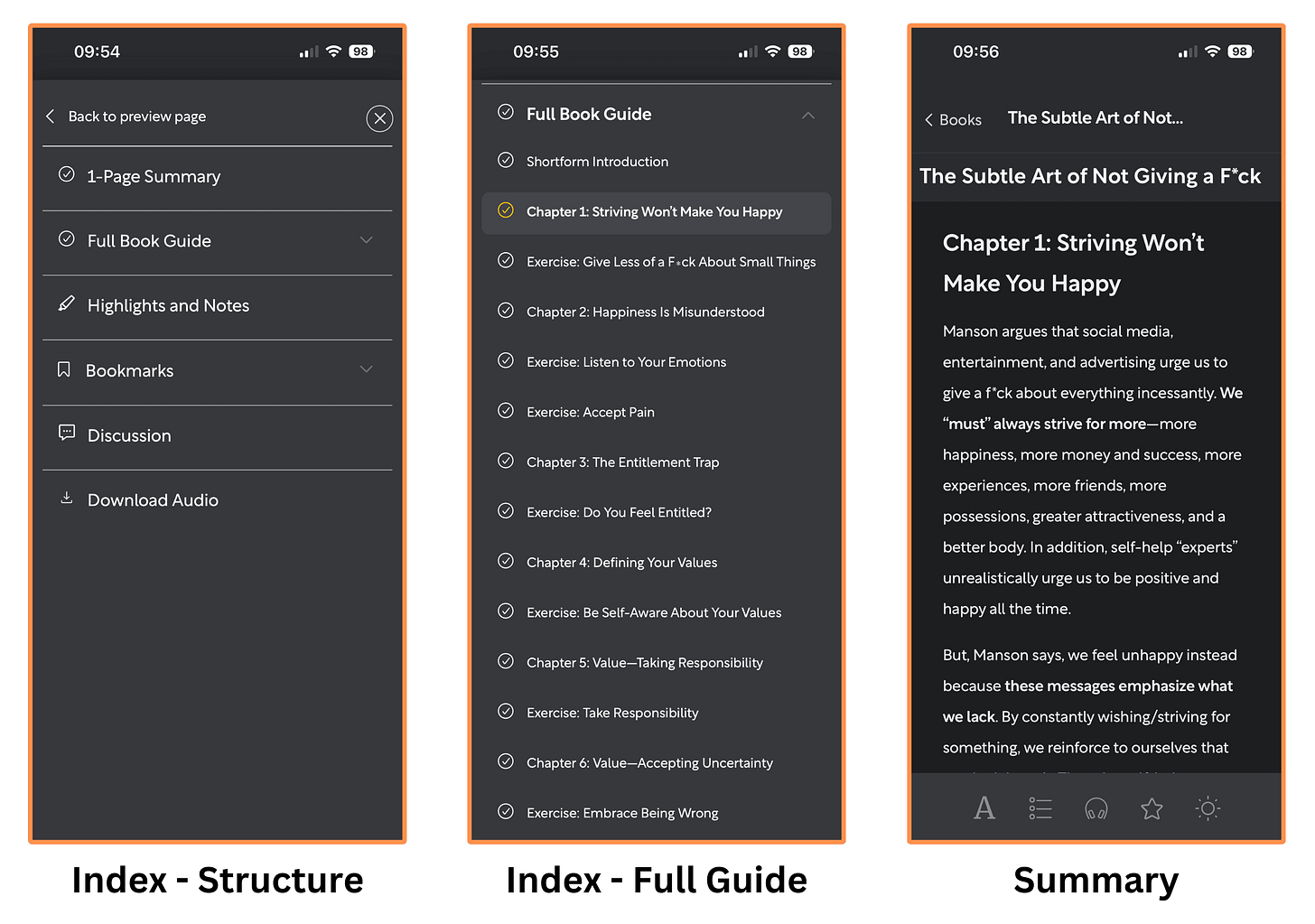
This is how it looks on desktop…
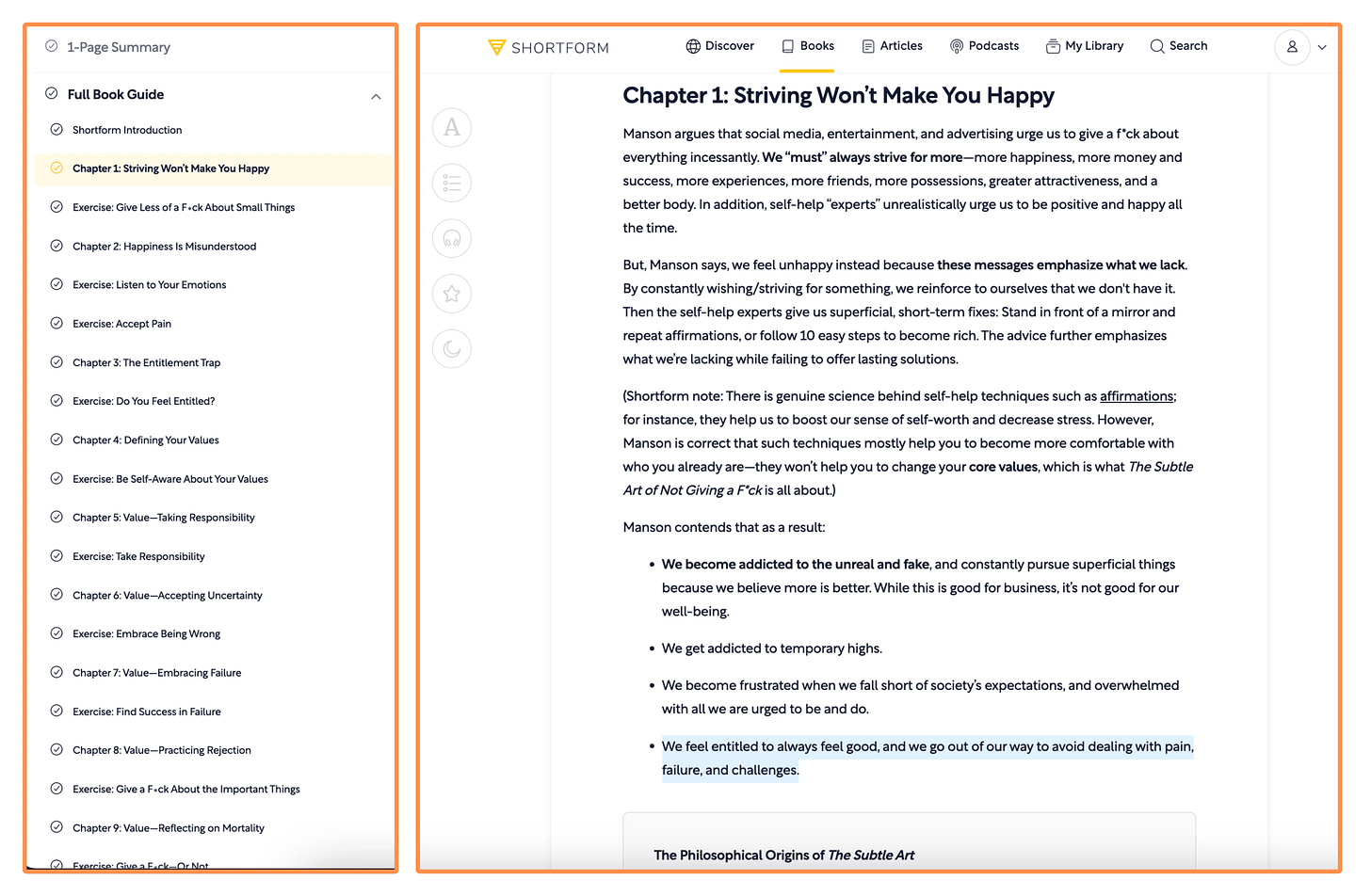
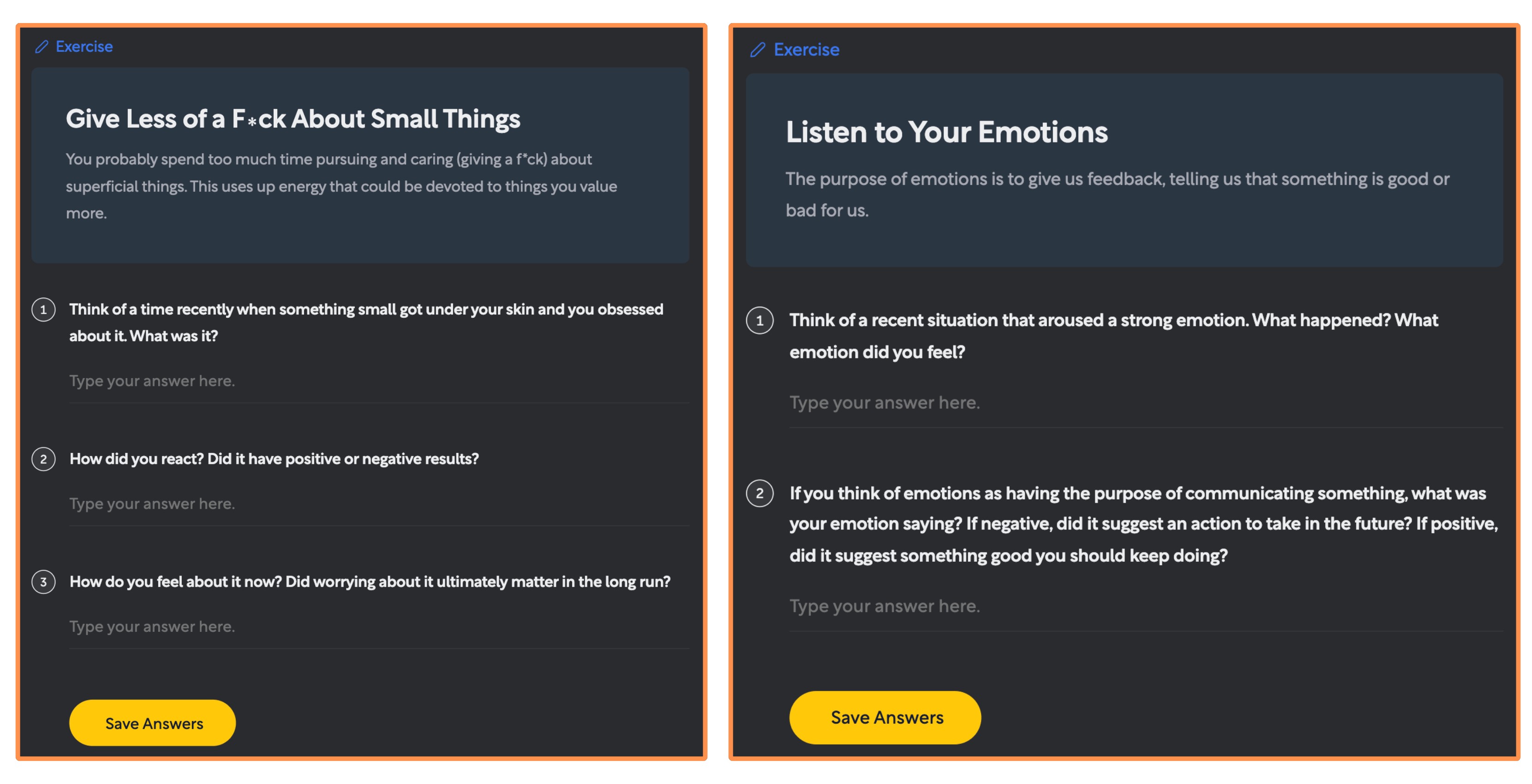
Shortform’s summary of the book The Subtle Art of Not Giving a F*ck (desktop view + light mode) They have interactive exercises across the summary (very helpful to reflect on how to apply the ideas into your own life context).
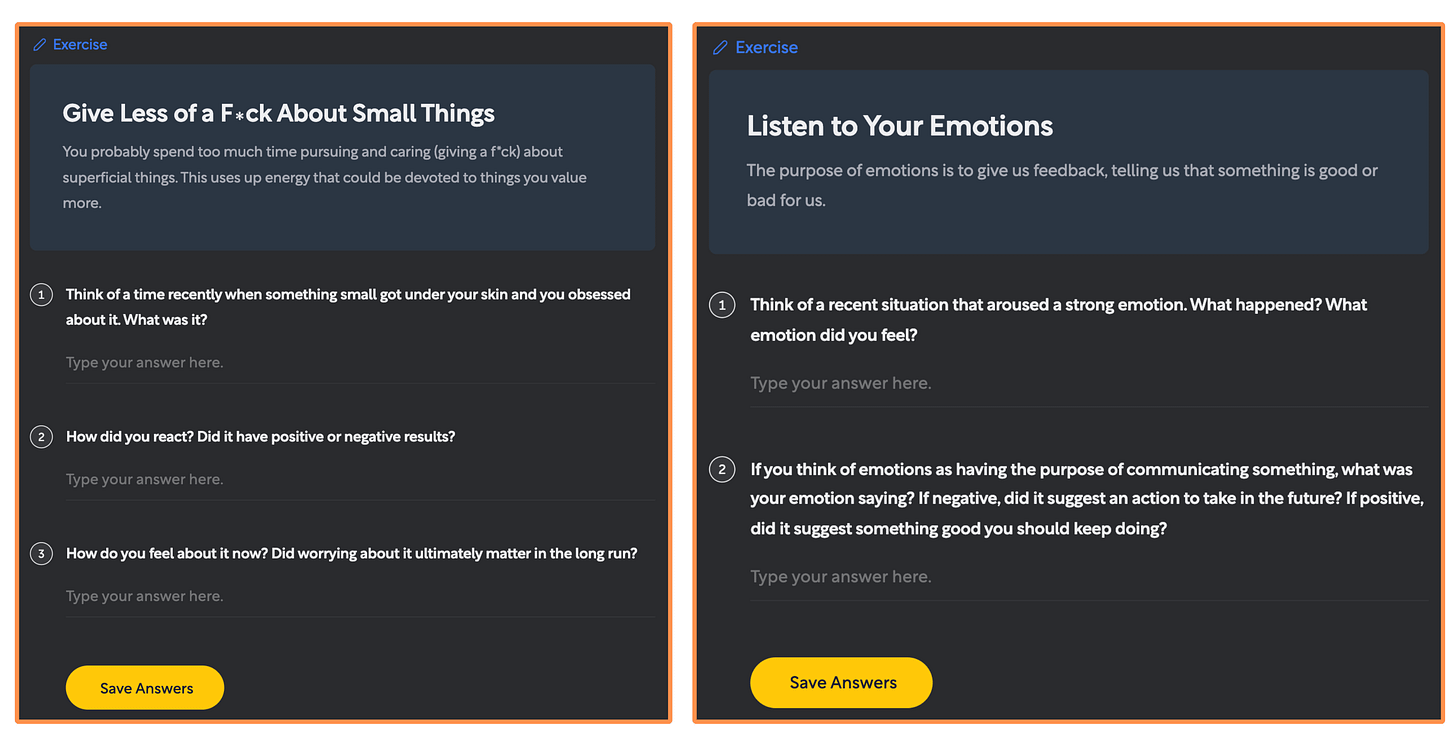
Shortform’s Exercises for the book The Subtle Art of Not Giving a F*ck (desktop view + dark mode) They let you download any summary as a PDF (so you can read without internet and keep your favorite summaries always with you!).
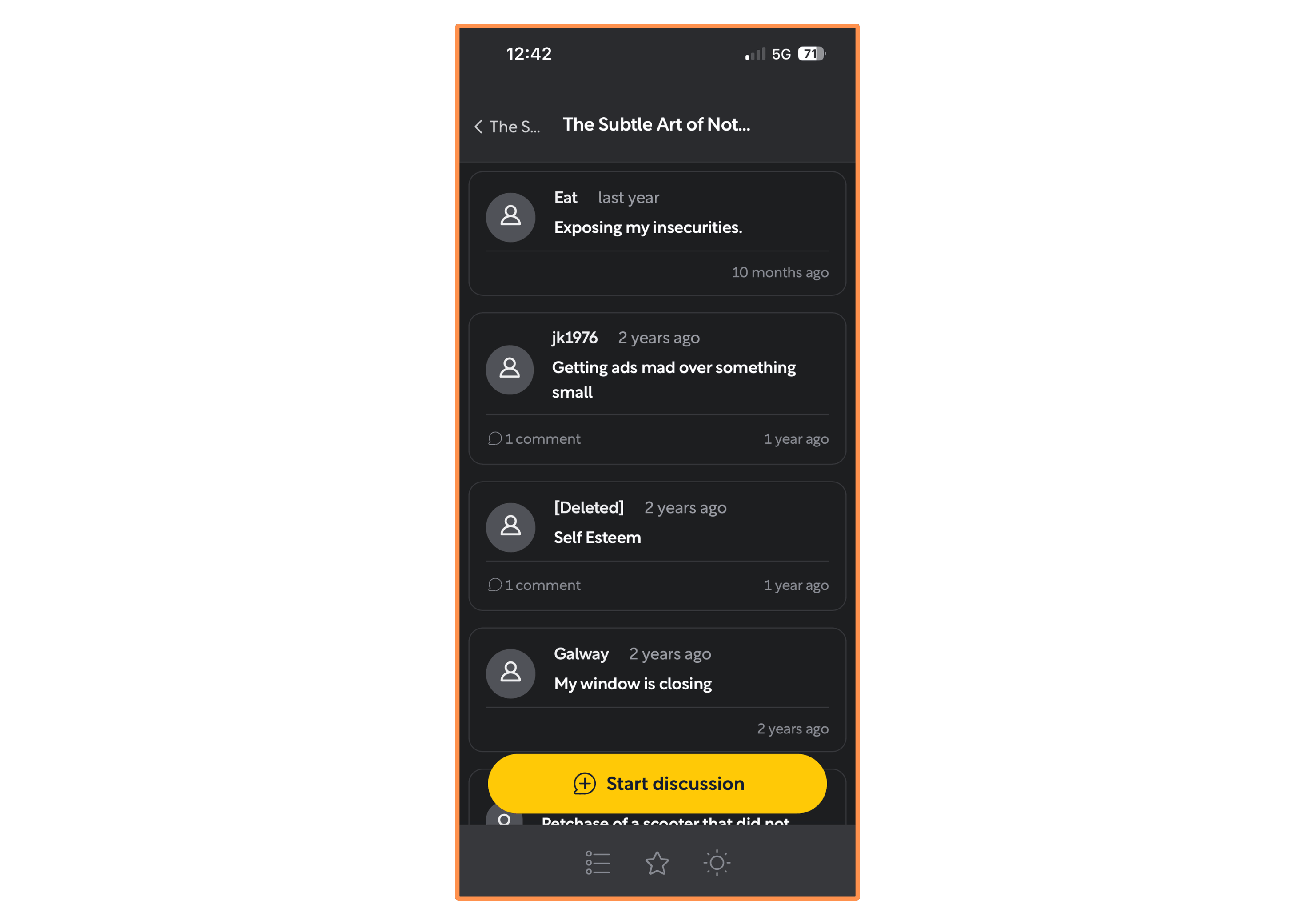
You can start discussions and connect with other users…
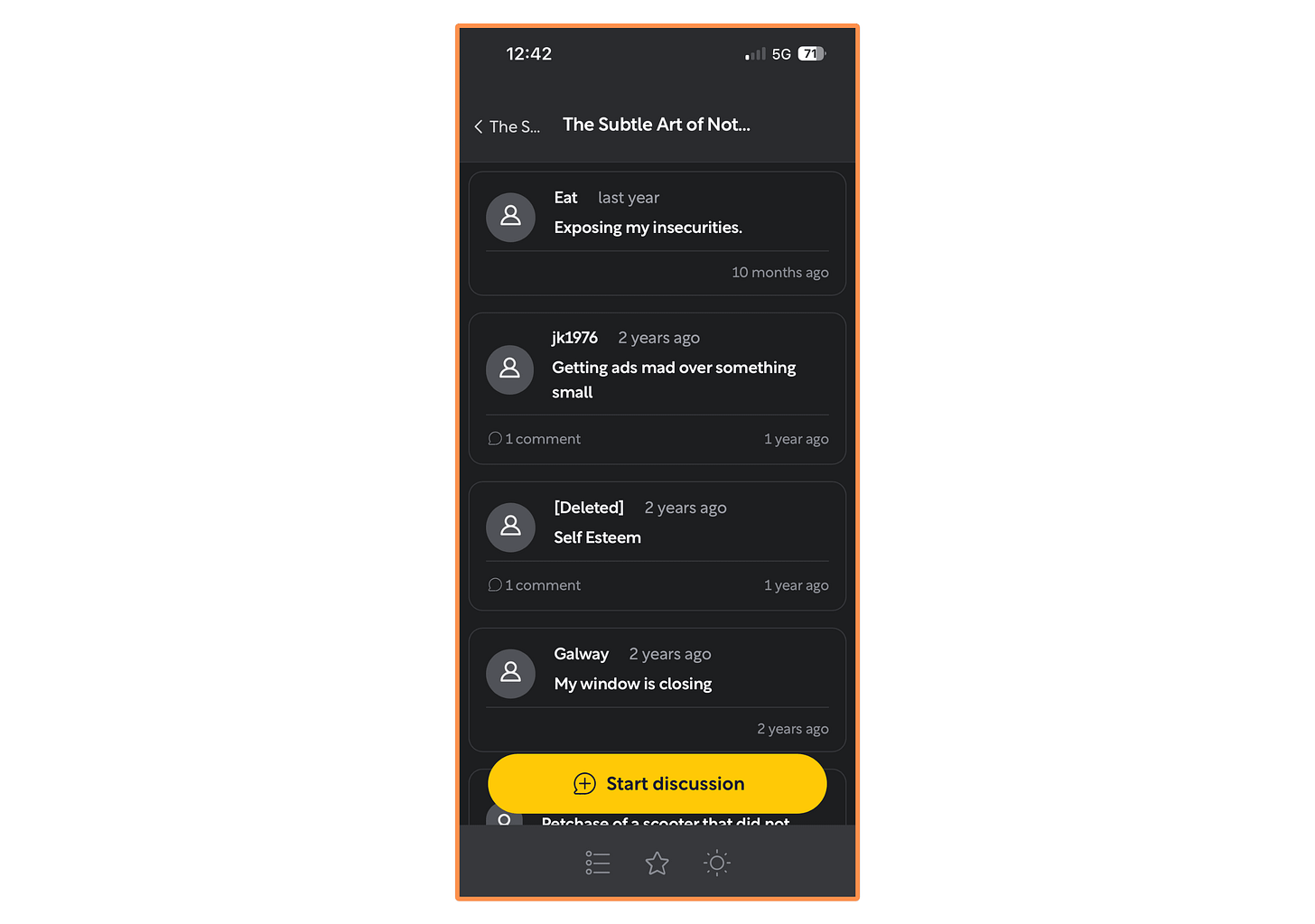
Shortform - Discussion Community You can easily switch between dark mode and light mode, and also adjust the text format of any summary.
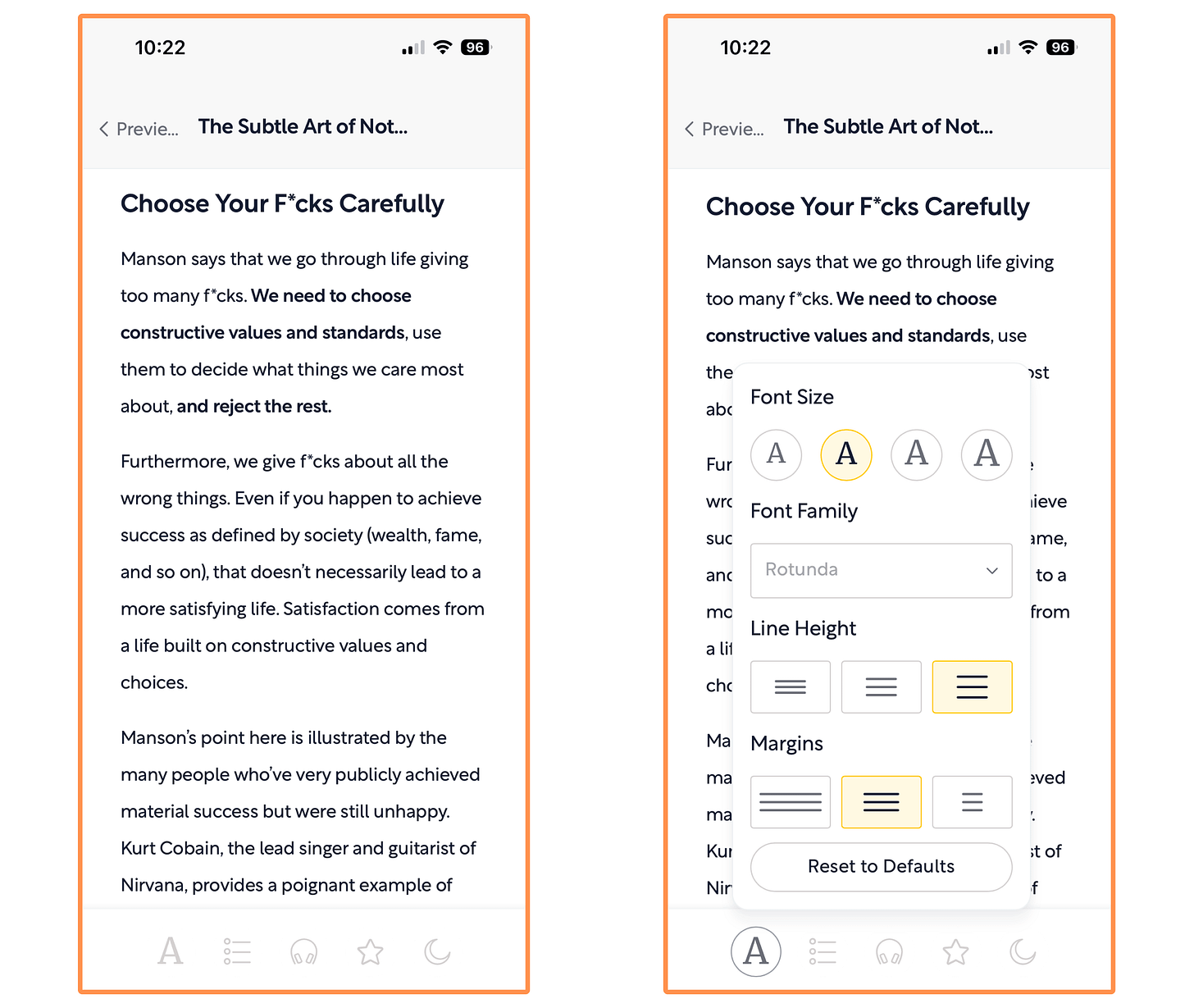
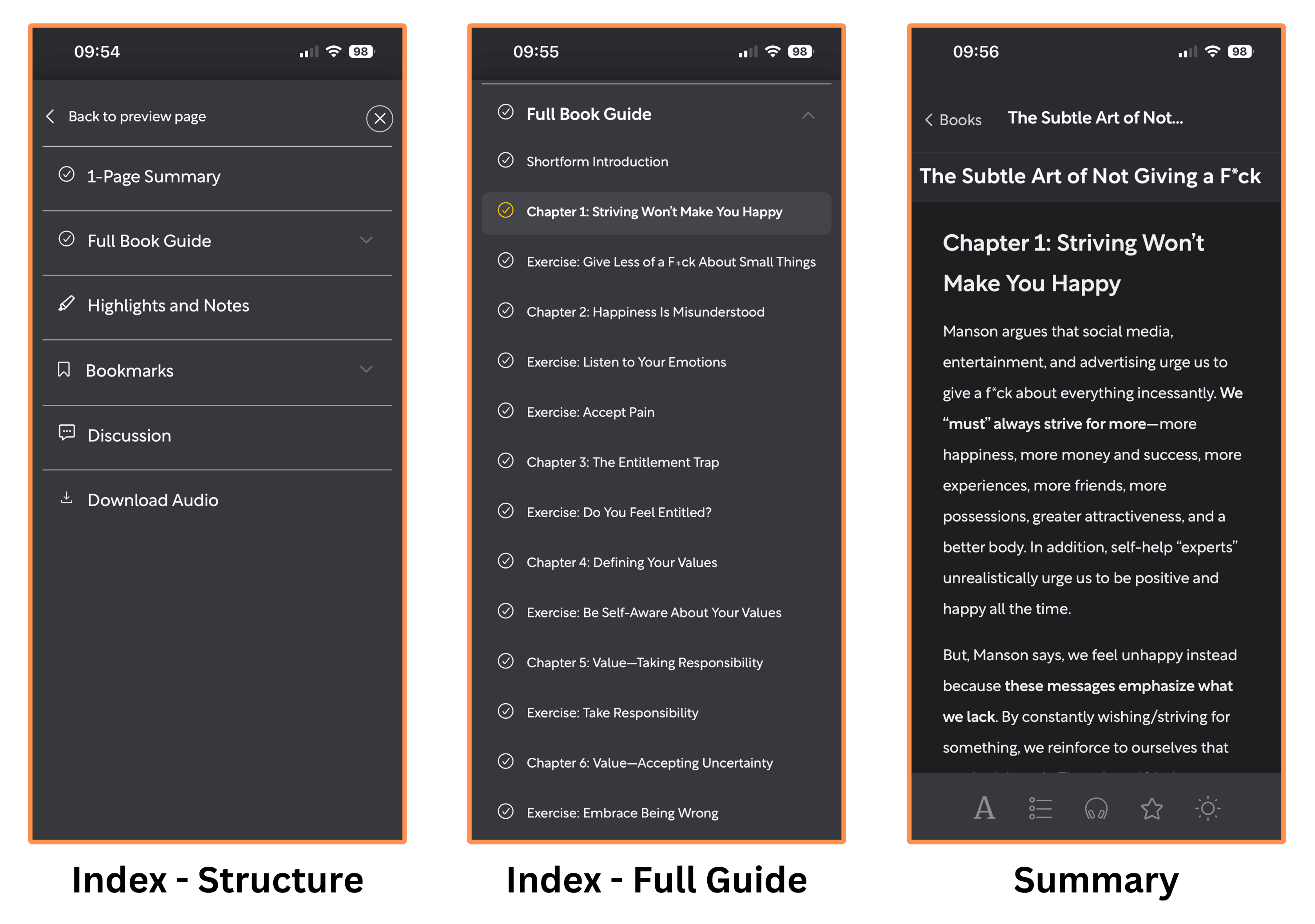
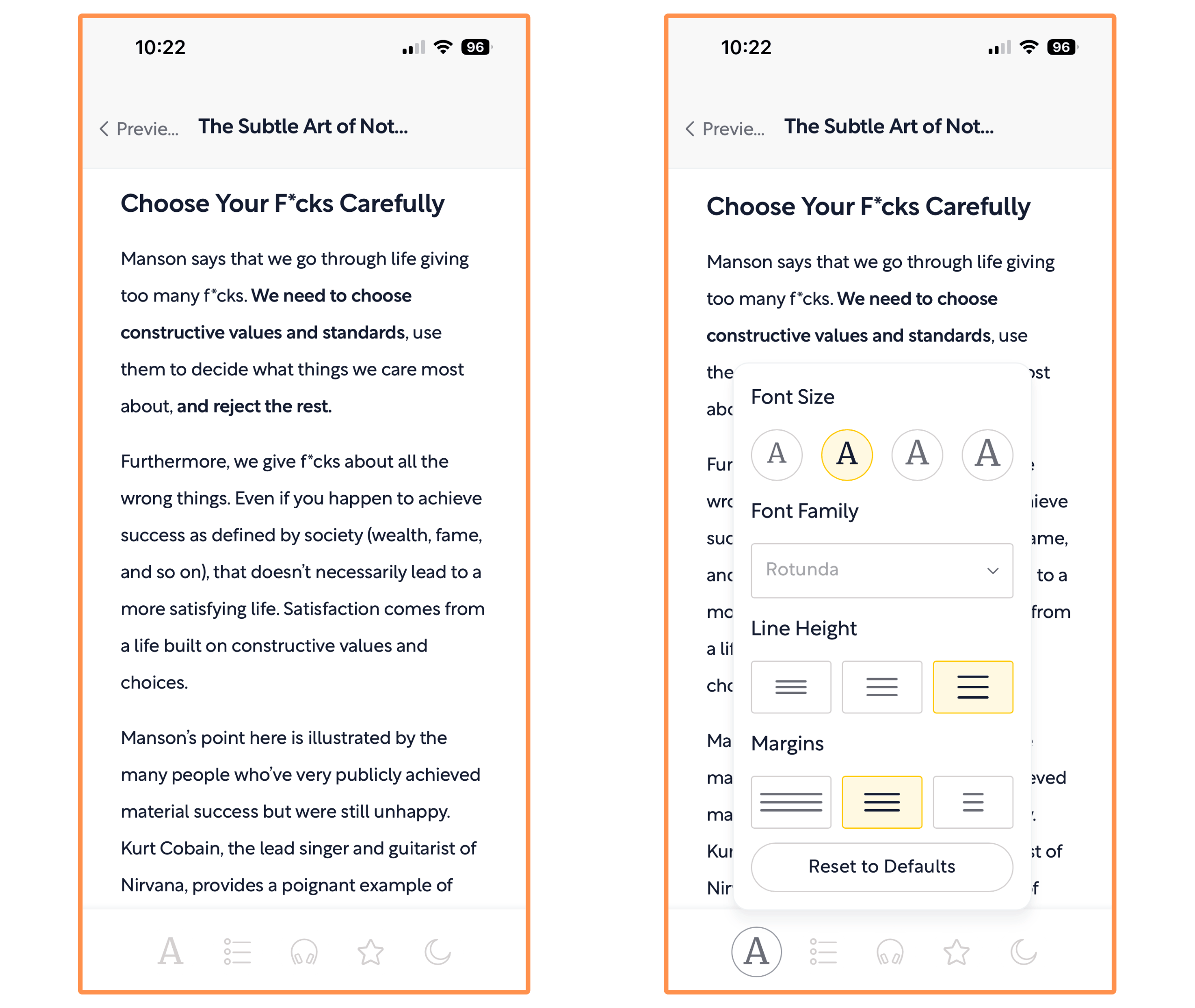
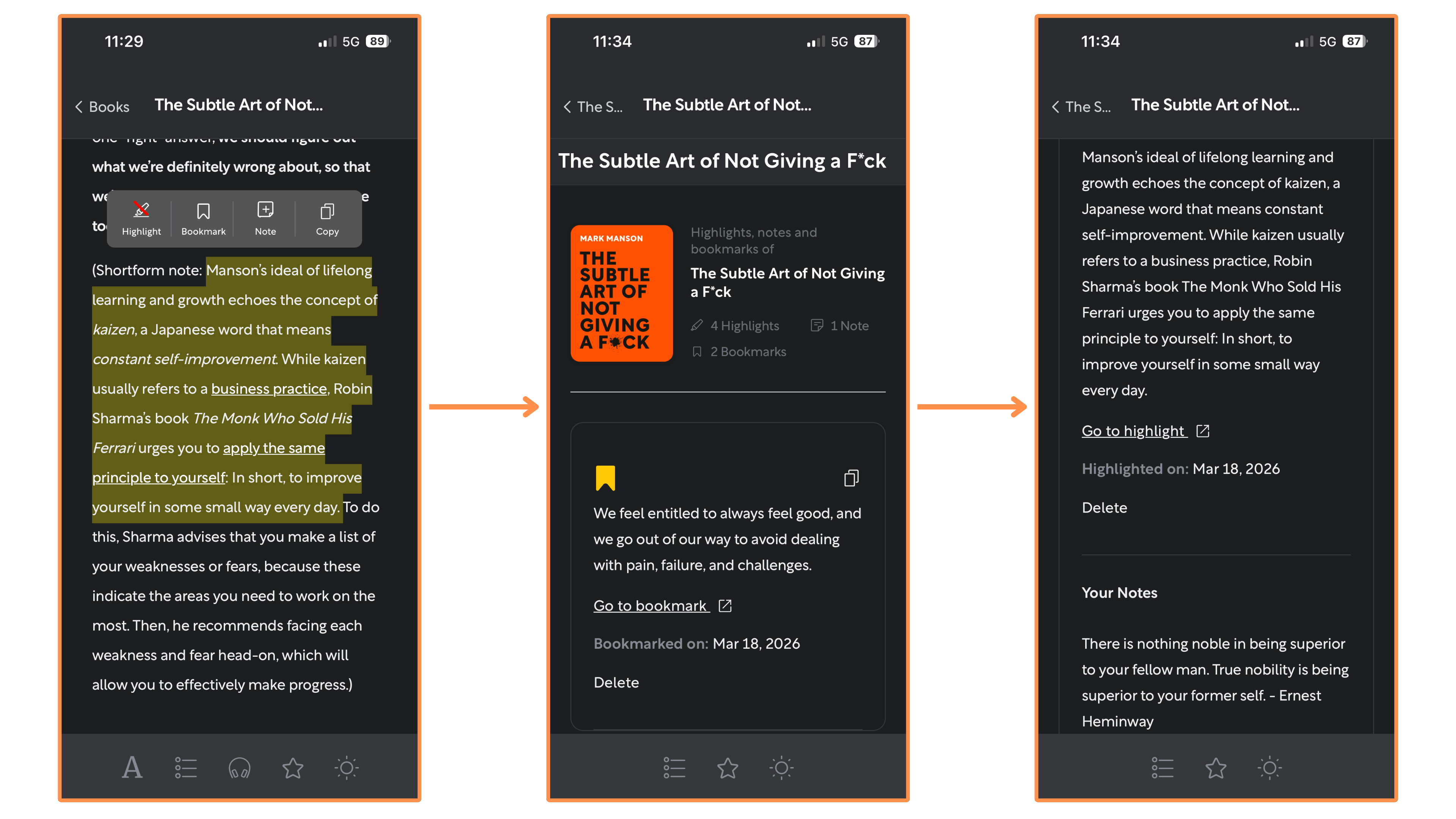
You can make highlights and write notes on your highlights. And you can also make bookmarks — so you always know where you left off in your reading.
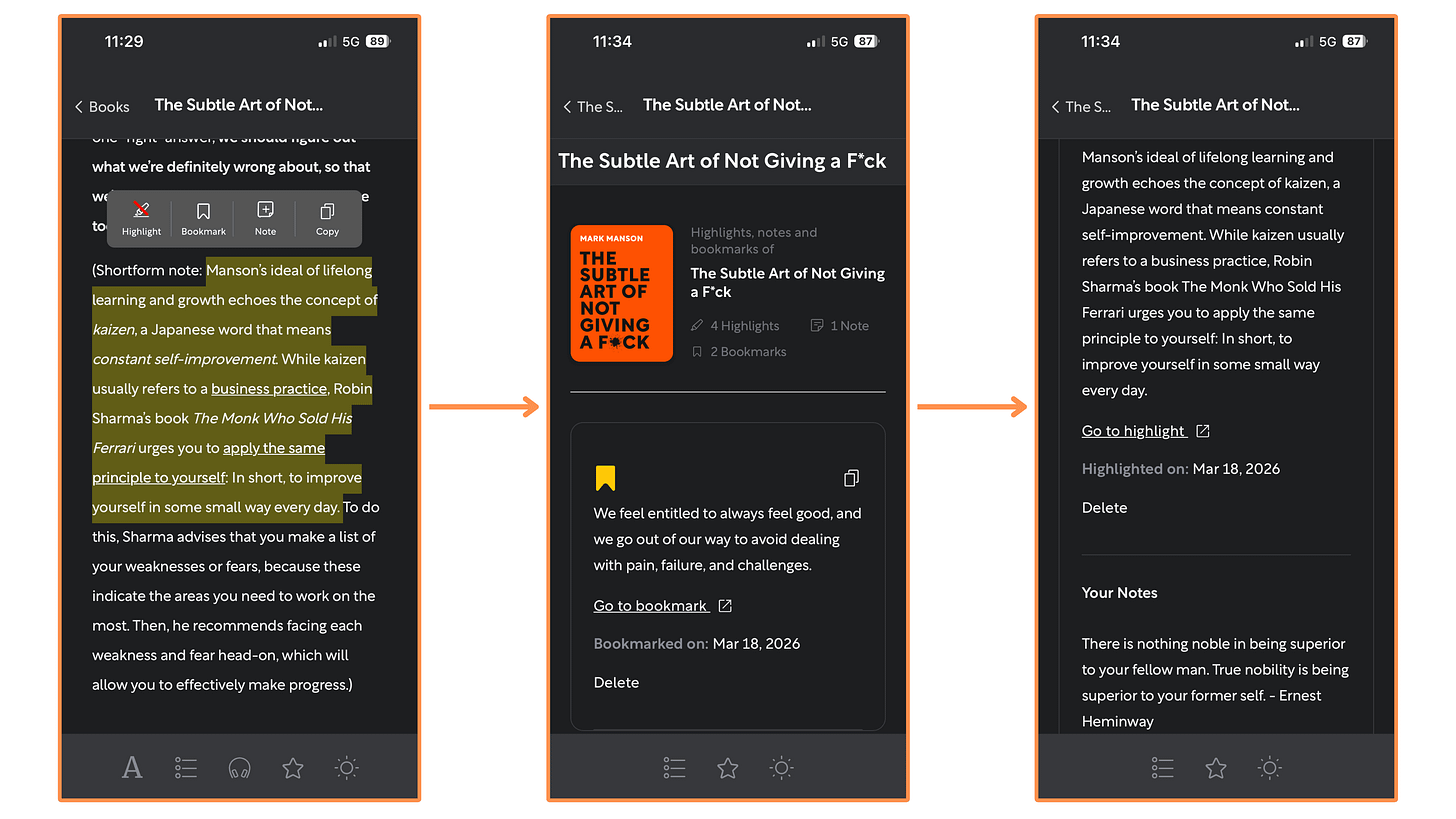
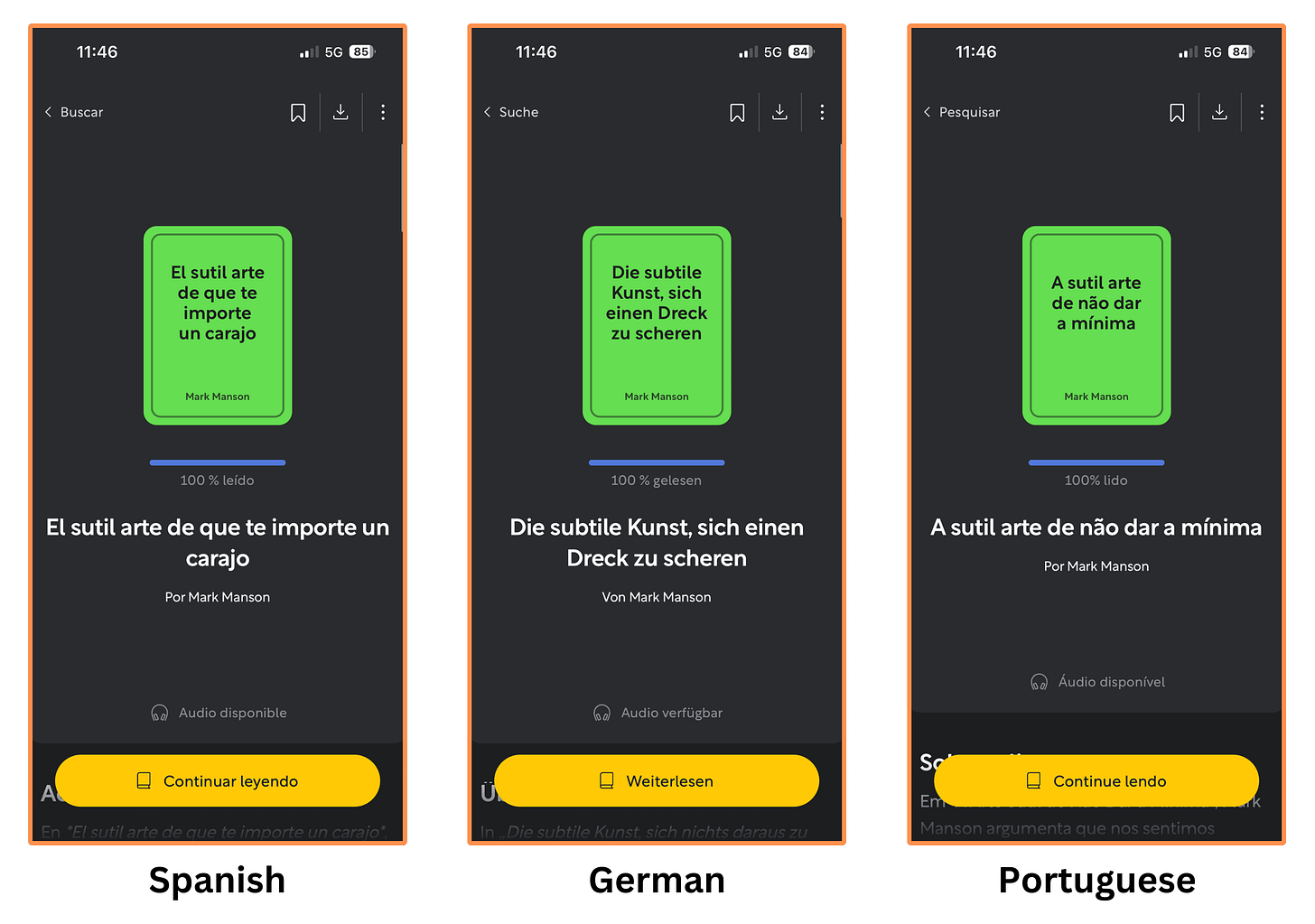
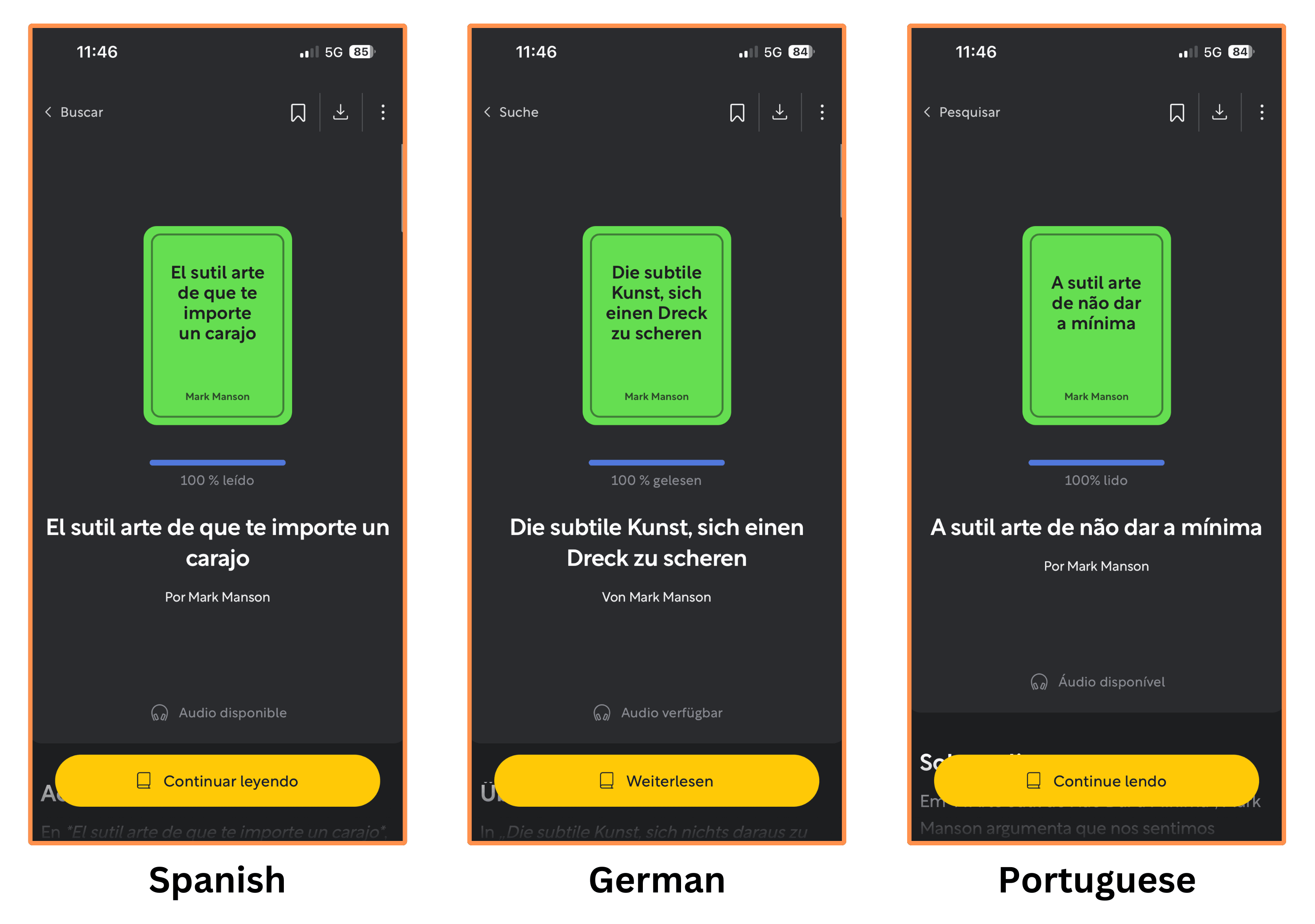
Highlights - Notes - Bookmarks Shortform’s summaries are also available in Spanish, German, and Portuguese…
Shortform also offers audio versions for all their book summaries. Here’s a sample from their book summary of The Subtle Art of Not Giving a F*ck. (recorded at 1x speed):
(By the way, you can listen to Shortform’s summaries even when the screen is off!)
Personally, I liked the audio quality!
I talked to the team at Shortform and they agreed to give us a 20% discount on the Annual Subscription by signing up with this link! (You also get a 5-day free trial).
5.2.2 Shortform — Beyond Book Summaries
Shortform offers a wide variety of services beyond their book summaries. Let’s explore each of them:
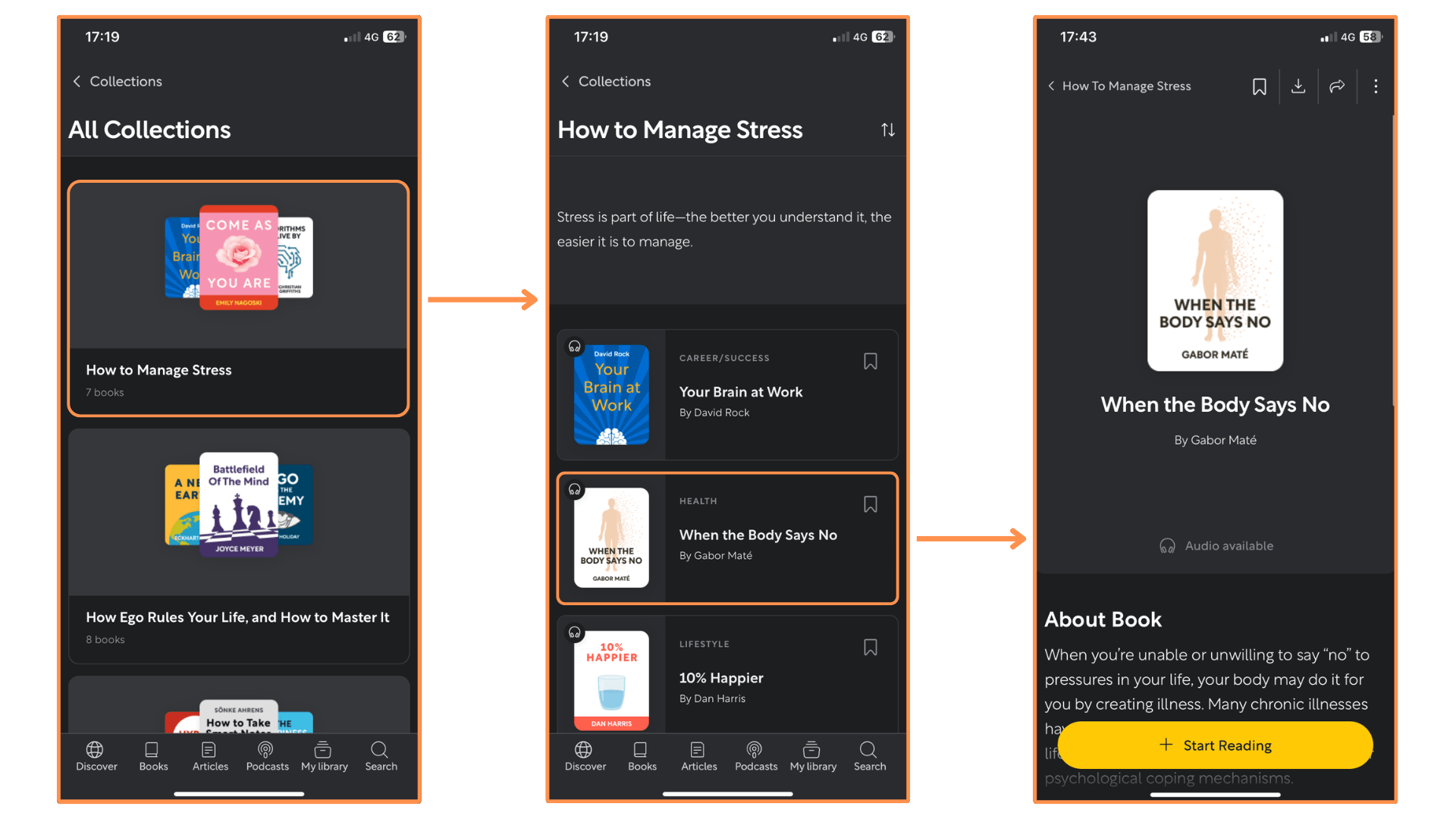
Collections → Similar to Blinkist and Headway, Shortform offers Collections — curated lists of book summaries to make you more knowledgeable on a specific topic.

Shortform’s Collections (mobile app + dark mode) 
Shortform’s Collections (desktop view + light mode)

Master Guides → A Master Guide is a compilation of ideas from different books to give you a comprehensive guide on a specific topic for a deeper understanding.

Shortform’s Master Guides (mobile app + dark mode) 
Shortform’s Master Guides (desktop view + light mode)


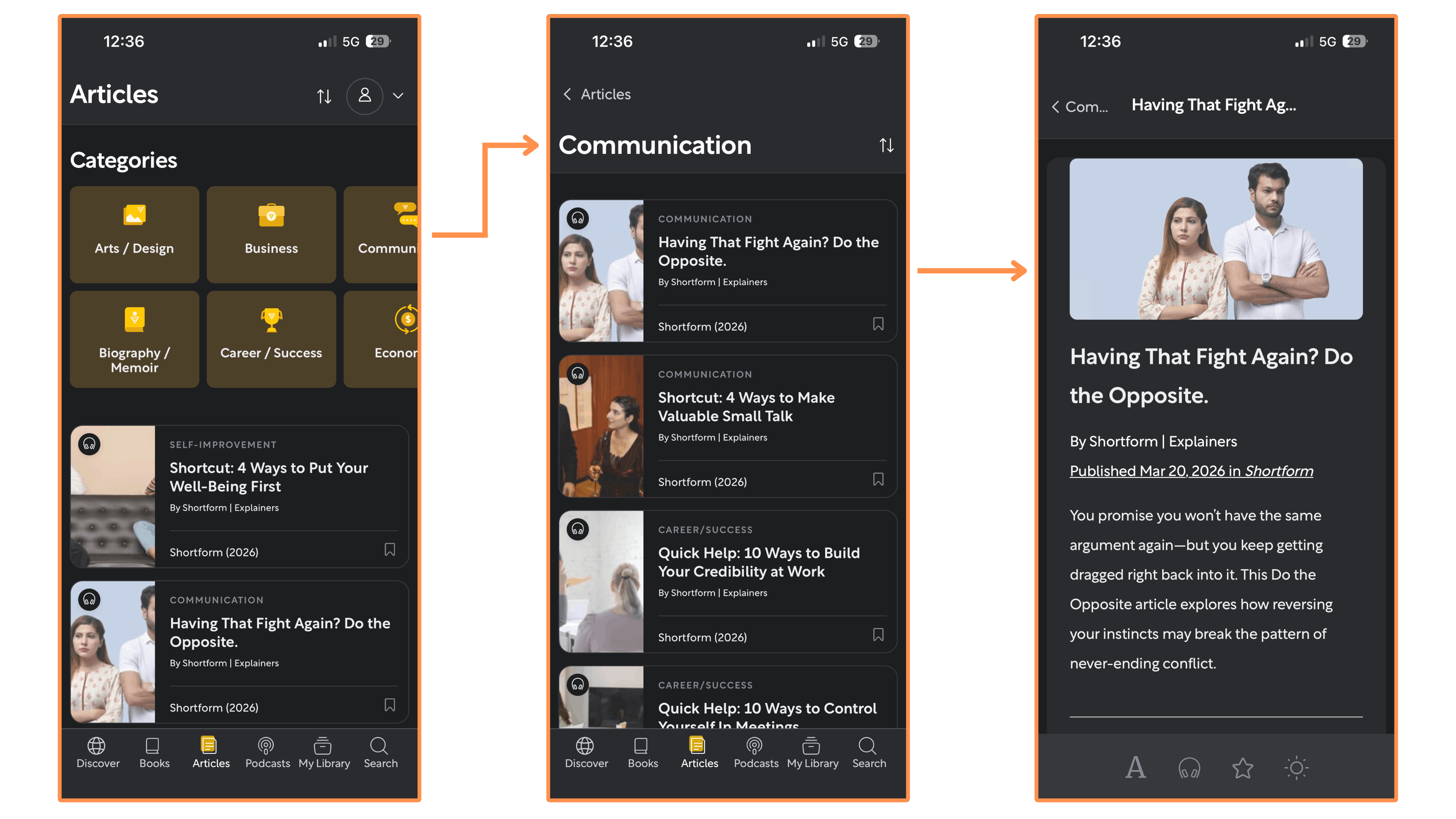
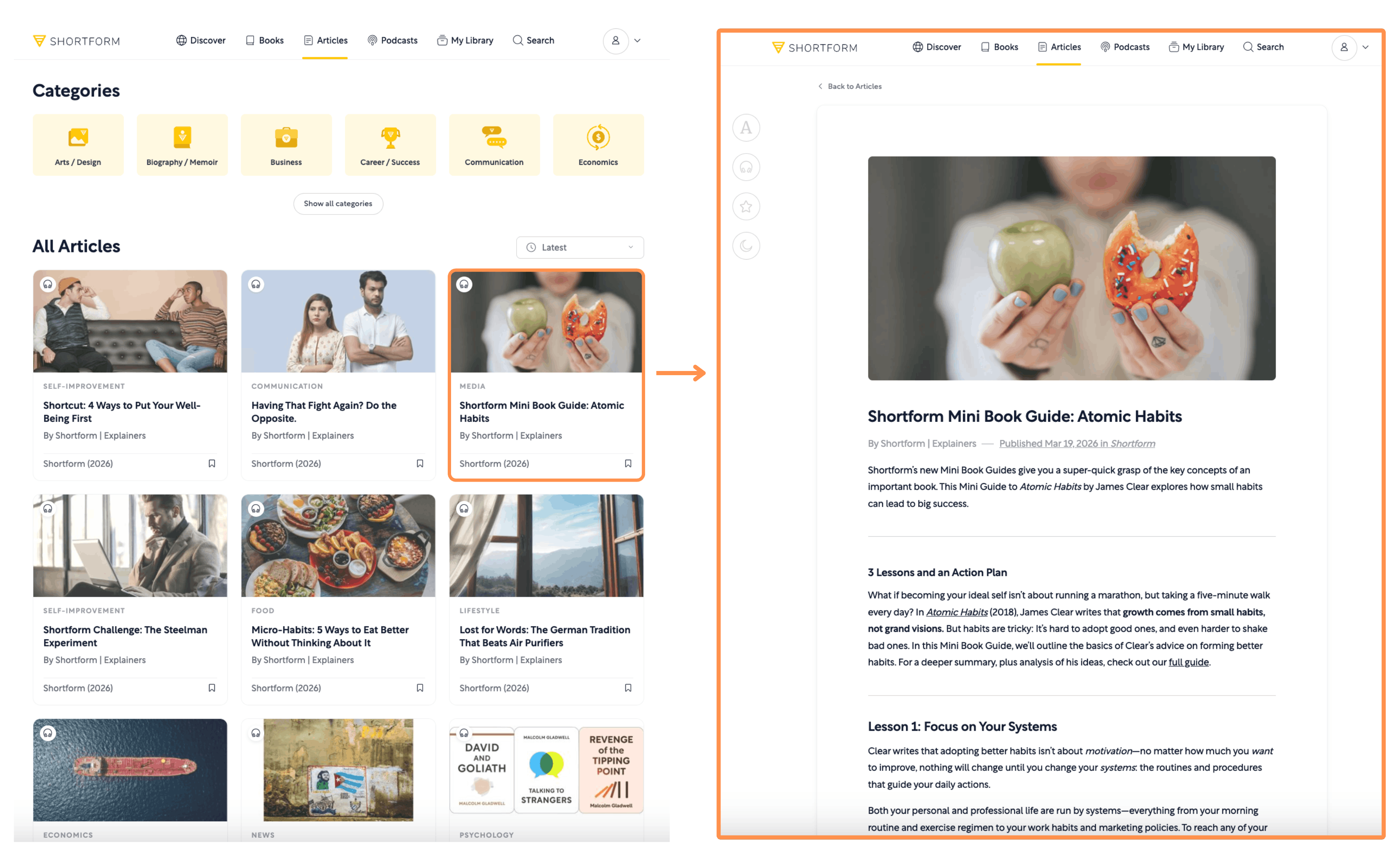
Articles → Shortform creates Articles on the latest news and trends. I really like these because each article is based off many sources (like a research paper), which makes it way less biased than an article from any news outlet.
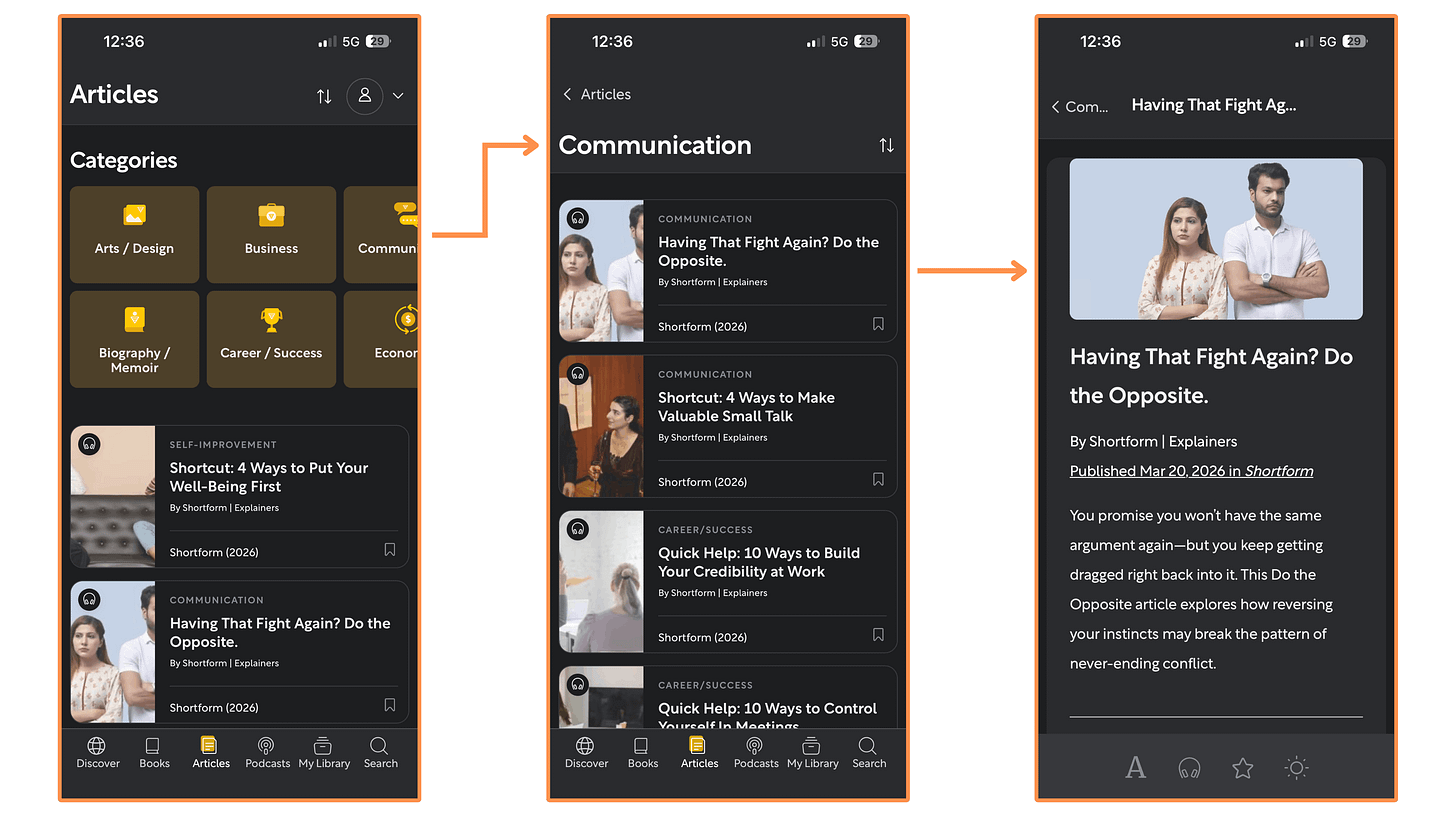
Shortform’s Articles (mobile app + dark mode) 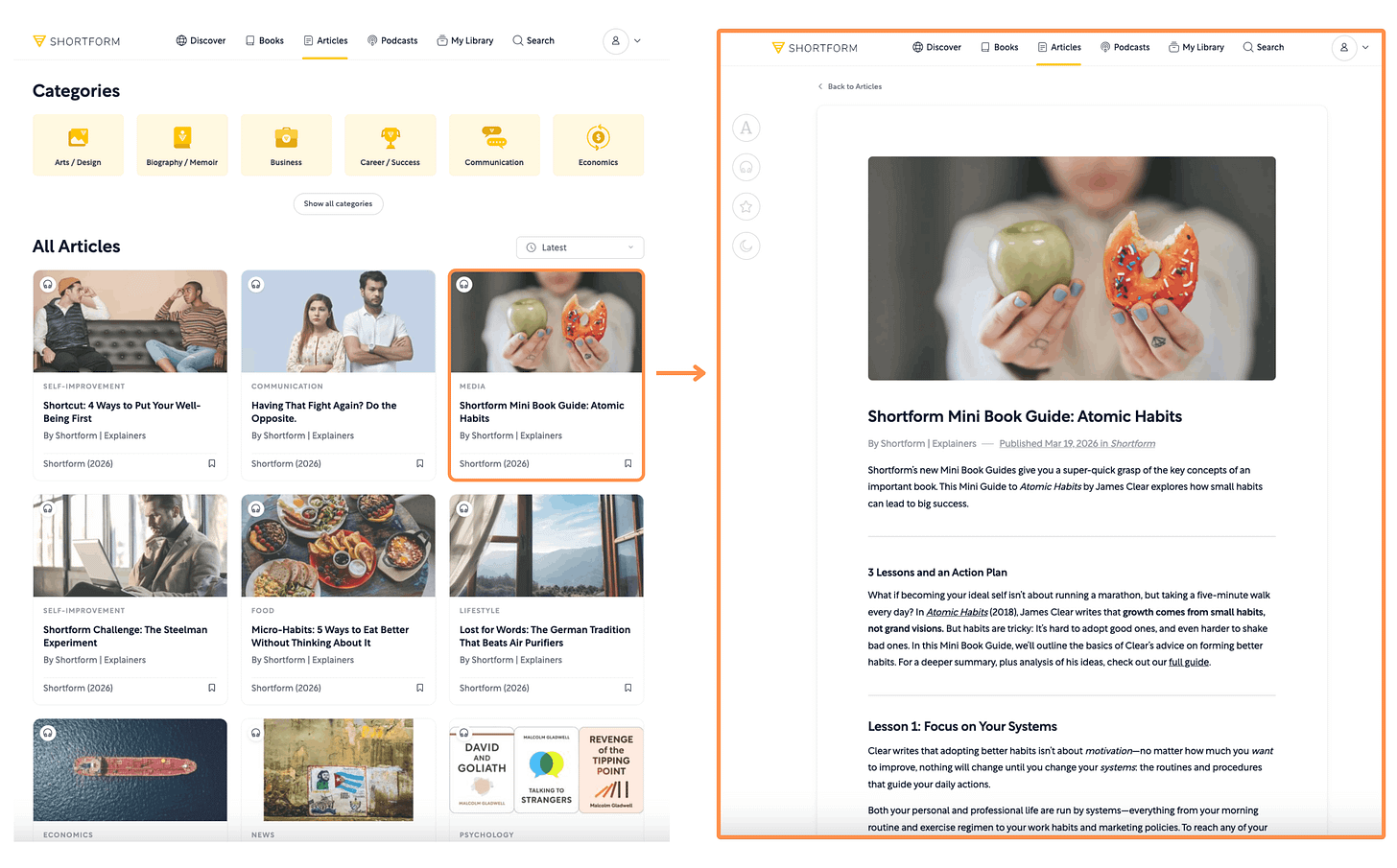
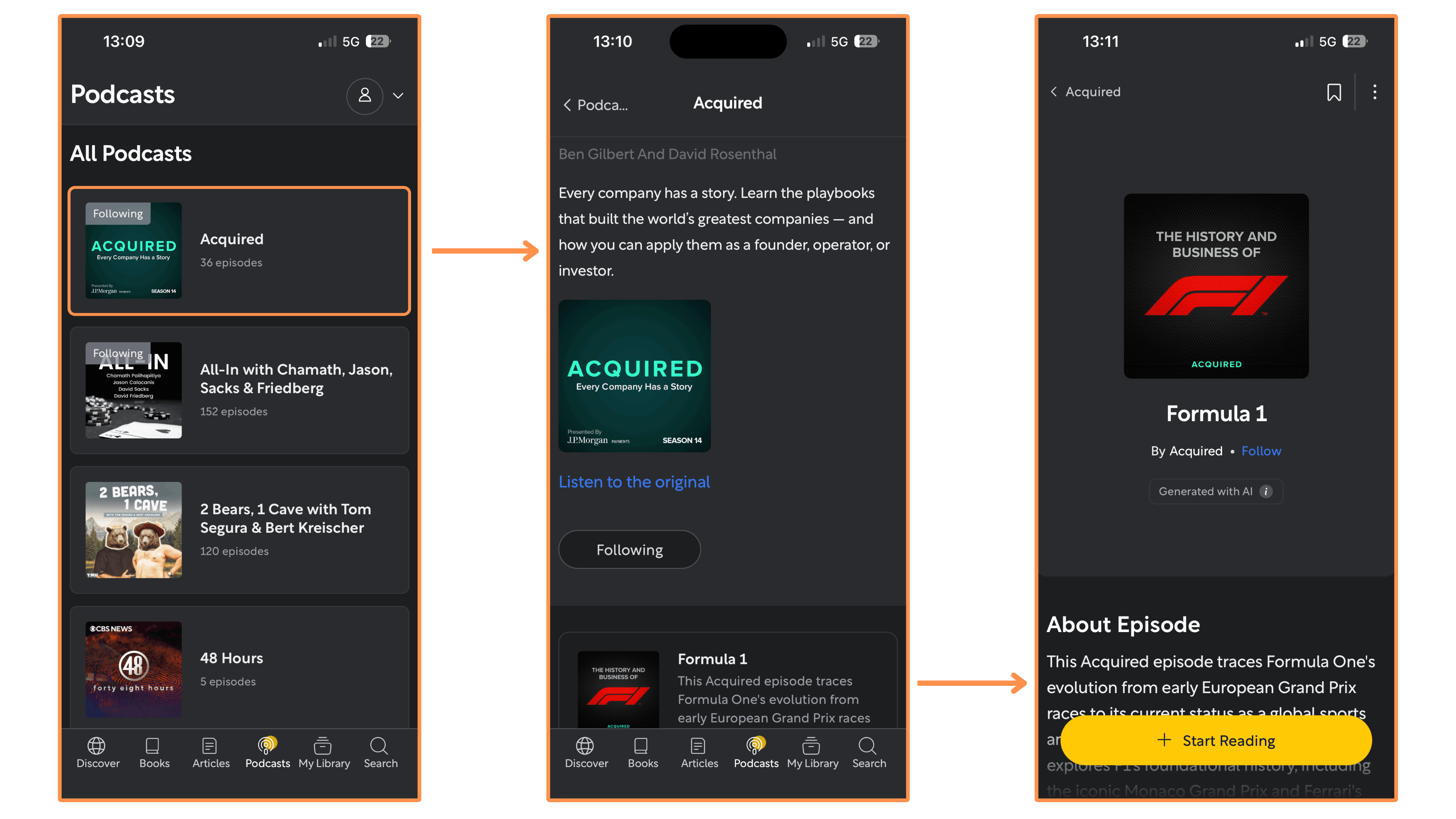
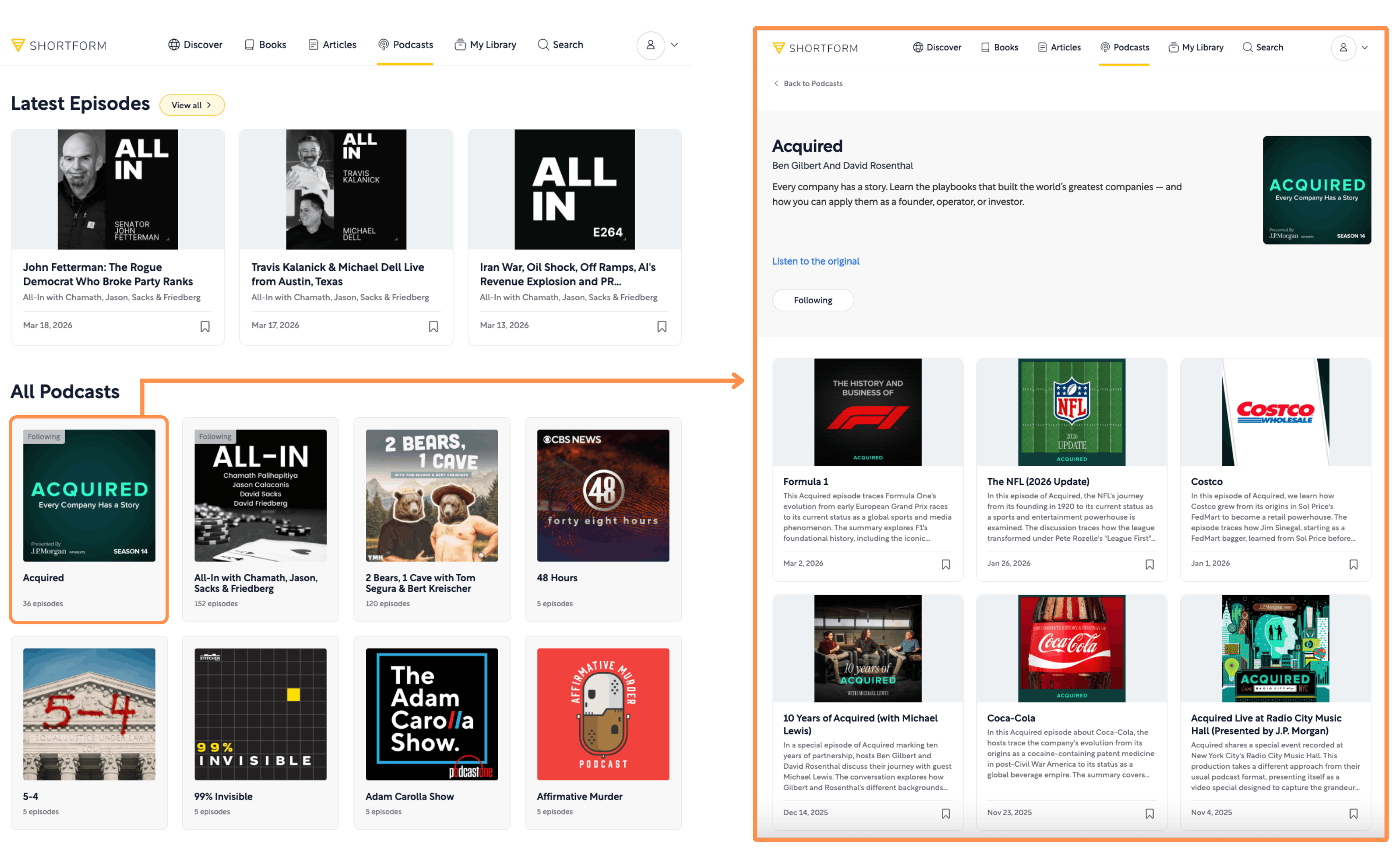
Shortform’s Articles (desktop view + light mode) Podcast Summaries → They offer summaries on episodes of many different Podcasts.
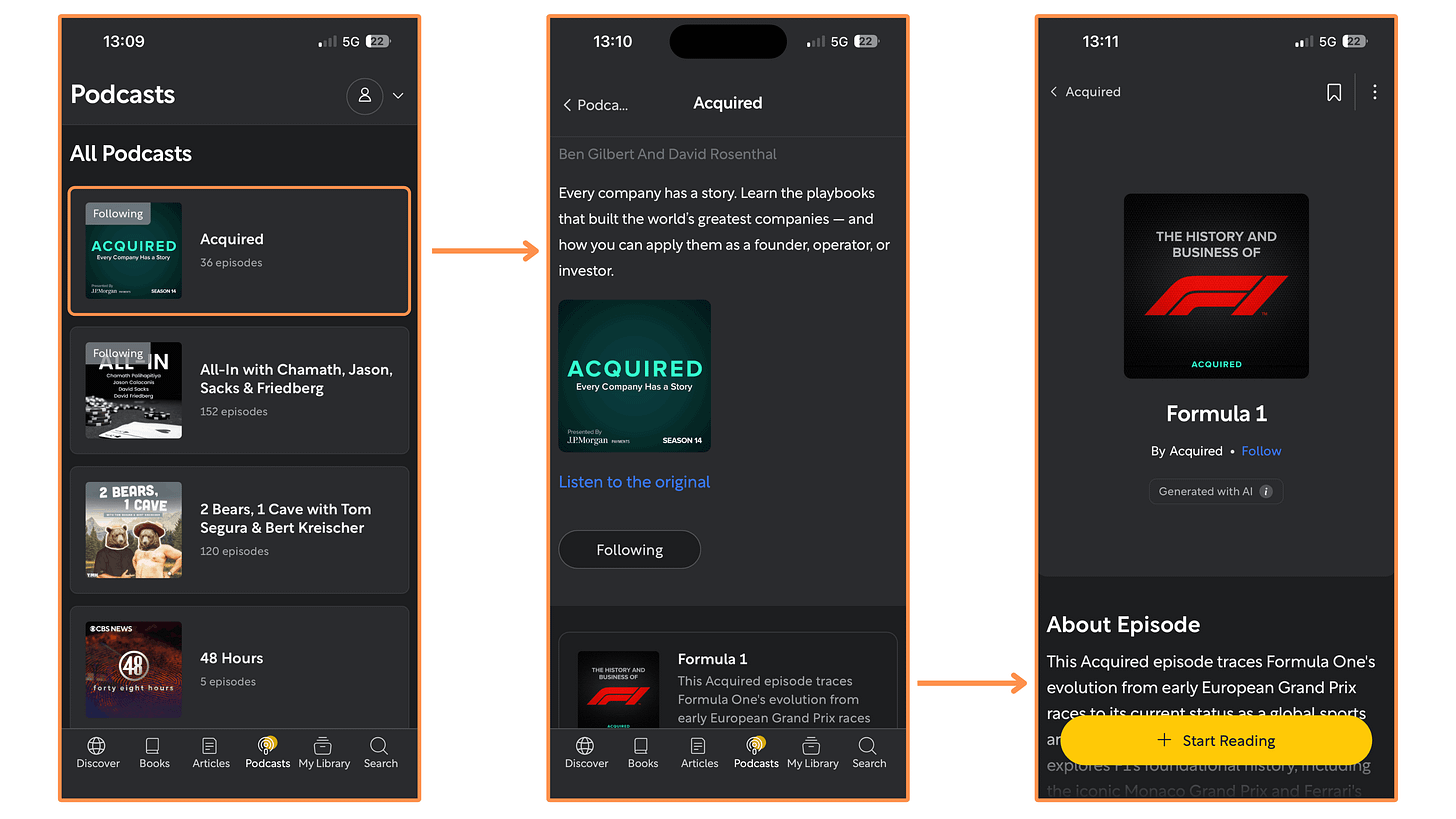
Shortform’s Podcasts (mobile app + dark mode) 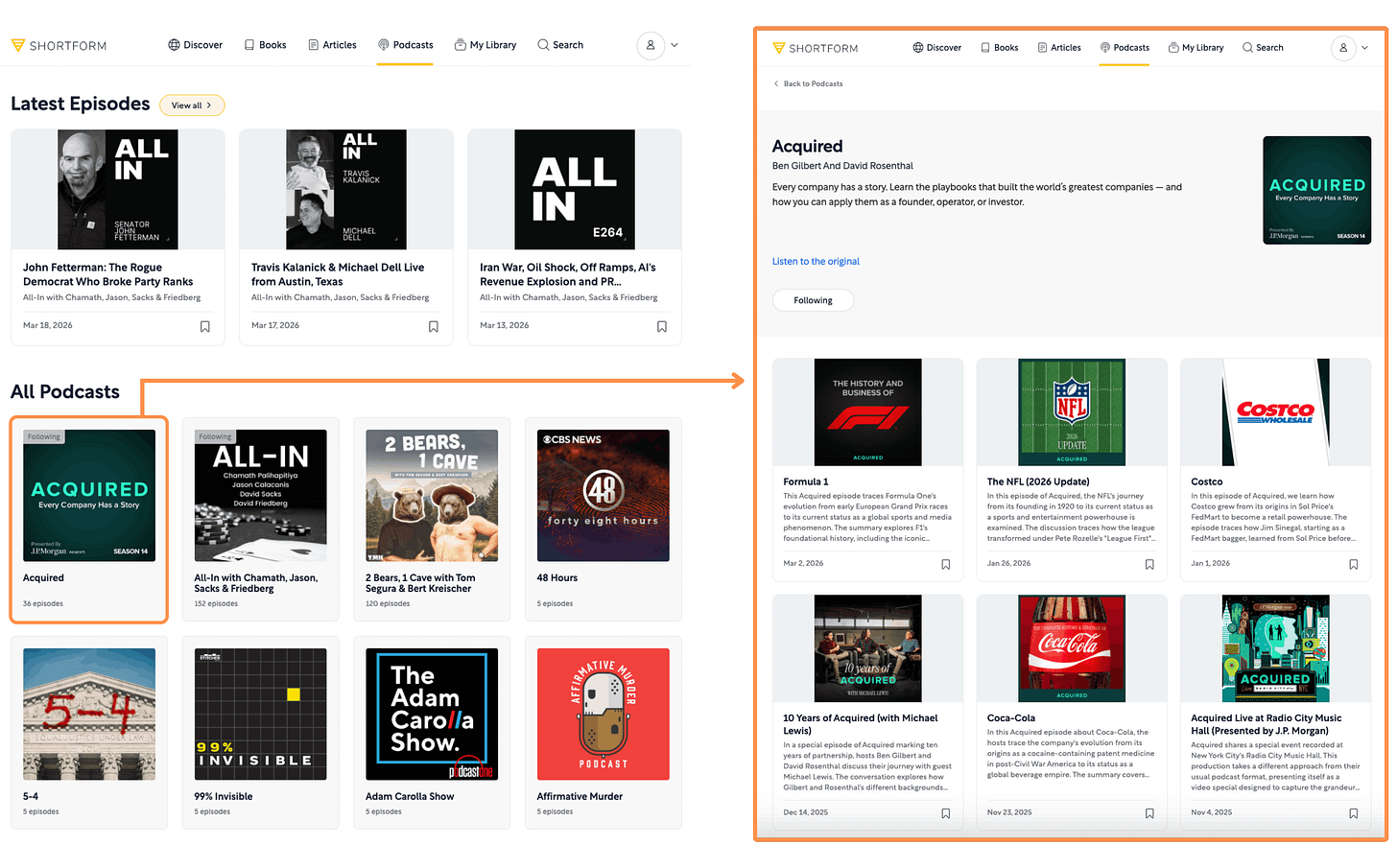
Shortform’s Podcasts (desktop view + light mode) Shortform AI (desktop-only feature) → It’s a browser extension that summarizes everything on the internet, from articles and emails to YouTube videos, at a click of a button. And you can even install it for free! But if you want the premium version (for unlimited summaries) you would need a Shortform subscription.

Shortform AI

5.2.3 Shortform — User Interface
Mobile Interface
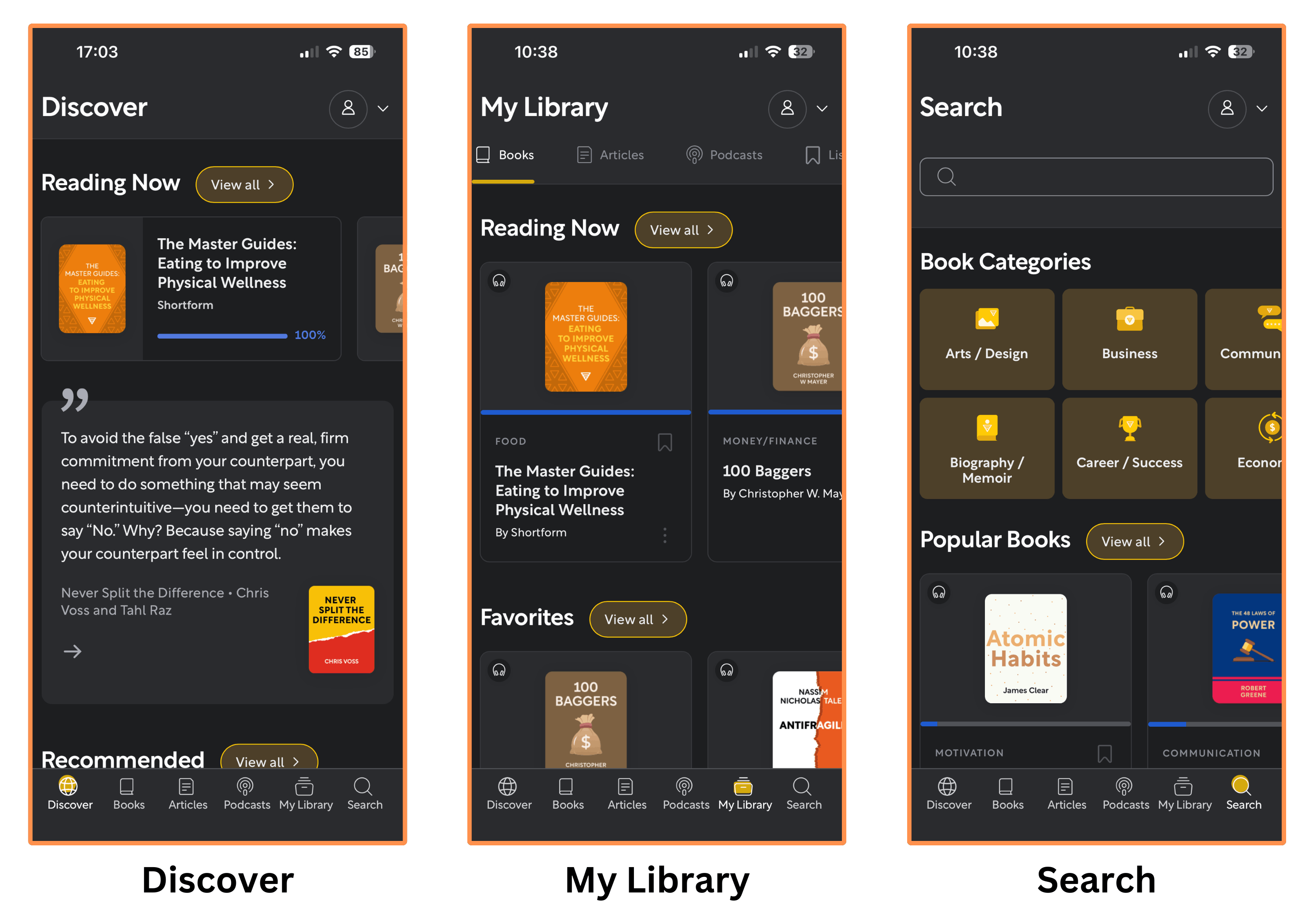
Shortform’s mobile app is beautiful and easy to navigate!
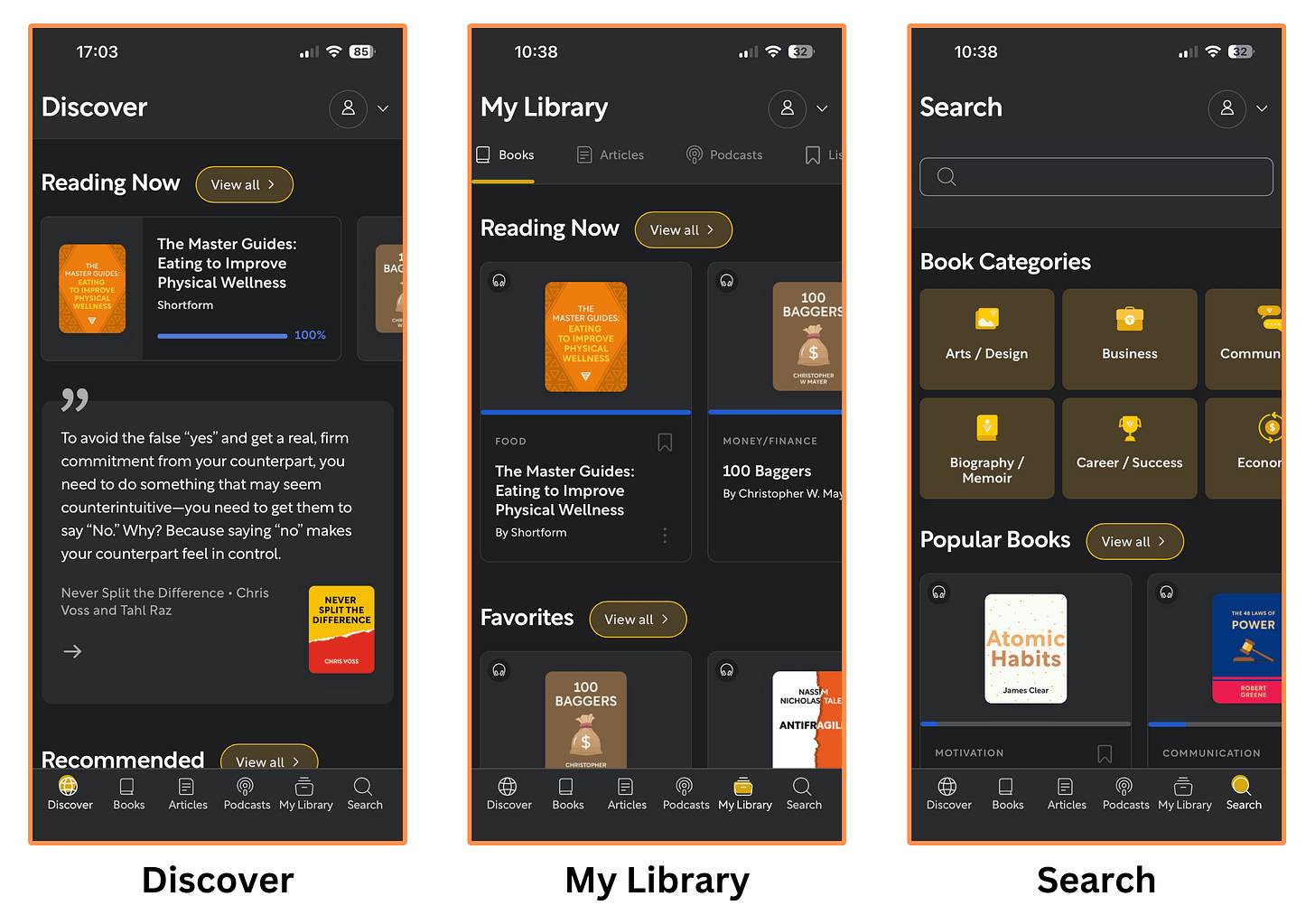
Shortform’s mobile interface (dark mode)
Desktop Interface
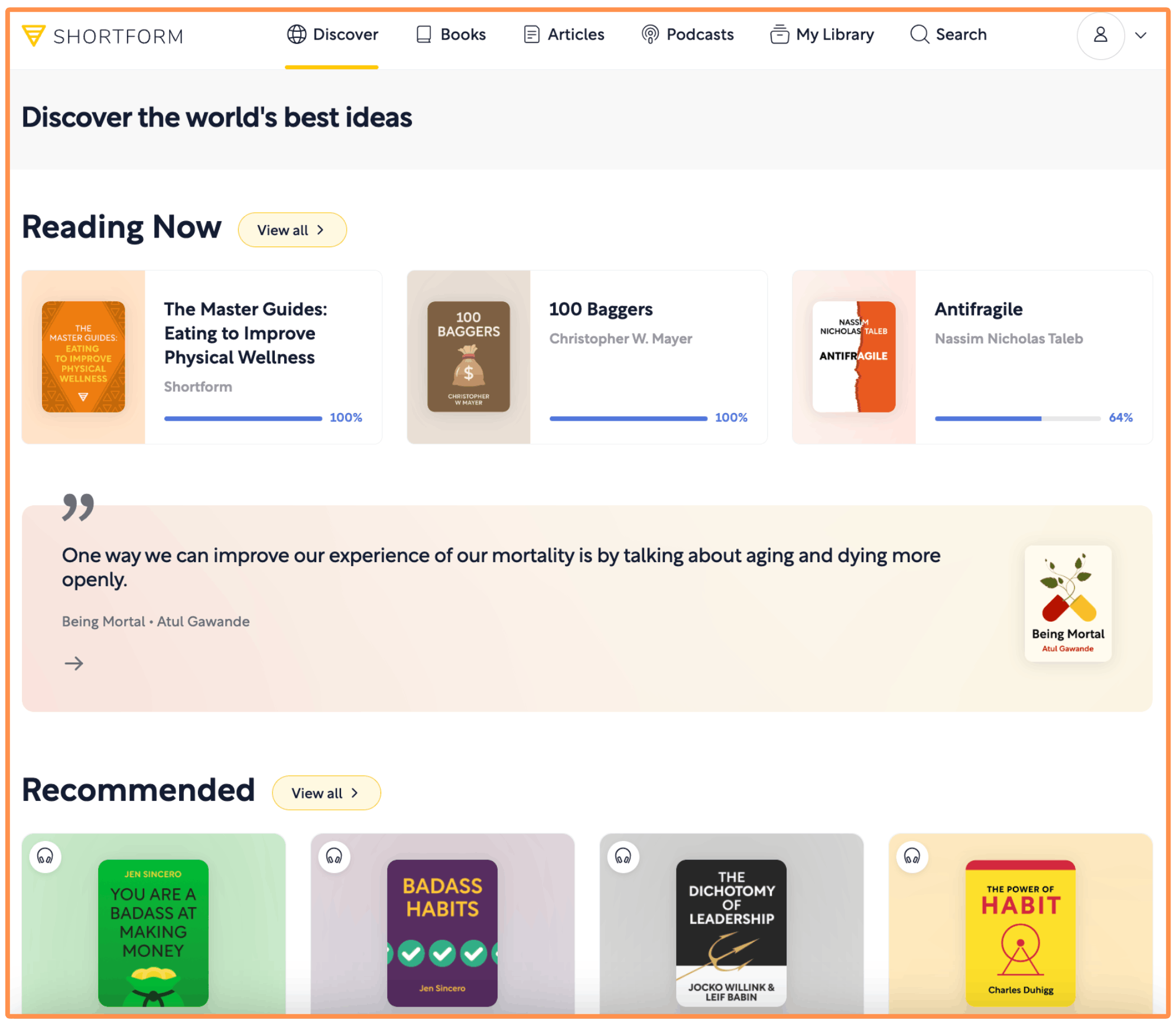
Shortform offers a great desktop interface — it’s easy to use and as feature-rich as their mobile app!
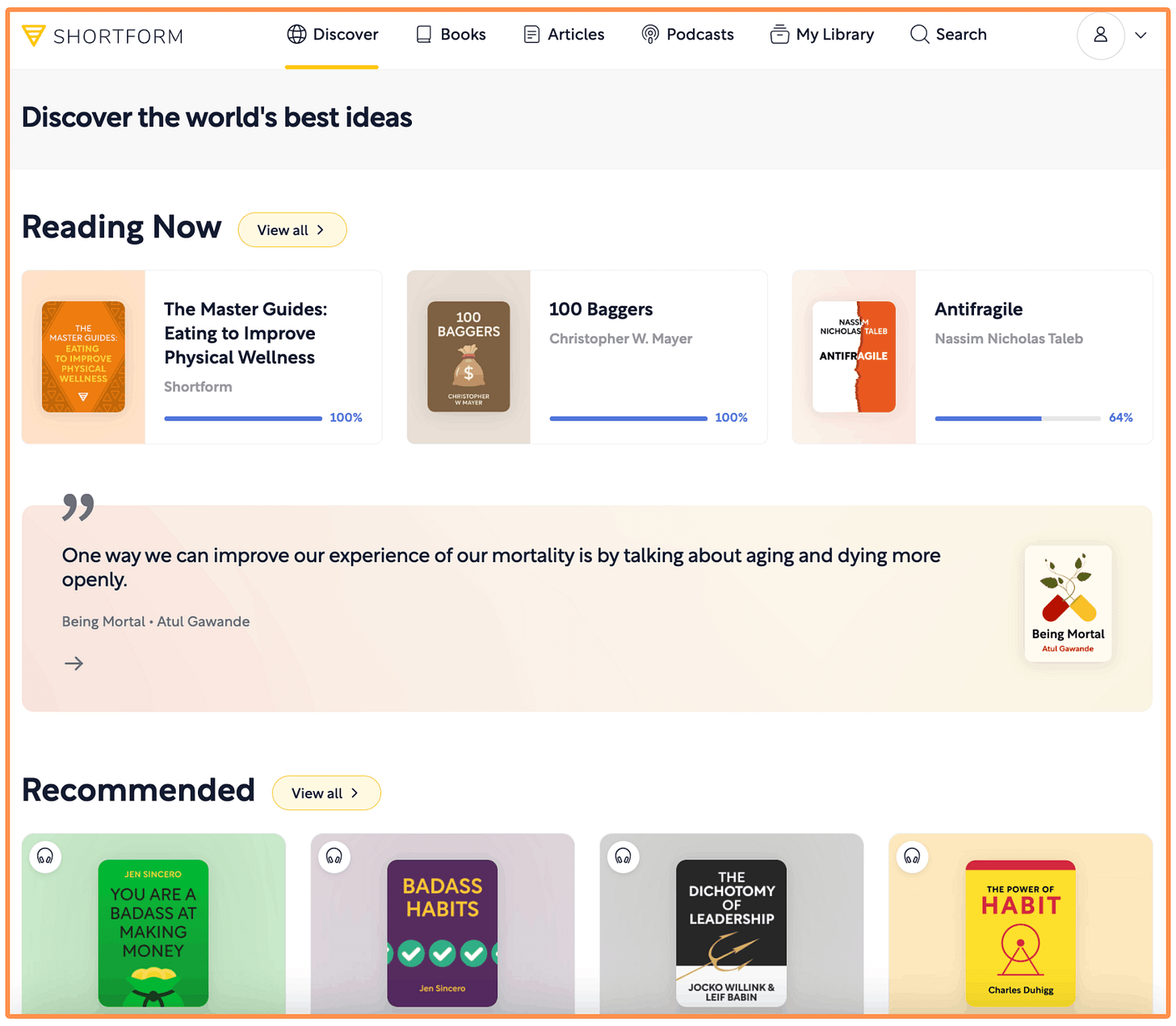
Shortform’s desktop interface (light mode)
5.2.4 Shortform — Price
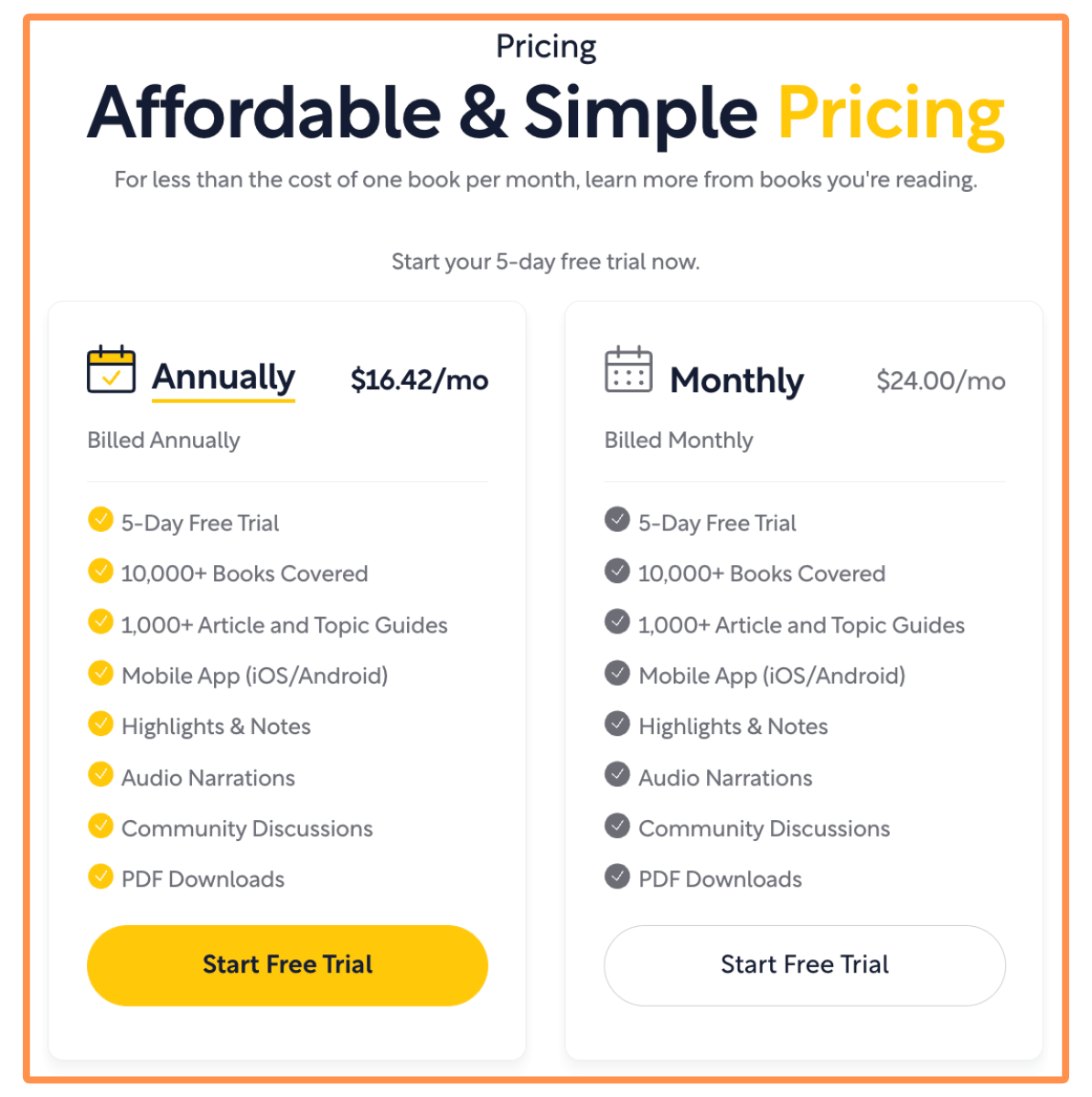
Their pricing is super transparent. You can see it directly on their website. This is different from Headway and Blinkist, which only show you the price after taking a quiz.
Plus, they offer a 5-day free trial, so you can try it without any commitment. That also contrasts with Headway (which requires at least a one-month commitment) and Blinkist (which requires at least a one-year commitment!! 😟).
So… How much does Shortform costs?
The Monthly Subscription goes for $24 per month.
The Yearly Subscription costs $197 per year (equivalent to $16.42 per month). But I talked to the team at Shortform and they agreed to give us a 20% off! (just click here to get the discount).
Conclusion: Is Blinkist Worth it in 2026?
Based on my 5-day research, I can say that Blinkist is a great app for learning ideas from popular non-fiction books.
But… Is it really worth it when we have other alternatives such as Headway or Shortform?
Personally, Shortform is still my favorite book summary app. Mainly because their summaries feel more like study guides: they are (by far) the most in-depth, they have chapter-by-chapter breakdowns, helpful notes, exercises, and it also comes with a note-taking feature (which is great for personal reflection). All of this is incredibly helpful for gaining a deeper understanding of the books’ ideas. Plus, authors like Mark Manson (The Subtle Art of Not Giving a F*ck), James Clear (Atomic Habits), and Sahil Bloom (The 5 Types of Wealth) have all recommended Shortform.
Having said that, I also think Headway can be a valuable complement to the learning experience.
In my own “learning funnel” I’ve started to use Headway’s Shorts as a fun way to micro-learn (which is also nice for reducing Social Media time) and discover new books. I also use Headway’s book summaries to get a quick overview of a book’s ideas. Then, if I find a book interesting, I move to the Shortform study guide for a deeper analysis of the ideas and how to put them into practice. And finally, if I’m still hooked, I buy the book!
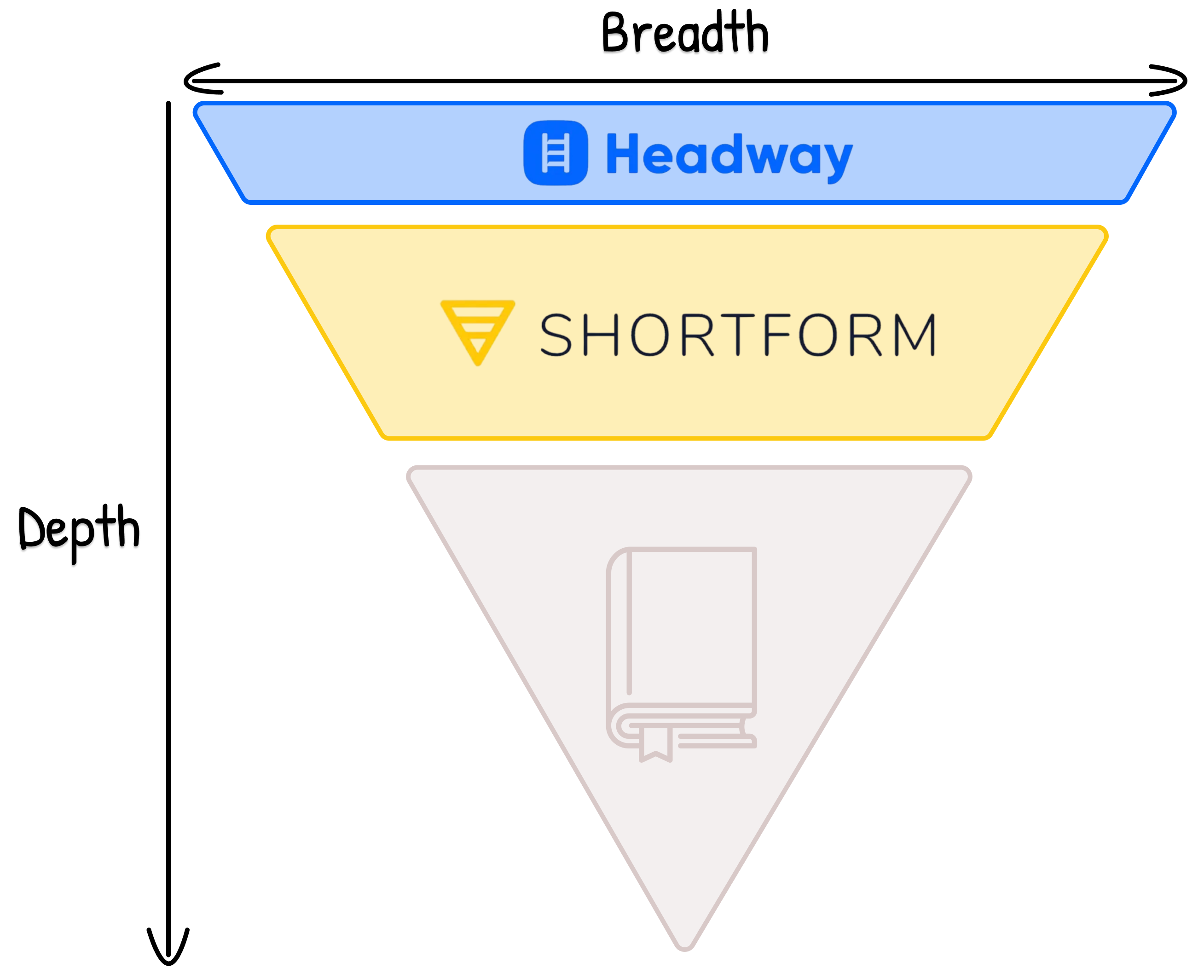
(Even after reading the book, I occasionally revisit the Shortform study guide to refresh the main ideas and takeaways).
I picked Headway over Blinkist because their Shorts are unlimited (Blinkist caps you at 5 per day) and I found them more interesting/fun. Also, I really enjoy Headway’s user interface — I think it has the sleekest design and it just feels fun to use it.
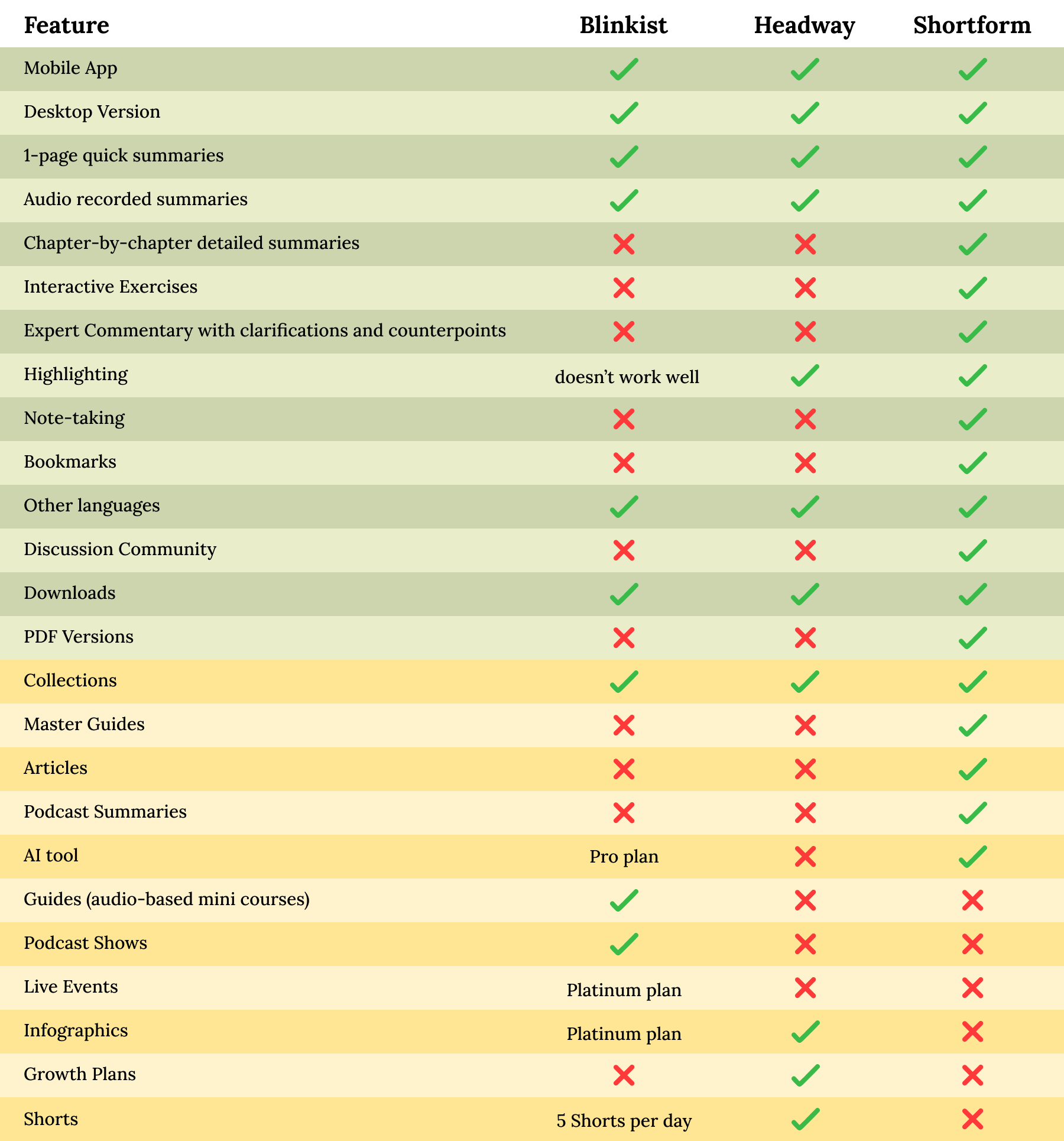
Here’s a complete list of all the features so you can decide which is the best app for you!
(Note: The green color represents the features of the book summaries, whereas the yellow represents the services beyond the book summaries…)
My Final Verdict…
As I mentioned earlier, Shortform is still my favorite book summary app in 2026. But I think that pairing it with Headway makes it even more powerful: Headway for micro-learning, discovery, and a quick introduction to a book’s ideas. And then Shortform for studying, practicing, and mastering the book’s ideas!
And thank you for reading my blog post :)
💸 Discounts:
👉 I talked to the team at Shortform and they agreed to give us a 20% discount on the Annual Subscription by signing up with this link! (You also get a 5-day free trial)
👉 I also talked to the team at Headway and they agreed to give us a 60% discount by taking the 5-minute quiz and signing up with this link! (If you prefer skipping the quiz, you can go directly to this page and get the same 60% off).
(P.S. If the link isn’t working, it might be your VPN or ad-blocker interfering…)